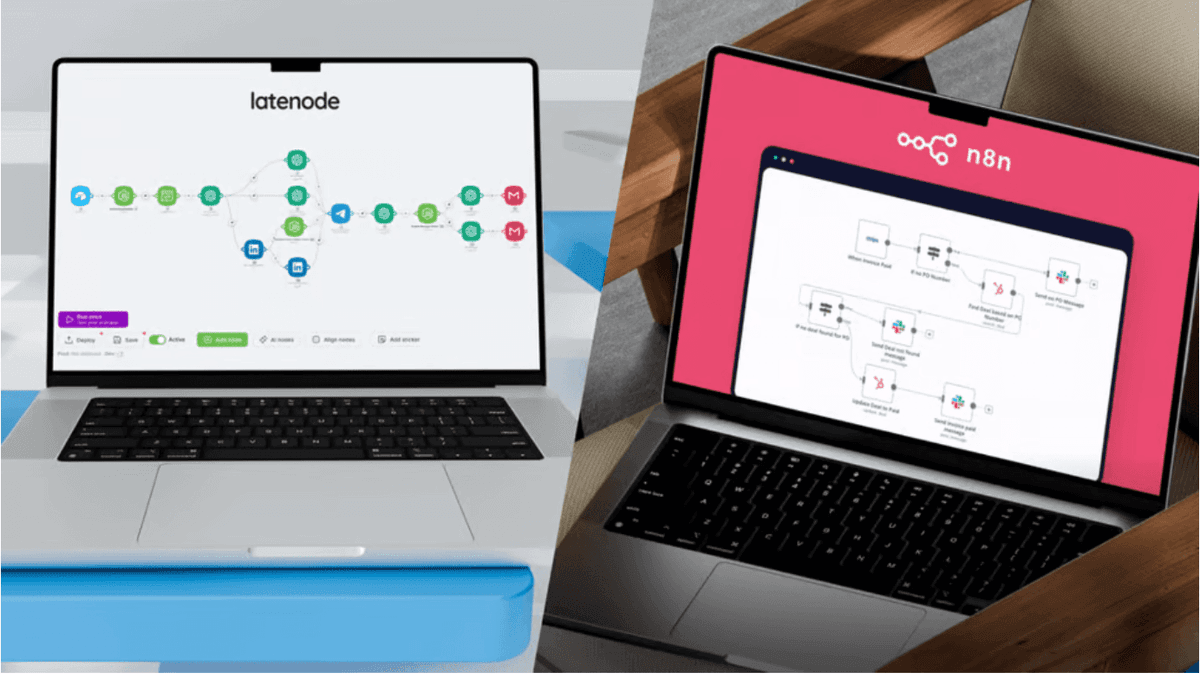
No-Code for Product Managers: Prototyping Features with Latenode
Learn how no-code for product managers accelerates MVP prototyping. validate business ideas and bypass the engineering backlog using Latenode's automation.


Introduction
Every Product Manager knows the frustration of the "feature limbo." You have a validated hypothesis and a clear spec, but the engineering team is booked for the next three sprints on infrastructure stability. Your innovative idea sits in the backlog, gathering dust while market opportunities slip away.
This is where the paradigm of no-code for product managers changes the game. Instead of waiting for developer resources, you can build functional, high-fidelity prototypes yourself using automation. By leveraging tools like Latenode, you can validate business ideas in days, not months, bridging the gap between a static design and a working product.
Escaping the Engineering Backlog: The Case for No-Code Prototyping
The traditional product development cycle—spec, design, code, QA, release—is often too slow for early-stage validation. Waiting weeks to test a simple feature is a risky structural inefficiency. If the feature flops, you’ve wasted thousands of dollars in engineering time.
The solution lies in "Wizard of Oz" testing. In this model, the front end looks and feels like a native application to the user, but the back end isn't complex, hard-coded software. Instead, the logic is handled by flexible automation workflows.
This approach transforms Product Managers from passive backlog administrators into active builders. You can build low-code web applications that function indistinguishably from engineered products for the end user, allowing you to gather real usage data immediately.
Defining the "Wizard of Oz" MVP
A "Wizard of Oz" MVP creates the illusion of a fully automated product.
Imagine a user clicks "Generate Report" on your landing page. They see a loading spinner and receive a polished PDF via email 30 seconds later. To them, it's a seamless app feature.
Behind the curtain, no proprietary code was written. Steps might look like this:
- Trigger: User submits a form (Webflow/Typeform).
- Process: A Latenode webhook captures the data.
- Logic: AI agents process the input and generate the report.
- Delivery: An automated email sends the result back to the user.
Moving to Product-Led Operations
Historically, automation tools were relegated to "Product Ops"—internal tasks like syncing Jira tickets to Slack. While useful, this misses the bigger picture.
No-code tools have evolved enough to handle production-grade user traffic. By shifting focus from internal admin work to customer-facing value, you can test retention, engagement, and willingness to pay before writing a single line of production code.
Why Latenode Fits the Product Management Tech Stack
While there are many tools on the market, most are either too simple (limiting your logic) or too complex (requiring developer skills). PMs need a middle ground—a "low floor, high ceiling" platform. When evaluating the best no-code app builders for prototyping, flexibility is key.
Leveraging AI Copilot as Your Technical Co-Founder
Many Product Managers understand the logic of programming ("if variable A is true, do B") but struggle with the syntax. You know you need to parse a JSON array, but you don't know the specific JavaScript command to do it.
Latenode's AI Copilot solves this. You can simply ask the Copilot to generate a custom workflow or write specific code nodes in plain English.
Example: You have raw feedback data, but the dates are in ISO format (2023-10-05T14:48:00.000Z). You need them readable for an email report.
Your Prompt to Copilot: "Write a JavaScript code that takes the date string and converts it to 'Monday, October 5th' format."
Result: Perfectly functional code is inserted into your workflow instantly.
Unified AI Access for Rapid Experimentation
For modern features, AI is often the core component. However, testing different models usually means managing multiple accounts: an OpenAI API key, an Anthropic account, and a Gemini subscription.
Latenode unifies this. You get access to models like GPT-4, Claude 3.5 Sonnet, and others within a single subscription. This allows you to A/B test which model gives the best results for your prototype simply by changing a dropdown menu.
Here is how the integration approach compares:
| Feature | Latenode | Zapier | Make |
|---|---|---|---|
| AI Model Access | Unified (Included in plan) | External (Bring your own keys) | External (Bring your own keys) |
| Cost Efficiency | Pay for execution time | Pay per task/step | Pay per operation |
| Setup Speed | Immediate (Dropdown selection) | Slower (Configuring connections) | Slower (Configuring connections) |
| Code Assistance | AI Copilot writes code | None | None |
If you are looking to cut costs while prototyping, the distinction in the Zapier vs Latenode comparison becomes clear: Latenode eliminates the "tool tax" of paying for adequate separate AI subscriptions.
Start Prototyping on Latenode for Free
Build It: Creating a "Smart Feedback Analyzer" Feature
Let's walk through a practical tutorial. We will build a feature where a user submits product feedback and instantly receives an AI-generated strategic summary. This simulates a high-value "AI Coach" feature.
Step 1: Setting Up the Webhook Trigger
First, you need an input mechanism. This acts as the "feature interaction" on your frontend.
- Create a new scenario in Latenode.
- Add a Webhook Trigger node.
- Copy the provided URL.
- Paste this URL into your form builder (like Webflow, Typeform, or Tally) under "form actions."
This creates a bridge between your user interface and your logic. For example, a Webflow integration is often just a matter of pasting this webhook URL into the form settings, allowing real-time data transfer without plugins.
Step 2: Configuring the AI Analysis Agent
Next, we need the "brain" of the operation. We will use an LLM to process the raw text.
In Latenode, drag in an "AI Agent" node. You don't need to be a prompt engineer, but you do need to give clear instructions.
- System Role: "You are a Senior Product Strategist."
- Task: "Analyze the incoming user feedback. Categorize it by Sentiment, Feature Request, and Urgency. Write a polite, strategic response to the user."
- Model Selection: Select Claude 3.5 Sonnet for nuanced writing or GPT-4o Mini for speed.
This is where you can learn to build your own AI agent that behaves exactly like a proprietary algorithm.
Step 3: Returning Data to the User (The Loop)
A prototype fails if the user doesn't get value back immediately. To close the loop:
- Add a Gmail or SendGrid node.
- Map the user's email address from the Webhook step.
- Map the AI's "Response" output to the email body.
Outcome: The user submits feedback and receives a high-quality analysis in their inbox moments later. You have successfully simulated a complex software feature.
Connecting Prototypes to Product Operations
Building the feature is step one. Measuring it is step two. Successful product management relies on data, not just intuition.
Logging Usage Data to Notion or Airtable
You can seamlessly branch your workflow. While one path sends the email to the user, a parallel path can send data to your internal Product Backlog.
Each time the feature runs, log the User ID, Input Length, and AI Output to a database. This validates volume. If you see 500 executions in a week, you have a strong case to bring to the engineering team for a full build.
Multi-Agent Collaboration for Complex Logic
Sometimes a single prompt isn't enough. If your prototype requires searching the web for competitors and then summarizing features, you need a system of agents.
You can chain multiple nodes: Agent A searches the web, and Agent B synthesizes Agent A's findings. Latenode’s visual canvas makes it easy to build AI agents without coding that hand off tasks to one another, creating robust "Backend-as-a-Service" logic visually.
From Latenode Prototype to Engineering Handoff
The beauty of no-code prototyping is that it acts as a living specification document. Written PRDs (Product Requirement Documents) are often misinterpreted. A working Latenode workflow is unambiguous.
Using the Workflow as a Specification Document
When you are ready to "graduate" the feature to code, you can walk the Engineering Lead through the Latenode graph.
- "Here is the exact logic for edge cases."
- "Here is the JSON structure we return."
- "Here is the prompt that generates the best results."
This reduces back-and-forth communication and clarifies requirements significantly.
Keeping the "Non-Core" Features on No-Code
Conversations often reveal that not everything needs to be hard-coded. Engineering might decide to build the core application but leave the notification engine or the weekly report generator on Latenode.
This hybrid approach keeps the production codebase clean while allowing Product Managers to maintain and iterate on operational features without bothering developers.
Build Your First AI Prototype Now
Frequently Asked Questions
Is "Wizard of Oz" prototyping scalable?
It is designed principally for validation (0 to 1,000 users). However, Latenode's infrastructure is robust enough to handle significant scale. Startups often run entire operations on Latenode until they reach Series A scale, at which point moving to custom code may offer marginal cost benefits.
Do I need to know JavaScript to use Latenode?
No, you do not need to be fluent in code. Latenode is designed for low-code users. While the platform supports JavaScript for advanced users, the AI Copilot can write, debug, and format code snippets for you based on plain English requests.
How does Latenode stack up against competitors for prototyping?
Latenode is often preferred for prototyping due to its "pay-per-execution" model (cheaper for loops) and integrated AI models. For user feedback on comparing automation tools, the community highlights the flexibility of heavy logic handling without the premium pricing tiers found in older platforms.
Can I connect this to my existing product authentication?
Yes. You can pass User IDs or Authentication Tokens via Webhooks from your application to Latenode. This ensures that your prototype workflow respects user context and security protocols effectively.
Why shouldn't I just hire a freelancer to build the MVP?
Hiring takes time and creates a "black box" of code you cannot edit. Building the logic yourself in a visual builder gives you full control to iterate on the product daily based on user feedback, maximizing your speed to market.
Conclusion
For Product Managers, the ability to execute is the ultimate superpower. Waiting for weeks to validate a hypothesis is a luxury modern startups cannot afford. By utilizing no-code automation, you can escape the backlog and start delivering value immediately.
Latenode provides the perfect ecosystem for this—combining the ease of visual building with the power of integrated AI and custom code. Whether you are building a "Wizard of Oz" feature or automating complex product operations, the goal remains the same: validate faster, build smarter, and ensure you are building the right thing before engineering writes a single line of code.