




Dozens of MCP servers exist. The registries keep growing (Thoughtworks counted tens of thousands by late 2025, and the list has not slowed down). So the first thing most teams do is install a bunch of them, wire them up, and discover three days later that their Claude Code session feels like debugging through fog: slow responses, wrong tool invocations, and an agent that keeps asking clarifying questions it shouldn't need to ask.
The choice paralysis is real. But the underlying problem is usually simpler than it looks. Most teams wire up the wrong servers first because they're picking by popularity or category breadth, not by workflow fit. A small set of MCP servers genuinely covers the full dev lifecycle. Which ones belong in your stack depends almost entirely on what you actually build and how your team coordinates.
That's what this article is really about.
What usually breaks first
- MCP server choice should follow workflow fit, not registry ranking or category hype.
- GitHub and the database/HTTP/filesystem group are near-universal installs; team tools like Linear and Slack are only worth it if that's where your coordination already happens.
- Transport type (stdio vs. HTTP) causes more silent failures than misconfigured credentials do.
- Running too many servers at once fills your context window and makes Claude less useful, not more.
- Setup quality separates a working MCP integration from one that breaks the second you restart Claude Code.
What MCP Actually Does Inside Claude Code
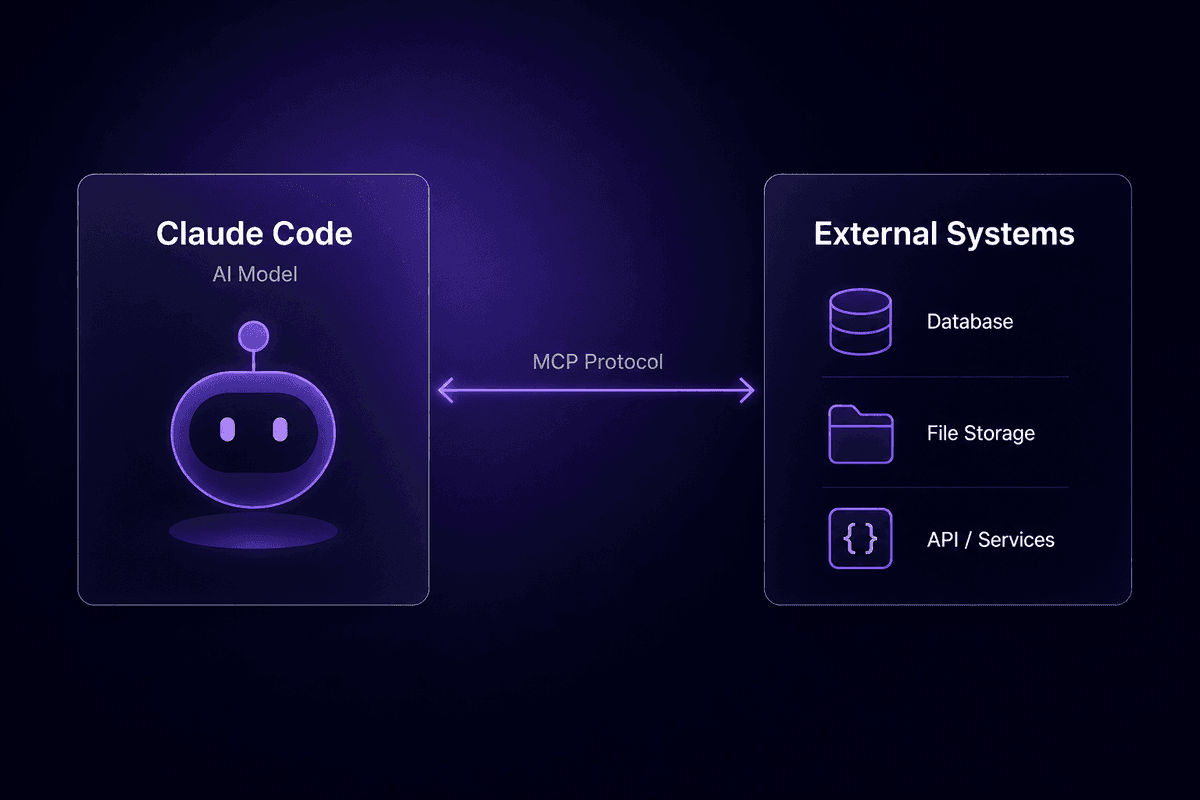
The Model Context Protocol is Anthropic's open standard for connecting AI models to external systems: repositories, databases, APIs, file systems, internal tools. Think of it like an API layer that Claude Code natively understands, introduced in 2024. The protocol defines how an MCP server exposes tools and data to the model, and how the model calls those tools during a session.
When Claude Code connects to an MCP server, it reads a list of available tools the server advertises. Those tool definitions describe what the server can do: search a repository, run a database query, send a Slack message, open a browser tab. Claude then decides when to call those tools in context, using natural language to map your intent to the right tool call. The model's context window sees the tool output alongside your code and conversation. That's the whole loop.
Most teams treat MCP servers like plugins: install the thing, it works. The part that causes headaches later is that each server sits between an AI agent and connected tools running on real systems. If the server is misconfigured, the tool call fails silently. If the tool definitions are too broad, Claude picks the wrong one. If the server exposes more permissions than needed, you've handed the model access it shouldn't have. The abstraction is clean. The failure modes are still real.
How stdio and HTTP transports change your setup options
MCP servers connect over one of two transports, and getting this wrong is the most common setup mistake I see.
stdio runs the MCP server as a local process. Claude Code spawns it, communicates over standard input/output, and the server dies when the session ends. The JSON configuration block points at a command to run. This is the default for most local servers and is simple to configure, but the process lifecycle is tied to Claude Code's session. Restart Claude Code and the server needs to restart too. Miss that in your .mcp.json and the server disappears.
HTTP-based transports run the server as a persistent service, either locally or remotely, and Claude Code connects to it over a URL. This survives restarts, works for remote or shared setups, and is required for any server that needs to stay alive between sessions or serve multiple clients.
The classic misconfiguration: a server designed for stdio gets called over HTTP (or vice versa), and Claude Code reports an empty tools list with no useful error. Check your transport type before you check anything else.
How to Pick an MCP Server Before You Touch Any Config
This is the part most guides skip. Before you configure anything, run these checks. Each bullet names the criterion and what breaks when you ignore it.
- Workflow coverage, not category breadth
Ask whether the server enables a concrete workflow you run today, not a generic category of tasks. Teams that install MCP servers because they seem useful but don't map to an active workflow end up with a bloated tool surface that Claude can't navigate cleanly.
- Transport compatibility with your Claude Code setup
Check whether the server uses stdio or HTTP and whether that matches how you're running Claude Code. An HTTP server installed via a stdio config entry will simply not connect, and the error message won't tell you why.
- Least-privilege permission scope
Verify that the server exposes only the permissions your workflow actually needs. MCP sits between an AI integration and production systems. Overpermissioned servers are where most security incidents start.
- Client-agnostic portability
If you also use Claude Desktop, VS Code with Copilot, Cursor, or JetBrains AI, check whether the server runs on the open MCP standard rather than a client-specific plugin format. Servers built to spec work across environments without reconfiguration.
- Maintenance and documentation quality
An MCP server with sparse documentation and no recent commits is a support ticket waiting to happen. Check the repository activity before committing to a constraint in your stack.
- Active workflow versus demo
Some servers look good in demos but expose so few tools that they don't cover real dev lifecycle steps. If the tool list is three items, it probably doesn't earn a persistent slot in your context.
The MCP Servers Worth Installing on Day One
The table below covers the servers I'd actually consider putting in a baseline stack. The columns reflect what I know from real usage and documented sources. Where data isn't available, I've marked it clearly rather than guessing.
| Server | Best-fit use case | Pricing direction | Setup complexity | Client-agnostic |
|---|---|---|---|---|
| GitHub | Multi-repo dev, PR review, issue triage | Free (GitHub plan required) | Medium | Yes |
| Playwright | QA, UI and regression testing | Free / open source | Medium | Yes |
| Linear | Product/engineering backlog management | Free OSS + Linear plan | Low-medium | Yes |
| Slack | Dev-communication sync | Free OSS + Slack plan | Low | Yes |
| Database / HTTP / Filesystem | General-purpose agentic coding | Infrastructure cost only | Medium-high | Yes |
These are the servers worth evaluating on day one. Everything else in this article is either more specialized or only makes sense once your core stack is stable.
GitHub MCP server: repository-wide code search and PR context
The GitHub MCP server does more than most teams expect. Once configured, Claude Code can run semantic search across repositories, surface live issue and pull request context, create branches, review diffs, and reason over cross-repo patterns without you copying anything manually. It dominates essentially every "best MCP servers for Claude Code" list in circulation right now, and the reason is simple: almost every developer workflow touches GitHub, and having the agent read live PR context instead of your paste-in summary saves real time.
Best for developers working across multiple repositories who need code review assistance and cross-repo search. The semantic search capability is particularly useful for large codebases where grep falls short and you need vector database-style relevance rather than exact matches.
The honest con: GitHub API rate limits can throttle the agent mid-session without surfacing a clean error. If Claude Code suddenly stops returning useful repository context, check your rate limit status before debugging the server config. A personal access token with appropriate scopes and a clear understanding of your hourly quota goes a long way here. Configure the server with minimal required permissions: read access to the repositories you actually work in, write access only if the workflow explicitly needs it.
That is where the ticket usually starts.
Playwright MCP server: browser automation and end-to-end testing
The Playwright MCP server exposes full browser automation to Claude Code. This means Claude can launch a headless browser, navigate to a URL, interact with UI elements, run JavaScript, read page content, and return structured results back into your session. For QA engineers, this closes a loop that previously required context-switching out of the coding environment entirely: Claude can now run an autonomous QA cycle, read the test output, propose fixes, and re-run.
It's open source and free, which is genuinely useful for teams watching costs. The catch is that it's built for QA-focused workflows. If your primary use case is writing application code rather than testing it, Playwright ranks well below GitHub in terms of daily usefulness. Install it when UI testing is part of your regular loop, not because browser automation sounds powerful. It's an AI agent capability that earns its config slot in a testing-heavy stack and sits unused in most others.
JavaScript-heavy single-page applications and regression testing workflows are where this server earns its keep. General-purpose development teams can usually skip it at first install.
Linear MCP server: issue tracking and sprint automation inside Claude Code
Linear MCP lets Claude Code create, update, query, and reason over tickets as part of a development workflow. The practical value is that agentic coding and issue management stop being separate context switches: you can ask Claude to check what's blocking the current sprint, create a ticket from a failing test, or update issue status after a merge, all from the CLI, without opening another tab.
The MCP server itself is open source; access to your workspace data depends on your Linear plan. For product and engineering teams already living in Linear, this is a straightforward install. The gotcha I keep seeing is teams giving Claude write access to Linear without scoping it to specific projects or workflows first. An agentic workflow that creates or updates tickets broadly will produce noise quickly. Scope it to the specific queues and projects Claude should touch. Test with read-only access first, then expand after you trust the output.
Slack MCP server: keeping code changes and team communication in sync
Slack MCP lets Claude Code read recent channel messages, post updates, and summarize conversations. The use case that actually works: tight dev workflows where tickets, deploys, and code review notifications all flow through Slack, and you want the agent to stay aware of what the team is discussing without you copying context manually.
Pricing follows the Slack workspace plan; the MCP component itself is free. The common mistake is giving Claude write access to public channels before you've tested what the output looks like at scale. Markdown formatting from Claude doesn't always render the way you'd expect in Slack, and agentic workflows posting across multiple channels tend to generate confusion rather than clarity until you've dialed in the message format. Start with read access and a single private test channel. Expand to writes in specific channels once the output format is reliable.
It's worth across multiple Slack workspace types, but treat it as a communication layer on top of a working dev stack, not a substitute for one.
Database, file system, and HTTP MCP servers: the universal dev toolkit

This grouping covers what turns Claude Code into a general-purpose automation agent rather than a code-writing assistant. Database MCP servers (the PostgreSQL pattern is most common) let Claude run queries, inspect schemas, and reason over data. Filesystem servers let it read, write, and manipulate files directly. HTTP/API servers let Claude call any external endpoint, interact with external services, and chain API calls as part of a broader workflow. Together, these are the "available tools" that make agentic coding workflows actually agenttic rather than just assisted.
The cost model differs from the specialized servers above: there's no separate pricing for the MCP server itself, just the infrastructure underneath (your database, your API quotas, your filesystem). Setup complexity is higher because you're configuring access to systems that matter, not just connecting to an OAuth app.
The clarista.io documentation pattern holds here: these servers expose data sources and APIs to the model in a way that lets Claude query, transform, and act on real data without you writing all the glue code manually.
⚠️ Worth knowing:
The database and HTTP server category is the most powerful grouping and the most commonly under-secured one. These are the servers where least-privilege auth gets skipped most often, because the setup friction is higher and teams are moving fast. MCP sits between an AI agent and production external services. If you wire Claude Code directly to a production database with broad permissions, the blast radius of an unexpected query or an agentic loop gone wrong is real. Test against a read replica or a staging database first. Always.
MCP Servers That Only Make Sense for Specific Stacks
Before you go deep on a server you found in a specialty registry, one check worth running: does your team actually use the platform that server connects to, actively, as part of daily work? If the answer is no, or "we're evaluating it," skip the server for now. Specialty MCP integrations pay off when the underlying platform is load-bearing infrastructure. They become a distraction when the platform is aspirational.
Two servers come up often enough in general MCP lists that they're worth naming directly, along with an honest description of who they're actually for.
QuantConnect MCP server: algorithmic trading and backtesting workflows
The QuantConnect MCP server integrates backtesting and algorithmic trading research into Claude Code. It's specific coding assistance for quant developers: you can ask Claude to reason over backtest results, optimize strategy parameters, or debug algo logic, with the MCP server pulling live QuantConnect workspace data into context.
It almost never appears in general development MCP shortlists, and it shouldn't. If your team isn't already running backtests on the QuantConnect platform as part of active research, this server has no use case. Installing it to "explore quant workflows" without an active QuantConnect workspace and API key is just setup noise. Skip it until the platform is real in your stack.
SailPoint MCP server: enterprise identity and access management from Claude Code
The SailPoint MCP server lets Claude Code query and manage IAM requests through an MCP bridge into SailPoint's identity platform. For enterprise security engineers and IAM teams, this is a meaningful workflow improvement: provisioning requests, access reviews, and policy queries can be handled from the same environment where code is being written.
It's a paid enterprise offering that makes no sense outside an active SailPoint deployment. Most development teams should treat this as a controlled skip. The support question that tends to arrive here is "can I use this as a generic identity server?" The answer is no. It's tightly scoped to SailPoint's platform, not a general IAM MCP client.
Troubleshooting MCP Server Connections in Claude Code

The pattern I keep seeing in support: teams notice MCP connection issues after workflows start breaking, not before. Claude Code stops using a tool you expected it to use. Or it uses the tool but returns garbage. Or it reports an empty tool list when you're certain the server is running. By that point, a few related things have usually gone wrong at once, which makes diagnosis slower than it needs to be.
Here are the failure modes worth knowing before they happen.
Authentication errors (401/403) Usually mean the token or credentials you passed at configuration time have either expired or were scoped incorrectly. For the GitHub MCP server specifically, this is common after token rotation or when a fine-grained personal access token was created without the repository permissions the server needs. Check the token scope first, then the expiry.
Rate limit failures (GitHub specifically) The GitHub MCP server can hit API rate limits mid-session without surfacing a clean error to the user. Claude just stops returning useful repository context. Run gh api rate_limit or check the GitHub API directly to confirm whether you've hit a limit before debugging the server.
Transport mismatches A server configured for stdio called over HTTP, or vice versa, produces an empty tool list in Claude Code with no clear error message. If Claude Code reports "no tools available" for a server you just installed, check the transport type in your config first.
Verifying the connection is actually live Inside Claude Code, ask directly: "What MCP servers and tool definitions are currently available?" Claude will report the connected MCP servers and the tools each one exposes. An empty tools list from a server that should have tools is almost always a transport or scope issue. A partial tools list usually means the server started but the scope options restricted what it advertises.
A team I spoke with recently had this exact problem: their database MCP server was running on stdio (confirmed via the process list) but their .mcp.json entry was pointing at a localhost HTTP endpoint they'd copied from another setup. Claude Code showed the server name but listed zero tools. The fix was a two-line config change. The diagnosis took 40 minutes because nothing in the logs explicitly called out the transport mismatch.
🤔 Think about this:
If Claude Code shows your MCP server connected but the available tools list is empty, the server is probably running fine. The problem is almost always in how the config entry describes the connection, not in the server itself. Check the transport field, check the command or URL, and ask Claude to list tools explicitly. That one query surfaces more diagnostic information than reading logs cold.
Using MCP With Claude Desktop vs. Claude Code: What Changes
This comes up enough that it's worth a direct answer. Claude Desktop and Claude Code both support the MCP protocol, and most well-built MCP servers are client-agnostic: they work across Claude Desktop, Claude Code, Cursor, JetBrains AI, and other MCP-compatible clients.
What changes between them is configuration format and transport handling. Claude Desktop typically uses a JSON config file at a specific path for your OS. Claude Code uses .mcp.json at the project or user level. The server itself doesn't care. The config wrapper does.
The mistake that generates support tickets: copying a Claude Desktop MCP config block directly into Claude Code's setup without checking whether the transport type and command path need adjustment. A Claude Desktop config that runs a server over SSE may need to be adapted for stdio in Claude Code, or may need a different process launch command. The server spec is portable. The config is not always directly copy-paste compatible.
If you're running the same MCP server across both clients, write the server config for each client format separately. It takes five minutes. It avoids the "it works on Desktop but not in Code" conversation entirely.
References
- Stack Overflow - AI | 2025 Stack Overflow Developer Survey - 12/06/2025
- Stack Overflow - Mind the gap: Closing the AI trust gap for developers - 17/02/2026
- Stanford HAI - The 2026 AI Index Report - 09/09/2024
- Stanford HAI - Artificial Intelligence Index Report | Stanford HAI - 24/05/2026
- Thoughtworks - The Model Context Protocol's impact on 2025 - 10/12/2025
- Stack Overflow - How Stack Overflow's MCP Server is helping HP modernize the software development lifecycle - 12/12/2025
- BigIdeasDB - How to Search Reddit From Claude, Cursor, or Any AI Client (2026) - 17/03/2026
- GitHub - GitHub MCP Server - 03/03/2025
- GitHub - github-mcp-server/docs/installation-guides/install-claude.md at main - 03/03/2025
- Stanford HAI - The 2025 AI Index Report | Stanford HAI - 09/09/2024




