
Embedded iPaaS: integrations your customers run inside your product
Embedded iPaaS is an integration platform that a software company builds into its own product, so customers connect their apps and automate workflows without leaving it. Latenode embeds its workflow builder in your app as a white-label iframe: users sign in through your login, work under your brand and run workflows on Latenode integrations and AI models.
What is embedded iPaaS?
Embedded iPaaS, short for embedded integration platform as a service, gives a SaaS company ready-made connectors, a workflow engine and a builder that live inside its own product. Customers see the integrations as a native feature of your app, while the platform handles authorization, runs and history behind it. It fits B2B products whose customers each work with a different set of apps. For the customer, connecting an app happens on a page of your product, not in a separate tool with its own login. A traditional iPaaS does a similar job for a company's internal systems, and its own IT team runs it.
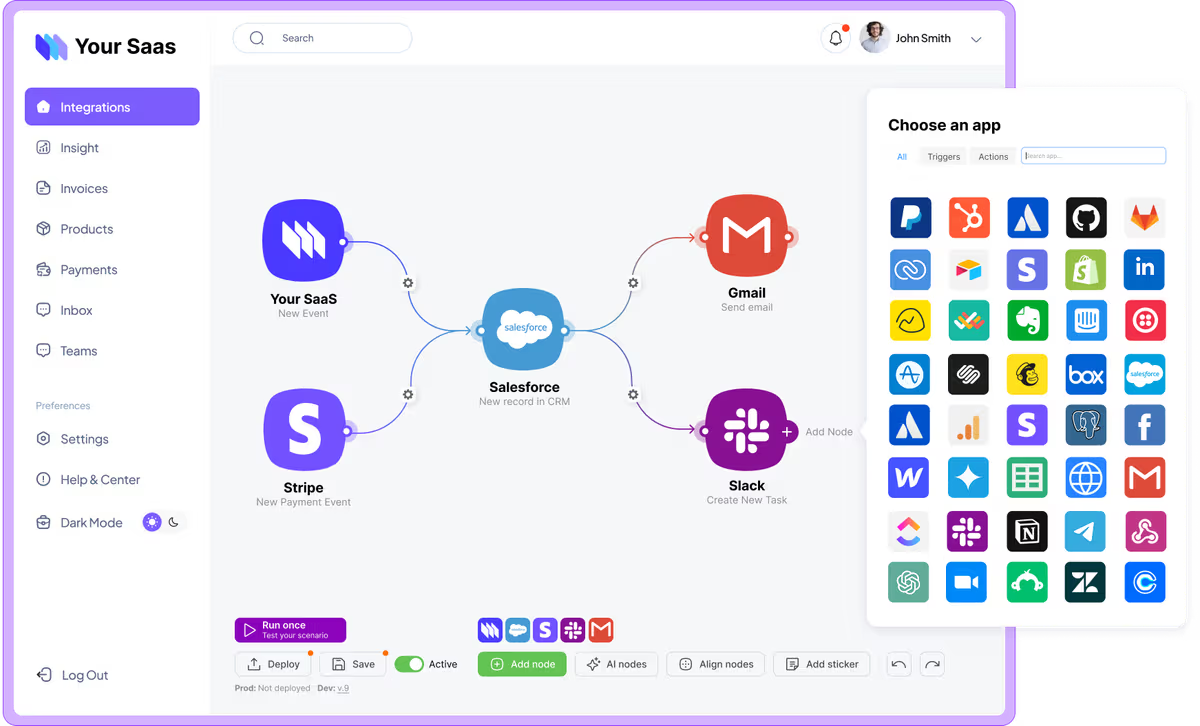
How embedded iPaaS works with Latenode
Latenode's White Label setup has three parts: the admin panel, the embedded SDK and sign-in through your own authentication. Your developers set up this embedded iPaaS once; after that, each new customer gets the builder the first time they open it in your product. A live demo app and a ready-to-clone GitHub repository show the whole flow.
Embed the builder
Add the Latenode Embedded SDK to your frontend, and it renders the workflow builder in an iframe inside a container on your page. A UI config sets your logo and button styles and which menus users see.
Sign users in through your app
Your backend signs a JSON Web Token with a private key issued by Latenode; the token carries the tenant ID, the user ID and, for a new user, the plan ID. On the first sign-in, Latenode creates the account and assigns that plan, so there is no separate Latenode login.
Give them plans and templates
In the White Label admin panel you create plans with your own limits on runs, AI usage, active workflows, parallel runs and connected accounts. Through the API you can copy a scenario template into a user's space, so they start from a working workflow.
Run and monitor
SDK functions let your app run, save, deploy and activate scenarios, read their webhook URLs and follow their running state. Through the White Label API you read the execution history of each scenario, so your product can show customers what ran and when.
Embedded iPaaS vs traditional iPaaS
The three approaches differ in who builds the integration, who sees it and how many kinds of apps it has to cover.
Traditional iPaaS
Your IT or operations team connects internal systems, such as the CRM, ERP and billing, in a tool your customers never see. Latenode does this job too, as a workflow automation platform for your own team.
Embedded iPaaS
Your customers connect their own apps inside your product, under your brand, and set up the workflows they need there. Each user works in their own space or in a shared space you add them to. Of the three, only embedded iPaaS puts a builder in front of your customers.
Unified API
One data model for a whole category, such as HR or accounting systems, that your developers code against once. It suits reading similar data from many apps, but it gives customers no builder and no workflows of their own.
Give customers 5,500+ integrations inside your product
Users of the embedded builder work with Latenode's catalog: 5,500+ integrations across 1,200+ apps and LLMs, an HTTP request node for any app with an API and JavaScript code nodes for custom logic. When a connector is missing, the Latenode team builds custom integrations in 7 to 14 days for $500.
Your brand, your interface
The embedded builder runs inside your product with your logo and button styles, and you choose which parts of the interface users see, such as the side menu or the Explore apps button. SDK functions let your own UI create a webhook scenario, add nodes to it, then run, save and deploy it, so the builder fits into the way your product already works.
Plans, roles and usage under your control
Each user gets a plan you define in the admin panel. In shared spaces, the Admin, Manager, No-code, Read only and Credential only roles decide who manages the space, who edits scenarios and who can only view and run them. A user can also be created without a personal space and added only to the spaces you choose. The White Label API manages plans, subscriptions and users and reports resource usage for each subscription.
AI agents and models inside the embedded builder
Your users can add the AI Agent node to their workflows and pick from 335+ AI models (LLMs) in one subscription. Calls to built-in models use Plug-n-Play tokens, and each plan you create sets how many tokens a user gets and how many AI assistant requests it includes, so heavier AI use can sit on a higher plan of your own.
How SaaS teams embed Latenode
Three software companies that put Latenode inside their own products as their embedded iPaaS.
Talk to the team about embedding Latenode
The team opens your White Label account, issues the private key your backend signs tokens with and quotes the embedded offer. To see the flow first, open the live demo or clone the demo app from GitHub.
 View on GitHub
Latenode quotes the embedded offer after a call; there is no public price list for it.
What are examples of embedded iPaaS platforms?
Paragon, Prismatic, Cyclr, Workato Embedded and Tray.ai Embedded are embedded iPaaS platforms, and Latenode offers an embedded version of its workflow builder. A typical use is a project management app where each customer connects its own CRM and Slack from a settings page and turns on ready workflows. Compare embedded iPaaS platforms
Should we build integrations in-house or buy an embedded iPaaS?
Build in-house when you need a few deep integrations that are core to your product and your team can maintain them. Buy when customers keep asking for apps you don't support or want to set up their own workflows, because the platform carries authorization, connector updates and run history for you.
How much does embedded iPaaS cost with Latenode?
Latenode doesn't publish a price for the embedded offer; the team quotes it after a call. If you want to test workflows first, the Latenode platform itself has a Free plan at $0 a month with no credit card, and it bills runtime in CPU seconds, not per step.
Can customers build their own workflows, or only use ones we prepare?
Both. Users with an editing role build and change scenarios in the embedded builder, while users with the Read only role can view and run them. You can also prepare a scenario template and copy it into a user's space through the API, so the user starts from your version and adjusts it.
Is customer data secure?
Latenode protects data with encryption at rest and in transit, granular access control and full auditability. App credentials are stored encrypted, and third parties scan the production environment for vulnerabilities at least every 90 days. Users sign in through your own authentication with a token your backend signs. Read about Latenode security
Does the embedded builder work in every browser?
It runs in an iframe and keeps the sign-in in cookies inside it, so Safari and private browsing modes that block third-party cookies can stop users from signing in. The documentation lists two workarounds: add your domain to trusted sites in Safari, or use a regular browser window.
When is embedded iPaaS not the right choice?
When you need one or two integrations that rarely change, a direct integration in your own code is simpler. When you only read the same kind of data from many apps in one category, such as HR systems, a unified API is a better fit than a builder for your customers. iPaaS, unified APIs and developer tools compared
How do I choose an embedded iPaaS?
Check five things: whether customers set up integrations inside your UI under your brand, how users sign in, which apps and AI models the catalog covers, how usage is metered and priced, and whether your developers can control scenarios from code. Then build one real integration in a demo before you commit.
About Latenode
Latenode is an AI automation platform that helps teams build, connect, and deploy workflows across their entire business stack. From simple automations to production-ready AI agents, Latenode brings integrations, AI models, custom logic, and deployment controls into one visual workspace.

Overviews and webinars
Guides on embedded iPaaS and integration platforms
Compare embedded iPaaS platforms, white-label options and ways to integrate SaaS products, then read up on iPaaS basics and architecture.
12 Best Embedded iPaaS Platforms in 2026
Embedded iPaaS platforms side by side for a SaaS product: what each one meters, which prices are published and when building your own makes sense.
GuideWhite Label iPaaS Solutions 2025: Complete Platform Comparison + Implementation Reality Check
How white-label integration platforms differ in customization, pricing and support, and what it really takes to roll one out inside your product.
Guide12 Best API Integration Platforms and Tools in 2026
Integration platforms, developer tools and unified APIs for connecting software products, compared by what each one is built for and what its pricing counts.
GuideWhat is iPaaS? Complete Integration Platform Guide + 2025 Market Analysis
Explore how Integration Platform as a Service (iPaaS) revolutionizes software integration, streamlining workflows and enhancing business processes.
Playbook5 Essential iPaaS Architecture Patterns Every Architect Should Know
Explore the 5 essential iPaaS architecture patterns, from hybrid iPaaS to AI-driven orchestration. Learn how to design scalable cloud integration diagrams with Latenode.