Embedded iPaaS: Accelerating SaaS Integrations for Enhanced User Experience
What is embedded iPaaS? Discover how white-label integration infrastructure helps SaaS companies reduce churn, save engineering time, and scale features faster.


Introduction
Your customers want integrations, and they want them yesterday. It’s the classic SaaS deadlock: your engineering team is drowning in a backlog of core product features, yet your sales team is losing deals because you don't sync with Salesforce, HubSpot, or a niche industry tool. If you decide to build these integrations in-house, you’re signing up for a lifetime of API maintenance. If you ignore them, your product becomes an isolated island.
This is where what is embedded iPaaS becomes the most important question for your product roadmap. It represents a shift from "building everything yourself" to using a dedicated infrastructure layer that deploys native integrations in days, not months. In this guide, we will dismantle the mechanics of embedded integration platforms, explore the financial impact on churn, and explain why AI-native solutions like Latenode are replacing legacy integration tools.
What is Embedded iPaaS? (The Basics)
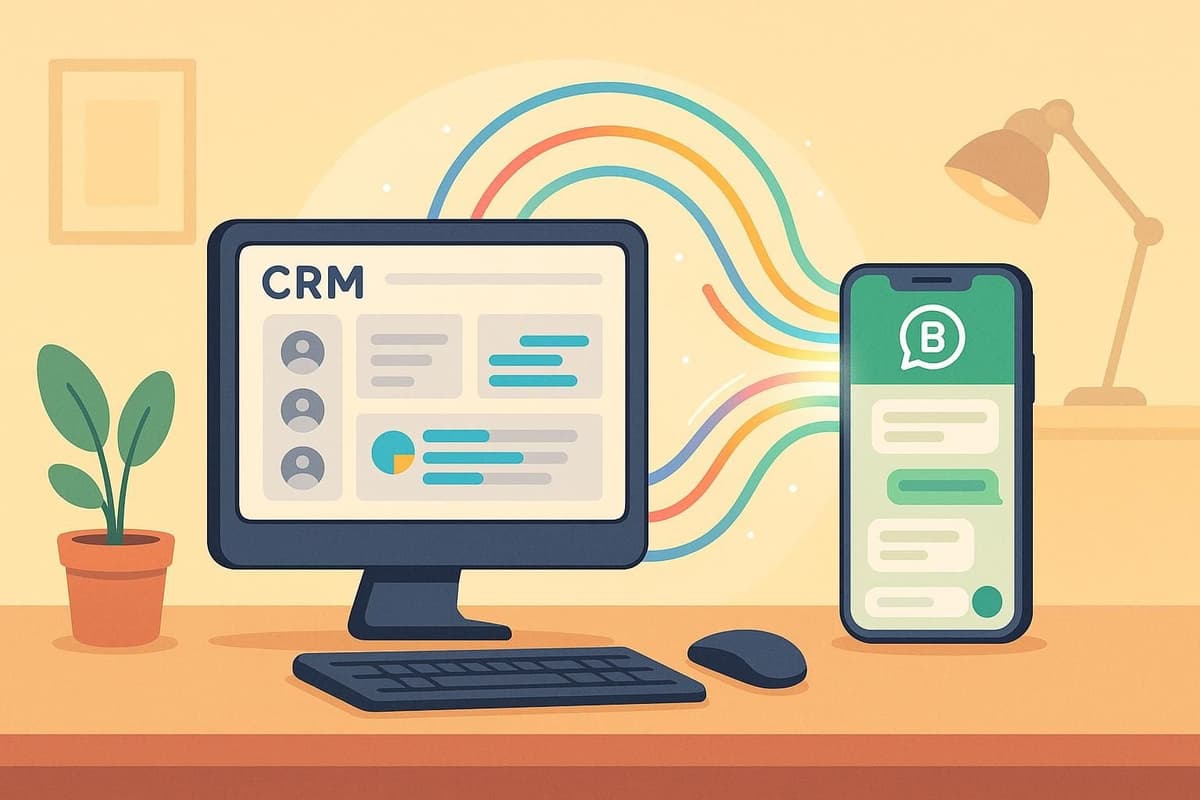
At its core, Embedded iPaaS (Integration Platform as a Service) is a suite of cloud-based tools that enables software companies to build, manage, and deploy integrations within their own product interface. Unlike a standard third-party tool that a user logs into separately, embedded iPaaS is white-labeled and invisible to the end-user. It acts as the engine under the hood of your car.
Defining Embedded iPaaS
When we talk about ipaas for saas, we aren't just talking about connecting two apps. We are talking about providing a seamless experience where your customers can activate workflows—like syncing contacts or automating reports—without ever leaving your dashboard. The platform handles the heavy lifting of authentication, data transformation, and API connectivity in the background.
This approach transforms your product from a standalone tool into a connected ecosystem hub. Instead of saying "No, we don't integrate with that," your team can rapidly spin up a connector using the embedded platform’s pre-built infrastructure.
The Difference Between Standard iPaaS and Embedded
It’s crucial to distinguish between standard enterprise automation tools and embedded solutions. Standard iPaaS (like standalone usage of Zapier or Make) is designed for internal B2B use—simplifying workflows for a company’s own employees. Embedded iPaaS is B2B2B; it is customer-facing infrastructure designed to be resold or provided as a feature to your users.
Think of it this way:
- Standard iPaaS: You buy a car to drive yourself to work.
- Embedded iPaaS: You are the car manufacturer, buying a high-performance engine from a specialist to install in the cars you sell to others.
Understanding this distinction is vital when choosing a vendor, as the pricing models and technical requirements differ vastly. For a deeper dive into how these platforms stack up against other methods like Unified APIs, check out our analysis in this embedded solutions comparison.
The SaaS "Build vs. Buy" Dilemma
Every CTO eventually faces the "Integration Backlog." It starts with a few requests for Slack notifications and quickly balloons into complex bidirectional syncs with ERPs and CRMs. The dilemma is simple: do you divert your best engineers to build and maintain these pipes, or do you outsource the infrastructure?
The Hidden Costs of Building In-House
Building an integration is easy; maintaining it is a nightmare. APIs change, authentication protocols update (like the shift to OAuth2), and breaking changes occur without warning. If you build in-house, every API update from a third-party service becomes a fire drill for your engineering team.
There are significant hidden costs to the "Build" approach:
- Opportunity Cost: Every hour spent fixing a broken HubSpot token is an hour not spent on your core IP.
- Scalability Issues: Managing rate limits and server load for thousands of customers requires robust, expensive infrastructure.
- Support Burden: Your support team ends up troubleshooting third-party API errors they don't understand.
Accelerating Time-to-Market
Embedded iPaaS functions as infrastructure-as-code. Instead of spending months developing a single bespoke integration, your team can utilize a visual builder backend to deploy dozens of connectors in weeks. In Latenode, for example, a developer can prototype the logic visually, inject custom code where needed, and deploy it to the entire user base immediately.
This speed allows you to say "yes" to enterprise deals that hinge on specific integrations. To see how this fits into a broader roadmap, read our comprehensive integration strategy guide.
Fast-Track Your Integration Roadmap
Key Benefits of Embedded iPaaS for SaaS Growth
Moving to an embedded model isn't just an engineering decision—it's a growth lever. Data consistently shows that the more integrated a product is into a customer's workflow, the harder it is to displace.
Reducing Churn with Stickier Products
Integrations are the ultimate retention tool. If your SaaS product is the central hub feeding data into a client's CRM, accounting software, and communication tools, ripping it out becomes painful. Industry statistics suggest that SaaS products with 3+ active integrations see 10-30% higher retention rates than standalone tools.
Why this happens:
- Workflow Embedding: You become part of their daily operations, not just a destination site.
- Data Gravity: As more data flows through your system, your value proposition increases.
Unlocking New Revenue Streams (Monetization)
Integrations shouldn't just be free features; they are monetization opportunities. Many SaaS companies use embedded iPaaS to gate premium integrations behind higher pricing tiers. For example, "Basic" plans might get Slack integration, while "Enterprise" plans unlock Netsuite and Salesforce syncs. Because the infrastructure cost is managed, the margin on these upgrades is significant.
White-Labeling the Experience
The primary advantage of white label ipaas is brand consistency. You don't want to send your users to a third-party marketplace where they might get distracted or confused. You want the integration setup to feel like a native part of your UI.
Latenode's white-label solution allows for deep customization, from domain structures to color schemes, ensuring the end-user never knows they're interacting with an external engine. For a detailed breakdown of vendors offering this capability, review our article on white-label iPaaS solutions.
Deep Dive: How Embedded iPaaS Works Under the Hood
How does this actually look for your development team? It shifts the workflow from writing boilerplate code to orchestration.
The Visual Builder as a Backend Engine
In a platform like Latenode, your developers or product managers use a visual interface to design the integration logic (Triggers and Actions). This visual builder serves as the backend engine.
The Process:
- Trigger: An event happens in your app (e.g., "New Lead Created").
- Process: Latenode receives the data via webhook.
- Action: The workflow formats the data and pushes it to the user’s connected app (e.g., Salesforce).
Crucially, Latenode offers a distinct advantage here: Headless Browser capabilities. If a service your customer wants to connect with doesn't even have a public API, Latenode can automate interaction with the web interface directly, expanding what's possible beyond standard API limits. For a list of platforms that support these advanced features, see our analysis of embedded iPaaS products.
Authentication and Token Management
Perhaps the biggest headache solver is managed authentication. The embedded iPaaS handles the OAuth2 flows, securely stores client secrets, and automatically refreshes tokens. Your engineering team simply makes a call to the platform, and the platform handles the handshake with Google, Microsoft, or Asana securely.
The Role of AI in Next-Gen Integrations
Legacy iPaaS was about moving data from point A to point B. Modern, AI-native iPaaS is about processing that data intelligently.
Moving Beyond "Data Piping" to "AI Agents"
SaaS users today demand "smart" features. They don't just want their support tickets moved to Slack; they want them summarized and categorized by sentiment before they arrive. This requires AI-driven integration capabilities.
Latenode enables you to embed comprehensive AI agents into your product. By providing unified access to models like GPT-4 and Claude without requiring individual API keys, you can offer features like:
- Auto-drafting replies based on ticket context.
- Extracting data from unstructured emails/PDFs.
- Translating content automatically during synchronization.
Automated Error Handling and Self-Healing Workflows
Support costs drop when integrations fix themselves. AI-powered debugging in Latenode can analyze why a workflow failed (e.g., "Data format mismatch") and suggest code fixes automatically. This creates "self-healing" workflows that reduce the burden on your technical support team.
| Feature | In-House Build | Legacy Embedded iPaaS | Latenode (AI-Native) |
|---|---|---|---|
| Time to Deploy | Months | Weeks | Days |
| Maintenance | Full Engineering Team | Vendor Managed | Vendor + AI Debugging |
| Custom Logic | High (Full Code) | Low (Rigid UI) | High (Code + No-Code) |
| AI Capabilities | Build from scratch | Paid add-ons | Native / Integrated |
Why Latenode is the Ideal Engine for Your Integrations
Many product teams fear low-code tools because they worry about hitting a "ceiling"—a point where the visual builder is too simple to handle complex business logic. Latenode was architected specifically to solve this.
The Power of "Code When You Need It"
Latenode is a low-code platform with no ceiling. In any workflow, you can insert a JavaScript node that supports full code execution and access to over 1 million NPM packages. This gives your engineers the flexibility of a full coding environment combined with the speed of visual orchestration. You are never limited by the pre-built connectors; if you can code it, you can deploy it.
Usage-Based Pricing vs. Task Counting
One of the biggest friction points with competitors is pricing structure. Many platforms charge "per task" or "per step," meaning a simple loop over a spreadsheet can cost a fortune.
Latenode uses a time-based execution model (credits per second of compute). Because simple data calls execute locally in milliseconds, this model is significantly cheaper for high-volume operations.
Real-world impact: In a direct comparison of a scenario involving 25,000 operations, Latenode’s execution model cost approximately $1.38, whereas a competitor’s task-based model for the same workflow cost $123.84. For a SaaS company scaling to thousands of users, this 90% savings is the difference between massive profit and operational loss.
Frequently Asked Questions
What is the difference between API and iPaaS?
Think of an API as a door that allows access to a software application. iPaaS is the delivery truck that moves goods (data) between those doors. An API provides the connection point, but iPaaS provides the logic, translation, and authentication to make the connection useful.
Is Embedded iPaaS secure?
Yes, reputable embedded iPaaS providers adhere to strict security standards, including SOC2 and GDPR compliance. They handle the complexities of OAuth credential storage and token refreshing so that you don't have to build your own security vaults for user keys.
Can I white-label Latenode for my SaaS?
Absolutely. Latenode offers extensive white-label capabilities, allowing you to embed the automation engine directly into your UI. You can customize appropriate domains and branding so users perceive the integration capabilities as a native feature of your platform.
How long does it take to deploy an embedded integration?
With Latenode, simple integrations can be prototyped and deployed in days. Because the infrastructure (auth, servers, logging) is already built, your team only focuses on the business logic (triggers and actions), drastically reducing time-to-market compared to months of custom coding.
What happens if an API I integrate with changes?
In a "build-it-yourself" scenario, your integration breaks. With Latenode, the platform often manages connector updates for you. Additionally, Latenode's AI Copilot helps identify and fix logic breaks quickly, minimizing downtime for your customers.
Conclusion
The market for SaaS is more crowded than ever, and interoperability is no longer a "nice-to-have"—it is a survival requirement. Embedded iPaaS offers the only scalable path to meeting customer integration demands without bankrupting your engineering resources.
By leveraging a platform like Latenode, you gain the best of both worlds: the speed of a visual builder and the power of custom JavaScript, all wrapped in a cost-effective, execution-based pricing model. Don't let your backlog dictate your growth. Start building your native integrations today and turn your product into the connected hub your customers need.