
Build a Free MCP Server to Connect Claude, ChatGPT, and AI Agents to Your Business Tools
Free server platform for Claude and other AI workflows. Define server actions that let an agent use a browser, HTTP, CLI, local data, and business tools without heavy coding.
Build a Free MCP Server That Lets Agents Use Business Tools
Learn how to create an MCP server setup for Claude using Model Context Protocol resources, tasks, and tool actions that improve productivity automatically.
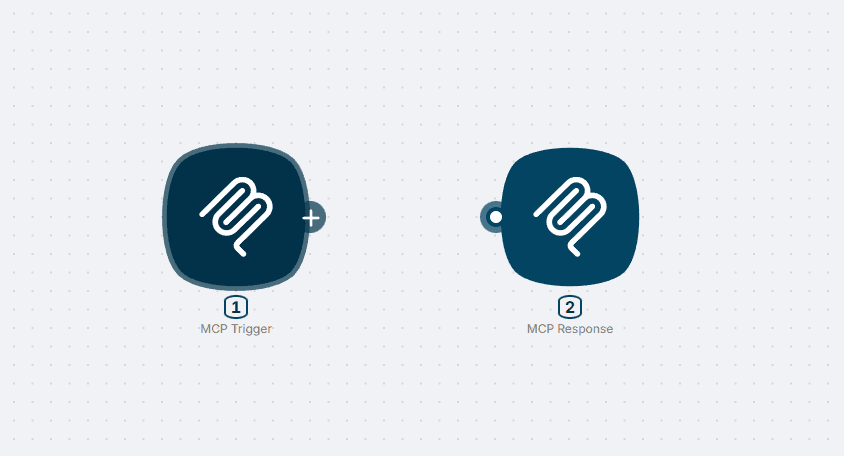
Learn How Model Context Protocol Powers an MCP Server
Start a no-cost MCP server that gives Claude controlled access to app data, browser content, and approved resources through clear server-side tools.
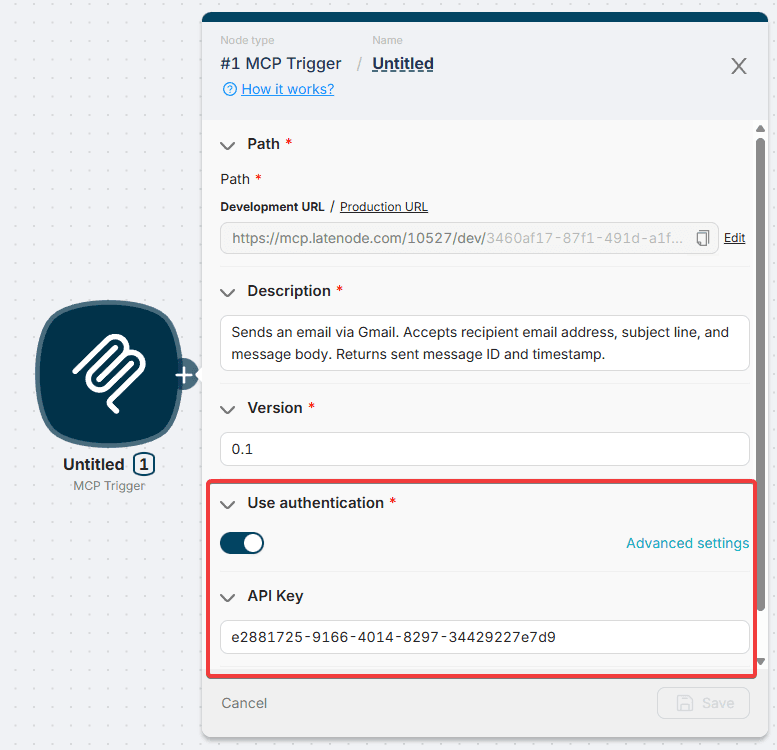
Create and Run MCP Server Workflows Without Heavy Coding
Configure server logic, execute HTTP requests, call command-line steps, and pay only when production workloads need more scale.
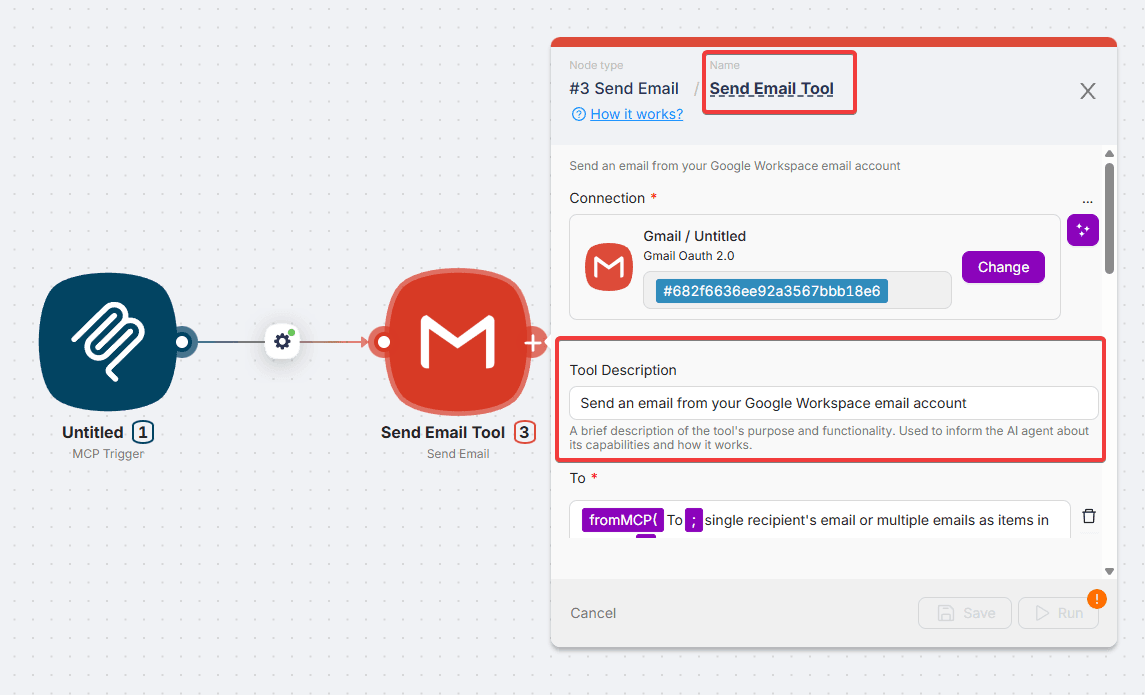
Connect Claude and Any MCP Client to Your Server
Give Claude and AI agents a reliable approved path to run tools, fetch resources, and return useful chat results.
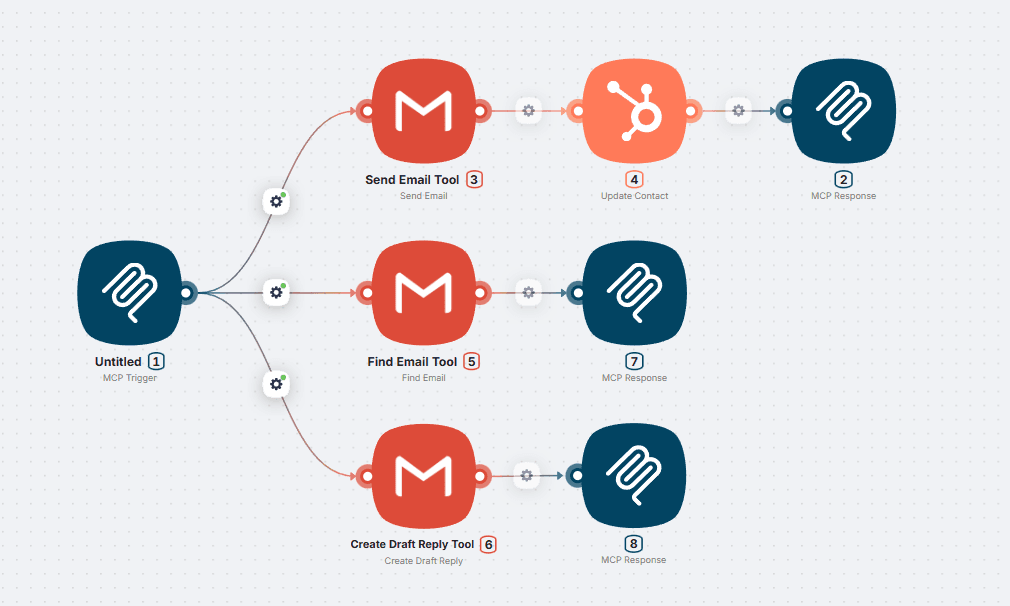
Deploy Remote MCP Server Logic for Agents, Tools, and Business Apps
Move from local experiments to remote MCP workflows with security rules, reusable app actions, and server logs your team can trust.
Launch an MCP Server Your Team Can Use in Production
Test and run an MCP server that helps AI agents automate a task, use a tool, and access business data safely.
Free plan available · No credit card · First MCP server workflow in minutes
What is a free MCP server?
A free MCP server is a server that uses Model Context Protocol to let Claude, ChatGPT, or another MCP client request tools, resources, and app actions. Latenode helps you build and run that server without heavy coding.
How does a remote MCP server help AI agents?
A remote MCP server gives AI agents a controlled way to use business tools from any approved client. Instead of a local test only, your team can configure server actions, execute tasks, and manage data access in one platform.
Can I connect Claude to business tools?
Yes. You can connect Claude through an MCP client, expose approved tools, and let the agent use browser, HTTP, CLI, and app actions when the workflow requires them.
Do I need coding to create an MCP server?
You can create a basic MCP server workflow with low-code steps, then add code when you need custom logic. This keeps setup fast while still supporting technical server requirements.
What can an MCP server automate?
An MCP server can automate repetitive task flows such as data lookup, resource retrieval, content processing, browser research, and productivity workflows that would otherwise require manual tool switching.
How do I learn and run MCP workflows safely?
Start with a free MCP setup, define resources, test with Claude, review client permissions, and run the server with clear logs before scaling to remote MCP production use.
About Latenode
Latenode is an AI automation platform that helps teams build, connect, and deploy workflows across their entire business stack. From simple automations to production-ready AI agents, Latenode brings integrations, AI models, custom logic, and deployment controls into one visual workspace.

Overviews and webinars
Learn How to Run an MCP Server
Guides that explain MCP server setup, remote MCP deployment, Claude configuration, browser actions, HTTP tools, local resources, and no-code productivity workflows.
What Is Model Context Protocol (MCP)? Architecture Explained
MCP is an open standard that solves the MxN AI integration problem. Learn how its client-server architecture works, where it fits vs APIs and RAG, and where it falls short.
TutorialBest MCP Servers for Claude Code I'd Actually Install in 2026
Cut through MCP server choice paralysis. A practical breakdown of which servers fit real dev workflows, how to configure them, and what breaks first.
PlaybookHow to Connect an MCP Server to ChatGPT (And Fix What Breaks)
Step-by-step MCP server setup for ChatGPT: enable Developer Mode, configure connectors correctly, and avoid the silent failures most guides miss.
ChecklistHow to Connect Codex CLI to MCP Servers (Stdio Setup)
Step-by-step setup for wiring OpenAI Codex CLI to stdio MCP servers via config.toml. Covers Docker MCP Toolkit, env vars, /mcp verification, and common mistakes.
Use CaseBest MCP Servers to Add to Cursor in 2026
Which MCP servers actually improve Cursor productivity? A stack-first breakdown of GitHub, Context7, BrowserTools, Supabase, and more, with security tradeoffs included.