


Introduction
There is a specific kind of headache known only to developers who have deployed a "simple" Python script to a VPS. It starts innocently enough: you write 50 lines of code to scrape a website, check a database, or generate a reporting CSV. It works perfectly on your local machine.
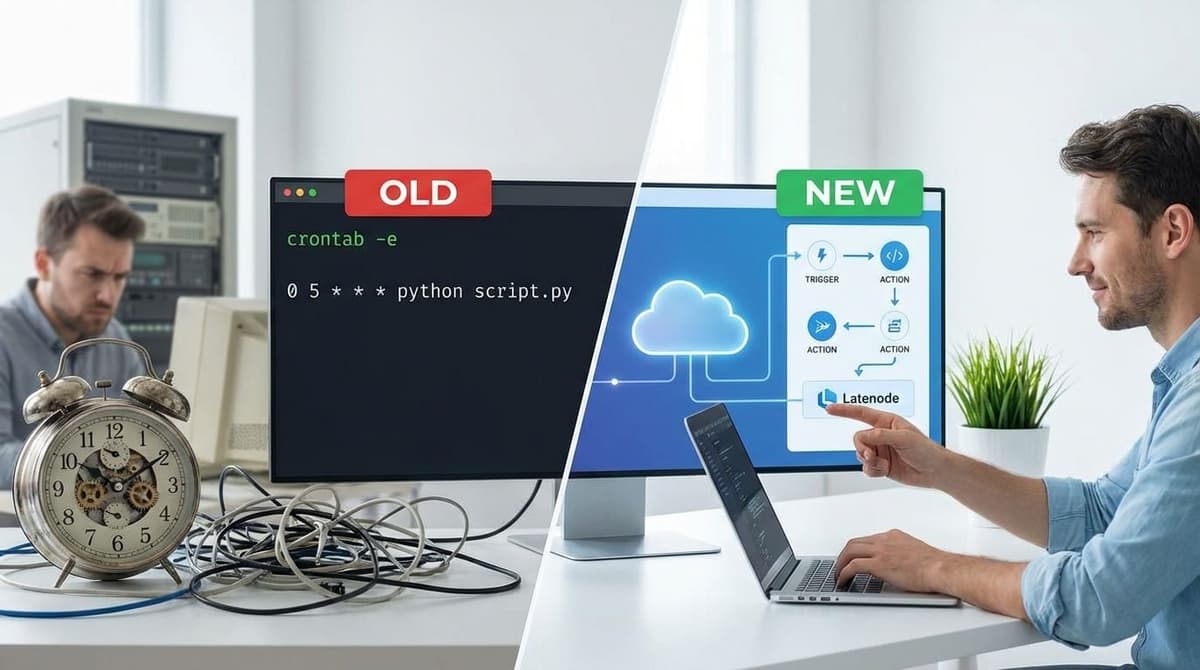
Then comes deployment. You spin up a droplet, SSH in, install Python, set up a virtual environment, fight with pip dependencies, configure the system crontab, and pray the daemon actually runs. Three months later, the script fails silently at 3:00 AM because an API changed or the disk filled up with logs you forgot to rotate.
This is the "maintenance tax" of traditional automation. In this article, we will explore why forward-thinking engineers are adopting Latenode for developers—moving away from fragile server-side scripts toward a robust, serverless infrastructure that handles the heavy lifting of scheduling, logging, and error handling for you.
The Hidden Costs of "Free" Python Cron Scripts
The primary argument for writing custom scripts is usually cost and control. "It's free to write Python," the logic goes. While the code itself costs nothing but time, the environment required to keep that code running reliably is expensive in terms of cognitive load and maintenance.
When you rely on a traditional Cron setup, you aren't just managing a script; you are managing an operating system. You become responsible for security patches, Python version compatibility, and the infamous "dependency hell" of `requirements.txt`. If you want to build scalable workflows, relying on a single vertical server creates a bottleneck that requires manual intervention to expand.
The "Works on My Machine" Dilemma in Production
Environment variables act as the silent killers of cron jobs. Developing locally with a `.env` file is standard practice, but securely replicating that environment in a headless Linux context often leads to permission errors or exposed secrets. Furthermore, debugging these issues requires SSH access and grepping through `/var/log/syslog`, a process that lacks context and visibility.
Latenode as a Serverless Architecture for Scheduled Tasks
To understand the value proposition, stop thinking of Latenode merely as a "no-code tool" and start viewing it as managed serverless infrastructure. It replaces the Linux Crontab daemon, the VPS, and the scheduling logic, allowing you to focus purely on the business logic.
The core of this replacement is the trigger-type node specifically designed for scheduling. Latenode allows you to define execution intervals using standard interface controls or cron expressions, but with a crucial difference: reliability.
According to platform performance data, traditional server-based crons can suffer from "timer drift"—losing minutes per month due to CPU load or clock skew. Latenode's architecture uses AI-driven self-correction to maintain execution precision, reducing drift to mere seconds over months of operation. This is critical for JavaScript task scheduling where precise API polling is required.
Decoupling Logic from Infrastructure
In a Python script, your logic (what the script does) and your execution environment (where it runs) are tightly coupled. If the server goes down, the logic stops. In Latenode, these are decoupled. The platform creates an abstract layer where the "when" is handled by the serverless scheduler, and the "what" is handled by your workflow nodes. You define the logic once, and the platform guarantees the execution environment exists when needed.
Explore Serverless Scheduling Options
Visualizing the Invisible: Debugging Without Grepping Logs
Perhaps the strongest argument for Latenode for developers is the debugging experience. When a headless script fails, you are often left reconstructing the crime scene from text logs. Did the variable map correctly? Was the JSON response malformed? You may never know for sure.
Latenode changes this by recording the exact state of every execution. You can view a visual history where successful paths are Green and failed nodes are Red. By clicking on a node, you can inspect the specific data payload that entered and exited that step. This is significantly faster than inserting `print()` statements and re-running a script manually.
This visual approach is particularly powerful when debugging automation tests or complex logic chains. You can see stack traces, data types, and error messages presented in context, rather than buried in a stream of stdout text.
Replaying Failed Webhooks and API Calls
One of the most frustrating aspects of script maintenance is handling partial failures. If your script processes 100 records and fails on record 51, re-running the script might duplicate the first 50 records unless you wrote extensive idempotency logic.
Latenode allows you to inspect the exact point of failure and fix the logic. More importantly, for developers looking to convert fragile Node.js scripts, the platform offers built-in retry mechanisms. You can configure error handler routes that automatically retry a specific HTTP request after a delay or alert you via Slack without crashing the entire workflow.
The Hybrid Approach: Injecting Node.js into Visual Workflows
A common misconception is that moving to a visual platform means giving up the power of code. Latenode is built for the hybrid developer. While visual nodes handle authentication and standard integrations, the JavaScript node provides a full sandbox environment.
Unlike restrictive "code steps" in other tools, Latenode provides access to over 1.2 million NPM packages. You can import libraries like `axios`, `moment`, or `lodash` directly without managing a `package.json` file. This allows you to combine high-code complexity (like regex parsing or cryptographic functions) with low-code speed.
Using AI Copilot to Port Python Logic to JavaScript
Many backend developers prefer Python, while the web ecosystem runs on JavaScript and AI. If you have an existing Python script you want to migrate, Latenode's AI Copilot bridges the gap. You can paste your Python logic into the AI Assistant, and it will rewrite the function in Node.js syntax, optimized for the Latenode environment. This eliminates the language friction and allows you to modernize your stack instantly.
Comparison: Latenode vs. Traditional Server Scripts
For a clear picture of why developers are making the switch, let's look at the operational differences between maintaining a VPS script and running a serverless workflow.
| Feature | Traditional Python Script (Cron) | Latenode Automation |
|---|---|---|
| Setup Time | High (Server provisioning, Env setup, Pip install) | Low (Login, Drag & Drop, Paste code) |
| Maintenance | Manual (OS updates, Security patches, Logs) | Zero (Fully Managed Platform) |
| Debugging | CLI / Text Logs / SSH | Visual Execution History & Data Inspector |
| External Libraries | Requires manual pip install / venv | Native access to 1.2M+ NPM packages |
| Alerting | Must code custom SMTP/API error handling | Built-in Error Routes (Slack, Email, etc.) |
| AI Integration | Requires paid API keys (OpenAI, Anthropic) | Unified access to models included in plan |
Cost Analysis: Credits vs. Compute Time
When running a simple cron job, you are often paying for idle time on a VPS. Even a $5 DigitalOcean droplet costs money when it's doing nothing. Latenode's credit-based model means you only consume resources when the workflow actually runs. For decision-makers comparing tools, checking the workflow automation showdown data reveals that serverless models are significantly more cost-efficient for periodic tasks.
Use Case: Automating a Daily Database Report
Let's look at a concrete implementation. Use case: A developer needs to query a PostgreSQL database every morning, format the rows into a CSV, and upload it to Google Drive.
The Traditional Way: Write a Python script using `psycopg2` and `google-auth`. Spend 3 hours figuring out how to store the Google Service Account JSON file text strictly on the server. Write a cron entry. Set up `mutt` to email if it fails.
The Latenode Way:
- Schedule Trigger: Set to run every day at 08:00 AM.
- Database Node: Use the secure integrations/database connectivity. Latenode manages the connection pool and SSH tunneling.
- JavaScript Node: Use a simple JS block to map the SQL array to CSV format (or ask AI Copilot to write it).
- Google Drive Node: Drag and drop the "Upload File" action. Auth is handled via OAuth2, no JSON files to manage.
Conclusion
The best developers aren't the ones who write the most code; they are the ones who deliver the most value with the least maintenance. Moving cron jobs to Latenode represents the evolution of the "lazy" developer—optimizing for efficiency and visibility.
By eliminating the need for OS patching, dependency management, and custom logging frameworks, you free up mental bandwidth to focus on building features rather than maintaining plumbing. With visual execution history and the power of full-code JavaScript nodes, you lose nothing in flexibility but gain everything in reliability.
Ready to modernize your scheduled tasks? Visit the Latenode Academy to learn how to deploy your first serverless agent in minutes.



