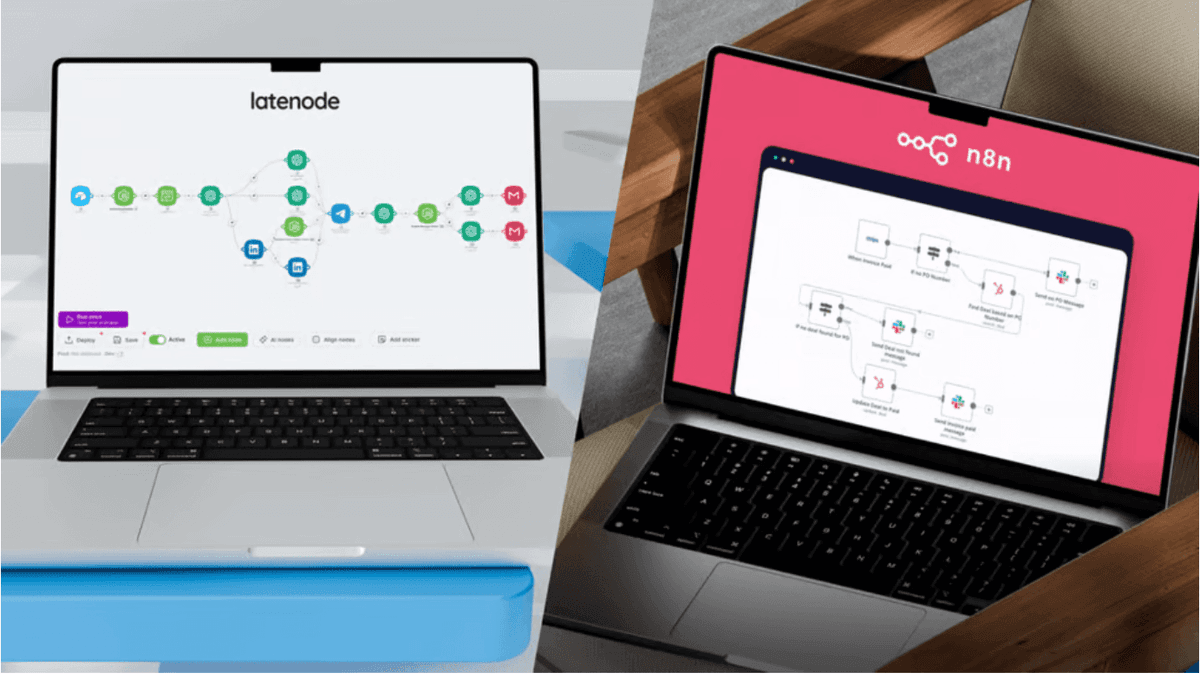
Latenode vs Power Automate: Flexibility Meets Microsoft's Ecosystem
Compare Latenode vs Power Automate. Discover why businesses are switching from Microsoft's walled garden to Latenode's flexible, AI-native automation platform.


Introduction
Choosing the right automation platform often feels like a trade-off between convenience and capability. Microsoft Power Automate offers the convenience of being pre-installed in your Office 365 environment, but that ease of access comes with significant "walled garden" restrictions. When you need to step outside the Microsoft ecosystem, you often hit steep paywalls or technical roadblocks. On the other hand, Latenode represents a shift toward open architecture and AI-native flexibility. It removes the per-user licensing fees and rigid connector limits that throttle scalability in enterprise environments. This article compares Latenode vs Power Automate, dissecting the costs, capabilities, and architectural differences to help you decide which tool fits your scaling needs.
The Automation Dilemma: Walled Gardens vs. Open Innovation
The core conflict in modern automation strategy is between ecosystem cohesion and operational freedom. Businesses often default to Power Automate because it feels like the "safe" choice—it’s already there. However, this safety net quickly becomes a constraint when you need to integrate non-Microsoft tools or execute complex logic. The "Microsoft Tax" Power Automate incentivizes staying within its boundaries. Moving data between SharePoint and Outlook is free and easy. But the moment you need to connect to Salesforce, execute a custom API call, or run a SQL query, you trigger "Premium Connector" licensing. This rapidly inflates costs as you scale. The Open Alternative Latenode operates on a different philosophy. It treats every integration equally—whether it's Google Sheets, a custom CRM, or a headless browser script. As a robust Power Automate alternative, Latenode provides universal connectivity without arbitrary tiered pricing.
Key Takeaway: Power Automate optimizes for Microsoft-centric tasks. Latenode optimizes for cross-platform flexibility and complex logic processing.
Microsoft Power Automate: The Enterprise Default
To make a fair comparison, we must acknowledge where Power Automate excels. For organizations deeply entrenched in the Microsoft stack, it serves as the default logic layer.
Deep Integration with the Microsoft Ecosystem
If your entire workflow exists within the Office 365 perimeter, Power Automate simplifies authentication and triggers. Seamless Triggers: A new email in Outlook can instantly create a row in Excel Online without complex setup. Teams Approvals: Native approval cards in Microsoft Teams are admittedly smoother than building custom approval workflows elsewhere. However, this is expected functionality for any modern Integration Platform as a Service (iPaaS). The friction begins when you leave this "Happy Path."
The "Premium" Connector Trap
Power Automate divides the world into "Standard" and "Premium." This distinction is the primary driver for migration away from the platform. Standard (Free with Office 365): SharePoint, Outlook, OneDrive (mostly internal). Premium (Paid): HTTP requests, SQL Server, Salesforce, AWS, custom connectors. The Cost Impact: To use Premium connectors, users often need a standalone license (~$15/user/month). If you build a vacation request app that connects to an external SQL database, every employee using that app might require a premium license. This kills ROI for internal tools.
Complexity in Logic (Dataverse and Power Fx)
Power Automate uses Power Fx for expressions—a formula language based on Excel. While familiar to some, it struggles with complex data manipulation. Loop Performance: The "Apply to Each" loop in cloud flows is notoriously slow because it processes items serially by default. Enabling concurrency requires hidden settings tweaks. JSON Parsing: Handling API responses requires rigid "Parse JSON" schemas. If the API response format changes slightly, the flow breaks.
Latenode: The Flexible, AI-First Alternative
Latenode acts as a bridge between the ease of no-code and the power of full-code environments. It eliminates the distinction between "standard" and "premium" integrations, offering a unified canvas for all tasks.
Visual Low-Code with Full JavaScript Power
Where Power Automate forces you to use rigid expressions, Latenode offers a native JavaScript node. This allows you to use standard code libraries (npm packages) to manipulate data instantly. Visualizing the difference: Power Automate: To filter an array, you need a "Filter Array" action, then a "Parse JSON" action, and possibly a loop. Latenode: You write three lines of standard JavaScript. Furthermore, you don't need to be a developer to leverage this. You can build cross-platform automations using Latenode's AI Copilot. Simply type "Filter this array to show only orders over $500," and the AI writes the code for you.
Universal Connectivity Without "Premium" Fees
Latenode does not gatekeep connectivity. HTTP Requests: Standard feature. Connect to any API immediately. Headless Browser: Latenode includes Puppeteer integration out of the box. This allows you to scrape data or automate actions on websites that don't have APIs—functionality that requires a completely different software license (Power Automate Desktop) in the Microsoft world. _Example: You can easily set up Reddit integrations to monitor brand mentions without paying for a premium tier or relying on third-party connectors.
Unified AI Access (No API Keys Required)
One of Latenode's strongest competitive advantages is its unified AI approach._ The Power Automate Way: You must purchase "AI Builder" credits (expensive add-ons) or manage your own OpenAI API keys separately, dealing with complex authentication. _The Latenode Way: One subscription includes access to GPT-4, Claude, and Gemini. This makes AI business process automation significantly cheaper and easier to manage. You can switch models via a dropdown menu to test which one performs better for your specific task, without changing your billing or code. Explore Latenode vs Power Automate Features
Feature-by-Feature Comparison
When evaluating Latenode vs Power Automate, the architectural differences become clear. Latenode offers a modern, non-linear approach compared to Power Automate's traditional linear flow.
| Feature | Microsoft Power Automate | Latenode |
|---|---|---|
| :--- | :--- | :--- |
| Pricing Model | Per User / Per Flow | Usage-based Credits |
| Coding | Power Fx (Proprietary) | JavaScript + NPM (Universal) |
| External APIs | Premium License Required | Included (Standard HTTP) |
| AI Integration | AI Builder (Add-on cost) | Built-in (GPT/Claude/Gemini) |
| Logic Structure | Linear Stack (Vertical) | Infinite Canvas (Non-linear) |
| Loop Speed | Slow (Serial by default) | High-performance (Parallel) |
| Browser Automation | Separate Tool (PA Desktop) | Integrated Headless Browser |
User Interface and Experience
Power Automate flows are strictly vertical. Adding conditional logic ("If/Else") creates nested boxes that quickly shrink the visible workspace, making complex logic hard to read. Latenode uses an infinite canvas where nodes can be placed anywhere. Logic branches (routers) are visualized as physical wires connecting nodes. This allows you to visualize complex decision trees clearly—similar to how the best AI automation platforms facilitate system design.
Handling Data and JSON
Data manipulation is often the breaking point for Power Automate users._ Microsoft: Requires you to define the schema of JSON data strictly. If an API adds a new field you didn't define, the flow often fails. _Latenode: Handles JSON natively as JavaScript objects. It is flexible and resilient to minor API changes, making it superior for real-time ML workflows where data structures can evolve dynamically.
Pricing Breakdown: License Fees vs. Credit Usage
Cost is frequently the decisive factor for migration. The two platforms use fundamentally different billing models that impact scalability differently.
The Hidden Costs of Power Automate
Microsoft’s licensing is complex. 1. Per User Plan (~$15/user/month): Great for personal productivity. Terrible for team applications. If 50 employees need to trigger a flow that uses a Premium SQL connector, you might need 50 licenses ($750/month). 2. Per Flow Plan (~$100/flow/month): Allows unlimited users for one specific workflow, but has high minimum purchase requirements. 3. AI Credits: Intelligent document processing requires purchasing separate AI Builder credits, which deplete rapidly.
Latenode’s Usage-Based Model
Latenode charges based on execution credits (1 credit ≈ 30 seconds of compute time)._ Unlimited Users: You do not pay per seat. Your entire team can access the platform. Unlimited Scenarios: You only pay for the work the automation actually performs. The ROI Reality: Consider a workflow that runs once daily to sync CRM data. Power Automate: Requires a premium connector license for the creator and potentially users interacting with it. _Latenode: A 30-second daily execution uses ~30 credits per month. This is negligible and fits easily within even lower-tier plans. This efficiency is central to a modern AI-powered automation strategy.
When to Choose Which Platform?
Both platforms have their place in the enterprise stack. The goal is to use the right tool for the specific job.
Stick with Power Automate If...
_You are a pure Microsoft shop: Your automation only touches Outlook, SharePoint, and Teams. Governance is strict: Your IT department blocks all non-Microsoft applications. You have E5 Licenses: Your enterprise license already includes unlimited Power Automate usage for standard connectors.
Switch to Latenode If...
You need Cross-Platform Integration: You connect disparate tools like HubSpot, Shopify, Trello, and custom databases. You need Custom Logic: You require complex arrays, loops, or data transformation that Power Fx makes difficult. You engage in Sales Ops: You need to automate sales workflows spanning Salesforce, Slack, and external enrichment tools without per-seat costs. You rely on AI: You want to build AI agents using different models (GPT, Claude) without managing API infrastructure. Build Your AI Automation Strategy
Frequently Asked Questions
Can Latenode connect to Microsoft apps like Outlook and Excel?
Yes. Latenode connects to Microsoft services through standard Microsoft Graph APIs or pre-built integrations. This allows you to interact with your Office 365 data without being locked into the Power Automate interface or licensing structure.
Is Latenode harder to learn than Power Automate?
If you are used to Power Automate, Latenode is intuitive but offers more freedom. The visual builder is easier to read for complex flows. For the "code" parts, Latenode's AI Copilot writes the JavaScript for you, meaning you don't actually need to know how to code to leverage the power of code-based automation.
How does pricing compare for a small team?
Latenode is generally much more affordable for teams. Power Automate charges per user, so a team of 10 could cost $150/month just for access. Latenode charges by usage, so that same team could likely run on a Starter plan (~$17/month) regardless of how many people have access, provided the total workflow execution time fits the credit limit.
Can I migrate my existing Power Automate flows to Latenode?
There is no "one-click" migration button, as the logic engines are different. However, flows created in Power Automate often become much simpler in Latenode. A Power Automate flow with 20 actions to parse data might be reduced to 3 nodes in Latenode (Trigger -> JavaScript Transform -> Action), making the migration effort worth the long-term maintenance savings.
Does Latenode support "Instant" triggers like buttons?
Yes. Every workflow in Latenode can be turned into a webhook URL. You can use this URL to trigger automations from anywhere—a button on a website, a Slash Command in Slack, or even a link in an email.
Conclusion
The battle of Latenode vs Power Automate comes down to your philosophy on scalability. Power Automate is an excellent tool for enhancing personal productivity within the Microsoft ecosystem. However, its licensing model and "Premium" connector gates actively discourage complex, cross-platform innovation. Latenode offers an escape from these restrictions. By combining a low-code visual interface with the raw power of JavaScript and unified AI access, it allows businesses to build what they need, not just what their license permits. Whether you are automating simple data transfers or building complex multi-agent AI systems, the flexibility of an open architecture invariably delivers better long-term ROI. Next Steps: Don't take our word for it. Try taking one of your "Premium" Power Automate flows—perhaps one that requires a custom HTTP request or SQL connection—and replicate it in Latenode's free tier. You will likely find that the logic is cleaner, the execution is faster, and the cost is zero.