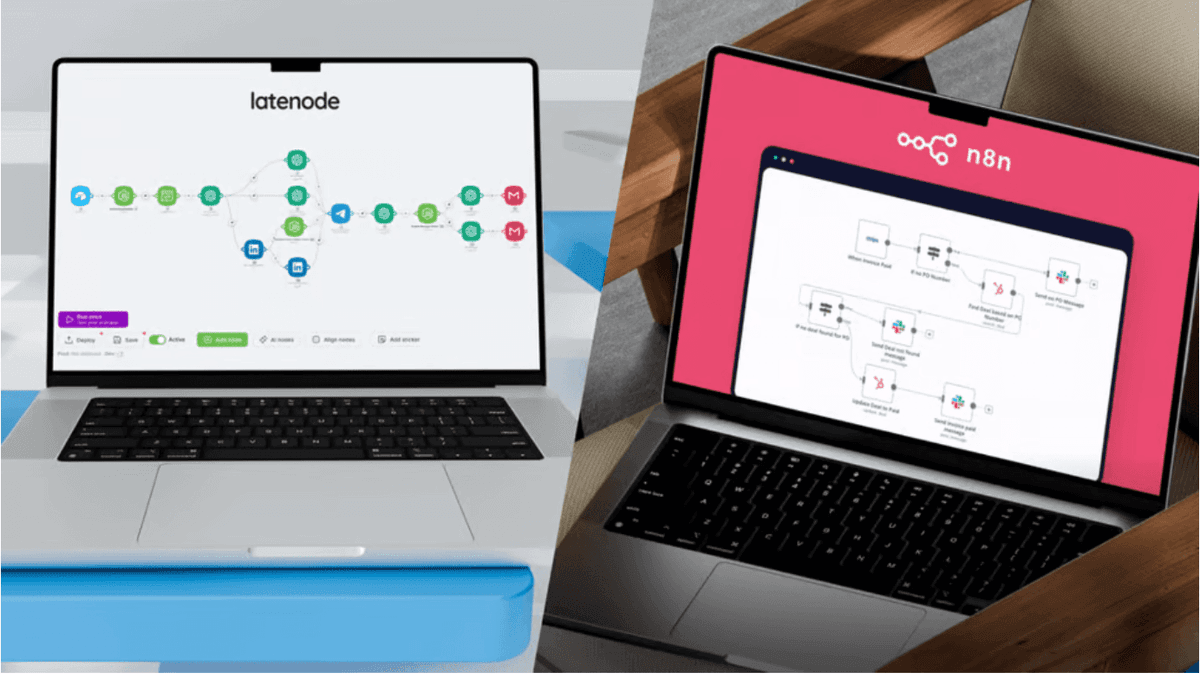
Latenode vs Relay.app: Best Collaborative Automation Tool for Teams
Latenode vs Relay.app: Compare features, AI agents, and pricing. Discover which platform handles team automation best—structured collaboration or flexible autonomy.


Introduction
You’re looking for the right tool to streamline your team's operations, and you've likely narrowed it down to two modern contenders: Latenode and Relay.app. While both platforms promise to save time, they approach automation from fundamentally different philosophies. Choosing the wrong one could mean hitting a ceiling just months after implementation.
Relay.app positions itself as a multiplayer workflow tool—great for passing tasks between humans like a digital baton. Latenode, however, operates as an AI-native platform designed to build autonomous agents that do the work for you, not just organize it. In this Latenode vs Relay.app comparison, we’ll break down the pricing structures, AI capabilities, and "human-in-the-loop" features to help you decide which architecture fits your growth strategy.
Automation Philosophy: Structured Collaboration vs. Flexible Intelligence
To understand which tool fits your stack, you must look at their "DNA." Relay.app is built on the concept of "playbooks"—linear sets of instructions largely designed around human pauses. It excels when automation is viewed as a checklist where people need to sign off at various stages.
Latenode, by contrast, is an environment for building digital employees. It bridges the gap between no-code simplicity and full-code power. By leveraging AI-generated code and autonomous agents, Latenode focuses on cognitive automation optimizes workflows by handling the complex logic, data transformations, and decision-making that usually require a human brain.
Relay.app's Human-in-the-Loop Approach
Relay.app shines in "multiplayer" mode. Its interface treats human intervention as a first-class citizen. If your primary need is a tool where a workflow pauses, a pop-up appears for a team member to enter a specific variable, and then the workflow resumes, Relay provides a native UI for this. It acts as a structured interface for manual tasks, ensuring process compliance but stopping short of performing complex execution itself.
Latenode's Agent-Based Architecture
Latenode takes a more aggressive approach to efficiency. Instead of frequently pausing for human input, Latenode enables you to build collaborative intelligence in multi-agent systems. Here, specialized AI agents act as the "team members."
How this works efficiently:
- Agent 1 (Researcher): Scrapes data and gathers context.
- Agent 2 (Critic): Reviews the data against your criteria.
- Agent 3 (Executor): Performs the action (e.g., drafting an email).
The system only notifies a human via Slack or Teams if an issue escalates beyond the agents' autonomous capabilities. This is "management by exception" rather than "participation by default," drastically reducing the time your team spends inside the automation tool.
Start Building Autonomous Agents
Feature Comparison: AI, Code, and Customization
When evaluating top low-code tools for workflow automation, the depth of features often dictates how long you can use the platform before outgrowing it. Here is how Latenode and Relay.app stack up on critical technical capabilities.
| Feature | Latenode | Relay.app |
|---|---|---|
| AI Models | ✅ 400+ included (GPT-4, Claude, Gemini) | ⚠️ Add-on / Bring your own key often required |
| Custom Logic | ✅ Full JavaScript (AI-written) + NPM Modules | ❌ Limited to built-in functions |
| Pricing Model | ✅ Credit-based (Pay for compute) | ⚠️ Per user/run (Pay for seats) |
| Interface | ✅ Non-linear Canvas (Drag & Drop) | ⚠️ Linear List (Rigid) |
| Headless Browser | ✅ Native support (Scraping/UI automation) | ❌ Not available |
AI Integration and Model Access
Relay.app offers AI integration primarily as a "step" to generate text. Latenode integrates AI at the infrastructure level. With a single Latenode subscription, you gain unified access to over 400 AI models, eliminating the need to manage separate bills and API keys for OpenAI, Anthropic, and Google.
A major advantage in Latenode is the ability to optimize AI workflows via prompt engineering. You can switch models instantly—testing if Gemini Pro handles a data summarization task cheaper than GPT-4o—without rebuilding the workflow. Latenode’s "AI Copilot" also actively assists in building the workflow itself, writing code and debugging errors in real-time.
Handling Complex Data and Custom Code
Relay.app is excellent for standard API connections, but it struggles when data isn't in the perfect format. If a CRM sends a date as "MM-DD-YYYY" but your database needs "YYYY-MM-DD," Relay often requires workarounds.
Latenode solves this natively with JavaScript nodes. You don't need to know how to code; you simply ask the AI Copilot to "transform this date format," and it generates the script. Furthermore, Latenode supports Headless Browser capabilities, allowing you to scrape websites or automate legacy systems that lack APIs—something impossible in Relay's rigid environment.
Human-in-the-Loop Implementation
While Relay offers native approval pop-ups, Latenode provides flexibility in how you implement human oversight. Using a LangGraph tutorial for orchestration, you can see how advanced workflows route decisions to humans only when AI confidence scores drop below a certain threshold.
Latenode's flexible approval methods:
- Slack/Teams: Send interactive buttons ("Approve", "Reject", "Edit") directly to team chat.
- Custom Webhooks: Trigger approvals via email links.
- Frontend Integration: Connect to custom dashboards where managers review aggregated data.
This approach keeps the workflow moving and meets your team where they already work (like Slack), rather than forcing them to log into a separate platform like Relay.
Pricing and Scalability Analysis
Scalability is where the "Latenode vs Relay.app" debate hits the bottom line. Relay often charges based on users (seats) or rigid run counts, which effectively penalizes you for adding team members or running high-volume background tasks.
Latenode utilizes a credit-based system focused on compute time. Simple logic tasks cost almost nothing, and you aren't paying extra just to have a manager look at a log. In a head-to-head Latenode vs Make showdown, Latenode's pricing frequently emerges as the most predictable for scaling teams because you aren't penalized for complex, multi-step scenarios.
| Scenario | Latenode Cost Impact | Relay.app Cost Impact |
|---|---|---|
| Adding 5 Team Members | $0 extra (Unlimited seats) | Significant cost increase (Per seat pricing) |
| 10,000 Data Sync Operations | Low cost (Efficient JS processing) | High cost (Charges per run/step) |
| Connecting 3 AI Models | Included in plan | Requires separate API subscriptions |
The Hidden Costs of Rigid Automation
Integration depth matters. If Relay doesn't have a specific trigger for a niche tool, you are stuck. You might have to buy a Zapier subscription just to feed data into Relay. Latenode’s generic HTTP request capabilities and Webhook triggers allow you to connect virtually any service without needing a "middleman" tool, keeping your total cost of ownership significantly lower.
Compare Latenode Pricing vs Competitors
Use Case Scenarios: When to Choose Which?
To help you decide, let's look at three common scenarios where the differences between Latenode and Relay.app become obvious.
Scenario A: The Content Approval Chain (Relay.app Advantage)
Context: A marketing team needs a writer to submit a draft, have a manager click "Approve," and then post it to LinkedIn.
Verdict: If the workflow is 90% human interaction and simple data passing, Relay.app's native approval UI is a quick win. It offers a structured "checklist" feel that is easy for non-technical users to adopt immediately.
Scenario B: The Autonomous Sales Agent (Latenode Advantage)
Context: You want a system that listens for new leads, enriches their data using Clearbit, uses AI to categorize intent, drafts a personalized email, and only pings a human if the deal value exceeds $10k.
Verdict: Latenode wins decisively. This requires complex logic, API data enrichment, and conditional routing. By applying best practices for lead nurturing workflow design, Latenode agents can handle the grunt work autonomously, ensuring your sales team focuses only on high-value closings.
Scenario C: High-Volume Data Sync (Latenode Advantage)
Context: Moving 5,000 rows from a CSV to a SQL Database every night.
Verdict: Relay is not built for bulk data processing; doing this would likely break the bank or the workflow. Latenode’s JavaScript node can process arrays and loops efficiently in seconds, treating high-volume data handling as a standard background task rather than a special event.
Migrating to Latenode: Bringing Flexibility to Your Team
For teams realizing that linear playbooks are limiting their potential, migrating to Latenode offers a path to true autonomy. The mental shift involves moving from "steps in a list" to "visual flow on a canvas."
You don't need to rebuild everything from scratch manually. Latenode's AI features allow you to describe your current Relay playbook, and the system can generate the scaffold for you. For a detailed roadmap on making this transition, consult our AI business process automation implementation guide, which covers how to map existing rigid processes into flexible, autonomous workflows.
Integration Tip: You can keep the "collaborative" feel your team loves by using Latenode to handle the heavy backend logic while sending simple "Approve/Reject" notifications to the Slack channels your team already monitors.
Frequently Asked Questions
Can I build "Human-in-the-loop" workflows in Latenode like in Relay?
Yes. You can implement HITL workflows by pausing automation until a specific event occurs, such as a user clicking a button in Slack, Microsoft Teams, or a custom email link. This gives you the control of Relay with the backend power of Latenode.
Is Latenode cheaper than Relay.app for teams?
Generally, yes. Latenode uses a credit-based model rather than charging per "seat." For growing teams, this avoids the penalty of higher costs just for adding members to the platform. You can see user perspectives on this in a community discussion comparing Relay and other tools.
Do I need to know coding to use Latenode?
No. While Latenode allows for custom JavaScript, the built-in AI Copilot writes the code for you. You simply ask for what you need (e.g., "Sort this list by date"), and the AI generates and inserts the correct code block instantly.
Which tool is better for AI Agents?
Latenode is built specifically for autonomous agents. Its canvas architecture allows for circular logic (loops), self-correction, and memory retention, which are required for agents to function independently. Relay is better suited for linear tasks that require human hand-holding.
Can Latenode connect to tools that don't have native integrations?
Yes. Latenode includes a generic HTTP Request node that can connect to virtually any API in the world. This ensures you are never blocked by a missing "native" integration, unlike in more closed ecosystems.
Conclusion
The choice between Latenode and Relay.app comes down to your vision for the future of your team. If you want a digital checklist that helps humans pass tasks back and forth, Relay.app is a capable tool. However, it keeps humans in the center of every process, potentially creating bottlenecks as you scale.
If your goal is to reduce workload by deploying intelligent agents that operate autonomously, Latenode is the superior choice. With its ability to handle custom code, unify AI model access, and scale without per-seat pricing, Latenode future-proofs your operations. It transforms automation from a simple "task mover" into a competitive advantage.
Ready to replace manual checklists with autonomous agents? Use Latenode’s AI Copilot today to convert your first manual process into an intelligent workflow.