



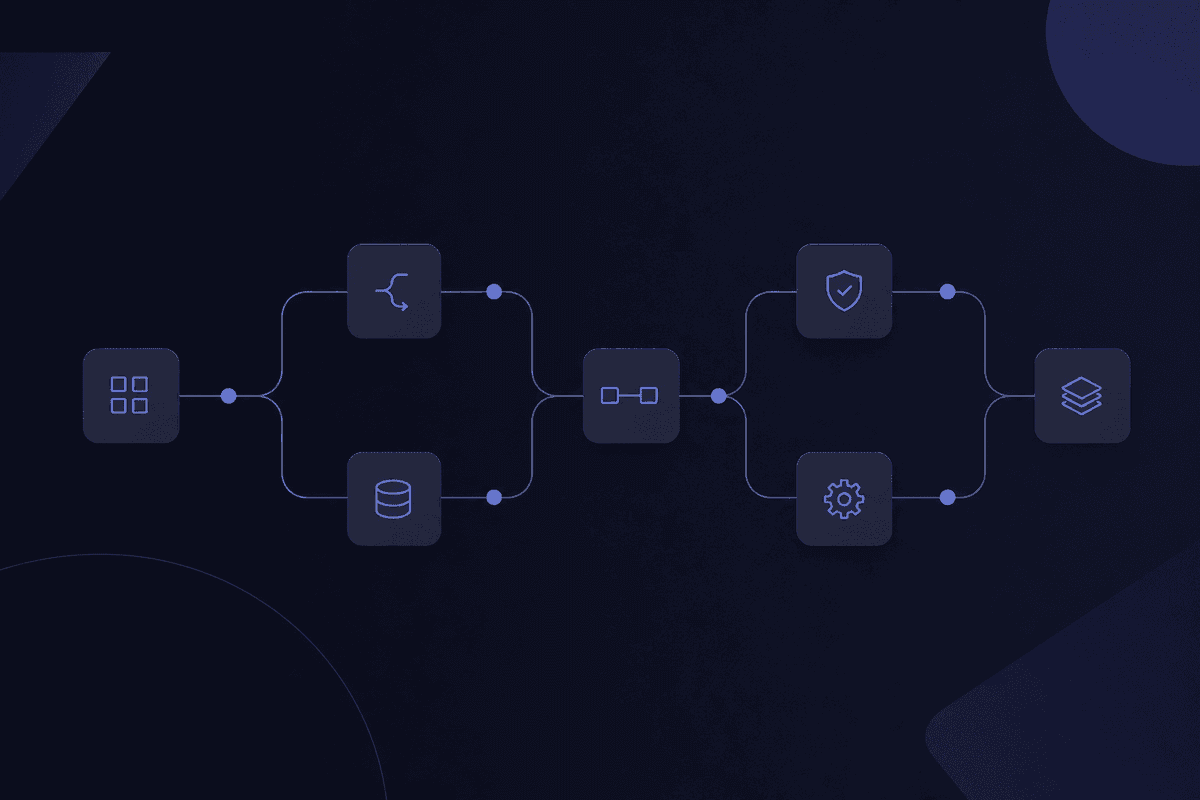
Most teams think they already know what business process automation is. They point to their Zaps, their scheduled reports, their auto-reply emails. And they're not wrong, exactly. They've automated tasks. But BPA is something bigger than that, and the difference shows up the moment you ask your automation to cross a system boundary, involve another department, or handle an exception that wasn't in the original spec.
That's where the task macro breaks down. That's where BPA actually starts.
The central claim worth arguing about: BPA is not task scripting. It's the end-to-end automation of multi-step, cross-functional business processes, and most teams substantially underestimate how far it extends before they begin.
What most teams learn too late
- BPA automates entire process flows, not isolated clicks - the scope difference matters at implementation.
- ~60% of companies automate something; far fewer automate end-to-end.
- The ROI shows up fastest in high-volume, rule-based processes that cross at least two systems.
- The misconception that stalls most first initiatives: assuming BPA requires a large IT team to operate.
What Is Business Process Automation?
Business process automation is the use of technology to execute recurring, multi-step processes that span approvals, data updates, and handoffs across multiple systems, with minimal human intervention at each stage.
The IBM-anchored definition that's become the working standard frames BPA this way: it's not about reducing clicks inside a single tool. It's about connecting the sequence of actions that move work from one system, team, or decision point to the next, automatically, according to defined rules, without someone manually carrying the baton between each step.
A single automated email is not BPA. But an automated workflow that receives an invoice by email, extracts the key fields, checks them against your vendor database, routes the item for approval based on amount thresholds, and posts the approved record to your accounting system - that is BPA. The defining feature is cross-system, multi-step scope. Every step in that sequence crosses a boundary. That's what makes it a business process rather than a task.
BPA applies to any recurring process with a defined trigger and a defined outcome: employee onboarding, expense approvals, support ticket routing, quote generation, access provisioning. If you can write down the steps someone currently follows manually, you can map it for automation. If those steps touch two or more systems and happen more than a few times a week, BPA is almost certainly worth considering.
That last part - "more than a few times a week" - is where the ROI math becomes real. The setup cost is fixed. The benefit compounds with every execution.
How Business Process Automation Actually Works
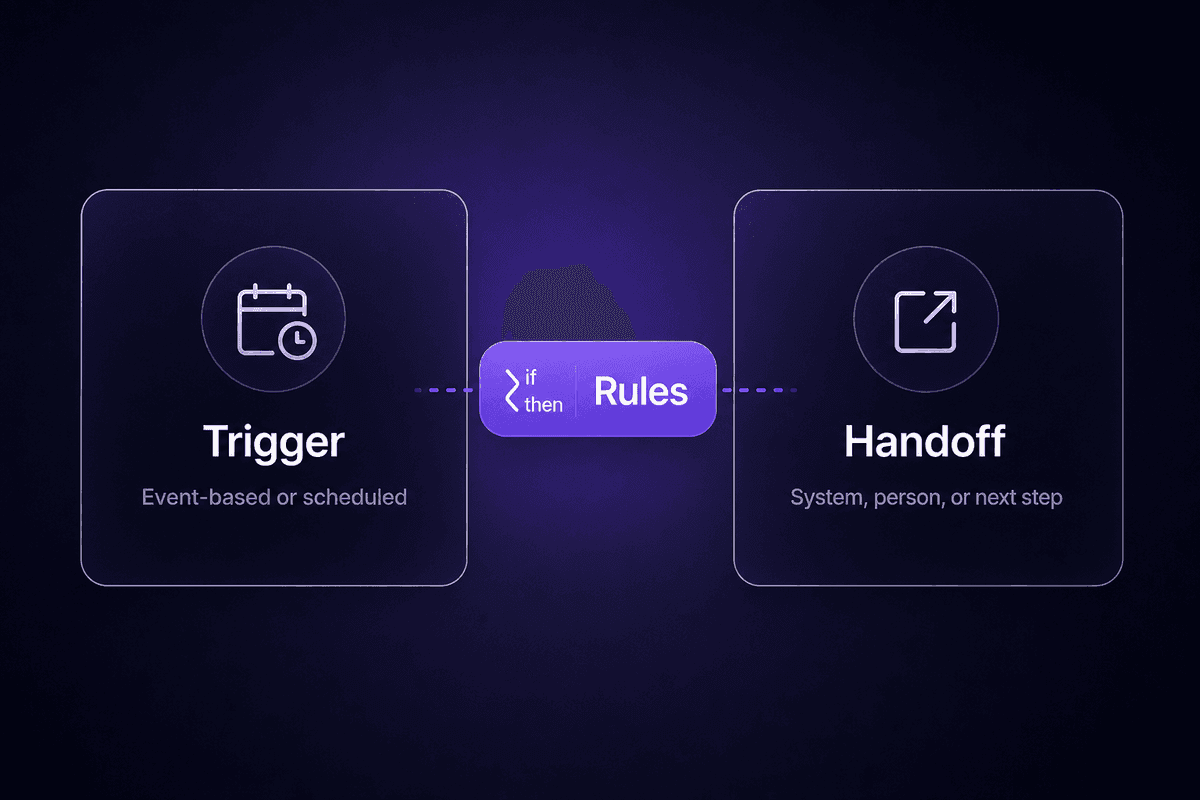
The mechanism is less mysterious than the vendor marketing makes it sound. A BPA system does four things, in sequence: it listens for a trigger, applies rules to the incoming data, routes work to the appropriate next system or person, and completes the handoff. Then it does that again, for every new instance of the process, without being told to.
Here's the part that's easy to underestimate. According to Quixy's synthesis of workflow automation research, roughly 34% of business tasks already use some form of automation. Which sounds like progress. But "some automation" is not the same as end-to-end coverage. Most of that 34% is point automation: one tool doing one thing at one step. The gap is in the connections. A trigger fires in system A, the output lands in system B, an approval happens in system C, the result writes back to system D. Without BPA, there's a human in the middle of each of those transfers. Usually copying something, usually into a spreadsheet, usually at the worst possible time.
That's the actual starting point for most BPA initiatives: not "we have no automation" but "we have islands of automation connected by manual data entry."
The Role of Rules, Triggers, and Handoffs
Three components make a process automatable. Get all three right and the workflow runs without you watching it.
The trigger is what starts the process. An invoice arrives. A form is submitted. A deal moves to a new stage. A new hire is added to the HR system. Triggers are either event-based (something happened) or scheduled (check for something every 15 minutes). The distinction matters more than it looks: event-based triggers respond immediately; scheduled ones introduce a delay that compounds if you have dozens of them polling simultaneously.
The rules are the logic that decides what happens next. If the invoice amount is under $1,000, auto-approve. If it's over, route to the finance manager. If the vendor isn't in the approved list, flag for review. Rules transform and route data. Without them, you have a relay race with no one deciding which lane the baton goes to next.
The handoff is the transfer of work or data to the next system, person, or step in the process. A handoff can be writing a record to a database, sending a Slack notification, creating a task in a project tool, or posting an approval request to a human reviewer. Handoffs are where most automations break first, usually because the data shape expected by the receiving system doesn't match what the sending system actually produced. Automate the repetitive tasks all you want - if the handoff is wrong, it doesn't matter.
Where AI and Intelligent Automation Change the Equation
Rules-based automation handles predictable inputs well. An invoice in a consistent PDF format, a form with known fields, a deal at a defined CRM stage - these work cleanly with conditional logic. The problem is that real business processes include plenty of inputs that don't fit a clean template.
This is where AI and machine learning change what's automatable. Intelligent automation adds judgment where rules alone would fail: classifying an email as a complaint versus a billing inquiry, extracting data from a PDF that doesn't match your expected layout, flagging an expense claim as unusual based on patterns rather than a specific rule, routing a support ticket based on inferred urgency rather than a keyword match.
The broader shift is what analyst coverage now labels hyperautomation. The trajectory combines AI, RPA, process mining, and analytics automation technologies into something that automates entire business ecosystems, not just isolated process steps. An AI agent in this context doesn't just execute a rule - it makes a routing decision, summarizes context for the next human in the chain, and adapts when the input pattern shifts. That's a genuinely different capability from "if X, then Y." It's not magic, either. I've seen AI steps in automation workflows fail spectacularly when teams add them because they sound impressive rather than because they've diagnosed a specific problem that AI actually solves. The capability is real. The use case still has to be.
Business Process Automation vs. RPA vs. BPM
These three terms appear together constantly, and they're genuinely distinct things. Getting them muddled leads to buying the wrong tool for the actual problem, which is a conversation I've had more times than I'd like.
| Concept | What it automates | Scope | When teams reach for it |
|---|---|---|---|
| BPA (Business Process Automation) | Multi-step, cross-system workflows - approvals, handoffs, routing, data sync | End-to-end process, spanning multiple tools and departments | When a recurring process involves several systems and too many manual transfers between them |
| RPA (Robotic Process Automation) - uses software robots that mimic UI interactions | Single-system, task-level actions: clicking buttons, copying screen data, form entry in legacy apps | Task-level, typically inside one application with no API access | When a legacy system lacks an API and someone's job is still copy-pasting out of it |
| BPM (Business Process Management) | The design, monitoring, and improvement of processes - not the execution itself | Organizational-level discipline; the framework BPA runs inside | When a team needs to model, govern, and optimize processes before or alongside automation |
The clearest way to hold these three apart: BPM tells you what the process should be. RPA handles legacy-system tasks that have no API escape hatch. BPA orchestrates the end-to-end execution across modern, API-connected systems. You can use all three at once - a large operations team often does - but they're answers to different questions.
The confusion between robotic process automation and BPA usually comes from vendors who sell RPA products and describe their scope as "business process automation" in the headline. They're not the same. An RPA bot that fills in a form in a 2009 ERP system is not end-to-end process automation. It's a very patient software cursor. Useful, sometimes essential, but narrow.
Types of Business Process Automation
Not all BPA is the same, and stacking every type into one bucket leads to mismatched tools and disappointing pilots. The practical classification has three tiers, each one expanding what's automatable.
Rules-Based and Structured Process Automation
This is where almost every team starts. Rules-based automation applies conditional logic to structured data: if the invoice amount exceeds $5,000, route to the CFO; if the new user role is "engineer," provision the dev tools; if the ticket category is "billing," assign to the billing queue. The logic is fixed, the inputs are predictable, and the outcomes are defined in advance.
Workflow automation of this type handles data entry elimination, approval routing, and task handoffs between tools extremely well. Most high-volume, low-variance business tasks - expense approvals, access provisioning, scheduled report delivery, contract routing - live here. The honest advantage of starting here: it's the lowest-risk entry point, the fastest to build, and the easiest to validate. When it works, it works every time in exactly the same way. That reliability is the point.
This is also where roughly 34% of current business task automation sits. Solid foundation. Visible ceiling.
AI-Powered and Intelligent Process Automation
The ceiling of rules-based automation is unstructured input. When someone emails an invoice as a photo of a handwritten page, or submits a support request that's half complaint and half billing question, or uploads a vendor contract in a format you've never seen before - fixed conditional logic fails. Not because the rule was written wrong. Because the input has no clean shape to match against.
Intelligent process automation adds artificial intelligence to handle the judgment calls. Document classification, anomaly detection, dynamic routing based on inferred context, adaptive exception handling. These aren't rules. They're models that learn to recognize patterns in inputs that don't fit a template.
This is the hyperautomation signal in practice: combining AI with BPA to automate entire business ecosystems rather than isolated tasks. End-to-end process automation that spans a document arriving by email, an AI model extracting and validating its contents, a rules layer routing the clean cases, a human review step for the edge cases, and a final handoff to the downstream system - that's the full stack. Building it doesn't require a data science team. It does require a platform that connects all those layers without three separate subscriptions and a custom integration between each one.
For the invoice processing use case specifically, Latenode handles this in one workflow: a built-in AI model extracts vendor details and amounts from the incoming PDF, while uploaded policy documents processed through built-in RAG validate coding rules and approval thresholds without needing an external vector database. The entire extraction-to-approval chain as a single execution, not a pipeline of separately billed tools stitched together with hope.

Business Process Automation Examples Across Functions
Abstract definitions are less useful than watching BPA work in a recognizable context. Each of the examples below names a process, the trigger that starts it, and the outcome it produces - because that's the shape you actually need when you're deciding what to build first.
Finance and Operations: Invoice Processing and Approvals
An invoice arrives by email. Without automation, someone opens it, downloads the PDF, types the vendor name, amount, and due date into the accounting system, sends a message to the approver, follows up three days later when they haven't heard back, marks it approved when they do, and schedules the payment. Multiply that by 200 invoices a month and you have a significant portion of someone's job.
With BPA, the trigger is the arriving email. An AI-powered workflow extracts the key fields, validates them against existing vendor records and budget rules, and routes the invoice through an automated approval chain based on amount thresholds. Exceptions go to a human. Approved records write directly to the accounting or ERP system, and payments execute automatically on approval. The finance specialist reviews flagged exceptions and clicks to approve - that's it. According to ARDEM's analysis of invoice automation projects, BPA can cut processing costs by up to 50% and save employees more than 240 hours per year on processes like this. That's not a rounding error. It's roughly six full work weeks returned to the team annually.
This is also one of the fastest BPA wins to optimize and streamline because the process is high-volume, the rules are clear, and the business operations impact shows up in the numbers within weeks.
HR and IT: Employee Onboarding and Access Provisioning
A hiring manager submits a new-hire request. In the manual version, HR emails IT, IT creates accounts, someone orders equipment, someone else sends the welcome email, the manager schedules orientation, and half of these steps happen out of order or get missed entirely because they lived in an email thread nobody could find. New employees arrive on day one to discover their laptop hasn't arrived and their Slack account isn't set up.
With a BPA solution, the trigger is the status change in the HR system. The workflow automatically creates accounts in the identity provider, provisions the role-specific tools and access groups, triggers the equipment order, generates onboarding documents, and sends a structured welcome sequence. The HR and IT teams see a single progress view and step in only when a decision is required. No manual coordination. No "did IT get the request?" in Slack at 4pm on a Monday.
With Latenode, the onboarding automation also handles the edge cases that manual coordination usually misses: a JavaScript node applies company-specific role rules, the built-in headless browser updates internal portals that lack an API, and a connected AI model generates a personalized onboarding brief from role-specific documents. The employee onboarding process gets faster and more consistent. The setup time is 45-60 minutes once the HR and IT data models are aligned.
Sales and Customer Support: Lead Routing and Ticket Triage
A lead submits a demo request. Without automation, someone reads it, decides which rep it goes to, checks the territory rules, sends an intro email, and logs the activity in the CRM. If the person who does this is sick on Tuesday, leads sit unassigned until Wednesday. If your support team receives 500 tickets a week and two people triage them, response time is whatever pace two humans can sustain.
BPA handles these workflow routing decisions without a human reading every item. A lead's territory, score, and company size determine the assigned rep automatically. A support ticket's category and urgency determine the queue and SLA expectation without human classification. The business functions that run on routing decisions - sales, support, and any operations team that assigns work - see immediate responsiveness improvements when the automate processes layer removes the manual read-and-route step.
A practical example of a support triage pipeline in Latenode: an incoming ticket form triggers a classification step using one of the platform's built-in AI models, the result routes to the appropriate Slack channel and creates a task in the project tool, and a confirmation goes back to the customer with an accurate SLA. On Latenode, that entire 6-step workflow counts as one execution. Which matters when you're processing 500 tickets a week and you're looking at per-task pricing on another platform.
📊 By the numbers:
According to ARDEM's BPA ROI analysis, automating high-volume finance and operations processes can cut processing costs by up to 50% and return more than 240 hours per employee per year. That's the number to bring to a business case conversation. Not "we'll be more efficient" - a specific threshold your team can measure against before and after.
Why Business Process Automation Is Important for Mid-Market and Enterprise Teams
The competitive pressure argument is simple: 84% of large enterprises have adopted some form of BPA, and roughly 60% of companies overall have introduced automation into at least one business process. At that adoption rate, the question isn't whether BPA creates advantage. It's how much ground you're losing by not having it.
But the more interesting pressure is operational rather than competitive. Business processes don't get simpler as companies grow. A 20-person team can run invoice approvals through Slack. A 200-person team cannot. The manual coordination that worked at small scale becomes the bottleneck that prevents growth - or more accurately, forces the company to hire people whose entire job is to manage coordination rather than produce output. That's what BPA replaces: coordination overhead.
The ROI data makes the case more concretely. Organizations implementing BPA report average first-year ROI of 30-200% with operational expense reductions of 20-60%, depending on the process and volume. Simpler, high-frequency processes tend to show returns fastest - invoice processing and approval routing often show payback within the first quarter. More complex cross-functional automations take longer to build and validate, but the operational impact is proportionally larger.
For mid-market specifically: the better business outcomes from BPA are now accessible without enterprise-scale IT teams. Low-code platforms with developer escape hatches changed the build math. What used to require months of integration engineering now takes days of configuration, and the maintenance is distributed rather than centrally owned. That shift is the reason BPA is no longer just an enterprise conversation. It's a business objectives conversation for any team running recurring, multi-system processes at volume - which is most teams above 30 people.

Three Misconceptions About Business Process Automation That Slow Teams Down
These three come up in support and in onboarding conversations regularly enough that I've started addressing them before anyone asks. Each one slows down a real initiative by weeks or months.
- Misconception 1: BPA is only for large enterprises with big IT budgets.
Reality: this used to be mostly true. Enterprise-grade BPA tools required heavy implementation cycles, dedicated integration teams, and six-figure contracts. That's no longer the landscape. Low-code automation platforms with developer escape hatches have brought the entry point down to something a two-person ops team can deploy in a day. The automation tools available in 2026 are genuinely different from what the enterprise category looked like in 2018. Treating them as the same is the mistake. Mid-market and SMB teams are running BPA on invoice processing, onboarding, and customer support triage right now. The barrier isn't budget. It's usually not knowing where to start. - Misconception 2: BPA just means simple task macros that can't handle complex cross-functional workflows.
Reality: this conflates task automation with process automation. A simple Zap that copies a form submission to a spreadsheet is task automation. A workflow that receives a quote request, generates a pricing document, routes it through legal and finance approvals, sends the approved quote to the customer, and updates the CRM and billing system - that's BPA. The scope is genuinely different. Modern BPA platforms handle branching logic, human-in-the-loop approval steps, multi-system orchestration, and AI-powered exception handling inside the same workflow. Business activities that were genuinely too complex for automation five years ago aren't anymore. - Misconception 3: Automation inevitably replaces people rather than augmenting them.
Reality: the teams I've seen get the most out of BPA are the ones that redeployed the freed capacity rather than reduced headcount. A finance analyst who spent 30% of their week processing invoices now spends that time on the variance analysis and forecasting that actually requires judgment. An HR coordinator who spent days on manual onboarding coordination now handles the edge cases and employee questions that require a human. The automation strategies that work long-term treat automation as a way to handle the repetitive, rule-bound core business tasks so that humans can focus on the parts that don't fit a rule. That's not job elimination. It's job redesign. The teams that frame it that way also get better internal adoption of automation efforts.
How to Automate Business Processes Without Breaking What Already Works
The most common mistake I see with first BPA initiatives isn't technical. It's scope. A team decides to automate and immediately picks their most complex, highest-stakes process. Finance wants to automate the entire quote-to-cash cycle. HR wants to automate global onboarding. IT wants to automate the complete service request lifecycle. Six weeks later, nothing has shipped, stakeholders are frustrated, and the word "automation" starts to carry bad associations.
The approach that actually works is narrower than that.
Map the process before you touch a tool. Document the current steps on paper or a whiteboard. Name every handoff point, every system involved, every human decision, and every exception. This sounds tedious and it is. Do it anyway. Without this map, you will automate the process you think exists rather than the process that actually runs, and those are frequently different things.
Identify the trigger and the target handoff point before writing a single node. What starts this process? What does the successful output look like, and where does it land? If you can't name both in one sentence, the process isn't scoped enough to automate yet.
Start with a high-volume, low-complexity process. Not the most important one. The most repetitive one. Something that happens dozens of times a week, follows the same steps every time, and touches two or three systems. Invoice routing under a certain threshold. New user account creation. Ticket classification and assignment. These implement automation initiatives quickly, produce visible results, and build the team's confidence and understanding of the platform before anything mission-critical is in scope.
Validate outputs before removing human checkpoints. Run the automation in parallel with the manual process for the first week. Check every output. Compare against the manual result. Only remove the human step when you've confirmed the automated output matches what the human would have done - and that the edge cases you can imagine are handled, not just the happy path.
How to Pick Which Business Processes Can Be Automated First
The short decision framework: look for processes that are high-volume, rule-based, cross-system, and error-prone. Any process that scores on all four dimensions is an excellent first candidate for a BPA tool.
High-volume matters because setup cost is fixed. The ROI math only works if the process runs frequently enough for the time savings to exceed the build time in a reasonable horizon. A process that runs twice a month is a much weaker candidate than one that runs 50 times a day.
Rule-based means you can write down the decision logic. If the decision requires genuine human judgment that you couldn't reduce to a conditional statement, automated tasks alone won't handle it cleanly - you'll need an AI step or a human approval gate in the flow.
Cross-system is the BPA signal specifically. If the process lives entirely inside one tool, automating it inside that tool is easier and usually already available as a native feature. The business needs and the automation process value are highest when work has to move between platforms: CRM to email to finance system to Slack to project tool.
Error-prone processes are ideal because the automation eliminates the source of error (manual transfer, inconsistent formatting, missed steps) rather than just speeding up a process that already works.
Given that roughly 34% of business-related tasks already use some automation, the question isn't usually "does a process exist that could be automated?" It's "which of the things we're already doing manually crosses system boundaries often enough to justify the setup?" Start there. The AI-enhanced automation process steps can come later.
What Digital Transformation Looks Like After the First Automation Ships
Here's something that doesn't get said clearly enough: digital transformation isn't the starting point. It's what's visible in the rearview mirror after several working automations have been running in production for six months.
The realistic roadmap looks like this: automate one high-volume process, confirm it works, deploy it stably. Then automate a second. Build institutional knowledge about where automation breaks and how to catch it. Then start connecting automations to each other, adding AI tools for the steps that rules alone can't handle, and using management automation patterns to monitor what's running.
The hyperautomation trajectory - combining AI agents, process mining, analytics, and end-to-end automation strategies across entire business functions - is real. But it's built on a foundation of individual processes that actually work. A bot that handles invoice routing reliably is more valuable than an ambitious digital transformation strategy that hasn't shipped anything yet. Get the first thing into production. The broader roadmap will become clearer from there.
That's where I'd leave any team scoping their first initiative: build one thing that works, and let that teach you what to build next.

References
- McKinsey & Company - The State of AI: Global Survey 2025 - 04/11/2025
- Quixy - 65+ Workflow Automation Statistics and Forecasts for 2026 You Can ... - 27/04/2026
- ARDEM Incorporated - Business Process Automation ROI: Cost Savings & Efficiency Gains ... - 04/02/2025
- DealHub AI - What is Process Automation? - 08/04/2026
- Statisfy - 9 Business Process Automation Examples to Scale in 2025 - 27/06/2025
- FlowForma - AI Business Process Automation Use Cases & Examples 2026 - 03/09/2024
- ServicePath - Business Process Automation: A Comprehensive Guide for 2024 and Beyond - 05/06/2025




