




You know the feeling. A request goes out, lands somewhere between Slack and email, gets picked up by the wrong person three days late, and by the time it's done nobody's sure who approved what. There's no single broken tool causing this. The process itself has no structure. Tasks move, but nobody can see where they are or what happens next.
That's not a technology problem. That's a workflow management problem. And it's worth understanding what workflow management actually is before reaching for another tool to fix it.
Where beginners usually get burned
- Workflow management isn't the same as automation - buying automation software doesn't solve the process design problem underneath.
- Most breakdowns happen after month one, not during setup: ownership decays, exceptions pile up, and visibility disappears across teams.
- The research evidence on productivity gains is real, but only if the workflow was mapped correctly before anything was automated.
- Small teams get ROI from workflow systems just as reliably as large ones - but only when the right process is picked first.
What Is Workflow Management?
Workflow management is the practice of organizing, tracking, and improving repeatable sequences of work so that tasks move predictably from start to finish without depending on someone remembering to check their inbox.
It is not just assigning tasks. Splashtop describes it as coordinating task sequences across people and tools to eliminate bottlenecks and reach consistent outcomes. Atlassian frames it similarly: structuring how work flows through a team so handoffs are visible, ownership is clear, and processes can be measured and improved. The critical word in both definitions is repeatable. Workflow management applies to work that happens again and again, not to one-off projects.
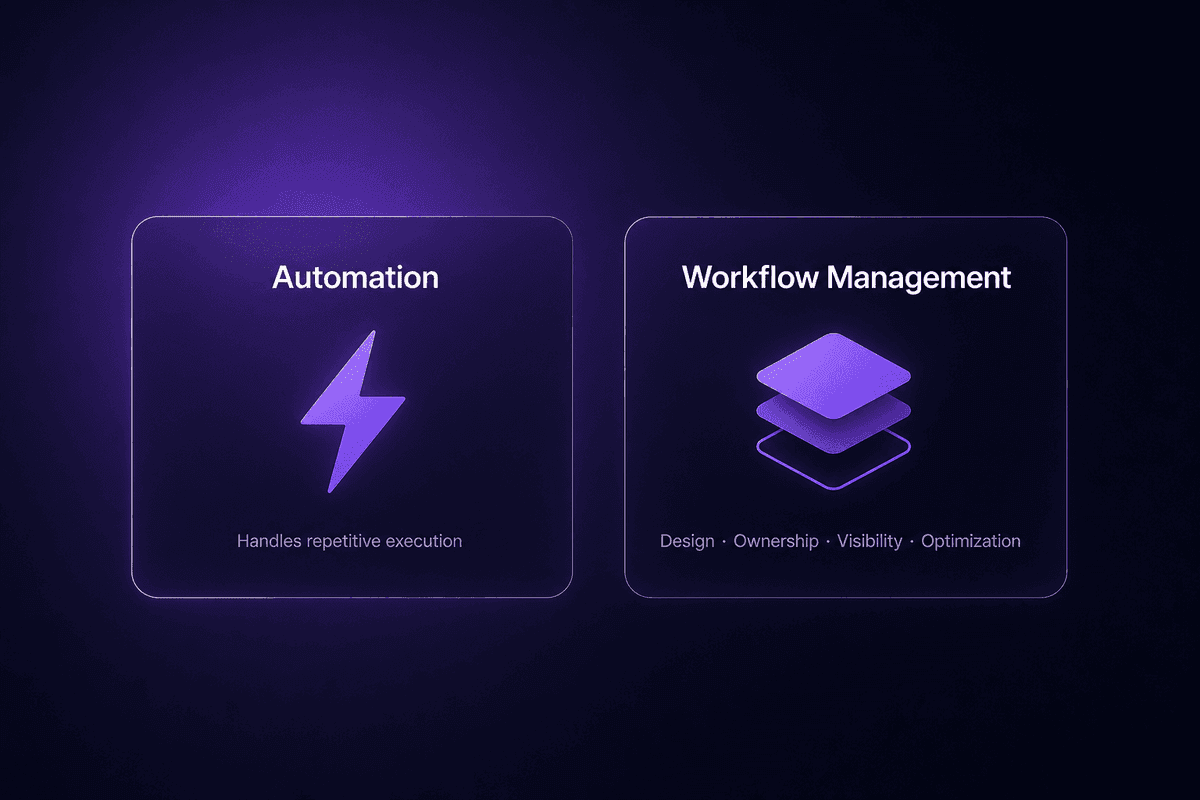
Where it goes wrong is when teams treat workflow management as a synonym for "having a project board" or "using automation software." A board with tasks is not a managed workflow. An automation running in the background is not managed if nobody owns the exceptions, monitors the outputs, or knows what the workflow is supposed to produce. Workflow management is the structural layer that connects the pieces: the design, the ownership, the visibility, and the ongoing optimization of how work actually moves.
What a Workflow Actually Is Before You Manage It
A workflow is a repeatable sequence of tasks with a defined trigger, explicit handoff points, and a clear end condition. That's the full definition. Three things. If one is missing, what you have is either a project (a one-time set of tasks with a defined finish) or a checklist (a list with no routing logic, no triggers, no escalation paths).
The distinction matters because the components of a workflow determine what management looks like. A project ends. A checklist doesn't route. A workflow process, by contrast, runs when triggered, moves work through roles or systems according to rules, and produces a defined outcome each time - a completed approval, a synced record, a routed support ticket.
If your team calls something a workflow but it only exists in someone's head or in a recurring calendar block, that's the workflow process you need to map before anything else.
Workflow Management vs. Business Process Management
Business process management (BPM) is broader than workflow management. BPM includes organizational governance, compliance modeling, process redesign across entire departments, and the oversight structures that decide how a company operates at scale. It's the discipline. Workflow management sits inside it as the execution layer.
Think of it this way: BPM decides that a procurement process should require dual approval above a certain value, span three departments, and produce an audit trail for compliance. Workflow management is what actually routes the request, triggers the right approvers, escalates the overdue ones, and records the outcome. The Mitratech framing is useful here: workflow management is where the cross-functional coordination and stakeholder accountability structure becomes operational. BPM sets the rules. Workflow management runs them. Both matter. But they're not the same thing, and conflating workflow management and project management - or treating them all as interchangeable - usually means none of the three functions well.
Types of Workflow Management
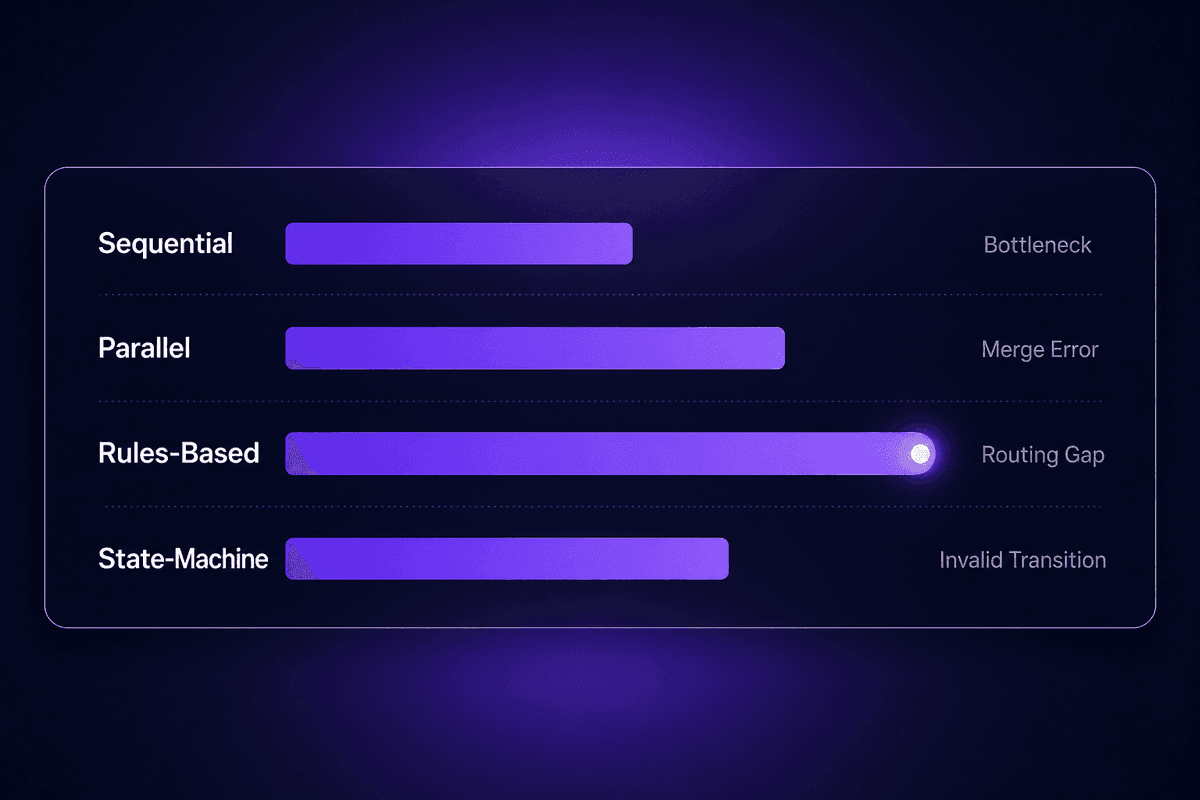
Not every process needs the same workflow structure. Using the wrong type is one of the more common setup mistakes - a team runs a sequential workflow where parallel execution would cut the timeline in half, or runs parallel branches without a merge check and ends up with a conflicted output. Here are the four types worth knowing.
Sequential vs. Parallel Workflows
Sequential workflows move one step at a time. Each task must complete before the next begins. A vendor onboarding process where legal review must finish before finance approval starts is sequential. The structure is simple and auditable. The failure mode is equally simple: one slow approver stops everything downstream. In support, sequential setups produce the most "where is this stuck?" tickets when one person in the chain is overloaded.
Parallel workflows split work across multiple paths running simultaneously. A content approval process where legal, brand, and compliance review the same document at the same time is parallel. It's faster. But when the branches rejoin without a merge check - a single node that confirms all three paths completed before advancing - you get partial completions that look done but aren't.
The practical choice is straightforward. If order genuinely matters at every step, go sequential. If multiple tasks can run independently and save time, go parallel. Just build the merge check before you build the branches.
| Workflow stage | Sequential risk | Parallel risk |
|---|---|---|
| One approver is slow | Entire workflow stalls | Less impact |
| Branches rejoin | Not applicable | Incomplete merge → false completion |
| Audit trail | Clean, linear | Needs explicit merge logging |
| Best for | Approval chains, compliance steps | Reviews, enrichment, parallel notifications |
Rules-Based and State-Machine Workflows
Rules-based workflows use conditional logic to route work. If an invoice exceeds a certain value, it escalates to finance. If a support ticket contains certain keywords, it routes to the senior team. The branching happens automatically based on data in the payload. According to Mitratech's framing around eliminating manual routing errors, this is where the ROI on workflow structure shows up most clearly: the rules replace a human judgment call that was the primary source of inconsistency.
State-machine workflows track which stage a record is in across its lifecycle. A deal in a CRM might move through stages like "prospecting," "proposal sent," "negotiation," and "closed" - the state machine enforces which transitions are valid and triggers actions at each transition. It's useful when the same record needs to change status many times and when moving backward in the process (rejecting, reopening, escalating) must be handled explicitly rather than assumed.
Both types are better than manual routing when human judgment at the decision point is the main error source. That covers more workflow types than most teams initially expect.
Key Elements of an Effective Workflow Management Process
Building a workflow that holds up takes more than picking a tool.The pieces that determine whether a workflow is actually manageable are structural: how the work is documented before anything is built, who owns each step, what triggers execution, what happens when something goes wrong, and whether anyone can see what's happening at any point.
Workflow Mapping: The Step Most Teams Skip Until Something Breaks
Workflow mapping is the act of visually or structurally documenting every task, decision point, owner, input, and output before touching any automation or tooling. It sounds like prep work. It's actually a design step that determines whether your overall workflow process is sound or whether you're about to lock bad logic into something that runs automatically.
I keep seeing the same pattern in support: a team builds a new workflow, launches it, and three weeks later realizes there's a decision point that nobody accounted for. An exception condition that occurs regularly. A handoff with no clear owner. The automation runs fine. The process underneath it doesn't. Fixing it now means stopping the workflow, redesigning the logic, and redeploying. Fixing it during the mapping phase takes fifteen minutes.
The minimum for useful workflow creation is this: name the trigger, document each task in order, assign an owner to each step, note the inputs and outputs, and - this is the part teams skip - map at least two exception paths before calling it done. Exceptions are not edge cases. They're the steady stream of real work that doesn't match the happy path.
How Workflow Automation Fits Inside Workflow Management
Here's the misconception I see most often: a team buys an automation platform, wires up some triggers, and considers the workflow management problem solved. The automation is the workflow management, they think.
It's not. Automation is one tactic within workflow management. It handles repetitive execution. Workflow management includes the design, the exception handling, the ownership structure, and the ongoing optimization of how the process runs. A workflow management solution that has automation but no defined ownership is a machine with no driver. It runs. Whether it runs the right thing, handles failures, or improves over time is a separate question that automation alone doesn't answer.
The practical distinction: if you automate a repetitive task within the workflow, you've reduced manual effort in one place. If you've designed the full workflow - documented it, assigned owners, built exception paths, and set up visibility - you've built something manageable. One is an efficiency tactic. The other is a structural choice. Both matter. The order matters too.
📊 By the numbers:
Teams that implement workflow automation consistently see 25-30% average productivity increases and 40-75% error reduction in automated processes, according to Kissflow research. But those numbers only show up when the underlying workflow is mapped correctly before automation is applied. Automate a broken process, and you get faster broken outputs.
Benefits of Workflow Management That Actually Show Up in the Numbers
The productivity argument for workflow management is well-documented. It's also easy to oversell. Here's what the research actually says - and what it doesn't.
Productivity, Error Reduction, and What the Research Actually Says
Kissflow research puts average productivity gains from workflow management at 25-30% and error reduction at 40-75% in automated processes. Bloomberg analyst research suggests knowledge-work automation can reach up to 70% efficiency improvement in some contexts. These are averages across automated processes, not guarantees for any specific team. A workflow that was already mostly functional before automation will see a different result than one that replaced a genuinely chaotic manual process.
What the numbers are describing: when you remove the redundant handoffs, eliminate manual routing decisions, and give people visibility into where work is stuck, work moves faster and makes fewer errors. That's not surprising. The surprising part is how consistently it holds across team sizes and industries - and the Kissflow research also shows that around 60% of organizations achieve ROI within 12 months of implementing workflow automation. That's fast enough to be worth taking seriously even before you've scaled.
The ceiling estimate (70% efficiency improvement in knowledge work) applies to narrow, high-volume, rule-based processes where human judgment was the bottleneck. If your workflow still requires significant human decision-making at most steps, don't weight the ceiling figure. Weight the floor.
Employee Experience and the Misconception About Automation Replacing People
The most common reason teams delay implementing workflow management has nothing to do with cost or complexity. It's the concern that automating tasks will demoralize staff or quietly eliminate roles.
The OECD research on AI and work suggests the opposite: 4 in 5 workers reported that AI and automation tools improved their performance, and 3 in 5 said it increased their enjoyment at work. The survey covered manufacturing and finance sectors across seven countries. Separately, when routine tasks are removed through automation, employee satisfaction improves by 15-35% according to Kissflow data.
The mechanism makes sense. Automating repetitive tasks within a workflow (data entry, routing, status updates, notifications) doesn't eliminate the role. It changes what the person does inside it. The team member who used to spend two hours a week copying data between systems now has two hours available for the work that actually needs their judgment. That's not demotivating. And according to the OECD data, practitioners generally know it. The fear is more common in leadership conversations about automation than it is among the people whose work gets changed.
That said, the same OECD research notes that workers in sectors with heavy data collection from automated systems report increased performance pressure. The point isn't that automation is always positive - it's that the design of the workflow matters. Systems with clear ownership, low-friction exceptions, and visible status reduce the surveillance-adjacent pressure. Systems that automate monitoring without giving workers agency or visibility tend to produce the opposite effect.

Workflow Management Challenges Teams Hit After the First Setup
The setup problems are well-documented. The post-launch problems are where teams actually lose ground. Competitors underweight this: most guides tell you how to build a workflow, not what happens to it three months later when the person who built it moves to a different team, three new apps have been added to the stack, and two process steps no longer reflect how work actually flows.
When Workflow Visibility Breaks Down Across Teams
The visibility problem follows a predictable path. A workflow is built and working. It crosses a department boundary. Then another. At each handoff, the team on the receiving end doesn't have visibility into where the request came from, what was decided upstream, or what the current state is. Someone has to ask someone. That asking usually happens over Slack or email. Now the approval or the update or the answer is happening outside the workflow. Not because the tool broke, but because the workflow structure didn't extend across the team boundary.
This connects directly to the Mitratech framing about cross-functional coordination: without explicit accountability at each handoff point, requests disappear between departments. The person who submitted the request doesn't know if it was received. The team member who should be acting on it doesn't know it's theirs. And none of the collaboration tools in the stack help if the workflow structure itself doesn't track workflow progress across boundaries.
The practical check: trace any multi-team workflow and ask, at each handoff point, what does each team see? If the answer at any step is "nothing unless they log in to check," that's the visibility gap. It will produce a support ticket, an escalation, or a missed deadline. Usually all three.
How to Identify and Clear Bottlenecks Before They Become Defaults
The dangerous thing about bottlenecks in managed workflows isn't that they cause immediate failure. It's that they become defaults. A week-long delay between a submitted request and an assigned reviewer is painful at first. Six months later, the team has built follow-up patterns around it, adjusted their SLA expectations to accommodate it, and stopped noticing it. The bottleneck isn't a problem anymore. It's just how things work.
Optimizing workflow management means intervening before that calcification happens. The method is mapping actual task duration against expected duration at each handoff step. Where queues consistently grow, that's a bottleneck. Where the gap between expected and actual completion time is largest, that's where to start.
Workflow automation can help here - once a step is automated, its execution time becomes measurable and consistent. But automation alone doesn't identify bottlenecks; it just makes the ones that remain more visible against the automated steps. The workflow improvements that matter are the ones that address the root cause of the queue growth: unclear ownership, insufficient capacity, missing decision criteria, or a step that can be eliminated entirely.
A practical approach: pick one high-volume workflow and, for two weeks, track the actual time each step spends waiting versus actively being worked on. The waiting time is the bottleneck. The working time is what you're paying for. Streamline the ratio.
How to Choose Workflow Management Software Without Overbuying
The selection mistake I see most often isn't choosing the wrong tool. It's choosing the right tool for requirements that weren't real, then discovering that the workflow requirements were different from what the team assumed during evaluation. Here are the criteria worth checking before committing.
- Process complexity fit
Evaluate whether the tool's workflow builder can handle your actual process logic - including conditional branches, parallel paths, and exception routing - not just linear step sequences. Teams that only test the happy path during evaluation discover the gap when the first exception arrives in production.
- Integration requirements
List every system the workflow needs to touch and verify native connectors exist before signing anything. A tool with 5,500+ integrations (Latenode sits here, with automatic OAuth handling) covers most common stacks. Where a connector is missing, the fallback should be a configurable HTTP request, not a professional services engagement.
- Automation depth
The difference between a workflow software feature that lets you send an email automatically and one that lets you write custom logic, call APIs, and branch on payload data is significant. Most teams start at the email-sending level. Most teams eventually need the custom logic. Evaluate both tiers before you're locked in.
- Visibility and reporting
A workflow management tool that doesn't show you last successful run, failed run count, error codes, and the name of the responsible owner at each step is not manageable - it's just automated. Real visibility means you can answer "where is this request right now?" without logging in to the source system.
- Ease of workflow mapping
The tool should make it easy to document the workflow before building it, not just after. If the only way to see the workflow structure is to look at a complex canvas of nodes, mapping is happening backward. This becomes a maintenance problem when the person who built it leaves.
- Pricing tier realism
The enterprise pricing concern is real but often misdirected. Studies show small teams achieve fast ROI from workflow systems - the cost concern should be about the per-task pricing models at scale, not the base cost. A tool that charges per task (where one 6-step workflow = 6 tasks) versus per execution (where the same workflow = 1 execution) produces genuinely different costs once workflows run at volume. Run the math on your expected monthly volume before locking in, not after.
- Multiple tools vs. one platform
Using three workflow apps that each handle part of the process is a maintenance overhead problem waiting to happen. Software solutions that handle automation, monitoring, and exception routing in one canvas reduce the number of places where something can break silently.
- Document and resource management scope
If the workflow involves approvals, document versions, or resource assignments, verify those are first-class features in the tool rather than workarounds. What looks like a workflow management platform in the demo sometimes turns out to be a project management software with automation added.
🤔 Wait.
The question buyers almost never ask during evaluation: not "what features does this tool have?" but "what does this tool require from your team to maintain it six months after launch?" A workflow management tool that needs a dedicated admin to update integrations, rename nodes, and fix broken connections when apps update their APIs has a real ownership cost that the feature list doesn't show. Ask what maintenance looks like when the person who built it is unavailable.
Workflow Management Best Practices That Hold Up After Month One
Generic setup advice is everywhere. What's harder to find is the guidance that survives actual use - after the first process exception, after the first ownership handoff, after the first time someone asks "why did this workflow stop working?"
Start With Workflow Mapping Before Touching Automation
The best approach to workflow management starts on paper (or in a whiteboard tool). Map one workflow completely before automating any part of it: trigger, every task, owner for each task, inputs and outputs, and at least two exception paths. A comprehensive workflow map takes thirty minutes and prevents four later support tickets.
The failure mode when teams skip this step is locking bad process logic into an automated system. Now the bad logic runs reliably, at scale, without anyone noticing until a consequence is visible. I've seen teams spend more time unwinding a poorly-mapped automated workflow than they would have spent mapping it correctly from the start.
Automate workflows only after the map passes a basic audit: "If this workflow ran a hundred times, what would go wrong?" Answer that before building anything.
How to Optimize Workflow Management Over Time, Not Just at Launch
Workflow management is not a configuration project. It's an ongoing operational practice. The teams that see consistent productivity gains are the ones that treat their workflow stack the way they treat code: reviewed, updated, and retired when it stops reflecting reality.
A practical schedule: review active workflows every 90 days. At each review, ask which steps no longer reflect how work actually flows, which bottlenecks have recurred, and which workflows haven't executed successfully in the past 30 days. Streamline or retire the ones that no longer serve the current process. Optimize the ones where execution time or error rate has increased.
Work management improvement is incremental. A single workflow that takes two hours per week and gets reduced to twenty minutes is already meaningful. Do that six times and you've changed how the team operates.
Automate Workflows Gradually - What to Automate and What to Leave Alone
The rule I apply to automation decisions: automate first the tasks that are high-volume, rule-based, and low-exception. Data entry, routing decisions with clear criteria, status notifications, record syncing between systems. These are strong candidates for early automation because the rules are stable and human judgment adds little value at the execution level.
Leave alone - for now - tasks where the process itself isn't proven stable, where exceptions are frequent and unpredictable, or where judgment quality determines outcome quality. An efficient workflow in an unstable process is still an unstable process. A strong workflow requires a proven process underneath the automation, not a theoretical one.
And on the job displacement concern: automation handles task components within a role, not the role itself. A team member whose work involves routing, data entry, and status updates will spend less time on those and more time on the tasks that need real judgment. That's what the OECD survey data on AI and work describes: better performance, more enjoyment. The tool handles the repetitive layer. The person handles the layer that required them in the first place.
For teams managing approval workflows that currently bounce between email, Slack, and a ticketing queue, a practical starting point is building one controlled approval path in a tool that supports custom routing logic. In Latenode, this looks like a scenario triggered from a form submission or new record, routed through an approval path using a JavaScript node that applies your routing rules (role, region, request value), with notifications sent only when human review is needed. One approval workflow that runs this way, reliably, is more valuable than a dozen half-automated ones. The per-execution pricing model helps here too: a 6-step approval workflow counts as one execution rather than six separate task charges.
References
- OECD - AI and work - 15/04/2025
- OECD - How widespread is algorithmic management in workplaces? - 18/12/2025
- Screendragon - Approval workflow software: A practical guide - 24/05/2026




