There are maybe 200 products right now claiming to be "digital transformation tools." Some of them are genuinely useful. Some are productivity apps with a rebrand. A few are expensive calendars. The problem isn't finding tools - it's figuring out which ones actually belong on your roadmap, given your organization's current maturity, your integration reality, and whether anyone will still be using them in six months.
The falsifiable claim here: the right digital transformation tools are determined by company maturity, integration fit, and adoption realism - not by what appears in top-ten lists. You can disagree with that. A lot of vendor marketing is built around disagreeing with it. But if you've watched a transformation initiative stall, the post-mortem usually doesn't say "wrong tool." It says: wrong timing, wrong fit, nobody drove adoption.
The part most roadmaps skip
- Most digital transformation initiatives stall at tool selection, not tool quality.
- Integration complexity is the top blocker - not feature gaps.
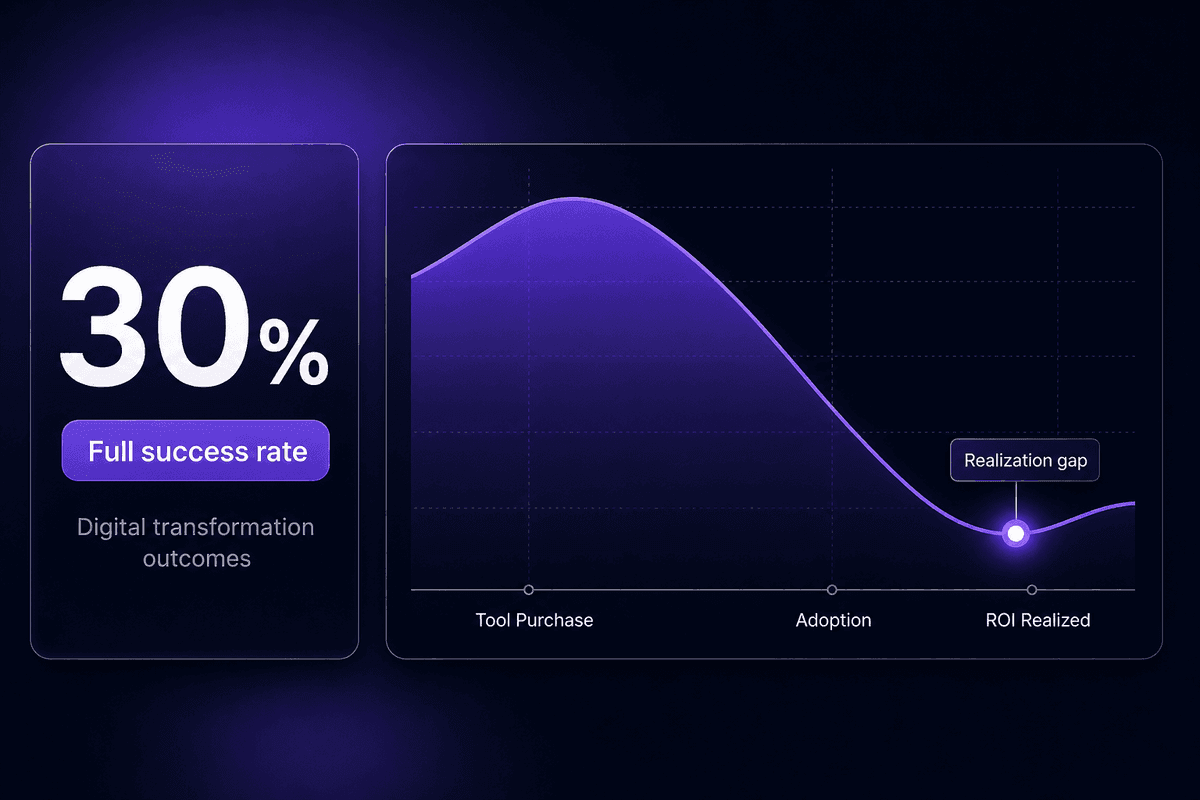
- Digital transformation strategies that skip change management fail at roughly 70% rates.
- A 3-tool stack with high adoption beats a 15-tool stack with low adoption every time.
- The right digital transformation tool for your org is the one your team will actually maintain.
What Makes a Digital Transformation Tool Worth the Budget

A digital transformation tool, in operational terms, is one that measurably changes a business outcome - revenue, cost, customer satisfaction, process speed - not just how individuals experience their day. The distinction matters more than it sounds. A collaboration suite that makes meetings easier is a productivity tool. One that replaces a broken approval chain, cuts deal cycle time, and reduces handoff errors is a transformation tool. Same product. Different deployment logic.
The PwC 2026 Digital Trends in Operations Survey landed a number that's worth sitting with: 89% of operations leaders say their tech investments have not fully delivered expected results. This is from 767 US operations and supply chain leaders at companies with at least $100M in annual revenues. These aren't small teams with small budgets. They're organizations with dedicated IT, transformation programs, and consulting support. And still: the gap between investment and realized value persists. The dominant reason, according to the same survey? Integration complexity, cited by 59% of consumer markets leaders as the top blocker.
That's a transformation effort problem, not a tool quality problem. The tools often work. The connecting tissue between them, the change management around them, and the accountability for maintaining them - those are what fail.
So every digital transformation tool earns its budget only if it clears these bars: it changes a measurable business process outcome, it fits into your existing stack without creating a new silo, and it has a realistic adoption path given your team's current capability.
The Four Selection Criteria That Actually Separate Good Tools from Expensive Shelf-ware
Before you evaluate any specific product, run it through four weighted criteria. These come directly from where transformation projects succeed versus where they stall, and they apply regardless of company size.
- Measurable business value
Does the tool change revenue, cost, CSAT, or process speed in a way you can actually track? If you can't define the metric before buying, you won't be able to defend the spend after. Digital maturity isn't about owning more tools - it's about running better processes.
- Integration and ecosystem fit
Does it connect to what you already use without manual glue? Given that integration complexity is the leading reason transformation projects underdeliver, a tool that creates a new data silo is worse than no tool at all. Evaluate the API surface, native integrations, and maintenance cost.
- Usability and adoption realism
Who will actually use this? Digital transformation strategies that outpace the team's capability to adopt them produce expensive shelfware. The best digital transformation strategies include training, ownership, and a realistic rollout timeline. If your team isn't going to use it consistently within 90 days, that's a signal.
- Scalability toward AI and cloud
Can the tool grow with your business needs? Transformation projects that solve today's problem while creating tomorrow's migration cost are a known failure pattern. Evaluate for AI readiness, cloud-native architecture, and whether the vendor's roadmap aligns with the direction your business is heading.
Top Digital Transformation Platforms and Tools, Ranked by Real-World Fit
The tools here span five functional categories: collaboration and communication, workflow automation, project management, data and analytics, and integration. These aren't ranked by feature count or analyst quadrant position. They're ranked by the realistic question: given a company's current state, where does this tool actually help and where does it create unexpected overhead?
Tool #1 gets the most depth because it's the most consequential decision for most organizations. Lower-ranked tools are compressed proportionally - not because they matter less in isolation, but because the decision logic gets cleaner once the core stack is established.

Microsoft 365 and Power Platform: The Unified Stack Most Enterprises Already Own
For organizations standardizing on a single cloud productivity and automation environment, Microsoft 365 is the default answer - not because it's the best tool in every category, but because the integration surface, existing licensing, and organizational familiarity are already in place. That's a real advantage. Teams that already live in Outlook, Teams, SharePoint, and Excel face less adoption friction than they would switching to a greenfield stack.
The AI layer is worth taking seriously. Microsoft Copilot, embedded across M365, is one of the most mature AI workplace integrations available at scale. Power Platform - Power Apps, Power Automate, Power BI - adds the low-code automation and analytics layer. This is where M365 becomes a genuine digital workplace platform rather than just a collaboration tool and management tool.
Per-user subscription pricing makes budget predictability straightforward at scale. Enterprise tiers add compliance, governance, and security controls that regulated industries require.
The honest downside: complexity. Power Platform is genuinely capable, but it has a learning curve that most organizations underestimate. Teams that deploy it without governance plans and without internal champions find themselves with 300 flows nobody understands and an IT team fielding questions they can't answer. The collaboration tools themselves are excellent. The AI-augmented automation layer needs ownership to deliver.
That's not a feature gap. That's a Monday morning ticket waiting to be written.
ServiceNow: Where Enterprise Workflow Automation Gets Serious
ServiceNow owns enterprise workflow automation in a way that few platforms can match. ITSM, HR service delivery, operations, customer service workflows - all on a single platform with genuine governance, audit trails, and enterprise SLAs. For large enterprises that need standardized digital workflows across functions, this is the serious answer.
The management tool comparison to Power Platform is real: ServiceNow handles more complex, multi-department process orchestration with enterprise-grade controls. Its AI capabilities - including predictive intelligence and virtual agents - are embedded at the platform level rather than bolted on. Business operations at scale, particularly in IT and HR, genuinely run better on ServiceNow than on most alternatives.
The constraint is equally real. ServiceNow is enterprise-priced and module-based. For mid-market buyers, the cost-to-benefit math rarely works out. I've watched organizations buy ServiceNow for use cases that could have been solved with a properly configured Jira Service Management or even a well-maintained Notion workflow. The platform is powerful. The question is whether your organization's needs justify the TCO, including the implementation partner costs that almost always accompany it.
If they do, stop shopping and buy it. If they don't, you're paying for capability you won't use.
Slack: Communication Tools That Reduce Email Without Replacing Judgment
Slack's value proposition is narrow and specific: persistent async communication, channel-based organization, and integration with the rest of your stack via apps and webhooks. It doesn't manage projects. It doesn't track tasks with accountability. It is a communication layer, and as digital tools go, it's a very good one for knowledge-work teams that need fast, structured async communication.
Tools like Slack and similar async platforms improve signal-to-noise when configured with governance. Without it - clear channel ownership, naming conventions, archiving rules, a policy on when things live in Slack versus a ticket or a document - adoption creates noise rather than clarity. I've seen this pattern enough times to say it plainly: ungoverned Slack instances are where decisions go to get lost.
Freemium pricing is approachable. The paid tiers add message history and admin controls that most organizations need within six months of serious deployment.
The AI features in Slack have improved. Channel summarization and search are genuinely useful. They are not a replacement for process clarity on where decisions get made.
Asana and Trello: Project Management Tools for Different Maturity Levels
These belong together because teams almost always outgrow one and move to the other. The direction of that move is predictable.
Trello is visual kanban at its simplest. Cards, lists, boards. Fast to set up, easy to understand, genuinely useful for individual or small-team task tracking where the scope of work fits on one screen. It's a good new tool for teams that don't yet have complex cross-functional dependencies or timeline requirements. Most teams hit Trello's ceiling within a year, sometimes sooner, as soon as they need to track who is blocking whom.
Asana handles that complexity. Cross-functional projects with dependencies, timeline views, portfolio visibility, workload management - the business goals that require coordination across more than one team are where Asana earns its cost. Both have freemium tiers; Asana's paid plans add the reporting and automation features that make it genuinely useful as an organizational management tool rather than a list app.
The adoption note: Trello's simplicity is also its risk. Teams build elaborate workarounds inside Trello - custom card templates, power-up stacks, label systems - to compensate for the fact that they've outgrown it. If you find yourself explaining your Trello board to new team members for more than five minutes, you've outgrown it.
Google Workspace: The Collaboration Suite That Works Best When You Go All-In
Google Workspace is the cloud-native alternative to Microsoft 365, and it's a strong one - particularly for SMEs, digital-first organizations, and teams where browser-based real-time co-authoring is the dominant work pattern. Docs, Sheets, Slides, Meet, Drive, and Gmail integrate naturally. The AI layer, through Gemini, is maturing.
The core adoption reality, which Google doesn't advertise loudly: partial adoption undermines everything. A team that uses Gmail for email but Word for documents, or Meet for video but Slack for async, doesn't get the productivity benefits that come from the suite's native integration. Google Workspace is a digital transformation tool when the team actually goes all-in. It's a productivity tool of average maturity otherwise.
The pricing is competitive. The switching cost from Microsoft environments is real - not technically, but organizationally. People know Office. Training and habit change cost more than licenses.
Zoom: Video Conferencing That Became Infrastructure, Not Just a Meeting Tool
Zoom crossed from "meeting app" to actual digital age infrastructure during 2020 and has stayed there. For organizations that need reliable video communication at scale, including webinars, virtual events, and training delivery, the platform is genuinely dependable. The freemium-to-enterprise pricing tiers are well-understood at this point.
The value drops sharply, however, when Zoom sits in isolation. Teams that use Zoom only for video but haven't configured calendar integration, recording workflows, or customer experience automations (webinar follow-up sequences, participant tracking) are using a fraction of the platform's actual capability. The meeting happened. What happens after the meeting - CRM update, follow-up task, recording to knowledge base - that's where Zoom either becomes transformative or stays a scheduling tool.
MuleSoft Anypoint Platform: Integration Tools for Enterprises That Can't Afford Data Silos
Integrating digital technology across heterogeneous enterprise environments - legacy ERP, SaaS platforms, custom services, partner APIs - is exactly what MuleSoft exists to solve. The API management and integration layer it provides is genuinely mature. For large enterprises running complex multi-system connectivity, digital tools and technologies built on MuleSoft can reach integration states that most other platforms can't match.
The reality check is about resourcing. MuleSoft has enterprise pricing to match its enterprise capability. And it requires internal API governance capacity to deliver on its promise. Organizations that buy MuleSoft without the internal team or implementation partner to own the governance end up with an expensive platform that creates overhead rather than reducing it.
There's a reason MuleSoft conversations usually involve Salesforce enterprise contracts and system integrator partners. The tooling is built for that level of investment. Point solutions and mid-market buyers should look elsewhere.
Snowflake: The Data Platform That Earns Its Place Only When You Have the Analytics Maturity
Snowflake is a cloud data platform built for organizations that are serious about centralized analytics, modern data architecture, and AI-ready infrastructure. The usage-based pricing model is straightforward; you pay for what you compute. The scalability for AI architectures - building the data foundation for machine learning workflows, large-scale analytics, and digital innovation at the data layer - is real and well-documented.
The wrong-fit warning matters here more than anywhere else on this list. According to the PwC 2026 Digital Trends in Operations Survey, 87% of operations leaders say poor data quality has impacted their ability to achieve value from digital initiatives - and only 30% report significant improvement in data quality over the past two to three years. Snowflake doesn't fix data quality problems. It scales them. If your organization hasn't resolved data governance before landing data in Snowflake, you get a very expensive, very fast way to query unreliable information.
The digital technologies that Snowflake unlocks depend entirely on the quality of what flows into it. Get governance right first. Then build the platform.
Types of Digital Transformation Tools by Business Function
Not every organization needs every tool category. The maturity signal - the threshold at which a category actually starts delivering - is often more useful than the category label itself.
- Communication and collaboration
Includes email-adjacent suites (Google Workspace, Microsoft 365), async messaging (Slack, Teams), and video infrastructure (Zoom). The maturity signal: you need a formal communication tool when async and remote coordination is consuming more time than actual work. Most organizations have at least one of these already; the real transformation question is whether the suite is configured or just installed.
- Project and work management
Simple kanban tools (Trello) for team-level task visibility and cross-functional project management platforms (Asana, Jira) for dependency-heavy work. The maturity signal: when a project has more than three active contributors and cross-functional dependencies, simple kanban starts hiding more than it reveals.
- Workflow automation and integration
This is the digital tool category that connects everything else. Ranges from simple trigger-action automation (Zapier at SMB scale) to low-code platforms with developer escape hatches (like Latenode) to full enterprise iPaaS (MuleSoft). The maturity signal: when your team is doing copy-paste between systems more than once a week, or when a broken integration causes a downstream business process to fail, this category is no longer optional. This is also the right tool category for organizations that need AI embedded in their actual workflows rather than in a standalone chat window.
- CRM and sales operations
Salesforce, HubSpot, Pipedrive, and their equivalents. The maturity signal for CRM tools: when your sales team is tracking pipeline in spreadsheets and deals are slipping because nobody knows their status. CRM adoption only delivers on its business process promise when reps actually log activity - which means change management, not just software.
- Data analytics and business intelligence
Snowflake, Power BI, Looker, Metabase. The maturity signal: when decision-makers are receiving conflicting numbers from different sources and can't tell which is correct. Analytics infrastructure solves this - but only after governance does. This is typically not an early-stage investment.
- HR and payroll management tools
BambooHR, Workday, Rippling, and similar platforms. The maturity signal for payroll management tools and HR platforms: when headcount reaches 25-50 and manual HR processes (onboarding, PTO tracking, benefits administration) are consuming significant ops time that could be systematized.
- Low-code development
Power Apps, Latenode, Bubble, OutSystems. The wide range of digital transformation goals that these tools address spans from internal tooling to customer-facing applications. The maturity signal: when your transformation backlog includes operational tools that IT doesn't have time to build, and the workflow is defined well-enough that a non-engineer could specify it. High-performing and innovative digital tools in this category are the ones that keep the non-technical team in the loop while giving developers an escape hatch when the logic gets complex.
Digital Transformation Examples: What Successful Tool Adoption Actually Looks Like
The most useful thing I can say here is that the organizations with the clearest digital transformation journey stories are almost never the ones chasing every top-ten recommendation. They're the ones that started with one specific process that was measurably broken, chose a tool that fit it, and drove adoption harder than they drove purchase decisions.
Three short scenarios that illustrate how company profile maps to stack.
A 60-person professional services firm running on spreadsheets for project delivery tracking adopted Asana and Google Workspace in one quarter. The Asana rollout had a named internal champion, a mandatory training week, and a defined "cutover" date when the spreadsheets were officially replaced. Transformation within the digital transformation journey: project visibility went from weekly status emails to real-time, and the PM firm stopped losing half-days to status update calls. The tools aren't sophisticated. The discipline was. Overall digital transformation ROI materialized within 90 days.
A mid-size manufacturer with an ERP, a separate CRM, and a logistics platform was spending four hours a week manually stitching together weekly operations reports from three systems. They didn't need a new data platform. They needed an integration layer. An operations manager built a Latenode workflow that pulled fresh data from all three systems on a schedule using automatic OAuth connectors, ran it through an AI model that generated a plain-language summary of the week's delay drivers, and pushed the result to Slack and email every morning. The transformation effort was 90 minutes of setup. The business result was four hours of manual work eliminated per week, plus faster reaction time to supply chain issues. No new enterprise software. No six-figure implementation project.
A SaaS company at 200 employees bought Salesforce, implemented it in 12 weeks, and watched their sales team largely ignore it for two months. The digital transformation efforts stalled not because of the tool but because nobody had mapped the new CRM workflow to how the sales team actually worked. When they hired a RevOps specialist to redesign the Salesforce configuration to match real sales motion (rather than theoretical best practice), adoption rose to 85% within 60 days. Companies that have gone digital successfully almost always have someone accountable for adoption - not just implementation.
📊 By the numbers:
The PwC 2026 Digital Trends in Operations Survey found 89% of operations leaders say tech investments haven't fully delivered expected results - at companies with $100M+ in revenue and real transformation budgets. The gap isn't tool quality. It's the alignment between the tool's deployment logic and the organization's change capacity. The scenario sketches above succeed not because the tools are better, but because each one had a defined process owner, a specific outcome metric, and a realistic adoption plan.
How to Choose the Right Digital Transformation Tools for Your Organization
Effective digital transformation tool selection comes down to four factors applied consistently across categories. Here's how they map to your actual choices.
The table below is a practical starting framework. It won't replace a proper internal evaluation, but it will help you navigate the digital landscape without spending three months chasing feature comparisons.
| Tool Category | Best Organization Fit | Integration Demand | Adoption Risk | AI/Cloud Readiness |
|---|---|---|---|---|
| Collaboration Suite (M365, Google Workspace) | Any size; essential for remote/hybrid | Medium - needs governance to connect to downstream tools | Medium - partial adoption undermines suite value | High - both platforms have maturing AI copilot layers |
| Project Management (Asana, Trello) | SMB to mid-market; scales with team complexity | Low to medium - connects to communication tools via integrations | Low - visual tools adopt quickly; governance is the real risk | Medium - AI features emerging, not yet core to value |
| Workflow Automation / Integration (Latenode, Zapier, MuleSoft) | Any org with 2+ SaaS tools and manual cross-system work | High - this category IS the integration layer | Medium - requires process clarity before automation; AI is enhancing accessibility | High - automation platforms are the primary vehicle for embedding AI into business operations |
| CRM (Salesforce, HubSpot) | Sales-driven orgs at any size | High - CRM delivers value only when connected to marketing, support, and ops tools | High - CRM adoption failures are among the most common transformation disappointments | High - AI scoring, forecasting, and automation are now table stakes |
| Data/Analytics (Snowflake, Power BI) | Data-mature orgs with governance in place | High - requires clean data pipelines upstream | High - analytics tools are unused when the underlying data isn't trusted | Very high - AI and ML workloads depend on the data platform |
| HR/Payroll (BambooHR, Workday) | Orgs at 25+ headcount where manual HR creates ops drag | Medium - typically connects to payroll, identity, and onboarding tools | Low to medium - administrative tools adopt well when mandated | Medium - AI is entering this category but is not yet the primary decision driver |
A practical note on the workflow automation row: this is the category most frequently underinvested at the wrong stage. Organizations buy collaboration suites and project management tools first - often correctly - and then discover they're doing manual data movement between them. The tools talk to each other on a diagram. They don't actually talk to each other in production. That's the business needs gap that an integration and automation layer closes.
For organizations that don't have a dedicated integration engineering team, low-code automation platforms are the realistic path. When the workflow logic gets complex enough to need custom validation, field normalization, or conditional routing that a simple trigger-action tool can't handle, a platform like Latenode lets a non-engineer build the core flow and a developer step in at the JavaScript node level to write the logic inline - without a separate service, without rewriting the whole automation. The integration-fit criterion from this table is what that capability is designed to satisfy.
Benefits of Digital Transformation When Tools Are Implemented With the Right Stack Logic
The benefits of digital transformation are real. Cost reduction, improved customer experience, faster operations, better decisions. But they're conditional on something the benefits slides don't usually say out loud: they follow from correct selection and adoption, not from purchase.
Cost reduction comes from eliminating manual processes - but only the ones that were actually breaking your business, not the ones that looked automatable. Improved customer experience comes from tools that surface the right information at the right moment - but only when the data feeding those tools is reliable. Operational efficiency comes from connected systems - but only when those systems actually share clean data and someone owns the connections.
Business transformation of the kind that shows up in P&L happens when the tool is the right fit, the adoption is real, and someone is accountable for the outcome. Business model transformation - the deeper kind, where how you deliver value structurally changes - requires all of that plus organizational commitment at the leadership level.
The practical framing for any digital transformation investment: which specific process outcome will change, by how much, and who is responsible for making sure it does?
If those three answers exist before the contract is signed, the benefits follow. If they don't, the stack grows and the outcomes don't.
🤔 Wait.
If the benefits of digital transformation are well-documented and widely understood, why do roughly 70% of transformation initiatives fall short of their targets? According to the PwC 2026 survey, only 30% report significant improvement from digital initiatives. The benefits are real - but they're procurement conditions, not guaranteed outcomes. A tool purchase activates the possibility. Change management, adoption discipline, and integration fit are what convert it into a result. Most organizations invest in the purchase and shortchange the rest.