Understanding Integration Platform as a Service (iPaaS): A Comprehensive Guide
Discover the true meaning of integration platform as a service (iPaaS). Learn how it evolved from simple connections to AI-native automation with Latenode.


Introduction
The modern business environment is fragmented. You have data in your CRM, emails in your marketing tool, and financial records in a spreadsheet—and none of them talk to each other. This is the problem that an integration platform as a service (iPaaS) solves. It acts as the digital nervous system of your organization. Instead of manually moving data between apps, iPaaS automates the flow of information, ensuring your tools work together as a cohesive unit. In this guide, we will break down what iPaaS actually is, how it has evolved from rigid middleware to AI-native automation, and why it is essential for scaling operations.
What Is iPaaS? Breaking Down the Acronym
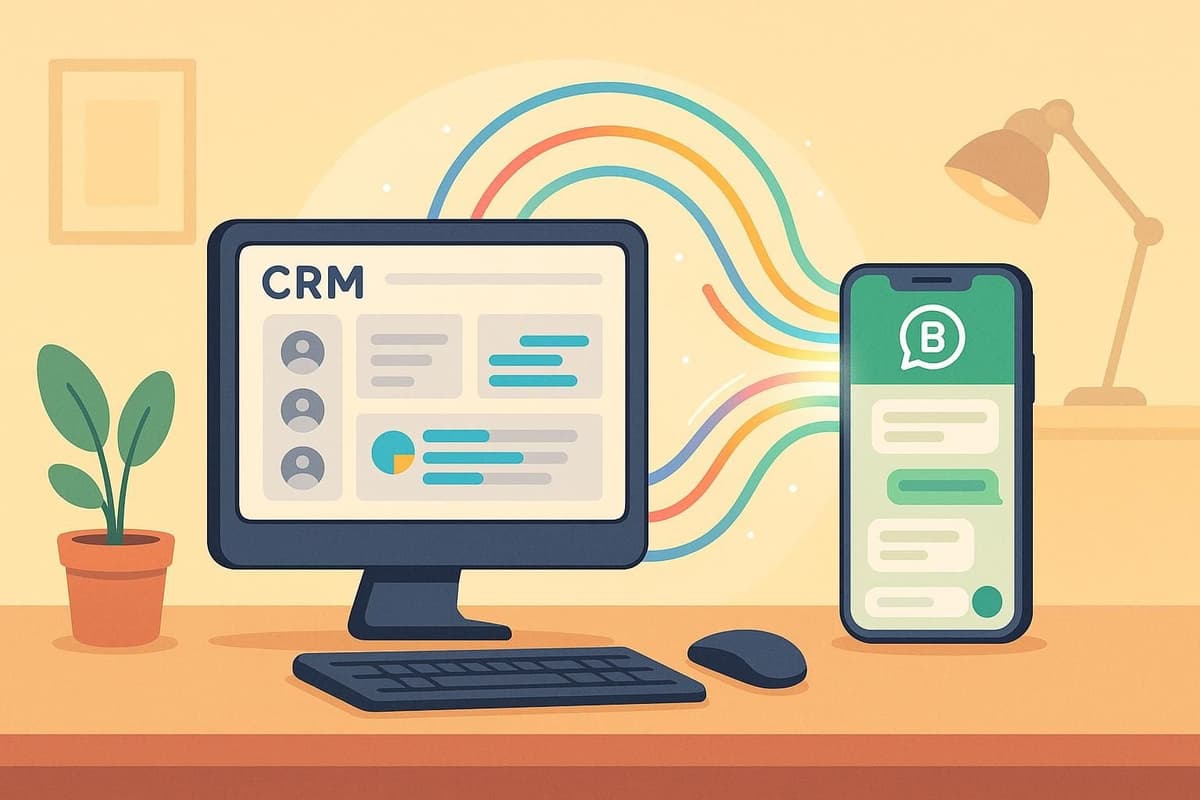
At its simplest level, an Integration Platform as a Service (iPaaS) is a cloud-based suite used to connect software applications that are deployed in different environments. Think of it as a universal translator. Your marketing platform speaks "Lead Data," your accounting software speaks "Invoices," and your support desk speaks "Tickets." iPaaS translates these distinct languages in real-time so that when an event happens in one app, it triggers the correct action in another. Why this matters: The average company uses over 100 different SaaS applications. Without an integration layer, your data remains trapped in silos. The modern shift: Next-generation platforms like Latenode are moving beyond simple connection. They allow you to automate tasks without APIs, effectively bridging the gap between legacy systems and modern AI capabilities.
The Core Components of an iPaaS Solution
To understand how these platforms function, you need to look at their anatomy. Connectors: These are pre-built bridges to popular apps (like Google Sheets, Slack, or Salesforce). They handle the authentication so you don't have to code the connection. Triggers: The "If" in your workflow. A trigger monitors for an event, such as a new email arriving or a form being submitted. Actions: The "Then" in your workflow. This is what the platform does with the data, such as creating a contact or sending a notification. Data Transformation: Apps rarely use the same format. iPaaS cleans, reformats, and maps data (e.g., turning a JSON date into a readable text format) as it moves between services.
iPaaS Integration vs. Custom Development
Historically, if you wanted two apps to talk, you hired a developer to write a custom script. Today, businesses must choose between building custom solutions or subscribing to an iPaaS. The speed factor: An iPaaS user can build a workflow in minutes using visual tools. A developer writing custom Python scripts might take days to build the same functionality and weeks to secure it. Maintenance reality: APIs change constantly. When a service updates its API, custom scripts break. iPaaS providers handle these updates in the background, ensuring your business logic keeps running. Custom Code vs. iPaaS Comparison: | Feature | Custom Development | Modern iPaaS (Latenode) | | :--- | :--- | :--- | | Setup Time | Days or Weeks | Minutes or Hours | | Technical Skill | High (Senior Devs) | Low to Medium (Low-Code) | | Maintenance | Manual updates required | Automatic platform updates | | Scalability | Requires server management | Auto-scales with load | | Visuals | None (Code only) | Visual Flow Builder | This speed is why many teams now start with pre-built browser templates to launch automation instantly rather than waiting for engineering resources. Explore Automation Templates
The Evolution: From ESB to AI-Native Automation
To understand the current state of integration platform as a service (iPaaS), we have to look at where it came from. The technology has shifted from expensive, on-premise hardware to agile, AI-driven cloud solutions. 1. The Past (ESB): Enterprise Service Buses were heavy, expensive, and required dedicated IT teams to manage on-premise servers. They were rigid and linear. 2. The Middle Era (Traditional iPaaS): The first wave of cloud integration tools simplified connectivity. However, they were often limited to "if this, then that" logic and struggled with complex decision-making. 3. The Present (AI-Native iPaaS): Platforms like Latenode represent the new standard. They don't just move data; they process it using Large Language Models (LLMs). This shifts the paradigm from "Event-based automation" to "Autonomous Agents" that can think and adapt.
Why Traditional Automation Is No Longer Enough
Older integration platforms possess a critical weakness: they cannot handle unstructured data effectively. If you receive an invoice as a PDF or a customer email full of slang, traditional tools fail because the data doesn't fit into neat rows and columns. They require rigid, structured inputs to function. The modern solution: AI-native platforms integrate Large Language Models directly into the workflow. This allows the system to read, understand, and extract data from unstructured sources just like a human would. Furthermore, understanding what is a headless browser becomes crucial here. It allows modern iPaaS to interact with websites that don't have APIs, scraping dynamic data that legacy tools simply cannot reach.
The Rise of Low-Code/No-Code Flexibility
The barrier to entry for building complex integrations has dropped significantly. You no longer need to be a senior backend engineer to orchestrate enterprise-grade workflows. Visual Builders: Modern interfaces use drag-and-drop canvases. You can visually see the path your data takes, making debugging and logic construction intuitive. Breaking the No-Code Ceiling: While visual builders are great, they sometimes hit limits. A true iPaaS offers "low-code" capability—the ability to inject custom JavaScript or Python when you need it. For example, using headless browsers with Selenium within Latenode allows you to automate complex web interactions that standard API connectors can't handle.
How Modern iPaaS Works Under the Hood
Let's look at the mechanics of a workflow. While the interface is simple, the backend processes are sophisticated. Example Scenario: A potential client fills out a Typeform on your landing page. 1. The Trigger (Webhook): The moment the form is submitted, Typeform sends a packet of data to a unique URL (Webhook) provided by the iPaaS. This happens instantly, unlike older "polling" systems that only checked for new data every 15 minutes. 2. The Logic: The iPaaS receives the data. It applies filters you've set (e.g., "Only continue if Company Size > 50 employees"). 3. The Actions: If the logic passes, the platform executes a sequence: it creates a deal in HubSpot, sends a greeting email via Gmail, and alerts the sales team on Slack.
Understanding API Management and Webhooks
Two technical terms drive every integration platform as a service (iPaaS): APIs (Application Programming Interfaces): These are the open doors that software developers provide. They allow external tools to send and receive data securely. Webhooks: This is a method of communication where an app "pushes" data to your integration platform immediately when an event occurs. It is more efficient than constantly asking an API, "Do you have new data?"
The Role of AI in Data Transformation
Data transformation used to be the hardest part of integration. Converting phone numbers, splitting names, or standardizing dates often required complex Regular Expressions (RegEx) or coding. The AI advantage: In Latenode, you can use an AI node to handle this with natural language. You simply tell the node: "Extract the phone number from this text and format it as (XXX) XXX-XXXX." Differentiation: Unlike platforms that require you to manage your own OpenAI API keys and billing, Latenode provides unified access to models like GPT-4, Claude, and Gemini directly within the subscription. This removes the friction of managing external AI accounts.
Top Benefits of Implementing an iPaaS Strategy
Why should a business invest in an orchestration layer? The returns on efficiency and reliability are immediate and measurable. Centralized Management: You get a bird's-eye view of every automated process in your company from a single dashboard. Scalability: Whether you process 10 leads a day or 10,000, the platform auto-scales to handle the load without you needing to upgrade servers. _Error Handling: Modern systems alert you exactly where a workflow failed, allowing for rapid fixes unlike mysterious failures in custom scripts.
Cost Efficiency and Resource Allocation
Time Savings: Automation reduces administrative overhead significantly. By removing manual data entry, teams often save 20+ hours per week, allowing them to focus on high-value strategy. Pricing Models: Many competitors charge per "step" or "task," punishing you for building complex workflows. Latenode utilizes a credit-based system that measures operation time and computing resources. This is often more cost-effective for heavy workflows, especially those involving loops or data processing.
Enhanced Security and Compliance
Security is paramount when moving customer data._ Encryption: Enterprise-grade iPaaS ensures data is encrypted both in transit and at rest. * Credentials: You never have to hardcode passwords into scripts. The platform manages secure connections via OAuth, meaning credentials are stored safely and never exposed in the workflow logic.
Building AI Agents: The Next Frontier of Integration
The definition of integration platform as a service (iPaaS) is shifting. It is no longer just about connecting Pipe A to Pipe B. It is about creating intelligent agents that can perform work autonomously. The Concept: By combining the connectivity of iPaaS (the hands) with the reasoning of LLMs (the brain), you create AI Agents. These agents can plan, execute, and verify their own work. Unified Access: Most platforms force you to bring your own API keys for AI models, leading to "subscription fatigue." Latenode includes access to top-tier models like GPT-4o and Claude 3.5 Sonnet within the platform, streamlining the setup of AI agent integrations.
Example Workflows You Can Build
1. Smart Customer Support: Instead of a simple auto-reply, build a workflow where an AI reads the incoming ticket, analyzes the sentiment, checks your specific knowledge base, and drafts a personalized response. The integration then sends this draft to Slack for a human manager to approve with one click. 2. Competitor Analysis via Headless Browser: Standard APIs often can't access competitor pricing or public data. Using headless browsers for web scraping, you can build a workflow that navigates to a competitor's site, extracts current pricing, and logs it into a spreadsheet. You can even configure Headless Chrome to take screenshots of marketing changes, giving you visual intelligence alongside raw data.
Combining No-Code with Custom Code
The most powerful workflows often require a mix of approaches. Visual + Code: You might use the visual builder for 90% of the workflow but need a specific NPM package for a unique calculation. Latenode allows you to switch to a code node, install standard JavaScript libraries, and execute that specific logic seamlessly within the visual flow. This flexibility ensures you never hit a "dead end" where the platform prevents you from solving a problem. See AI Integration Examples
Frequently Asked Questions
What is the difference between SaaS and iPaaS?
SaaS (Software as a Service) refers to the individual applications you use, like Salesforce or Slack. iPaaS (Integration Platform as a Service) is the middleware infrastructure that connects these SaaS applications, allowing them to share data and trigger actions between each other.
Is iPaaS suitable for small businesses?
Yes, modern iPaaS solutions are highly scalable. Platforms like Latenode offer free tiers or affordable start plans, allowing small businesses to automate tasks without the high enterprise costs associated with legacy middleware systems.
Does iPaaS require coding knowledge?
Not necessarily. Most modern platforms rely on visual, drag-and-drop interfaces ("no-code"). However, platforms that offer "low-code" capabilities—like adding custom JavaScript—provide significantly more flexibility for complex automations when visual blocks aren't enough.
How does an iPaaS handle security?
Reputable providers use industry-standard encryption standards (like AES-256) and secure authentication methods like OAuth 2.0. This ensures that your API keys and customer data remain secure during transfer and storage.
Can I replace my developers with iPaaS?
iPaaS isn't about replacing developers; it's about freeing them. By automating routine integrations and maintenance, your developers can stop building "digital plumbing" and focus on creating core product features and value for your customers.
Conclusion: Making Your Data Flow
The integration platform as a service (iPaaS) has transformed from a complex IT necessity into an accessible, powerful tool for business growth. It is no longer enough to simply have great software; those software tools must work in concert. From the rigid days of ESBs to the flexibility of modern visual builders, the technology has leaped forward. Today, with the integration of headless vs headed browsers and AI agents, platforms like Latenode are enabling businesses to automate work that previously required human intelligence. Don't just connect your apps—orchestrate them. By leveraging an AI-native iPaaS, you can build a scalable, efficient, and intelligent operation that runs 24/7.