



To use the Latenode service in integrations with many Google API services, you need to get a token.
Get tokens and start automating your business now
Let's get it
Go to Google Developer OAuth 2.0 Playgroun;
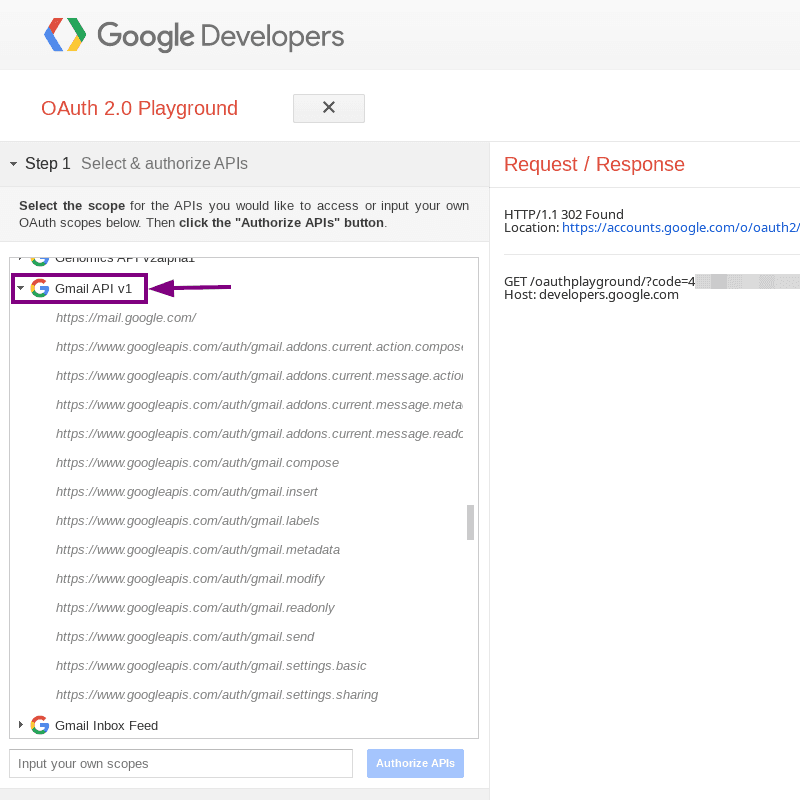
In the list of available api services choose Gmail API v1;
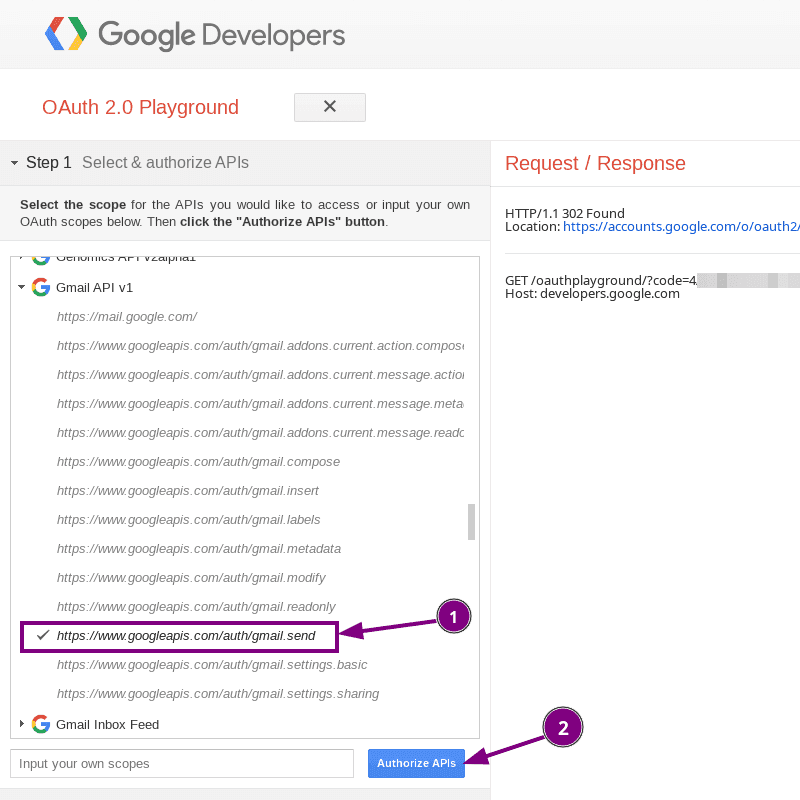
Open the list and select auth/gmail.send;
Press the Autorize APIs button;
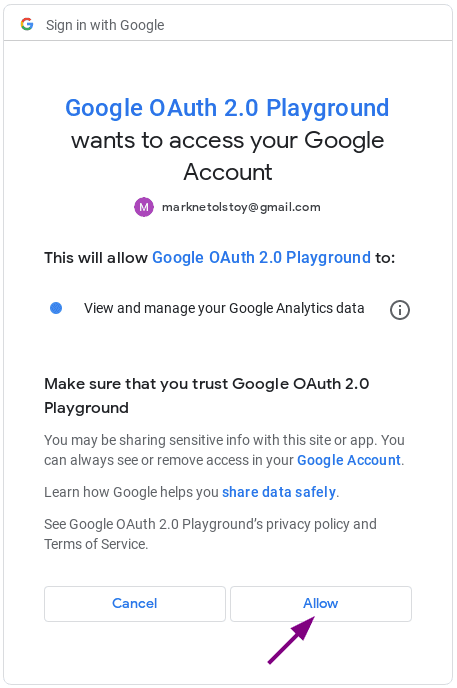
Select the desired Google account;
Press the "Allow" button;
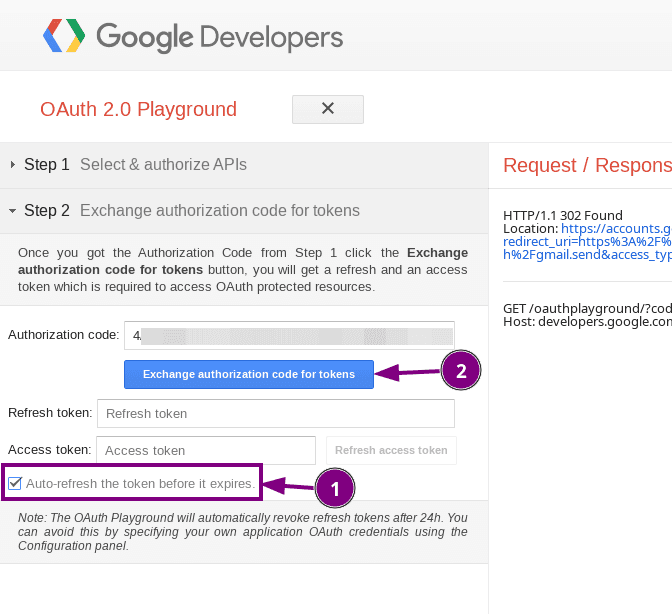
Activate "Auto-refresh the token before it expires";
Click "Exchange authorization code for tokens";
Copy the value of the access_token field from the obtained object into notepad;
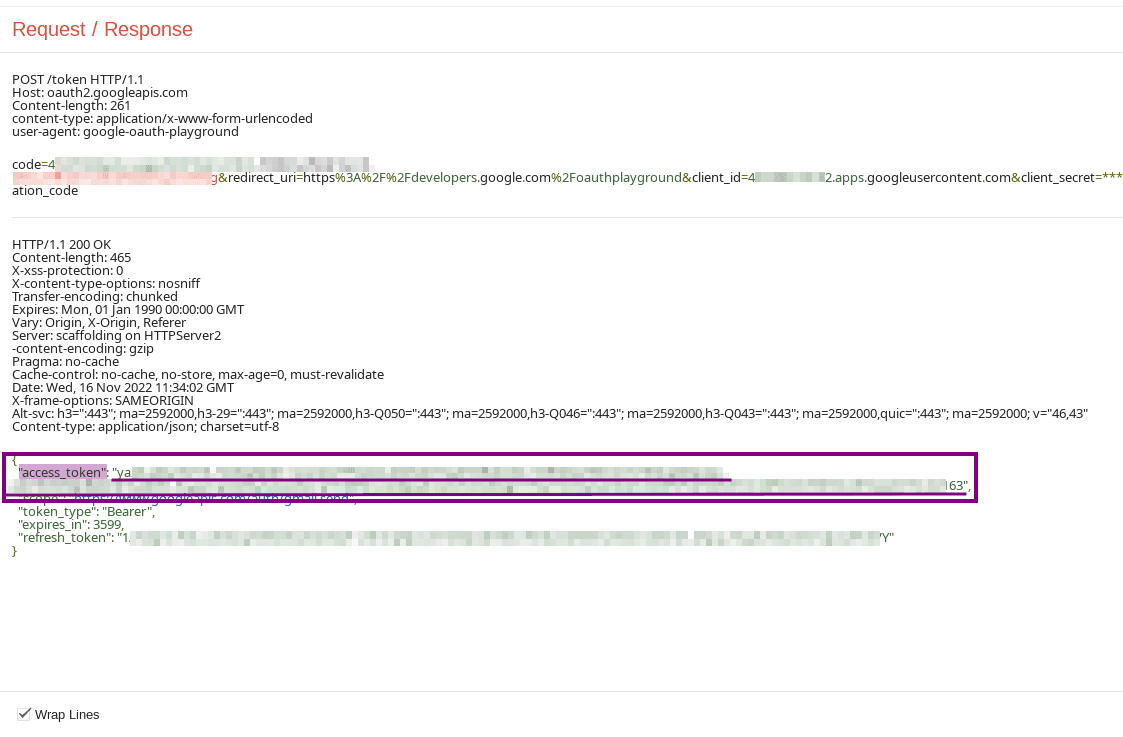
Important! Do not close the page or the token will be reset and cannot be used;
Great, now we have an authorization token which we will use in the integration;
Now you can try automating your business with Latenode




