Leveraging Gemini 2.5 Pro for Smarter Customer Support
Explore how advanced AI can revolutionize customer support with smarter problem-solving, sentiment analysis, and seamless integration.


Gemini 2.5 Pro simplifies customer support by using advanced AI to handle complex queries, automate tasks, and improve user interactions. It processes massive amounts of data (up to 1.5 million words) and offers multimodal input support, including text, audio, images, video, and code. Key features include:
- Smart Problem-Solving: Combines knowledge bases and analyzes data to resolve issues.
- Sentiment Analysis: Detects customer emotions for empathetic responses.
- Automated Ticketing: Generates accurate replies aligned with your brand.
- Seamless Integration: Works with tools like Latenode for easy setup and workflow automation.
Gemini 2.5 Pro enhances support efficiency and customer satisfaction while reducing workloads. Ready to transform your support operations? Let’s dive in.
Core Features of Gemini 2.5 Pro in Support Operations
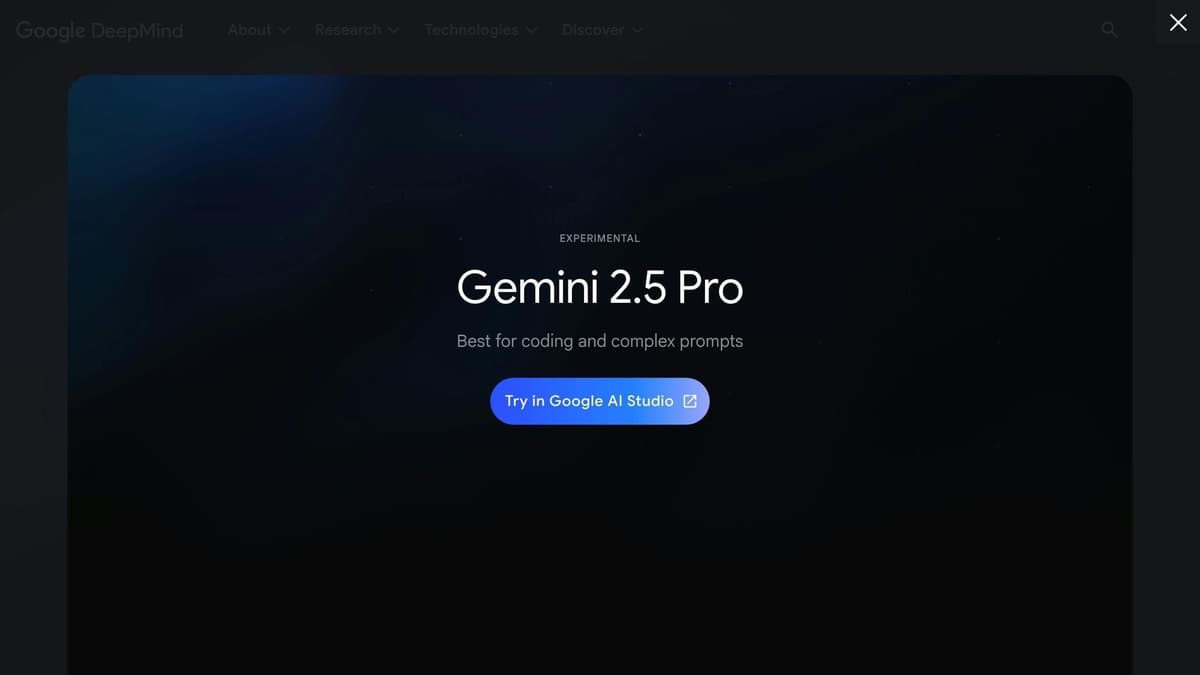 One of the best FREE AI models on the market
Gemini 2.5 Pro is free to use when it comes to API usage. Customer support teams, writers, software engineers, marketers and others can use it for free in their systems, but they need an API token and technical setup.
Latenode solves this issue with a direct, free plug-and-play integration on its platform. You don’t need to add an API token or manage account credentials. Just add it in your workflow. Don’t miss your chance to streamline, simplify, and speed up your customer support system with Gemini 2.5 Pro. Try Latenode now with a 14-day free trial!
Language Processing Capabilities
Gemini 2.5 Pro takes natural language processing to the next level. Instead of relying on basic keyword matching, it uses a broad context window to handle detailed customer conversations while keeping track of the interaction's flow. This means it can understand complex questions, remember past interactions, and pick up on subtle customer needs.
This strong language capability also enhances its ability to solve problems effectively.
Problem-Solving Functions
Thanks to its advanced language skills, Gemini 2.5 Pro is excellent at tackling complicated issues. It can analyze data from different sources, piece things together, and make logical decisions. Its performance speaks for itself, achieving an impressive 63.8% on SWE-Bench Verified using a custom agent setup [1].
Here’s how its problem-solving functions break down:
| Function Type | Capability | Support Application |
|---|---|---|
| Data Analysis | Processes multiple sources | Combines knowledge bases, tickets, and conversations |
| Technical Support | Understands code | Analyzes errors and offers fixes |
| Decision Making | Context-aware routing | Decides when to escalate to human agents |
| Documentation | Synthesizes content | Creates solutions from various inputs |
Customer Mood Detection
Gemini 2.5 Pro’s language understanding also allows it to pick up on emotional cues in customer messages. It can assess sentiment across multiple channels, such as:
- Written feedback in support tickets
- Live chat interactions
- Survey responses
- Social media comments
This emotional awareness complements its technical problem-solving, ensuring responses are both precise and empathetic.
Creating Smart Chatbots with Gemini 2.5 Pro
This AI Chatbot on Latenode Can Answer User Questions Autonomously and Remember the Context!
Here is how it works:
- Fetch all messages from your customer support inbox (it can be any service, including Intercom, or a Telegram Bot).
- Check if you have or don’t have an existing conversation with the user.
- If it’s the new user, create a new thread and send a message there with AI.
- If it’s the existing user, send a message to the existing thread, analyze it, and respond to user based on context.
Integrate this chatbot, and you’ll be able to automate your customer support service and use AI as your smart assistant. One reply costs just $0.0019 thanks to Latenode’s credit-based pricing model. No need for coding or API integration — try this chatbot now!
Planning Chat Interactions
Building effective chatbots using Gemini 2.5 Pro starts with designing conversations thoughtfully. With its improved reasoning abilities and expanded context window, the tool allows chatbots to remember detailed conversation history and deliver context-aware responses.
To design effective chat interactions, focus on these key elements:
| Component | Purpose | How to Implement |
|---|---|---|
| Initial Assessment | Understand customer intent | Use Gemini 2.5 Pro's reasoning to analyze queries and categorize customer needs |
| Context Retention | Track conversation flow | Use the large context window to maintain and recall conversation history |
| Response Generation | Provide accurate solutions | Leverage its problem-solving features to craft detailed, helpful responses |
Adding company-specific data can further enhance these interactions for more tailored responses.
Adding Company Information
Gemini 2.5 Pro can incorporate company-specific details into chatbot interactions by integrating resources like product manuals and support records into its knowledge base. This allows the chatbot to naturally weave proprietary data into its responses, improving relevance and accuracy.
Managing Human Agent Transfer
Once you've structured interactions and added company data, ensuring a smooth transition to human agents is critical. Gemini 2.5 Pro simplifies this process with features like:
- Complexity Assessment: Identifying when an issue requires human intervention.
- Sentiment Analysis: Detecting customer frustration to trigger timely transfers.
- Context Preservation: Retaining the full conversation history for a seamless handoff.
sbb-itb-23997f1
Setting Up Automated Ticket Responses
After optimizing chatbot interactions, take it a step further by automating ticket responses with AI. Configure Gemini 2.5 Pro to deliver consistent, brand-aligned responses.
Aligning with Your Brand's Voice
Gemini 2.5 Pro allows you to fine-tune tone and style by providing clear system instructions. Here are the key elements to ensure responses align with your company's voice:
| Component | Implementation | Purpose |
|---|---|---|
| Knowledge Base | Upload company wikis and style guides | Supplies context for brand-consistent responses |
| System Prompt | Define tone, limitations, and format | Directs the AI's communication style |
| Domain Focus | Specify industry context and terminology | Ensures technical accuracy |
Start with a general prompt and refine it through iterative testing. Use clear, professional language and outline limitations for cases where certainty is lacking.
Building a Response Review System
Once the AI-generated responses align with your brand, implement a system to ensure quality. While Gemini 2.5 Pro achieved a 63.8% score in SWE-Bench Verified testing [1], a thorough review process is still critical. Here's a suggested workflow:
Initial Quality Check
Set up automated triggers to flag responses that include:
- Vague or overly cautious language
- Technical errors
- Sensitive information
- Language that doesn't match your brand
Human Review
- Create a structured review process for your support team leads to:
- Monitor AI-generated responses
- Identify recurring issues
- Develop approved response templates
- Adjust system prompts based on feedback
Ongoing Refinement
Take advantage of Gemini 2.5 Pro's expanded 1 million-token context window [1] to analyze response trends. Save successful responses and corrections in a knowledge base to improve future outputs.
Using Latenode's visual workflow builder, you can automate checkpoints to route responses based on confidence scores or flagged content. This approach balances quality control with quick response times.
Connecting Gemini 2.5 Pro to Support Tools
Building AI Support Workflows
Latenode's visual workflow builder makes it easy to connect Gemini 2.5 Pro to your current support tools. Its drag-and-drop interface lets you design AI-driven support processes without needing to write any code.
Here’s a breakdown of how to set up effective AI support workflows:
| Workflow Component | Purpose | Examples |
|---|---|---|
| Trigger Events | Starts AI analysis | New ticket creation, chat messages, feedback submissions |
| Data Processing | Prepares input for Gemini | Cleaning text, gathering context, assessing priority |
| Response Generation | Produces AI-driven replies | Choosing templates, personalizing responses, matching tone |
| Quality Controls | Ensures accurate results | Confidence scoring, routing for human review, feedback loops |
Latenode's built-in database allows you to store conversation history, preferences, and templates. This helps maintain context and personalize responses. The integration is designed to make it easy for non-technical teams to deploy and fine-tune AI-powered support.
Simple Setup for Non-Technical Teams
The platform's user-friendly interface allows support teams to explore Gemini 2.5 Pro's capabilities before committing to full deployment [2]. With a free tier available, teams can test different approaches without upfront costs.
Key steps for a smooth setup:
- Environment Setup: Set up a virtual environment dedicated to AI support tools. Latenode manages the technical details, so you can focus on creating workflows.
- Testing and Optimization: Use the platform’s testing tools to validate your Gemini 2.5 Pro integration [3]. Start with simple scenarios, then expand functionality based on real interactions.
- Workflow Refinement: Monitor performance metrics and use Latenode’s execution history to spot areas for improvement.
With compatibility for over 300 apps, Gemini 2.5 Pro can seamlessly integrate with helpdesk systems, CRMs, and communication platforms. This ensures teams can enhance their workflows with AI while keeping their existing tools in place.
Tracking AI Support Results
Support Performance Metrics
Latenode's analytics dashboard offers detailed metrics to assess how well your Gemini 2.5 Pro integration is performing. The built-in monitoring system gives you a clear picture of your AI-powered support's effectiveness. Below are key metric categories to keep an eye on:
| Metric Category | Key Measurements | Purpose |
|---|---|---|
| Response Quality | Accuracy score, hallucination rate, confidence levels | Ensures responses meet quality standards |
| Efficiency | Resolution time, first-contact resolution rate, handoff frequency | Tracks operational improvements |
| Customer Experience | Satisfaction ratings, sentiment analysis, follow-up rates | Measures support effectiveness |
| System Performance | Processing speed, uptime, error rates | Monitors technical reliability |
Focusing on accuracy is crucial - it's better to acknowledge uncertainty than to risk providing incorrect information. Regularly analyzing these metrics allows you to fine-tune your system, ensuring it stays aligned with customer needs.
Making Regular Improvements
Latenode's workflow refinement tools are designed to help you keep improving your AI support system. With Gemini 2.5 Pro's reasoning capabilities, the platform can validate outputs and improve accuracy over time [5].
Here are some ways to optimize performance:
- Analyze Common Patterns: Review support logs to identify frequently asked questions and complex scenarios. Use these insights to update the AI's knowledge base [2].
- Refine Response Templates: Adjust system prompts based on performance data. Highlight areas where the AI performs well and set boundaries for topics better suited for human intervention [2].
- Monitor Quality Controls: Leverage execution history and testing tools to validate updates and ensure improvements are effective.
For specialized topics, consider using a tailored vocabulary that helps the AI navigate industry-specific terms or technical challenges with greater clarity. This method is particularly useful for reducing confusion and enhancing response precision. On Latenode, your can integrate such data pipelines easily and cost-efficiently.
Next Steps with Gemini 2.5 Pro
To make the most of Gemini 2.5 Pro's advanced language processing and support automation, here’s how you can get started effectively.
First, deploy Gemini 2.5 Pro through Latenode. This platform features a visual workflow builder, making it easy to set up without requiring extensive technical expertise.
Here are some key areas to focus on:
- System Configuration: Use Latenode's pre-built templates as a starting point, then tailor them to fit your support needs. Its built-in testing tools let you fine-tune everything before going live.
- Knowledge Integration: Add your support documents to Latenode's database. This allows the system to provide more accurate, context-aware responses [2].
- Ongoing Improvements: Keep an eye on key metrics to refine and improve response accuracy over time.
- Performance Tracking: Review execution history to identify areas for workflow optimization. Latenode's time-based pricing ensures your AI support remains scalable and cost-efficient.
Related posts