Most finance teams I've talked to can describe their AP process in general terms. Invoices come in, someone checks them, someone approves them, payment goes out. Clean enough on paper. The problem shows up when you ask where invoices actually live between arrival and payment, who owns the approval when the usual approver is out, and what happens when an invoice doesn't match the PO. The answers are usually a combination of "email," "it depends," and a long pause.
That's not a broken team. That's an undocumented process running on institutional memory and luck, and it works fine until invoice volume climbs, a vendor escalates, or someone asks you to prove a payment in an audit. The accounts payable workflow is not just a payment mechanism. It's the full, structured sequence that connects a supplier's invoice to your general ledger, and how well it's designed determines whether your cash flow numbers are trustworthy, your vendor relationships are stable, and your audit trail exists at all.
What usually breaks first
- AP workflow is not "paying bills" - it's a structured cycle touching cash management, vendor trust, and compliance from first invoice touch to ledger close.
- The standard cycle runs seven steps: receipt, capture, validation, matching, approval, payment, reconciliation - skip or blur any one and the downstream errors compound.
- Only about 9% of AP departments are fully automated, meaning the vast majority are running processes more manual than they realize.
- Workflow design affects invoice cycle time by a factor of three or more - average organizations take 9.2 days per invoice; best-in-class take 3.1.
What Is an Accounts Payable Workflow?
An accounts payable workflow is the structured, end-to-end process a business uses to receive, verify, approve, pay, and record supplier invoices from the moment they arrive through final ledger settlement. It is a defined sequence of steps, handoffs, roles, and controls, not a loose collection of habits around invoice handling.
The misconception I keep running into - in finance team conversations and in the way a lot of companies document their processes - is that accounts payable is essentially a payment function. You get an invoice, you pay it. That framing misses roughly two-thirds of what the accounts payable workflow process actually covers.
A well-designed ap workflow touches cash management (knowing what's owed, when, and to whom), vendor relationships (paying accurately and on time), compliance and fraud prevention (verifying invoices before payment releases), and the audit trail that regulators and external reviewers rely on. The accounts payable process is, in practice, a financial control system that happens to produce payments. The payment is the last step, not the whole thing.
That distinction matters practically. Teams that define their AP process only as "invoice to payment" tend to discover the gaps they've left when a duplicate payment appears, an auditor asks for documentation, or a vendor calls about an invoice that was lost in someone's inbox three weeks ago.

The Full Accounts Payable Process, Step by Step
The full ap cycle covers seven steps. Each one has a clear failure mode when it's skipped or handled informally - those failure modes are worth naming, because they're where most AP support tickets originate.
Invoice receipt
Invoices arrive by email, postal mail, supplier portal, EDI, or a mix of all four. The failure mode here is simple: no defined intake channel means invoices land in multiple places, and some never get logged at all. Vendors calling about late payments on invoices "they never sent" is almost always an intake problem, not a sending problem.
Invoice capture and data entry
Once received, invoice data - vendor name, amount, line items, PO reference, due date - must be extracted and entered into the accounting or ERP system. According to the Institute of Financial Operations & Leadership's Accounts Payable Automation Trends 2025, 66% of AP teams are still doing this manually. That number explains a lot of the error rates downstream.
Validation and three-way matching
Before any invoice moves to approval, it should be validated: does it match the purchase order? Does it match the goods receipt? Are the amounts, quantities, and vendor details consistent? This is the invoice process step that catches fraud and billing errors before they become payments. Teams that skip or automate past it carelessly tend to rediscover it during audits.
Approval routing
Validated invoices need sign-off - usually based on amount thresholds, department, vendor type, or business rules. The ap process failure here is well-documented: invoices sit in email inboxes waiting for approvers who are traveling, sick, or simply not checking a shared inbox anyone remembers exists.
Exception handling
Not everything matches cleanly. Disputed line items, missing PO numbers, quantity discrepancies, and pricing differences are exceptions that need a defined resolution path. Without one, they pile up. This step is what separates a real accounts payable workflow from a set of informal habits that works until it doesn't.
Payment processing
Approved invoices move to payment scheduling - ACH, wire, check, or card - based on due dates, early payment discount windows, and cash flow considerations. Payment process errors at this stage (wrong account, duplicate run, missed discount window) are expensive and visible. Vendors notice immediately.
Reconciliation and archiving
After payment, invoices and corresponding records need to be reconciled against the general ledger and archived in a way that supports audit retrieval. The full accounts payable cycle doesn't close until this step completes. Teams that treat reconciliation as optional "end-of-month admin" discover the cost during audits or when the books don't balance.
What Three-Way Matching in Accounts Payable Really Does
Three-way match is the validation step that compares three documents before approving payment: the purchase order your company issued, the receiving report confirming goods or services arrived, and the supplier invoice requesting payment. All three need to align on vendor, quantities, pricing, and terms before the invoice clears for payment.
Teams that run matching in accounts payable manually produce a disproportionate share of AP support tickets - not because the concept is wrong, but because manual process execution introduces the exact errors matching is supposed to prevent. Someone checks the purchase order number against the invoice number. They look close enough. A decimal is off. The payment goes out anyway.
The downstream consequences of skipped or sloppy three-way match are specific: duplicate payments (two invoices for the same delivery, both approved), overpayments (invoice amount exceeds PO), and fraudulent invoice acceptance (a vendor billing for goods never received, a risk that AP teams consistently underestimate until it shows up in an external audit).
The invoice process for three-way matching sounds procedural until you look at how often it breaks in practice. A manual ap process where the matching step relies on someone remembering to pull the PO from the ERP, check the receiving report in a separate system, and compare line items by eye is not really a matching process. It's a spot-check that sometimes catches things.
Full Cycle Accounts Payable: Where the Workflow Starts Before the Invoice Arrives
The full-cycle accounts payable process doesn't start when an invoice arrives. It starts with a requisition.
The procure-to-pay lifecycle - the complete procurement chain from purchase request through payment - means the AP workflow is downstream of procurement, not independent from it. A requisition gets approved, a purchase order is issued, goods or services are received and confirmed, and only then does a supplier invoice arrive for payment. If any upstream step is missing, incomplete, or recorded in a different system, the AP team inherits the problem.
This is the upstream failure pattern I see most consistently in teams that wonder why their matching exceptions are so high. They define their accounts payable workflow as invoice-only - what happens after the invoice arrives - while the actual root cause lives in how POs were created, whether receiving confirmations were logged, or whether the procurement team and the AP team are even using the same system of record.
A full-cycle ap process definition closes that gap: it includes requisitions, purchase orders, goods receipt, invoice arrival, validation, approval, payment, and ledger reconciliation. The entire ap process, in other words, not just the payment-side portion. Teams that define it narrowly spend significant time resolving exceptions that a broader process definition would have prevented before the invoice landed.
Who Actually Manages the Accounts Payable Workflow
AP workflow ownership is messier than the org chart suggests. AP clerks handle day-to-day invoice processing and data entry. Controllers set the controls, tolerance thresholds, and exception rules. CFOs care about cash flow timing, working capital, and audit readiness. Auditors care about the documented trail from invoice receipt to payment. Vendors care about whether they get paid on time and whether someone picks up the phone when there's a dispute.
That's four different stakeholders with four different definitions of "the AP process working correctly." The accounts payable management function has to satisfy all of them. An ap team that optimizes only for processing speed and ignores the controller's segregation-of-duties requirements will have an efficient process that fails the next audit. A finance team that builds airtight controls without defining exception paths will have a compliant process that creates chronic bottlenecks.
Good AP workflow design requires that all four stakeholders have their requirements visible in the process design, not just the AP department's throughput goals.
How Vendors Experience a Poorly Designed AP Process
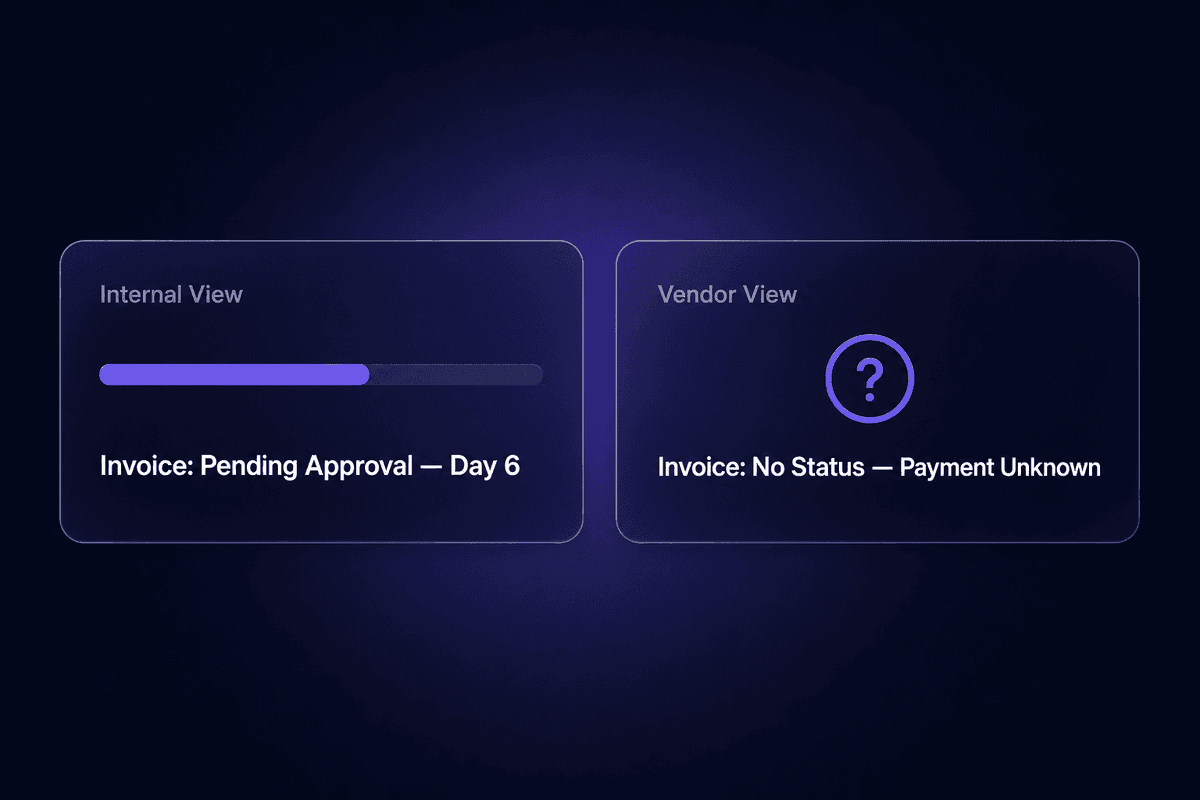
Vendors don't see your internal workflow. They see the output: whether their invoice was acknowledged, whether payment arrived on time, and whether someone responds when they call about a dispute. A weak ap process produces vendor complaints before it produces internal alerts, which is why vendor escalations are often the first visible signal of a workflow gap.
Late payments from workflow issues - not cash flow problems - damage vendor relationships in ways that compound over time. Preferred terms get tightened. Early payment discounts disappear. Vendors prioritize other customers when capacity is short. The invoice that sat in an approval queue for three extra weeks because there was no escalation path costs more than the approval delay.
That is where the ticket usually starts.
The Importance of an Efficient Accounts Payable Workflow
An efficient accounts payable workflow is not a back-office optimization. It's a direct input into cash flow accuracy, fraud risk, vendor trust, and audit readiness - four things that matter to every size of business.
The importance of accounts payable shows up most clearly in what breaks when the workflow is weak. Cash flow visibility depends on knowing what invoices are outstanding and when they're due. A well-structured AP workflow provides that in real time. An informal one provides it approximately, at month end, after someone reconciles manually. The difference matters for liquidity decisions.
Fraud prevention depends on segregation of duties and validation controls being built into the workflow, not applied as occasional spot checks. Well-designed AP workflows require that the person who approves an invoice cannot also process the payment - a principle that sounds obvious and gets skipped constantly in small teams under time pressure. A well-designed ap workflow enforces this structurally.
The importance of an efficient accounts payable workflow also surfaces at audit time. Auditors need complete, timestamped records of every invoice's path from receipt to payment. A workflow that produces that trail automatically is an asset. One that requires manual reconstruction is expensive. Accounts payable systems that archive everything by default are easier to audit than those requiring someone to dig through email threads to prove a payment happened.
And the less visible cost: lost early payment discounts. Vendors frequently offer 1-2% discounts for payment within 10 days. A slow, manual approval process misses those windows consistently - not because the cash isn't there, but because the invoice didn't reach the right approver in time.
📊 By the numbers:
According to the IFOL's Accounts Payable Automation Trends 2025, only about 9% of AP departments are fully automated. The other 91% are running processes that are at least partially manual - which means higher error rates, longer cycle times, and a significant gap between where most teams are and where efficient AP performance actually lives.
Where Manual Accounts Payable Processes Break Down
Manual AP is not just slow. It's fragile in specific, predictable ways that compound as invoice volume grows. The misconception I see most often is teams believing that because they receive invoices by email and enter them into accounting software, they have a functional digital process. They don't. They have a manual process with a digital endpoint.
Data entry is the first breakdown. Manual data entry introduces error rates that automation simply doesn't. Transposed digits, wrong vendor codes, incorrect GL account assignments - these are not rare events in high-volume manual AP. They're a statistical certainty. And because the error usually surfaces at reconciliation rather than entry, there's often a two-to-four week lag before anyone notices an invoice was coded wrong.
Lost invoices are the second. Email inboxes are not invoice management systems. They're general communication tools that happen to receive invoices. An invoice that arrives in a shared inbox, gets read, and doesn't get logged immediately is a liability. Someone will claim it was paid. Someone else will claim it never arrived. Both will be looking at the wrong part of the chain.
Early payment discounts vanish. Manual ap means approval routing is slow. Slow approval routing means invoices that carried a 10-day discount window arrive at payment scheduling on day 12. The accounts payable departments that consistently capture early payment discounts almost always have structured, fast approval processes.
Duplicate payments are the expensive one. Without automated matching, the same invoice can be paid twice - once from the original, once from a follow-up the vendor sends when they haven't heard back. I've seen AP teams carry duplicate payment rates that would embarrass them if they measured them. Most don't measure them.
And the audit trail problem: a manual process produces documentation that lives in someone's Outlook archive, a shared drive folder with inconsistent naming, and institutional memory. That is not an audit trail.
The Invoice Approval Bottleneck Most AP Teams Ignore
The approval process is where manual AP stalls most visibly, and where the fix is most consistently delayed because the bottleneck feels like a people problem rather than a workflow problem.
Here's what the approval workflow looks like in practice for a team running on email: an invoice arrives, gets forwarded to an approver, the approver is in meetings, the invoice waits, the AP clerk sends a follow-up, the approver is traveling, another follow-up, the invoice approval finally comes through, it's now day 8. The processing time for a task that should take hours is measured in days. Multiply that by 200-plus invoices a month and the bottleneck becomes visible in vendor payment timing and cash flow forecasting accuracy.
Teams notice this only when a vendor escalates or a payment run fails. By then the backlog is real.
Exception Handling: The Step That Exposes Whether Your Workflow Is Real
Exceptions are the stress test for any AP workflow design. An exception is any invoice that doesn't clear the standard path: a quantity discrepancy, a missing purchase order reference, a pricing disagreement, a duplicate submission, an invoice from a vendor not in the system.
In a well-designed workflow, exceptions have a defined path - a specific queue, a specific owner, a resolution SLA, and a record of what happened. In an informal AP process, exceptions go to "whoever handles it," which usually means they sit in an inbox until a vendor calls, at which point the management process becomes reactive and manual in a way the invoice process itself doesn't have to be.
The volume of exceptions in any AP operation is a direct measurement of upstream process quality: how well purchase orders were issued, how consistently receiving was logged, and how reliably vendors are submitting invoices in the right format. Teams that treat exception handling as an edge case are usually measuring the wrong thing.
Accounts Payable Automation: What It Is and What It Is Not
The accounts payable workflow and AP automation are not the same thing. This distinction causes more confusion in AP conversations than almost anything else, and it matters practically because teams that conflate them tend to either over-invest in tools before fixing the underlying process or under-invest in the actual process design after buying software.
The ap workflow is the business process: the defined sequence of steps, rules, roles, and handoffs that moves an invoice from receipt to ledger settlement. That exists whether you're running on paper, email, or sophisticated ERP systems. Accounts payable automation is the technology layer that digitizes and executes parts of that process - OCR for data capture, automated matching engines, digital routing for approvals, payment scheduling systems, and archiving tools that create the audit trail automatically.
The automated ap workflow is only as good as the process it runs on. This is the part that gets skipped in most AP automation conversations.
And here's the misconception that keeps showing up: emailing PDF invoices to an AP team and entering them into accounting software is not AP automation. It's not e-invoicing either. True e-invoicing uses structured, machine-readable data formats (EDI, XML, or similar) that move directly into the receiving system without manual re-entry. A PDF is a picture of an invoice. It still requires data extraction - manual or via OCR - before it's usable. Treating PDF-by-email as a form of process automation is how organizations convince themselves they've modernized when the manual data entry step is still fully intact.
The relevant performance gap here is substantial. According to GEP's analysis of Ardent Partners' State of ePayables 2024 data, the average AP organization takes 9.2 days to process a single invoice, while best-in-class organizations take 3.1 days. That three-fold gap is driven almost entirely by how systematically teams have automated their invoice workflows.
How AP Automation Software Changes the Workflow Process
When ap automation software is applied to a well-designed process, the operational changes are concrete. Manual data entry drops sharply - the 66% of AP teams still manually entering invoice data into their ERP systems are doing work that OCR and AI extraction can handle with higher accuracy and no fatigue-based errors. Approval routing becomes rule-based and trackable: invoices above a threshold go to the right approver, invoices below it proceed automatically, and the approval workflow doesn't depend on anyone remembering to check their email.
Exceptions get flagged in real time instead of discovered at payment time. Payment process scheduling can be aligned with discount windows and cash flow targets instead of being driven by when approvals happen to come through. And the audit trail builds itself.
The accounts payable automation software landscape ranges from modules inside ERP systems to standalone ap automation platforms to low-code tools that connect existing systems without a full replacement. For an AP team processing 200-300 invoices a month and hitting the manual bottleneck hard - a pattern I see come up regularly - the right ap automation platform is the one that handles data capture, matching, and approval routing in a single flow, rather than automating only one of those steps and leaving the rest manual. Invoice volume determines how urgently the full stack matters; even at moderate volumes, partial automation tends to create new handoff points rather than remove them.
Reducing invoice cycle times from the 7-13 day manual range down to the 3-4 day automated range - or closer to 2.8 days for best-in-class setups, per GEP's benchmarking data - requires the full automation stack, not just digitized receipt.
Automate Your AP Workflow Without Breaking the Process Design First
Automation applied on top of a broken or undocumented AP process does not fix the process. It replicates the errors faster and at higher volume. The approval bottleneck doesn't disappear because you added routing software to a workflow where nobody defined the approval rules. The exception pile-up doesn't clear because you automated matching on a dataset where PO references are inconsistently recorded.
The sequencing matters: document the current process, identify where manual handoffs cause the longest delays, define exception paths, then automate. In that order. Teams that skip to automation tend to automate their workarounds rather than their actual workflow, which is how you get a sophisticated tool running on a broken foundation.
The misconception that AP workflow automation is only for large enterprises is worth correcting here. Modern low-code tools serve companies of all sizes - an SMB with 200 monthly invoices has as much to gain from automated capture and routing as a mid-market company with 2,000. In Latenode, for example, an AP manager can build a workflow that ingests invoice emails, uses an AI model to extract structured data, validates it against business rules in a JavaScript node, and routes to approvers via existing integrations with their ERP and communication tools, all in a single low-code flow with per-execution pricing that doesn't multiply the cost across every step. The tooling is accessible. The process design still has to come first.

How to Streamline an AP Workflow That Is Already Running
Improving an existing AP workflow doesn't require rebuilding from scratch. Most of the gain comes from four moves applied to what's already running.
Audit the current step sequence first. Map what actually happens, not what the procedure document says happens. Where does an invoice physically live between receipt and payment? Who touches it at each stage? What are the actual handoff points? This usually reveals two or three steps that exist only as informal habits, not documented process.
Identify the manual handoffs with the longest delays. In a typical manual AP setup, the approval step carries the most latency. Measure it. If you can't measure it, that's already information - it means no one is tracking it. Approve a streamlined accounts payable process where cycle time, exception rate, and on-time payment rate have defined owners and are reviewed monthly.
Define exception paths explicitly. Pick the five most common exception types in your current ap process and write down exactly what should happen with each one, who owns resolution, and what the SLA is. Exceptions without a defined path are the ones that create the Friday afternoon scrambles and vendor escalation calls.
Set measurable KPIs before touching automation tools. The accounts payable management decisions that matter - whether to add headcount, whether to invest in ap automation, whether the current vendor payment terms are optimal - require baseline data. Average invoice processing time, exception rate, early payment discount capture rate, and on-time payment percentage are the minimum set. Automate the measurement of these before you automate the process itself.
Capture early payment discounts as a forcing function. If your AP team is consistently missing discount windows, it's usually because approval routing is too slow. Use that as the business case for speeding up the specific step that's causing the delay, rather than as a general argument for "needing automation."
🤔 Think about this:
Most teams that say their AP workflow is "working fine" have never measured their invoice cycle time, exception rate, or on-time payment rate. "Working fine" means "not visibly failing." That's a different statement. A workflow can be slow, error-prone, and expensive to run while producing payments on time most months - until invoice volume increases or a key person leaves, at which point "working fine" stops being true all at once.