




The MCP ecosystem has grown to over 17,000 community servers and 97 million monthly SDK downloads. That sounds like great news until you're actually deciding which three to install. Then it starts to feel like being handed a menu the size of a phone book at a restaurant where half the items are listed as "varies."
Most listicles on this topic recycle the same six names in a different order without explaining whether any of them fit your actual stack. The falsifiable claim I'll defend here: a small set of MCP servers covering documentation, databases, browser debugging, GitHub, and your workspace covers the majority of real Cursor productivity gains. Which ones belong in that set depends entirely on what you're building, not on how often a server appears in tutorial thumbnails.
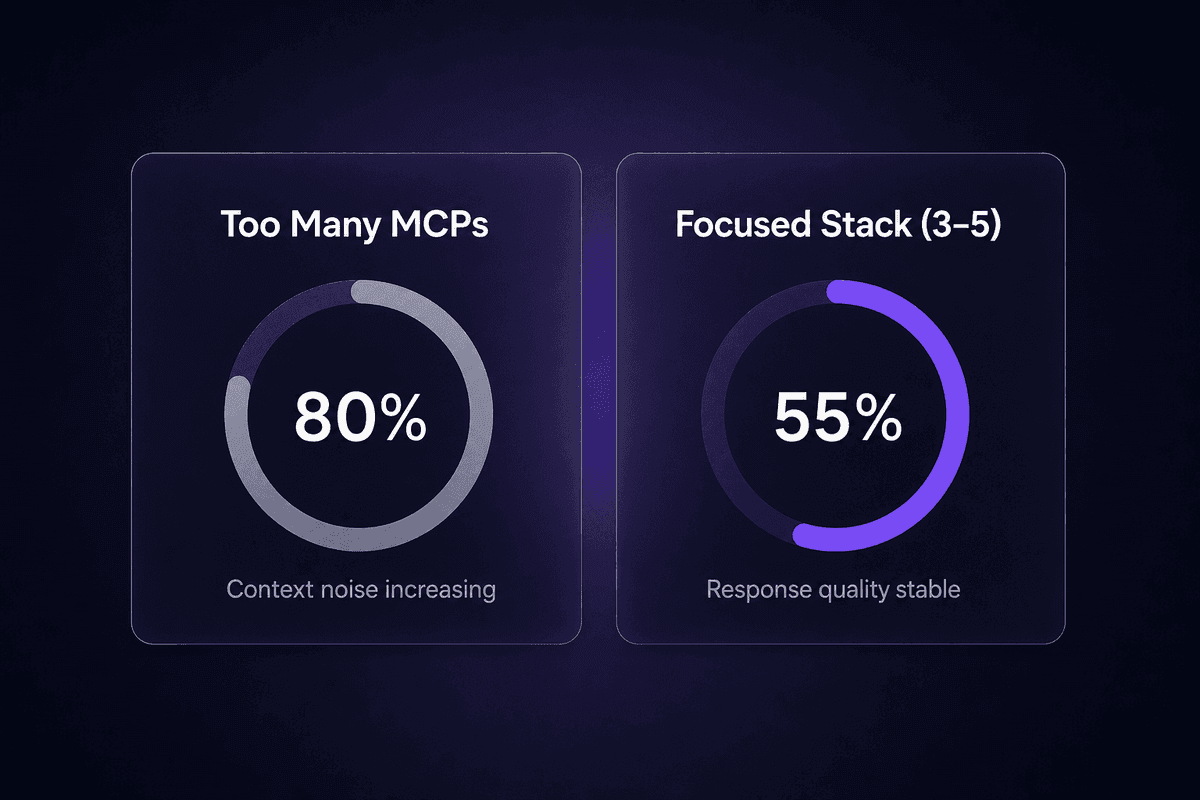
More servers does not mean better answers
- Five focused MCP categories cover most real Cursor productivity gains; the right pick depends on your stack.
- Setup takes minutes per mcp server; most teams lose hours to config mistakes, not installation.
- Security scoping is the part almost every setup skips, and it's the part that matters most in teams.
- Running more than 3-5 active servers degrades response quality faster than it adds context.
What Actually Makes an MCP Server Worth Adding to Cursor
Four criteria separate an MCP server worth installing from one that just adds noise to your AI context. These aren't theoretical checkboxes. They're the pattern that shows up every time a developer installs six servers and then wonders why Cursor's answers got slower and less precise.
Real workflow impact, not demo appeal
The server needs to reduce something you actually do repeatedly: switching tabs to check docs, copying error logs manually, running database queries in a separate tool. If the server solves a problem you only have once a week, it's probably not worth the context overhead.
Breadth and stability of the tool itself
A server backed by the tool's own team (or by a well-maintained open-source project with active commits) is a different bet from an abandoned repository someone published after a hackathon. Check the GitHub activity before trusting it with production credentials.
Setup friction inside Cursor specifically
Some servers that work cleanly in Claude Desktop require a different transport configuration in Cursor. Windows users hit this more than macOS users-I keep seeing it come up in support. Before committing, verify the server's documented transport (stdio vs. SSE) against Cursor's current MCP settings panel.
Data security and self-hosting control
Every MCP server you add gets access to whatever tools it exposes. For an ai assistant, that's fine in a sandbox. For a production codebase with write access to a live database, it's a different conversation entirely. Know whether the server can be self-hosted, what data it transmits, and whether you can scope its external tools to read-only before you wire it to anything real.

How to Add MCP Servers to Cursor
Cursor stores MCP configuration in a JSON file. The mechanics are the same whether you're installing your first server or your fifth, but the location of that file determines whether the server runs everywhere or only in one project.
For most servers, the process looks like this:
- Open Cursor's MCP settings via Settings → MCP (or the Cursor command palette).
- Add the server entry to the relevant
mcp.jsonconfig file, specifying the server name, command (usuallynpxor a direct binary path), arguments, and any required environment variables such as API keys. - Save the file. Cursor picks up the new server automatically; no restart required in most recent versions.
- Verify the server appears in the MCP tools panel and that its listed tools match what you expect before using it in a chat session.
If the tools panel shows "no tools found" after a correct config entry, the most common causes are a missing or wrong Node.js version (npx-based servers need a working Node install), a path issue on Windows where the npx binary isn't on the system PATH, or a server that requires stdio transport when Cursor's config is set to SSE. Check those three in that order before anything else.
Project-Level vs. Global MCP Configuration in Cursor
Cursor supports both project-level and global MCP configuration, and the distinction matters more than most setup guides mention.
The global config lives in your user directory (typically ~/.cursor/mcp.json on macOS/Linux). Any server added here runs in every project you open in Cursor. This sounds convenient until you realize your GitHub MCP server with full repo access is now active when you open a client's codebase you're only reviewing, or a personal project directory with credentials you'd rather not expose across contexts.
The project-level config lives in a .cursor/mcp.json file inside a specific project directory. It only activates when you're working in that project. This is safer to audit, easier to share with teammates via version control (with secrets passed through environment variables rather than baked into the file), and the right default for anything touching a production database or a repository with sensitive code.
The mistake I keep seeing in support: someone adds a database MCP globally during a tutorial, then forgets about it, then opens a completely unrelated project three months later and wonders why the AI is querying their Postgres schema without being asked. Project-level is the safer assumption unless you have a specific reason for global scope. Troubleshooting gets easier too, because you know exactly which projects have which local MCP server connections active.
The Best MCP Servers for Cursor, Ranked by Job to Do
The grouping logic here is frequency plus evidence. These servers appear across nearly every credible developer workflow roundup I've seen, and the PRE_RESEARCH backs them specifically. I'm not ranking by feature count. I'm ranking by how often removing one of these actually slows someone down.
GitHub leads because it appears in almost every stack. The others follow by how narrowly they apply to a specific setup-which means the one that comes last on this list might be the most critical one for you personally.
GitHub MCP Server: Repository and PR Automation Inside the Editor
The GitHub MCP server is the official mcp server maintained by GitHub, and it's the one that shows up first in nearly every ranked list for good reason. It exposes repo browsing, code search, pull request automation, issue management, and workflow triggers directly to Cursor's AI agent. The practical effect is that you can ask Cursor to find related issues for a bug you're fixing, draft a PR description from your current diff, or search across a repository's history without switching tabs.
Best fit: any developer who works with GitHub daily, which is most of them. Full-stack, backend, frontend-the use case is broad enough that this one belongs in the "install first, decide later" category.
Setup requires a personal access token scoped to the repositories you want the server to access. This is also where the security implication sits. If you generate a broad token and add it globally, the AI has read (or write) access to every repo that token covers, in every project context you open. Scope the token to the minimum set of repos you need. If you're working on a client project, create a separate token for it rather than reusing a personal one with wide access.
The practical con: PR automation in agentic mode can create draft PRs or update issue states without a confirmation step if you've enabled auto-approve. Review which git operations you want the agent to execute versus suggest before enabling Cursor's agent mode with this server active.
Context7 MCP: Always-Current Library Docs Without Leaving Cursor
The core problem Context7 solves is one I've watched cause hours of debugging: Cursor's AI generates code using outdated library documentation baked into its training data. A developer asks for a React hook implementation and gets a pattern that was deprecated in version 18.2. Nothing breaks immediately. It just fails six months later when someone updates the dependency.
Context7 pulls the latest official documentation and code examples for libraries directly into Cursor AI prompts at query time, resolving against the current version specified in your project's dependencies. The model context protocol layer here is doing real work: instead of the AI reasoning from whatever docs were scraped during training, it's working from documentation that matches your actual dependency tree.
It's freemium with a self-hostable open-source option, which matters if you're working with proprietary internal libraries or if your company has policies around sending code context to external services. The self-hosted path gives you the same doc-resolution mechanism without the data leaving your environment.
Who benefits most: any team that moves fast on library versions, uses newer frameworks, or regularly hits the "the AI's code doesn't match the current API" problem. If you're on a stable, older stack that hasn't changed in two years, the value drops noticeably because the training data is probably close enough to current.
BrowserTools MCP: Console Logs, Network Traffic, and DOM Access for Debugging
AgentDeskAI's BrowserTools MCP exposes live browser context to Cursor's ai assistant: console logs, network traffic, screenshots, and DOM elements. It closes a gap that every frontend and full-stack engineer has felt at some point, which is the manual loop of reproducing an error, copying the stack trace, switching to the IDE, pasting it into chat, and then realizing you pasted the wrong line.
With BrowserTools active, you can ask Cursor to look at what the browser is actually showing and get debugging suggestions grounded in real runtime data, not reconstructed from a description. The AI can analyze console errors directly, not from a copy-paste.
It's free and open source. Setup involves a Chrome extension plus a local server component, so there are more moving parts than a typical npm-based MCP server. That multi-hop setup is one area to test carefully, particularly on Windows where the local server's port binding sometimes conflicts with existing Node processes.
Teams that skip this one keep pasting error logs manually, which is fine for occasional debugging and gradually maddening for anything with a flaky checkout flow or intermittent network errors. The AI coding support it provides directly in cursor is qualitatively different when it's reasoning over live browser state instead of a static snippet.
The dashboard was green. The browser was not.
Supabase MCP: Schema-Aware Queries and Database Operations from the IDE
The Supabase MCP server connects Cursor directly to your Supabase projects, making schema inspection, query execution, and data management operations available to the AI without leaving the IDE. The schema-awareness is the actually useful part: when you ask Cursor to write a query against your tables, the AI knows the current column names, types, and relationships instead of guessing from your description.
Best fit: backend and full-stack developers who are already on Supabase. That last clause matters. If your team isn't using Supabase, there's no path to useful output here-the server is tied to Supabase's API, not to Postgres generally. Check the database MCPs section below if you're on a different stack.
Setup requires your Supabase project URL and a service role api key. Use a restricted key scoped to read-only access unless you specifically need the AI to be able to mutate data. The server is freemium, which aligns with Supabase's general pricing model. The realistic constraint for most teams isn't cost, it's that you need to already have committed to Supabase as your database layer before this server extends cursor's capabilities in any meaningful way.
Database MCPs for Postgres and SQL Workflows
For teams not on Supabase, a dedicated Postgres or SQL MCP server handles the same job: giving Cursor's AI schema-aware context so query and migration suggestions match your actual table structure rather than hallucinated column names.
Neon is the most frequently cited freemium option for Postgres-focused workflows. The integration connects to a Neon project and exposes schema inspection and query execution to the AI. The coding workflow improvement is real: tasks like writing a complex aggregation query or checking whether a migration aligns with current constraints go from "describe your schema in the chat" to "the AI already knows the schema."
General SQL MCP servers exist for other database backends, but verify the authentication model and transport carefully before connecting. The common mistake with any database MCP is connecting it to a production database with write credentials, then asking the AI to "just try running this" during a debugging session. The codebase does not forgive exploratory mutations on production data.
If you're going to add a mcp integration for your database, the minimum safe setup is a read-only service account with access limited to the schemas you're actively working on. Enable write access only in a development or staging environment where a bad query costs you time, not data.
Taskade MCP Server: Tasks, Notes, and PM Workflows Alongside Coding
Taskade's MCP server exposes its full toolkit to Cursor: tasks, notes, mind maps, project workflows, and agent actions. For certain developers, this is genuinely useful. For others, it's a source of context bloat that doesn't pay for itself.
Who it actually benefits: developers who double as product or project managers and are already using Taskade as their workspace. If you're tracking sprint tasks, writing feature specs, and managing your own backlog inside Taskade, having those surfaces accessible directly from Cursor without a tab switch has real value. If you're a backend engineer who uses Jira for task management and Figma is handled by the design team, Taskade MCP adds overhead without removing friction.
It's freemium. Community plugins and workflow automation within Taskade extend what the MCP server can expose. But the honest con is the one that applies to most workspace integrations: this server is only worth the setup if Taskade is already load-bearing in your daily workflow. It's not a tool that makes you want to adopt Taskade. It's a tool that makes an existing Taskade habit more programmable.
📊 In practice:
Community patterns consistently treat 3-5 active MCP servers as the practical ceiling before context bloat degrades response quality. The MCP ecosystem has over 17,000 servers available. That number is not an invitation to install 17,000 servers. Pick the ones that cover your actual daily friction points, not the ones that sounded good in a YouTube thumbnail. More mcp tool connections past that ceiling tend to produce longer, more hedged, and occasionally contradictory AI responses because the model is reconciling more context than it can reason cleanly over.
Using MCP in Cursor: Security and Access Control Most Setups Skip
The security picture for MCP right now is genuinely concerning. A Cloud Security Alliance scan from May 2026 identified 1,862 MCP servers exposed publicly, many responding to unauthenticated tool-listing requests. A separate Astrix study of 20,000 MCP implementations found that 53% rely on long-lived static API keys or personal access tokens, with only 8.5% using OAuth. That credential pattern alone explains why MCP security is getting serious attention right now.
For solo developers using Cursor on local projects, the risk profile is manageable. For teams, or anyone connecting MCP servers to production systems, these numbers mean the default setup most tutorials show is not the production-safe setup.
Practical controls most setups skip:
Limit which available tools each server exposes per project
Some MCP servers let you specify which tools are enabled in the config. Use this. A GitHub server where every repository operation is active in every project context is a broader attack surface than one scoped to read and comment.
Use project-level config for anything touching sensitive data
Covered in the setup section, but worth repeating here: global config is convenient and it means a compromised or misconfigured MCP server is active everywhere. Per-project is auditable.
Self-host where your data policy requires it
Tools and data sources that contain proprietary code, customer records, or regulated data should use self-hostable MCP servers or custom MCP servers that keep data within your environment. Context7 and several database MCPs support this. Verify the self-hosting path before assuming it's available.
Rotate credentials on a schedule, not just after incidents
Most MCP configs use static API keys baked into the config file. If that file is committed to a repo accidentally, or if a teammate's machine is compromised, those credentials are exposed. Treat MCP API keys the way you treat any service credential: rotate on a schedule, scope to minimum access, store in environment variables rather than in the config file itself.
Enterprise and team setups need stricter controls than solo developers because the blast radius of a misconfigured MCP server scales with the number of people sharing a codebase and credentials. A developer who connects a write-scoped database MCP globally and then onboards a new hire who uses agent mode with auto-approve enabled in that same repo is one accidental mutation away from a production incident.
If you're working with Latenode as an automation layer for workflows that connect to MCPs-say, you're building automations that pull from read-scoped database MCPs and feed into Cursor-facing AI tools-the per-execution model means each workflow step is explicit and auditable. That's a different posture from an MCP server with persistent database access that runs quietly in the background across every Cursor session. Worth thinking about which model fits your risk tolerance before wiring things together.
How to Choose the Right MCP Servers for Your Cursor Workflow
Use this as a stack-first reference, not a ranking. The "When to Skip It" column is the most important one.
| MCP Server | Best-Fit Stack | Setup Complexity | Free/Paid | When to Skip It |
|---|---|---|---|---|
| GitHub MCP | Any stack using GitHub for version control | Low (PAT + npm) | Free (open source) | You're not using GitHub; you use GitLab or Bitbucket |
| Context7 | Any stack with fast-moving library dependencies | Low | Freemium / self-hostable | Your stack is stable and rarely updates its major dependencies |
| BrowserTools | Frontend, full-stack, browser debugging workflows | Medium (extension + local server) | Free (open source) | You do no frontend or browser-facing work in Cursor |
| Supabase MCP | Projects already on Supabase | Low | Freemium | You're not using Supabase; use a general Postgres/SQL MCP instead |
| Neon / SQL MCP | Data-heavy apps on Postgres or other SQL databases | Low-Medium | Freemium (Neon) | You're on Supabase (use the dedicated server), or your DB has no MCP support yet |
| Taskade MCP | Dev-PM hybrids using Taskade as primary workspace | Low | Freemium | You don't actively use Taskade; Jira or Linear are your actual tools |
| Heroku MCP | Teams deploying to Heroku | varies | varies | You're on a different cloud provider |
🤔 Think about this:
Most developers pick MCP servers based on what appeared in the last tutorial they watched, configure them globally, and then wonder why the ai assistant still hallucinates API methods. The table above can tell you which server fits your stack. It can't tell you which problem you actually have and whether an MCP server is even the right fix for it. Start with the friction you feel daily, not with the server that sounded impressive.




