



Your CRM says one thing. Your ERP says another. Finance is working off a spreadsheet that someone emailed on Thursday, and the sales team has already updated the deal three times since then. Everyone is technically using the right system. Nothing is actually connected.
That is the problem business process integration is supposed to solve. Not the tool problem or the software licensing problem. The real problem: information that should flow freely between departments doesn't, so people spend their days doing manual handoffs, re-entering data, and playing telephone between systems that could, in theory, talk to each other.
The central claim worth arguing about here: BPI is not a technical project IT owns alone. It is an organizational discipline that only works when people, processes, and data move together across departments. Connecting systems at the API level is the easy part. Getting the organization aligned around those connections is the hard part. And doing that first one without the second is how you end up with a very expensive plumbing job that doesn't actually solve anything.
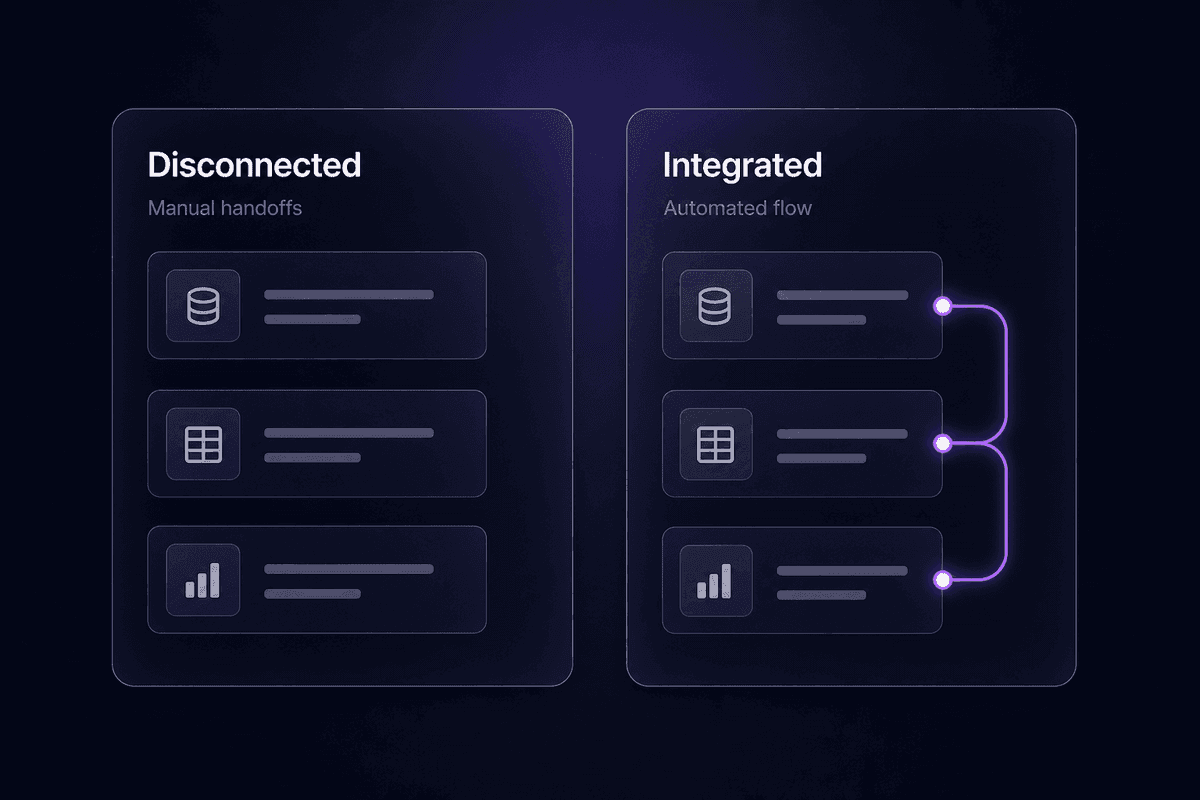
What teams learn after the first integration project
- BPI unifies people and processes first; the technical connections come second.
- Broken processes don't fix themselves after integration-they just run faster.
- AI and analytics readiness depends entirely on having integrated data underneath.
- SMBs hit BPI problems just as hard as enterprises, just with fewer people to blame.
What Is Business Process Integration?
Business process integration is the act of connecting data, applications, and people so that information moves freely across departments and workflows run without manual handoffs. According to Pega, BPI describes unifying disparate systems and processes within an organization to reduce operational barriers and improve efficiency. Others frame it more operationally: process integration aligns and seamlessly connects various workflows so they can function more cohesively, eliminating data silos and improving decision speed.
Neither of those definitions is wrong. But both leave something out: the people.
BPI isn't just about making your CRM and your ERP aware of each other. It is about the integration of business processes across departments, which means someone in sales, finance, and operations all need to agree on what a "closed deal" means before any system connection is going to produce consistent data. The technical layer implements that agreement. It doesn't create it.
That scope is what separates BPI from a simple API integration. You can connect two apps in 20 minutes. Integrating the business processes within an organization takes longer because you're not just wiring systems, you're aligning the workflow itself: who hands off to whom, what data travels with the handoff, and what happens when something goes wrong. The technical connection is the last step, not the first.
How Business Process Integration Actually Works
At its operational core, BPI synchronizes information flow across systems so that a change in one process is reflected in every downstream process without a human carrying it there manually. When a customer signs a contract, the information shouldn't wait in someone's inbox before it reaches billing. When a supplier ships an order, inventory shouldn't update two days later after someone exports a CSV. The integration handles the movement. The people handle the exceptions.
This is why McKinsey's 2025 AI survey found that 88% of organizations were using AI in at least one business function, and the share using AI across three or more functions roughly tripled compared with 2021. AI spread across functions only compounds the pressure. The value shifts from isolated tools to cross-process workflows that coordinate data and decisions end to end. Without BPI underneath it, AI tools produce insights that nobody acts on because the data feeding them is inconsistent.
Practically, BPI works through a combination of coordinating resources, standardizing data formats between systems, and building the logic that governs how information moves. As the organization scales, that coordination has to keep pace. A ten-person team can run on Slack messages and manual spreadsheet updates. At 50 people, those handoffs become the main source of errors. At 200, they become the main drain on business operations entirely.
The Role of Data Integration in BPI
Data integration is the foundational layer. Without it, everything else is theater. You can connect two applications, but if they're exchanging inconsistent, duplicated, or differently-formatted records, you've moved the data problem rather than solved it.
What is often described as eliminating redundancies and improving visibility is really about creating a single source of truth that downstream automation and analytics can rely on. Process integrations that skip this layer end up creating a faster version of the original mess. Sales has one customer record. Finance has another. Support has a third. They are all "integrated." None of them agree.
Data integration means resolving that before the systems talk. Define the canonical record. Decide which system owns each data type. Build the transformation rules that normalize formats across the stack. Then connect the applications and trust the data that flows through them.
How BPI Connects People, Not Just Systems
Here is the part that gets skipped constantly. You can wire every system in your stack together and still have a broken integration because nobody agreed on the underlying process.
I keep seeing this pattern: a team integrates their CRM with their order management platform, turns on the sync, and then discovers that sales and operations have different definitions of "order confirmed." The API is working perfectly. The business units are still fighting over a spreadsheet.
BPI requires cross-functional stakeholder involvement before tools are selected and before connectors are configured. The right people for that conversation are not just in IT. They are in sales, finance, operations, and customer support. The technical work to integrate systems only stays reliable when the people who own those processes and systems agree on the rules. That agreement is not a technical deliverable. It is an organizational one.
Types of Business Process Integration
There are a few distinct categories that come up consistently in practice. Knowing which one you're dealing with shapes what tooling you need and what failure mode to expect.
Application integration is the most common starting point: connecting separate software systems so they can exchange data and trigger actions across each other. CRM to ERP. Support ticketing to billing. Order management to shipping. The applications talk. The logic governing what they say is configured separately.
Data integration sits underneath application integration and is frequently confused with it. It's specifically about ensuring that the data flowing between systems is consistent, accurate, and in a usable format. You can have application integration without data integration, and when you do, you have two systems exchanging garbage efficiently.
Business-to-business (B2B) integration extends the scope outside the organization: connecting your processes with those of suppliers, partners, or customers. EDI, partner APIs, and supplier portals all fall here. The same principles apply, with the added complexity that you don't control the other system.
Vertical integration refers to connecting systems across different levels of the same supply chain or production process, typically within one industry context. A manufacturer connecting procurement, production scheduling, and distribution is a vertical integration pattern.
Horizontal integration connects systems that operate at the same functional level across different departments or business units. Syncing marketing automation with sales engagement tools and CRM, for example, is a horizontal pattern: no hierarchy, just different teams coordinating.
API integration is the technical mechanism through which most modern application integrations happen: one system calls another's API directly. Most cloud tools support it. It's fast to set up and fragile when the API changes, which it will.
Native integrations are pre-built connections maintained by software vendors for specific tool pairs. They're easier to enable but harder to customize. The tradeoff is setup speed versus control over the integration logic.
Application Integration vs. Data Integration: Where Teams Get Confused
This distinction comes up in support more than almost anything else on this topic. A team will say "we already have Salesforce integrated with NetSuite" and mean they have an application connector running. What they discover six weeks later is that the customer records don't match because nobody configured the field mappings or transformation rules, meaning data integration was never actually done.
The integration process for application connectivity is largely technical: configure the connector, set up auth, define the trigger and action. The integration process for data consistency is partly technical and partly editorial: decide what each field means, who owns the canonical version, and what happens when a record from one system contradicts a record from another.
Third-party integration tools and pre-built integrations typically handle the application layer. They hand you the pipe. The data layer is still your responsibility. Confuse the two and you've paid for plumbing that delivers inconsistent water pressure.
Business Process Integration Use Cases Across Core Workflows
BPI stops feeling abstract when you see it mapped to the processes your team runs every quarter. The clearest examples come from the workflows where multiple systems and departments have to hand off to each other to complete a single business outcome.
Order-to-cash: A customer places an order. That event has to travel through order management, inventory, shipping, invoicing, and eventually accounts receivable. In an unintegrated stack, someone is manually copying information between at least two of those systems. In an integrated one, the order event triggers downstream updates automatically, and exceptions are routed to a human only when a rule fails.
Lead-to-order: A marketing qualified lead moves from a form submission into CRM enrichment, sales assignment, and eventually a signed contract that creates a record in order management and billing. Every handoff between those steps is a potential integration gap. Missed routing, duplicate records, stale lead data, all of these are integration failures disguised as process problems.
Procure-to-pay: A purchase request generates a PO, which goes to a supplier, triggers a receipt confirmation, which then authorizes an invoice payment. Without end-to-end integration, that chain breaks at every system boundary. Someone emails someone else. The paper trail lives in three places. The audit trail lives in zero.
Lead routing: A new lead arrives and needs to be assigned to the right sales rep based on territory, account size, product interest, or some combination. Manual routing is a well-known bottleneck. Automated routing requires integrating your lead capture, CRM, enrichment data, and assignment rules into a single flow.
On the Latenode side, I have seen operations teams map these flows on the canvas using native connectors across CRM, ERP, billing, and support tools in a single workflow, with JavaScript nodes holding the routing and transformation logic. The setup for something like lead routing typically runs 45 to 60 minutes. What takes longer is deciding the rules before you touch a tool. That part is the same regardless of platform.

Examples of Business Process Integration in Finance and Operations
Finance and operations are where BPI failures cost the most money. Not because the integrations are more complex, but because the data needs to be correct for compliance reasons, not just operational convenience.
Procure-to-pay in a manufacturing context is a good example of integrated business processes under real pressure. The PO has to match the receipt, which has to match the invoice, which has to feed the general ledger accurately. Any gap in that chain creates a reconciliation problem. In industries with audit requirements, it creates a compliance problem. Integration isn't optional here, and the supply chain management implications of getting it wrong are visible in every quarterly close.
Supply chain integration specifically involves connecting demand signals, inventory levels, supplier systems, and logistics data so that critical business processes like reorder triggering and allocation can happen without a manual intervention at every step. The planning failures that result from weak integration are well-documented: a demand planner who can't see promotion calendars or customer order changes in the planning system is forecasting blind.
Benefits of Business Process Integration Done Right
The benefits below are real when the integration is done correctly. They are not automatic. Each one names the mechanism and the condition under which it actually delivers.
- Eliminate data silos: When systems share a common data layer, every team works from the same record. This only delivers when data integration precedes application integration. Connect first, not the other way around.
- Reduce manual handoffs and errors: Automate the movement of information between systems, and you remove the human error that accumulates at each handoff point. This works until the integration itself breaks silently, which is why monitoring matters as much as setup.
- Improve visibility into process performance: Integrated systems produce unified data, which makes it possible to measure and analyze process performance end to end instead of department by department. You get a single view of order cycle time, lead conversion time, or payment processing time. None of that is visible when the data lives in four separate systems.
- Streamline business processes: Removing manual steps and reducing the time between process stages directly compresses cycle times. A customer onboarding flow that took a week of back-and-forth can run in hours when the handoffs are automated.
- Readiness for automation and AI: This one is underappreciated as a business strategy benefit. AI models and analytics tools need clean, consistent, connected data to produce usable outputs. BPI is the prerequisite. Organizations trying to apply AI on top of disconnected systems don't fail at the AI layer. They fail at the data layer, which was never integrated in the first place.
- Support process improvement over time: Integrated workflows produce observable data. That data shows you where bottlenecks actually are, which makes meaningful process improvement possible. Without integration, you're optimizing based on anecdote.
Integration Challenges Teams Underestimate Before They Start
The challenges that actually sink BPI projects are not the ones that show up on the project plan.
The first one is ownership. Nobody disagrees that integration is a shared responsibility. In practice, when the sync breaks at 9pm, IT blames the business process owner and the process owner blames IT. Before you start any integration work, write down who gets paged when something fails. Not who "owns the initiative." Who gets the ticket. These are usually different people, and figuring that out after the integration is live is painful.
The second is scope creep disguised as thoroughness. Teams start with a clear, bounded integration-say, syncing confirmed orders from CRM to ERP-and end up trying to solve every data inconsistency they've ever had in the same project. That's how a 6-week integration effort becomes an 8-month data governance initiative. Design for complex business processes later. Get one clean integration running first.
The third is the misconception that integration complexity is an enterprise problem. I hear this a lot. A 20-person SaaS company with 8 tools, some manually managed spreadsheets, and one person holding all the integration knowledge in their head has serious integration needs. They just can't afford the same failures that an enterprise can absorb. Meeting integration needs early, before the stack grows, is dramatically cheaper than retrofitting it after.
The fourth is underestimating maintenance. The build cost is what teams budget for. The ask-a-human-where-this-breaks cost is what they forget. Every integration that doesn't have a clear owner, documented logic, and visible monitoring will eventually require an unplanned investigation at an inconvenient time. Business requirements change. APIs update. Field names get renamed. The integration you built in January needs someone checking on it in July.
That is where the ticket usually starts.
Why Fixing Integration Without Fixing the Process Still Fails
This is the one I have to explain the most, so let me be direct: connecting systems does not fix a broken underlying process. It just makes the broken process run faster.
A consumer goods company I know of was running a forecasting process where the demand planner manually collected promotion information from five different sales reps every month and entered it into the planning system. They integrated the CRM with the planning tool. The sync ran automatically. Within three weeks they discovered that the promotion data was still wrong because the information wasn't getting into the CRM correctly in the first place. The existing business processes had a gap that lived before the integration. The integration didn't touch it. It just automated the error propagation.
The pattern is consistent: teams treat integration as the fix when process analysis should have come first. Map the process flows fully before connecting anything. Identify the areas for improvement in the process itself. Decide what "correct" looks like for every data field that will cross a system boundary. Build the integration on that foundation, not before it.
🤔 Wait.
Adding more integrations to a flawed process doesn't reduce complexity. It distributes the failure across more systems simultaneously. The more connected the stack, the faster a bad process propagates through it. Integration amplifies whatever it touches, good or bad.
Business Process Integration vs. Business Process Management (BPM)
These two get conflated regularly, and the confusion leads to real scoping mistakes.

Business process integration is about connectivity: making systems and data communicate across the organization so that information flows without manual intervention. BPI asks: how does this data get from here to there, and what happens at each handoff?
Business process management is about design and optimization: modeling, analyzing, and continuously improving the processes themselves. BPM asks: should this process work this way, and how do we know if it's working well?
They overlap in practice and they need each other, but they're different disciplines. BPM without BPI produces beautifully designed processes that still require people to move data between systems manually. BPI without BPM produces efficiently connected but poorly designed processes-the broken logic travels faster, as covered in the previous section.
The scoping mistake to avoid: treating them as the same project. A business integration initiative focused on connecting systems doesn't automatically include redesigning the processes those systems support. Defining the scope of different business processes to be redesigned versus the scope of systems to be connected is a planning conversation that has to happen before the project starts, not during it. Business integration and process management require overlapping but distinct teams, different timelines, and different success criteria. Recognizing that early prevents the project from expanding until it can't close.
Implementing Business Process Integration: Where to Actually Begin
The setup mistakes I see most often start with teams picking a tool before they understand the process. Fix the order and the rest gets easier.
- Map the process end to end before touching any tool. Pick one integration target, such as order-to-cash or lead routing, and document every step, every system involved, every handoff point, and every exception. Business process mapping at this stage reveals the gaps that would otherwise appear as production failures. Stop before moving forward if you cannot answer: who owns each step, and what data crosses each boundary?
- Identify the data owner for every field that crosses a system. This is the step everyone skips. When CRM and ERP disagree on customer status, it is because nobody decided which system owns that field. Decide before you build. The integration tools enforce whatever you configure. They don't make the editorial decision for you.
- Pick your integration solution after you understand the process, not before. Integration tools range from native point-to-point connectors to general-purpose automation platforms to full iPaaS products. The right integration software depends on how many systems you need to connect, how complex the logic is, how often it will need to change, and whether business-side stakeholders need to see and modify the rules. Integration capabilities matter less than matching the tool to the team that will maintain it.
- Start with a single, bounded process variant. Not the most complex one. The one where the handoff problem is clearest and the data definitions are most agreed upon. Get it running, monitor it, and let it prove the model before expanding. The ops teams I've seen succeed at BPI did exactly this. The ones who tried to integrate their entire stack in one project are still in the design phase.
- Build monitoring before you consider the integration live. Define what "working" looks like in observable terms: last successful sync time, record count matched, error code count, stale record alert. If you can't see the integration's status from a dashboard field or a log entry, you will find out it's broken from a person, not a system. That is a worse version of the problem you were trying to solve.
- Document the integration logic immediately. Not in a future sprint. Now. Who built it, what it does, what breaks first, who owns it. Every integration that lacks documentation when someone leaves becomes an archaeology project six months later.
📊 In practice:
A practical starting point for an order-to-cash integration: map the full process-lead to confirmed order, confirmed order to invoice, invoice to payment-before selecting any tool. Identify which systems hold each record type, which team owns each handoff, and where manual steps currently happen. That documentation becomes the spec. Coordinating personnel and software around a shared process map, rather than around a tool's default settings, is what separates integrations that hold up from ones that need emergency fixes at month three.




