




Most approval processes don't fail because the team lacks a tool. They fail because nobody agreed on who actually owns the decision, what criteria trigger a "yes," or what happens when the primary approver is at a conference in Amsterdam and their inbox is set to vacation mode.
I've seen this pattern enough times to stop being surprised by it. A team spins up a new approval workflow in whatever tool is available, watches it work for three weeks, and then hits the first edge case. Nobody defined the escalation path. The request sits. The requester follows up. The approver apologizes. The ticket gets closed as "resolved" even though the underlying process is still broken.
The claim this article defends: most approval delays come from poor process design, not from a lack of tools. Mapping and simplifying before automating is the sequence that actually produces measurable improvement. Automation applied to a broken sequence just makes the broken sequence run faster.
Map first, automate second
- Most approval delays trace back to vague ownership and missing criteria, not tool limitations.
- Automating a poorly designed approval process doesn't fix it - it speeds up the dysfunction.
- Define roles, thresholds, and escalation paths before touching any configuration screen.
- Parallel approval routing can cut cycle time without reducing oversight - most teams never try it.
What an Approval Process Actually Controls (And Where It Usually Breaks)
An approval process is a structured routing and accountability mechanism. It answers four specific questions: who can initiate a request, who is authorized to decide, under what criteria the decision is made, and what happens to the record afterward. Strip away the software and the email chains, and that's the whole thing.
An approval process is a structured system that moves a request through defined review stages before an action is taken or a resource is committed. It exists to enforce checks and balances - preventing any single person from making consequential decisions unilaterally while maintaining transparency and accountability for the outcome. A signed expense approval is a record of who saw what, under what rules, and what they decided.
That's the theory. In practice, the approval workflow - the technical sequence that executes the process - gets built before the process logic is actually defined. Someone creates a form, adds an approver field, hooks it to email, and calls it done. The criteria live in someone's head. The escalation path doesn't exist. The backup approver is whoever happens to be available.
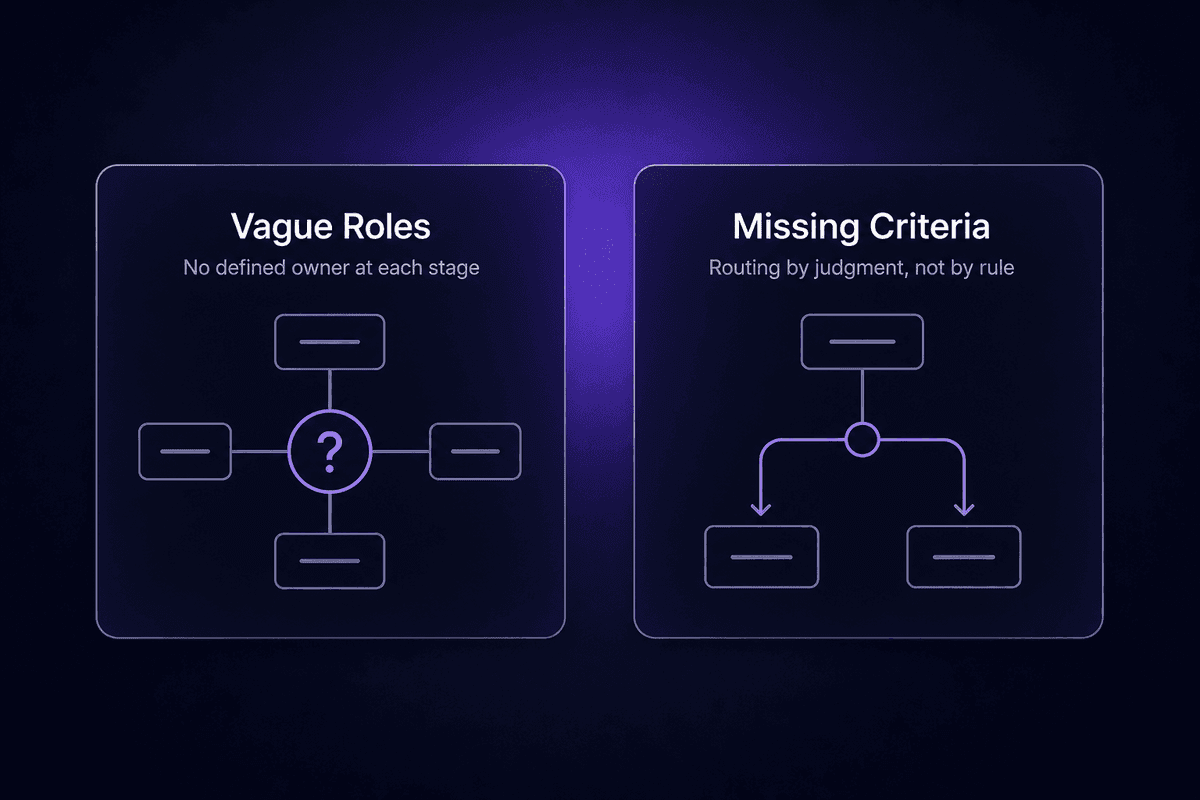
The two most common structural failures I see are vague role definitions ("the manager approves things") and missing decision criteria ("use your judgment"). Both of those guarantee rework. Both survive automation completely intact. You can automate a vague approval process and all you've done is route the ambiguity faster.
That is where the ticket usually starts.
How to Map and Analyze Your Current Approval Workflow Before Touching Any Tool
The instinct when approval processes are slow is to reach for a tool immediately. Build a form, set up a workflow, connect it to Slack. I understand the impulse. It feels like progress. It usually isn't.
Teams that skip mapping - that jump straight to the automation screen - end up automating the chaos. The routing rule they configure reflects how approvals actually happen today, which includes the bottlenecks, the workarounds, the forgotten exception paths, and the single person whose inbox gates every third request. The tool faithfully executes all of it.
What to Document Before You Redesign Anything
Before redesigning anything, you need a step-by-step map of how approvals actually move today - not how they're supposed to move, but the real sequence. That means talking to the people who submit requests and the people who approve them, because those two accounts are almost always different.
Document every stage from initial submission to final decision. Identify who touches the request at each stage. Measure or estimate the average time per step, even roughly. A systematic approach here doesn't need to be complicated: a flowchart on a whiteboard with names and time estimates per stage is enough to start. What you're building is a record of where the process lives today, so you can see where it breaks before you decide how to fix it.
Specifically, capture:
- Each step in the current review and approval sequence, in order
- Who owns each step (not the team, the individual)
- Average time spent waiting at each step
- Recurring failure points: requests that go missing, approvals that stall, rework that happens more than once a month
- Any workarounds the team has built around the official process
Those last two items are the most valuable. Workarounds tell you exactly where the official process doesn't work.
How to Spot the Bottlenecks That Will Survive Automation
Not all bottlenecks are equal. Some disappear when you add routing logic and automated reminders. Others don't care that you've built a beautiful workflow - they'll persist because the problem was never technical.
The dangerous bottleneck is one caused by unclear ownership or missing decision criteria. If three people each believe they might need to approve a request but nobody is certain, automating the routing step doesn't resolve the ambiguity. It just delivers the ambiguity faster, to three inboxes simultaneously, with a deadline attached.
Similarly, overcomplicating a workflow with too many approvers is a structural mistake, not a tool configuration mistake. Adding more sequential approvers creates more delay without improving decision quality. If the fifth approver in a chain is reviewing a $500 expense request, the question isn't how to remind them faster - it's whether they should be in the chain at all.
When you look at your process map, the bottlenecks that will survive automation are the ones where the delay is caused by a question rather than a reminder. "Who approves this?" and "Does this need approval at all?" are questions. Those are design problems. Fix them first.
How to Define Roles, Criteria, and Thresholds for a Lean Approval Process
The efficient approval process is designed around rules, not around judgment calls. Every time an approver has to decide whether something needs approval - rather than whether to approve it - you've got a design gap.
To create an approval process that routes consistently, you need four things defined in advance: who initiates requests, who approves at each level, what criteria determine which path a request takes, and who covers when the primary approver is unavailable. Most teams define the first two and skip the last two entirely.
Setting Approval Criteria That Route Requests Without Human Guesswork
Approval criteria are the rules that determine where a request goes. Without them, routing becomes a judgment call every time, which means inconsistency, subjective decisions, and rework when different approvers apply different standards to the same type of request.
Define criteria explicitly before you configure anything. A few practical examples:
- Budget threshold: requests under $1,000 route to the team lead; $1,000-$10,000 route to the department head; above $10,000 require finance review
- Risk category: standard vendor purchases follow one path; new vendor onboarding triggers a compliance check
- Required documentation: invoices over a threshold must include a purchase order number; travel requests must include a trip purpose and destination
Predefined criteria mean the request gets routed automatically by rule. When criteria are clear, the approver's job is to evaluate the request, not figure out what the request is or whether they're the right person to handle it. That distinction alone removes a surprising amount of back-and-forth.
Naming Backup Approvers and Escalation Paths Before They Are Needed
Every approval process is designed for the happy path: the primary approver is available, reviews the request, and approves or rejects it within the expected window. That path works fine until the primary approver goes on holiday.
Designing only the happy path is a structural mistake that shows up in support patterns consistently. An approval request without a defined backup approver doesn't escalate - it stalls. Which means someone has to manually chase the situation, find an alternative approver, and restart the clock. That's a support ticket waiting to happen.
Before you configure any workflow, name a backup approver for every approval role and define when escalation occurs. As a starting point: flag any approval request that hasn't received a decision within 48 business hours, send a reminder at 24 hours, and escalate automatically to the backup approver or a manager at 72 hours. The specific thresholds will vary, but the principle is the same: exception paths need defined routes, not human improvisation.

How to Design the Future-State Workflow: Sequence, Parallel Approvals, and Standardized Steps
Once you've mapped your current process and defined roles and criteria, you can redesign the sequence. The goal is fewer steps with clearer owners - not more steps with more visibility.
A well-designed approval workflow follows a standardized sequence of steps: submission, review, collaboration or adjustment if needed, approve or reject, then log and archive. Every approval type should fit into this structure, even if the specific actors and criteria differ. Standardizing the step pattern reduces confusion for requesters and approvers alike. People know what to expect and where the request is at any given moment.
The redesign question for each step is whether it's necessary. If an approval step exists because of a historical event or a "we've always done it this way" assumption, check whether removing it changes the risk profile. Many approval chains include redundancy - multiple sign-offs on a decision that one informed person could make - that creates delay without improving decision quality.
Series versus parallel is the other structural decision. Most teams default to sequential routing. Every approver sees the request only after the previous one has acted. This feels controlled. It often isn't. Sequential routing means the cycle time is the sum of every individual response time. If one approver takes three days, the whole chain waits three days. Parallel routing sends the request to multiple approvers simultaneously. The approval completes when all required responses are received. For decisions where each approver is evaluating something different - technical feasibility, budget, compliance - there's no reason those reviews can't happen at the same time.
💡 Worth knowing:
Parallel approval routing can cut cycle time significantly without reducing oversight, because each reviewer is evaluating a different dimension of the request anyway. Most teams default to sequential routing because it feels more controlled. What it actually does is add every approver's response time together into a single delay. If you have three independent reviewers who each take one day, sequential routing takes three days. Parallel routing takes one.
How to Configure and Automate an Approval Process in a Workflow Tool
Now you're ready to configure. The design work is done: you have a process map, defined roles, explicit criteria, escalation paths, and a future-state step sequence. Automation at this stage is configuration work, not discovery work. You're encoding decisions that have already been made.
Routing Rules, Notifications, and Escalation Logic That Actually Prevent Stalled Requests
The specific automation mechanics that prevent approvals from sitting in inboxes are dynamic routing, deadline-triggered reminders, and automatic escalation when an SLA expires. Each one solves a different part of the stalling problem.
Dynamic routing means the request is directed to the right approver based on criteria - automatically. Budget amount routes to the appropriate authority level. Department routes to the right lead. Request type triggers the right review path. This replaces manual forwarding and the "I think you need to talk to so-and-so" messages that occupy a surprising amount of time in manually managed processes.
I keep seeing teams that automate the form submission step but leave reminders and escalation as manual tasks. That's the part that recreates the email-chasing problem inside a new tool. Build the reminder logic before the first request goes live. A practical starting point: send a reminder after 24 hours with no response, escalate to the backup approver after 72 hours, and flag any request that hasn't resolved within five business days for a manager review.
Notifications and email approval responses should be actionable in-context where possible. An approver who can approve or reject from a Slack message or email notification, without logging into a separate system, responds faster. That's not a feature preference - it's human behavior.
System Integrations That Remove Manual Data Entry From the Approval Chain
Approval tools connected to source systems produce fewer errors and faster cycle times for a straightforward reason: the data is pulled automatically rather than typed in by the requester. When a purchase request requires the requester to manually enter vendor name, PO number, budget code, and cost center, you've created four opportunities for typos and four reasons for an approver to reject or ask for corrections.
Connecting your approval workflow to your ERP, CRM, procurement system, or document management system means the request arrives with the relevant context already populated. The approver evaluates the decision, not the data entry. Orchestrating these connections - pulling context from one system, routing the approval, and pushing the outcome to another - is where flow approval process design stops being a form builder problem and becomes an integration problem.
For multi-system approval workflows, Latenode handles this kind of orchestration in a way that's worth describing concretely. A workflow can ingest an invoice via email or cloud storage, use one of over 1,200 AI models to extract supplier name, amount, and line items, apply routing logic encoded in a JavaScript node, sync the result to an ERP via a prebuilt OAuth integration, and push status updates to Slack - all within a single execution. The per-execution pricing model means a six-step workflow counts as one execution, not six separate tasks, which changes the cost math at higher volumes.

How to Test, Roll Out, and Train Teams Without Killing Adoption
A workflow that works in a controlled test and fails in production usually failed because the test didn't use realistic data. Test with actual request types, real threshold amounts, and edge cases you know exist - the request that falls between two routing rules, the approver who is on parental leave, the submission that arrives with missing documentation. These aren't unlikely scenarios. They're the first Monday morning situations.
Before full launch, validate the routing logic against every defined criteria combination. Confirm that escalation triggers fire at the correct time. Check that exception paths work, not just the happy path. A new process that hasn't been tested against its own failure modes isn't ready.
Change management is the part that determines whether the process actually runs at the designed capacity or runs at 40% adoption because half the team didn't know it changed. I've watched well-designed approval processes fail not because the automation was broken, but because the people expected to use it were still routing requests the old way. Rolling out without training doesn't just cause support tickets - it creates parallel processes, which is worse than the original problem.
Train both requesters and approvers separately, because their experience of the process is completely different. Requesters need to know how to submit, what information is required, and where to check status. Approvers need to know how to action a request, what happens if they don't respond within the SLA window, and who to contact if they see an edge case the system didn't account for. A short walkthrough with real examples is more effective than a PDF nobody reads.
Run a parallel operation period if the stakes are high. Keep the old process running alongside the new one for one or two weeks. Compare outcomes. The redundancy is temporary; the confidence it builds in approvers and requesters is worth the cost.
How to Monitor and Optimize an Approval Process After It Goes Live
No approval process is final. Business requirements change, org structures shift, and the edge cases you didn't anticipate in testing will surface after the first hundred requests. The monitoring layer is what tells you which of those changes matter.
Track approval cycle time from submission to final decision. Track how many requests require revision or additional information before reaching a decision. Track escalation frequency and SLA adherence. Track adoption - are requests actually entering the system, or are people still routing things by email? Each metric surfaces a different kind of process problem. High rework rates usually indicate missing criteria or ambiguous documentation requirements. High escalation rates can mean SLA windows are too tight, backup approvers are hard to reach, or the primary approver role is understaffed. A process with good cycle time and poor adoption is running cleanly for the 40% of requests that make it into the system and breaking silently for the rest.
The Metrics That Show Whether the Process Is Actually Working
Six metrics give you a usable picture of process health. Reduced cycle time confirms the routing and automation are moving requests faster than before. Fewer escalations suggest the criteria are clear enough that requests don't need manager intervention to move forward. Lower rework rates - fewer rejections due to incomplete information - indicate the submission form and documentation requirements are working. Higher on-time completion rates show the SLA logic is functioning. Stronger audit trails mean the system is capturing the right decision record for compliance purposes. And user adoption rates (percentage of eligible requests entering the workflow versus being routed informally) tell you whether the process is trusted or bypassed.
Watch these fields in your workflow dashboard: average time from submission to decision, failed or rejected request count, escalation count per period, requests with no decision past SLA, and percentage of requests completed without revision. You want to see trend lines, not one-time snapshots.
📊 In practice:
AltaFlow's workflow analytics data suggests that well-implemented approval automation typically reduces cycle times by 40-60%, with benchmark targets of 30-50% reduction within the first three months and at least 85% of routine approvals completing without revision. Those numbers are directional, not guaranteed - but they give you a realistic reference point for what "it's working" looks like versus "we installed a tool and called it done."
When to Run a Process Review and What to Change
Schedule a process review at 90 days post-launch and then quarterly. But also run an unscheduled review when you see any of these triggers: a cluster of SLA misses in a short period, a spike in escalations from a specific step, a new policy requirement that changes who can approve what, or an org structure change that moves the people named in the process. Repeated escalation patterns from the same approval stage almost always indicate either an understaffed role or criteria that don't match how the business actually makes decisions. Change the criteria. Don't just remind people to respond faster.
Managing approval processes over time means treating the workflow as a living document, not a launch artifact. Periodic stakeholder reviews - the people who submit requests, the people who approve them, and the people who manage the relevant business processes - surface problems that the metrics surface too late.

Best Practices for Maintaining an Approval Process That Doesn't Drift Back Into Email
The best practices below are organized around the specific failure mode each one prevents - because a best practice without that context is just a suggestion.
Use standardized submission templates for every request type
Approval processes drift back into informal channels when submitting through the official process is harder than sending a message. Templates reduce friction at submission and ensure approvers receive complete information, which reduces rework requests. A request that arrives with all required fields populated can be evaluated immediately.
Implement role-based access controls and maintain a full audit trail
Without access controls, the approval record can be modified after the fact, which breaks compliance and creates disputes. An audit trail captures who approved what, when, under which stated criteria, and the ability to enforce accountability depends on that record being accurate and tamper-evident. This matters most in procurement, HR, and finance workflows.
Predefine exception paths before launch, not after the first exception
Every process has edge cases - requests that fall outside the standard routing rules, approvers who are unavailable, submissions that arrive with missing documentation. Designing the exception path after the first edge case means the first edge case stalls while you design it. Document what happens when a threshold isn't met, when the primary approver doesn't respond, and when a request is incomplete.
Avoid unnecessary approval layers - question every sequential step
Each approval step adds time. An effective approval process has as many steps as risk and compliance genuinely require, and no more. If an approval layer exists because "we've always done it that way" or because someone once added it for a specific situation that no longer exists, remove it. Tasks that require approval should be clearly defined; tasks that don't should not be routed through approval by default.
Configure notifications that go to the right person, not just the right role
A notification sent to a team inbox is a notification that might not be actioned. Name individuals in routing rules. Send reminders to backup approvers automatically, not manually. An approval notification that creates a new approval record in the person's workflow tool of choice (rather than disappearing into a shared channel) gets acted on more reliably.
Set regular governance checkpoints to prevent criteria from becoming stale
Approval criteria that made sense under last year's budget structure or org chart may route incorrectly now. A governance checkpoint - quarterly or triggered by org changes - is what prevents the process from drifting quietly out of alignment with how the business actually operates. Foster shared ownership of the process among the stakeholders who live inside it, not just the person who originally configured it.




