




Most teams I talk to have heard all three terms - IPA, RPA, and intelligent automation - and use them interchangeably until something goes wrong. Then the distinctions matter a lot. You buy an RPA tool expecting it to handle your invoice exceptions, it can't, and the ticket lands somewhere explaining that "the bot doesn't understand unstructured input." That's not a bug. That's a category mismatch.
Intelligent process automation is not an upgraded version of RPA. It's a combination of process redesign, robotic process automation, and AI/ML that handles decisions and unstructured data - the two things basic RPA was never built for. The combination matters more than any of the individual components. That's the claim this article will defend.
The part teams learn late
- IPA = RPA + AI/ML + process redesign. Each layer does something the others can't.
- Traditional RPA fails on unstructured inputs - invoices, emails, freeform requests - because it was designed for structured, rule-based execution.
- IPA isn't reserved for enterprises. Accessible platforms and modular AI tools have lowered the entry point significantly.
- The market is growing fast regardless of which analyst you read - momentum is real even if the exact numbers differ.
What Intelligent Process Automation (IPA) Actually Means
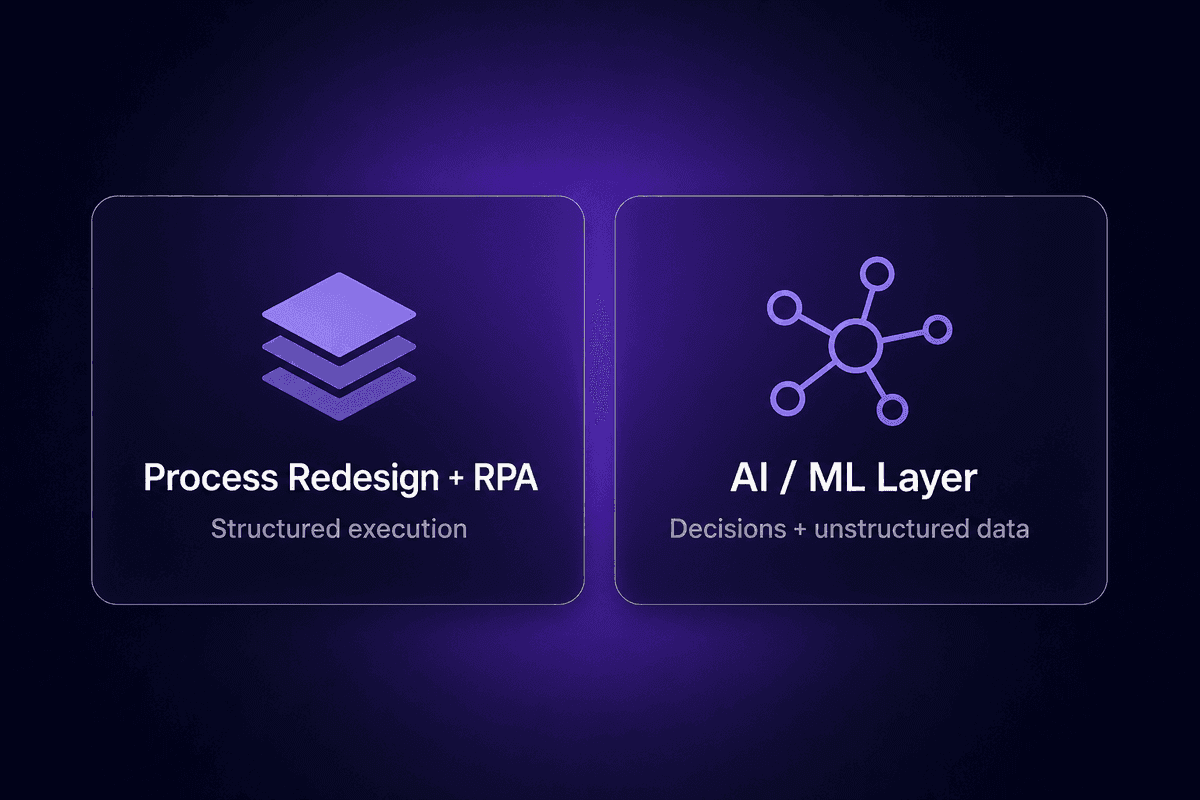
Intelligent process automation is the combination of three things that don't fully work without each other: process redesign, robotic process automation, and AI/ML. McKinsey's framing is still the clearest: IPA isn't a product category, it's a methodology - one that first looks at a business process to understand what's worth automating and how, then applies RPA for rule-based execution, then uses AI to handle the decisions and data that rules alone can't cover.
The reason the combination matters is straightforward. Process redesign without execution tools produces a roadmap nobody follows. RPA without AI produces a system that breaks every time input deviates from the expected format. AI without a process architecture produces expensive pilots that never scale into production. Intelligent automation combines all three to create something that can actually run an end-to-end business process, not just a fragment of one.
IPA is sometimes called cognitive automation, and that framing captures something useful: the system doesn't just execute instructions, it interprets, decides, and adapts. It sits at the intersection of business process management discipline and modern AI capability. That's what makes it categorically different from the "automate this button click" version of automation that most people encounter first.
The short version: if your automation can only do what you explicitly programmed it to do, it's not IPA.
How Intelligent Process Automation Works
The Role of Robotic Process Automation in IPA
Robotic process automation is the execution layer. A bot handles structured, rule-based tasks - copying data from one system to another, filling in forms, triggering status updates based on conditions - without making judgments about what it encounters. If the data is clean and the rules are clear, RPA is fast and reliable. It's the workhorse.
But RPA is brittle by design. It automates repetitive tasks by following predetermined steps, which means any deviation - a different invoice format, a new field in a web form, an approval that requires context - breaks the script or sends work back to a human queue.
Inside an IPA system, RPA still does what it does best. You don't replace RPA with AI. You give RPA a partner that handles the parts it can't process on its own.
Where AI and Machine Learning Change the Equation
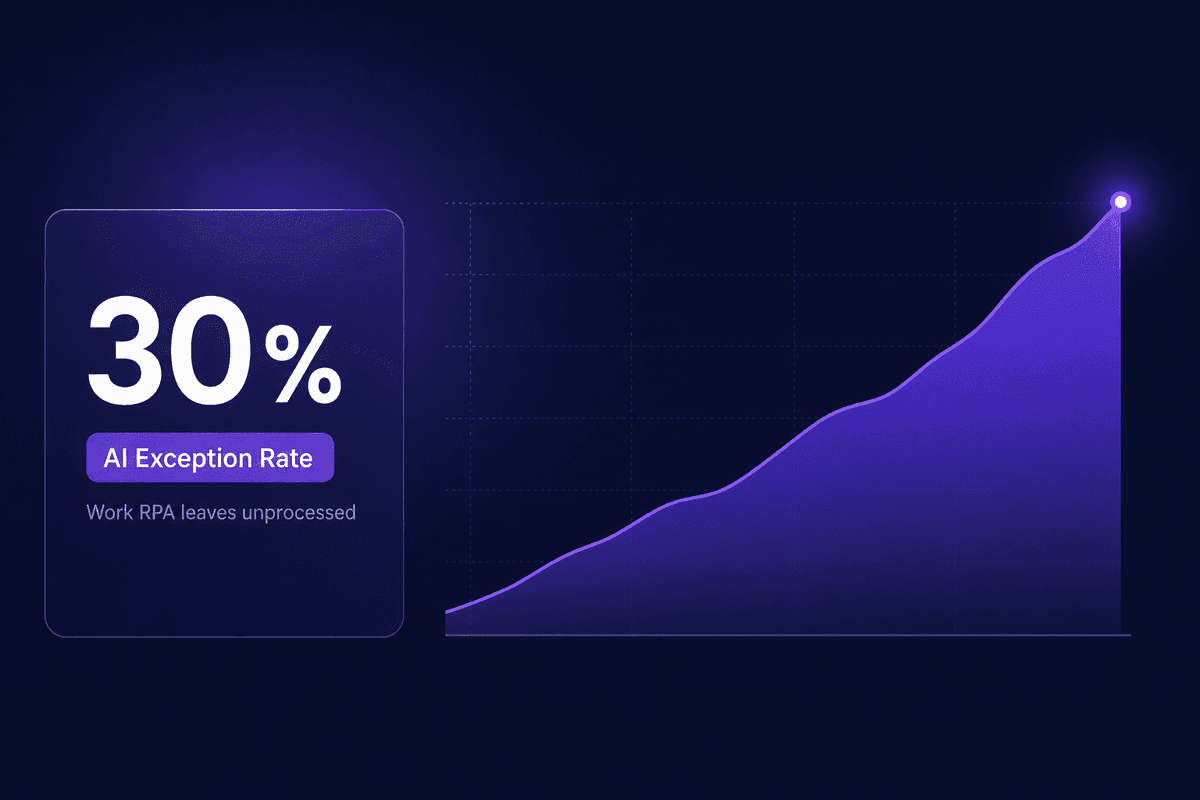
AI and machine learning are what make IPA capable of handling the 30% of work that RPA leaves on the floor. The cases where input is unstructured. Where a decision requires context, not just conditions. Where the right answer changes based on history, not just the current record.
Natural language processing reads customer emails and extracts intent. Machine learning classifies documents that arrive in inconsistent formats. AI models evaluate exceptions - flagging the invoice that looks anomalous relative to prior transactions - rather than just routing them back to a human.
The old misconception I keep seeing is that IPA only works on simple, back-office tasks with structured data. That's backwards. The structured stuff is where RPA works fine on its own. AI enters specifically because the interesting, high-value work - the decision-making, the exception handling, the unstructured input - is where rule-based systems run out of road.
And the combination adapts. An ML model improves as it processes more data. A rule doesn't.
Intelligent Process Automation vs. Robotic Process Automation
The confusion between IPA and RPA is the most common category error I encounter. Someone installs an RPA tool expecting IPA-level results, hits the wall with unstructured inputs or complex decisions, and concludes that "automation doesn't work for this process." Usually the process would work fine. The tool was just wrong for it.
Here's how they actually differ:
| Dimension | RPA | IPA |
|---|---|---|
| Capability | Executes predefined rules on structured inputs | Executes rules AND handles decisions, unstructured data, and adaptive logic |
| Data type handled | Structured (forms, tables, defined fields) | Structured and unstructured (PDFs, emails, freeform text, scanned documents) |
| Decision-making ability | Cannot make decisions; follows fixed branching logic | Can make decisions using AI/ML models and contextual interpretation |
| Setup complexity | Lower - map the steps, build the script | Higher - requires process redesign, model selection, and integration architecture |
| Best-fit use case | High-volume, repetitive tasks with clean, predictable inputs | Complex workflows with variable inputs, exceptions, and decisions that require context |
Traditional automation - RPA software doing its original job - remains valuable inside IPA. The problem is treating RPA as the full solution when the process includes unstructured data or judgment calls. That's where the gap appears.
The test I'd suggest: look at your target process and identify every point where a human makes a decision or interprets something. If those points exist, RPA alone won't cover the process end-to-end. That's where IPA's additional layers - AI, process redesign, orchestration - do the actual work.
Components of Intelligent Automation That Make IPA Work
Process Orchestration and End-to-End Workflow Design
Process orchestration is what stops an IPA implementation from becoming a collection of disconnected automations that break at every handoff. It coordinates multiple automation layers - RPA bots, AI models, human approval steps, data lookups - across systems so that the workflow progresses as a single process, not as a sequence of isolated scripts.
Without process orchestration, you get the problem one practitioner described to me specifically: "I have 20 tasks to automate, not a single task." Automating each task individually doesn't produce an end-to-end workflow - it produces 20 fragile automations that don't know what the others are doing. McKinsey's framing is that effective IPA spans multiple processes, systems, and risk points. Orchestration is the layer that actually spans them.
In practice, this means the automation platform manages state - knowing where a case is in the workflow, what happened upstream, and what needs to happen next - rather than each component restarting from scratch.
Integrating IPA with Existing Systems
Here's where most implementations slow down. Not the automation logic. The plumbing.
Connecting IPA tooling to legacy infrastructure, existing ERPs, case management systems, and databases is where timelines expand and scopes shift. Legacy systems often lack modern APIs. Data lives in formats that don't align with what automation platforms expect. Authentication varies across systems and tends to be more complex in regulated industries.
The honest answer is: the difficulty of integration with existing systems is proportional to how many systems you have and how old they are. A process automation platform with broad native integrations reduces the custom development burden, but it doesn't eliminate it. The teams I've seen struggle most aren't struggling with the AI layer of IPA - they're struggling to get reliable, authenticated connections to their 12-year-old ERP.
Plan the integration architecture before you build the automation process. The automation logic is usually the straightforward part.
📊 By the numbers:
McKinsey projects that hybrid automation capabilities in banking - including intelligent process automation for back-office processes - can deliver 15-20% net cost reduction across the industry, rising to approximately 30% as full automation matures. That projection is grounded in sector-wide modeling, not a single deployment. The gap between the starting figure and the ceiling is almost always explained by integration depth and process redesign quality, not AI capability.
Benefits of Intelligent Process Automation That Show Up in Practice
The benefits of intelligent process automation that actually show up in operations are narrower and more specific than most vendor materials suggest. Let me give you the ones worth tracking.
Cost reduction with a real anchor. McKinsey's projection for healthcare payers - up to 30% cost reduction within five years through automation - is the most concrete benchmark available and still the most-cited. The mechanism is clear: fewer manual touches per transaction, lower error rates requiring rework, and faster cycle times across high-volume processes. The 30% figure represents mature automation with substantial process redesign completed, not a first deployment. Intelligent automation helps teams move toward that ceiling, but starting expectations should sit closer to 15-20% in the early years.
Error rate reduction. Manual data entry in finance and healthcare administration carries error rates that compound across workflows - a wrong field in an invoice creates downstream reconciliation failures, which create exception handling, which creates manual work. IPA removes the manual entry step entirely for clean inputs and flags anomalies for human review rather than letting them propagate. The improvement in accuracy is one of the most consistent benefits I see referenced across use cases.
Speed where it counts. Cycle time reduction in accounts payable, claims processing, and customer service triage is measurable and often significant. An invoice that takes three days to process manually can move through an IPA workflow in hours when the inputs are clean. The customer experience improvement in service workflows comes from this: faster response, more consistent routing, and less time spent asking customers to repeat themselves.
Productivity reallocation. This is the one that needs honest framing. IPA doesn't eliminate roles. It changes what people spend their time on. A finance analyst whose day was 60% manual data entry now spends that time on exception handling, vendor relationships, and analysis. Whether that reallocation produces measurable productivity gains depends on whether the organization actually redirects that capacity - which is a management question, not an automation question.
Use intelligent automation where you can measure the before state clearly. If you can't define the current process time, error rate, and cost, you won't be able to tell whether IPA improved it.
Intelligent Process Automation Use Cases Across Industries
Finance, Accounting, and Invoice Processing
Finance is where IPA has the clearest ROI story, and the reason is structural: invoice processing is high-volume, rule-driven in theory, and messy in practice. A pure RPA approach automates the easy 70% - clean PDFs with consistent formats - and returns the rest to manual queues. The AI layer handles the other 30%: handwritten invoices (yes, still common in certain industries), inconsistent formats across vendors, line items that don't directly map to PO data.
The workflow is: OCR and ML extract header and line-item data from the incoming document, validation logic runs three-way matching against purchase orders and receipt records, and exceptions get routed with context rather than just flagged as "needs review." Approvers receive structured tasks, not messy email chains. The automation uses AI where data entry rules can't substitute for judgment, and RPA for the structured execution downstream.
Teams automating invoice processing through IPA typically eliminate most manual data entry. The time savings on this automate tasks workflow are real. That said, the integration with the ERP is almost always the hard part - not the document extraction. Budget accordingly.
Customer Service and Intelligent Case Handling
Customer-facing workflows are where unstructured input makes pure RPA insufficient by definition. A customer email doesn't arrive in a structured field with a clean category tag. It arrives as freeform text expressing frustration, asking a question, and possibly describing an issue in terms that don't map directly to your ticket taxonomy.
IPA handles this with NLP to classify intent and extract relevant details, with the workflow routing to the right team or triggering an automated response without human triage for routine cases. The human intervention point moves from "interpret every incoming message" to "review cases the system flagged as ambiguous or high-priority." For a support team handling 400 tickets a day, that shift matters.
The mechanism that keeps this from becoming a customer experience problem is the confidence threshold. A well-designed IPA workflow routes to a human when the classification confidence is low, rather than making a wrong routing decision at speed. Automation speed is only a benefit when accuracy holds. This is where I've seen teams skip configuration steps they shouldn't skip.
Healthcare Administration and Claims Processing
Healthcare administration is document-heavy, rule-governed, and deadline-sensitive. The prior authorization process alone - a single administrative workflow - involves checking eligibility, applying clinical criteria, coordinating between provider and payer systems, and communicating decisions on a timeline that affects patient care. Doing that manually at scale is genuinely untenable.
IPA automate approaches in this space target eligibility verification, prior auth requests, claims submission, and scheduling coordination. The McKinsey cost-reduction projection for healthcare payers specifically - up to 30% within five years - reflects how concentrated the process improvement potential is in administrative workflows. Real-time eligibility checks that used to require a phone call now run automatically during intake. Prior auths that took days are processed in hours when the clinical criteria are met without exception.
The process optimization gain here is also a patient experience gain. That's less common in pure back-office automation.
A practical note: Latenode's approach to document-heavy workflows uses built-in RAG over uploaded PDFs and CSVs, which means policy documents and approval matrices can be accessible to the AI model without building a separate vector database infrastructure. For a team starting with healthcare prior auth automation, that reduces one significant setup burden. The workflow connects directly to 5,500+ downstream integrations with automatic OAuth, so pushing validated cases into the relevant payer or provider system doesn't require custom API development.
🤔 Think about this:
Most teams treating IPA as a tool purchase are solving the wrong problem. McKinsey's operating-model framing is blunt about this: IPA implementations that succeed require inventory of processes, risk-return governance across multiple systems, and a clear owner for the automation layer after it ships. The teams that regret their automation investments - and a 2026 Dataiku/Harris Poll survey found 74% of enterprise CIOs regret at least one major AI platform selection in the past 18 months - almost always describe the same failure: they bought the platform before they redesigned the process.
Where Intelligent Process Automation Implementation Actually Gets Hard
Implementing intelligent automation is straightforward to sell and harder to execute. The failure modes below aren't theoretical. These come from the patterns I see showing up repeatedly in support and onboarding conversations.
- The process wasn't documented before automation started
Teams begin building before they understand what the current process actually does, including exceptions. The automation goes live covering the happy path, and the first unusual case - a duplicate vendor, an invoice with missing fields, a claim requiring prior auth - falls through without handling. The cost of backfilling exception logic post-launch is higher than doing the process audit first.
- IPA gets treated as a tool purchase, not an operating model change
This is the McKinsey point that most implementation plans skip. IPA touches multiple systems, teams, and risk points. Without designated ownership - someone who maintains the automation, monitors for failures, and updates logic when upstream processes change - the workflow degrades silently. I have had more conversations than I can count where a team says "it was working fine and then it just stopped," and the root cause is that nobody updated the automation when the source system changed six months earlier.
- The "IPA replaces people" assumption changes the team dynamic
When an automation initiative is announced as headcount reduction, the people who understand the process best stop cooperating with implementation. The institutional knowledge about edge cases, exception handling, and why the current manual process has its quirks doesn't get documented. You end up automating the visible part of a process while the invisible part continues manually.
- Starting with the most complex tasks
The ambitious scope - automate the hardest, most impactful process first - produces a six-month implementation that exhausts the team before delivering anything. The better entry point is a defined, bounded process with measurable volume and a clear before state. Demonstrate that the automation works and scales. Then extend. Complex tasks justify the investment more clearly when there's evidence the simpler version delivered.
- Assuming IPA only runs on clean, structured data
This leads teams to either reject IPA for document-heavy workflows (wrong - the AI layer exists specifically for this) or to build pre-processing pipelines manually before the automation (unnecessary overhead when the IPA stack includes document intelligence). The misconception is that AI handles the "smart" parts and someone still has to clean the data first. A well-configured IPA workflow handles messy inputs by design.
- Underestimating integration complexity with existing systems
The automation logic is usually the fast part. The connection to legacy systems - ERP, core banking, case management - is where timelines extend. Repeated manual tasks reappear as workarounds when the integration isn't complete. Budget two to three times longer for the integration layer than for the automation build itself. This is consistently where automation initiatives stall.
- Platform regret from fragmented tooling
Separate tools for process mining, OCR, model orchestration, and integration create governance gaps and maintenance overhead. The Dataiku/Harris Poll data is pointed here: 74% of enterprise CIOs regret at least one AI vendor selection in the past 18 months, citing delayed projects and migration costs that exceeded original licensing spend. A fragmented IPA stack has the same failure mode: each component works, but the integration between them doesn't, and nobody owns it when it breaks at 2am.
Digital transformation framing sometimes obscures this: IPA isn't a transformation event, it's an ongoing operation. The automation needs ownership, monitoring, and maintenance from day one.
IPA Market Size and Why the Growth Numbers Keep Changing

Three different research firms have published three different market size figures for intelligent automation in 2024, and the variance is large enough that it's worth explaining rather than ignoring.
Grand View Research puts the IPA market at $14.55 billion in 2024, projecting $44.74 billion by 2030 - a CAGR of 21.7%. P&S Intelligence estimates $18.9 billion in 2024, reaching $31.3 billion by 2030 at roughly 8.8% annually. SNS Insider projects the market at $47.85 billion by 2032. The range across forecasts is wide enough to make any single number feel arbitrary.
The variation reflects different scope definitions, not contradictory data. Some analysts fold adjacent categories - business process automation, RPA software, AI and automation tooling, task automation - into the IPA market. Others draw narrower lines. Machine learning and artificial intelligence components get included in some models and excluded from others. Whether a platform that uses software robots plus basic decision logic counts as IPA or traditional automation changes the denominator.
What the forecasts agree on: the market is growing fast. Meaningful investment is happening across BFSI, healthcare, manufacturing, and government. The applications of intelligent automation tools aren't slowing. Business process automation is a budget priority for most enterprise buyers in 2025 and 2026. The companies that automate repetitive workflows and make decisions at scale with AI are building capabilities that compound. The companies that don't are building backlogs.
The real-time competitive pressure is the argument for urgency. The exact market size number on the slide isn't.




