



If you searched for "MCP client" and came away more confused than before, you're in good company. The protocol documentation is precise, but precision isn't the same as clarity. The part that keeps tripping people up isn't technical - it's definitional. Most beginners conflate three things that are architecturally distinct: the MCP client, the MCP server, and the MCP host. Some people conflate all three with the AI application they're actually using. That's where the confusion starts, and it's where this article starts too.
The central claim here is falsifiable and specific: an MCP client is not the AI application itself. It's the protocol-layer component that manages structured communication between an LLM and an MCP server. If you disagree with that framing, the architecture section will either change your mind or sharpen your objection.
The part most teams learn after the first failure
- The MCP client is a protocol-layer component, not the AI app the user sees.
- The model context protocol has three roles: host, client, server - beginners routinely flatten these into one.
- An MCP server exposes tools; the MCP client consumes them - direction matters.
- The most common setup mistake isn't wrong code - it's wrong assumptions about which component owns what.
What an MCP Client Is, and What It Is Not
The MCP client is the protocol-layer consumer. It sends structured requests to an MCP server on behalf of an LLM, retrieves responses, and feeds results back into the model's context. That's the whole function. It doesn't generate text, it doesn't make decisions, and it isn't the AI application the user opens in a browser tab.
This distinction matters because the confusion has practical consequences. I keep seeing this in support queues: someone sets up an MCP server, connects it to Claude Desktop, and then starts referring to Claude Desktop itself as their "MCP client." Claude Desktop is the host. The client lives inside it. Two different roles. One visible interface.
Here is what the mcp client actually is: a specification-conformant component that speaks the model context protocol, discovers what an MCP server has made available, sends tool invocation and resource requests in the correct format, and handles responses. It's the translator between what the LLM wants to do and what the server can actually provide. Think of it as the protocol-speaking layer that sits between the application environment and the server - not the application itself, not the model itself.
What it is not: the AI application you interact with, the model doing the reasoning, the MCP host managing the session, or a standard API integration. A standard API call doesn't do capability discovery, doesn't manage tool invocation schemas, and doesn't feed structured results back into an LLM context loop. The MCP client does all three. That's the new protocol's actual contribution - not just a new communication protocol on the wire, but a defined interaction model that makes AI integration composable rather than bespoke.

MCP Architecture: How the Client, Server, and Host Fit Together
The MCP architecture has three components. They are not interchangeable labels for the same thing. Getting them straight is the single most useful thing you can do before building anything.
The three roles are: MCP host, MCP client, MCP server. Each has a distinct responsibility. The client sits between the host and the server. That physical position in the architecture is the clearest way to remember what it does.
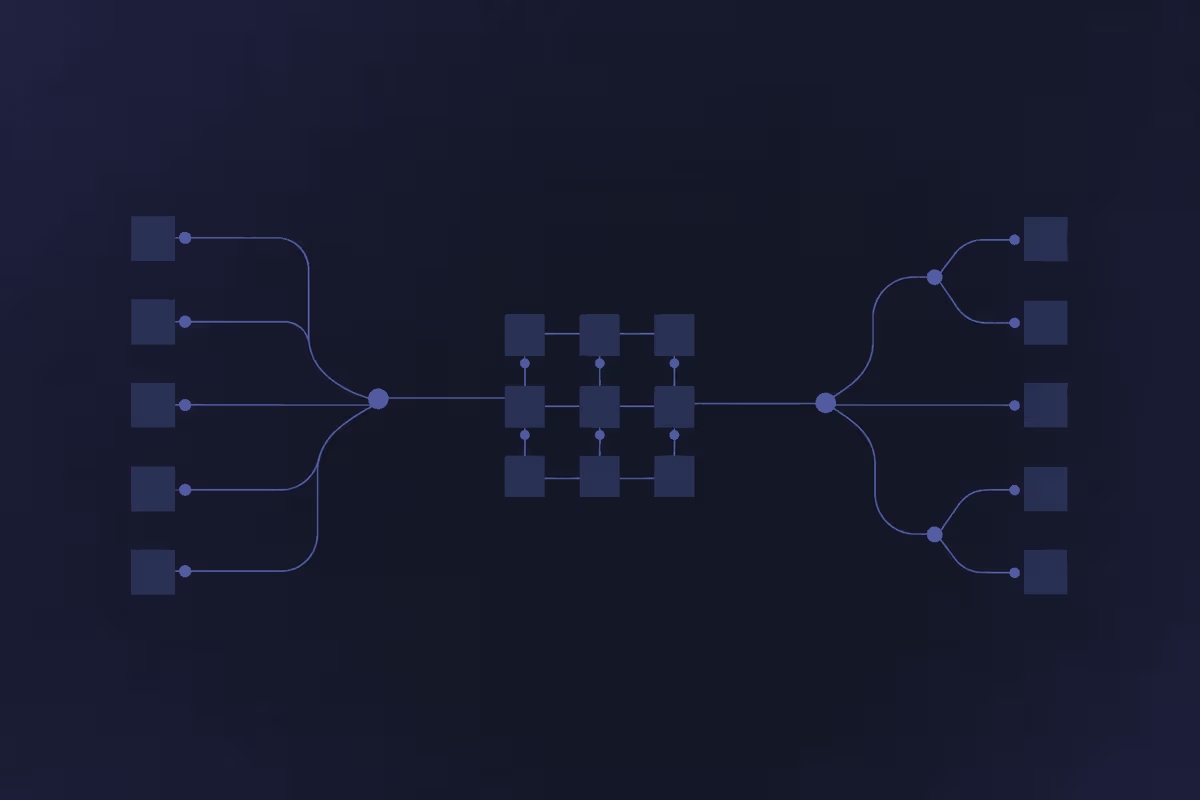
Here's how the data flows. The user interacts with the host application. The host creates and manages one or more MCP clients. Each client connects to an MCP server. The server exposes tools, resources, and prompts. The client discovers those capabilities and invokes them on behalf of the model. The server responds. The client passes results back. The host delivers those results to the LLM's context. The model generates something useful, or tries to.
The client-server relationship here follows a conventional consumer-provider structure. The client requests; the server responds. What makes this specific to MCP is the capability-discovery layer: the client doesn't have to know in advance what the server provides. It asks. The server tells it. This is what makes the architecture extensible - you can swap servers, add new ones, or restrict which tools a particular client can call without rewriting the LLM's code.
The part that confuses almost everyone: there can be multiple clients per host, and each client typically connects to one server. A single Claude Desktop instance running three MCP server connections is running three MCP clients internally. The host manages all three. The user sees none of them explicitly. That invisibility is by design, and it's also why the architecture gets misread as "the app talks to the server" when what's actually happening is more layered.
The Role of the MCP Host in the Protocol
The MCP host is the application environment that creates, runs, and manages MCP clients. Claude Desktop is the canonical example - it's the shell that contains the client logic, initiates connections, and exposes the results to the user and the model. An IDE plugin with MCP support would also be a host. A custom AI assistant shell would be a host.
The boundary between host and client is where most beginners get lost. The mcp protocol specifies that the host handles application lifecycle and user interaction, while the client handles protocol communication. In practice they're often compiled together. But separating them conceptually matters when something breaks, because the failure mode is different: a host failure looks like the application crashing or refusing to start; a client failure looks like a server connection error or a tool call that silently returns nothing.
How the MCP Client Interacts With the MCP Server
When an LLM decides it needs external information or needs to invoke a tool, the MCP client is what makes that possible. The client sends a structured request to the MCP server: either a tool call (with parameters), a resource fetch, or a prompt template request. The server processes that and returns a structured response. The client passes the response back into the model's context.
The interact mechanism is request-response at the protocol level, but from the LLM's perspective it looks like context being added. The model doesn't speak to the MCP server directly. The mcp client handles the translation: LLM intent becomes a valid protocol call, and a protocol response becomes model-readable context. This is the mechanism that grounds the llm in external data rather than leaving it to reason from training alone.
The failure mode that shows up most in practice: the server returns a response the client doesn't expect, often because the tool schema changed or the server wasn't restarted after a config update. The LLM either gets empty context or gets an error that it has no clean way to handle. That becomes a confusing support ticket fast.
Available Tools, Resources, and What the Client Can Actually Request
When a client connects to an MCP server, the first thing it does is discover what the server has declared. The MCP server exposes a set of mcp tools - each with a name, description, and input schema - along with resources (addressable data) and prompt templates. The client can only request what's on that declared list.
This is where teams get surprised. You cannot invoke a tool the server hasn't exposed, even if the underlying system supports it. If you're expecting a "search" capability and the server only declared "fetch," the search call won't work. It won't error loudly either - it simply won't match. Checking the server's declared tool list before debugging the client is step one. The tools and data sources the server exposes are the ceiling of what the client can do. External tools and data that haven't been wired into the server are invisible to the client by design.
What the MCP Client Is Actually Used For
Knowing what an MCP client is architecturally is useful. Knowing what it's used for in practice is where the value is. There are four main patterns: data retrieval, tool invocation, prompt augmentation, and agentic task orchestration. Most real deployments combine at least two.
The use cases that generate the most genuine excitement right now are the agentic ones. An ai agent that can plan a multi-step task, invoke tools mid-execution, and adjust based on results is only possible because the MCP client manages the loop between the model and the external systems. The model reasons; the client acts on that reasoning; the results come back and inform the next reasoning step. Without the client, the llms are reasoning in a closed room with no windows.
Practically, this translates to things like: an AI assistant that can query a live CRM before answering a question about a customer, an agent that writes code and runs it against a real test environment, or an ops workflow that retrieves current inventory data before deciding whether to trigger a reorder. The common thread is that the AI capabilities being used aren't just language generation - they're language generation plus access to real systems, in real time.
A March 2026 arXiv study that monitored public MCP server activity from November 2024 to February 2026 catalogued 177,436 agent tools in that window. That's not a projection. That's a measurement of what's already being built. The ecosystem of servers and clients has grown past the experimental stage. MCP client integration is now an engineering topic, not just a concept to evaluate.
Separately, a 2026 arXiv paper on design patterns for AI agents found over 10,000 active MCP servers in scope. The client-side integration patterns the paper analyzed covered 97% of the observed deployment cases. Both studies point to the same practical implication: the question is no longer whether MCP client architecture is real. It's how to implement it without breaking things.
Connecting LLMs to External Data Through Structured Requests
Large language models trained on static data hallucinate when asked about current state. They don't know what changed last Tuesday. Connecting llms to live external data sources through an MCP client changes that - not by retraining the model, but by giving it a structured path to retrieve what it needs before answering.
The mechanism: the model signals that it needs a piece of data, the mcp client translates that into a protocol-conformant request, the server fetches from the data source, and the result lands in the model's context. From the model's perspective, it suddenly knows what it didn't know 200 milliseconds ago. From the infrastructure perspective, a specific request went to a specific server and came back clean. That's the value of mcp llms integration: not magic, but a reliable plumbing layer for external data sources and tools that was previously built bespoke for every deployment.
Without this, llms either hallucinate about current data or require complex retrieval code that every team rebuilds from scratch. The MCP client layer standardizes that.
Tool Invocation and the Agentic AI Execution Loop
An ai agent that can only reason isn't much of an agent. The MCP client is what gives it hands. When the model decides a tool call is needed - run this code, look up this record, send this message - the client makes the actual call, retrieves the result, and returns it to the model for the next reasoning step. That loop is what makes multi-step agentic tasks possible.
The workflow looks like this: model reasons → client invokes tool → server executes → client returns result → model continues reasoning → repeat until task complete. The client manages the state of that loop. It handles errors from the server, retries where appropriate, and keeps the model informed at each step.
Where this breaks in practice: tool declarations get out of sync with actual server capabilities (someone updated the server without updating the schema), or permissions are set too broadly and the model starts invoking tools it shouldn't reach. That second one is a security problem, not just a reliability one. The llms and ai execution loop is only as trustworthy as the client's permission boundaries. I'll cover that in the security section - it deserves its own space.
MCP Client vs. MCP Server: The Distinction Most People Get Wrong
The confusion between mcp client and mcp server is probably the most common thing I see in support conversations about MCP. It's not that people don't understand the words - it's that the visual mental model (client talks to server) doesn't stick because both components live on the "AI side" of an integration. Here's the table version of what each actually does, using the dimensions that matter for a real deployment:
| Dimension | MCP Client | MCP Server |
|---|---|---|
| Role | Sends requests, consumes capabilities | Exposes tools, resources, and prompts |
| Direction of communication | Initiates requests to the server | Responds to client requests |
| What it owns | The protocol conversation; context feeding | The tool implementations; data access |
| Setup responsibility | Configured in the host application (e.g., Claude Desktop) | Deployed separately; defines available tools |
| Typical failure mode | Can't connect to server; tool call returns empty; auth error | Tool schema mismatch; server not started; permission error |
| Relationship to the AI model | Lives closest to the LLM; feeds it context | Lives closest to external data; executes against real systems |
The mcp integration pattern becomes clearer once you accept the directional rule: the client asks, the server answers. If you're debugging and you're not sure which side has the problem, check whether the error is about making a request (client side) or fulfilling one (server side). The ai model itself is upstream of both - it delegates to the client, which delegates to the server. A standardized way to think about this: if the model can't get data it needs, the client is the first place to check. If the data retrieval fails, the server is where the diagnosis continues.
The mcp server is not a "more advanced" MCP client. They are structurally different roles. This matters when you are deciding what to build: if you need to expose your internal tools to an LLM, you build or run a server. If you need an LLM to consume those tools, you configure a client inside a host. Both jobs need to exist for the protocol to do anything.

How to Deploy and Use an MCP Client: What the Setup Actually Involves
Let's say you have an MCP server running and you want to connect a client to it. Here's what that setup actually involves - not the happy path, but the realistic one.
First decision: which transport. MCP supports two. The stdio transport runs the server as a subprocess, communicating through standard input and output. It's simple and reliable for local setups. The SSE (Server-Sent Events) transport uses HTTP and is better suited for remote servers. Choosing the wrong one for your environment is the most common setup mistake I see. If you're running a remote server and configure your client for stdio, the connection just won't work and the error message won't tell you that the transport is the problem.
Second: environment variables. The MCP server typically needs credentials or configuration passed through environment variables. The client needs to know where to find the server (the endpoint URL or the subprocess command, depending on transport). Missing or misconfigured environment variables produce silent failures more often than loud ones - the client launches, attempts a connection, and then does nothing useful.
For the server setup in a common use case like Claude Desktop acting as host: the configuration lives in a JSON file. Each server entry specifies the command or URL, the transport type, and any environment variables it needs. The mcp server entry in that config is what the client reads at startup.
Testing the connection before running real workflows is worth the 10 minutes. Send a simple tool discovery request once the client is configured, confirm the server returns its declared capabilities, and verify that at least one tool call completes successfully. If capability discovery returns empty, the connection exists but the server isn't declaring tools - usually because the server started with an error that didn't surface cleanly. The api surface the server exposes depends on it starting cleanly.
Docker is an option for packaging MCP servers in a way that keeps the environment consistent. If you're deploying the same server across multiple environments (local dev, staging, production), container-based deployment avoids the "works on my machine" failure mode that otherwise tends to appear when the server is running fine but the client is pointed at a different config. The docker approach also makes environment variable management cleaner - you define them once in the container spec rather than per-machine.
Choosing Between Existing MCP Clients and Building a Custom One
The official modelcontextprotocol.io example clients and the Python and Node.js SDKs give you a working starting point. For most standard setups - connecting to a server over stdio or SSE, invoking the declared tools, passing results to an LLM - an existing client covers what you need. The open-source implementations on GitHub are worth reading before you decide to write your own. The sdk abstracts the low-level protocol negotiation and lets you focus on the application logic.
Custom clients are worth building when your transport, auth scheme, or tool-handling logic falls outside what off-the-shelf clients support. A custom client gives you precise control. It also gives you full ownership of the maintenance burden. Protocol version updates, edge-case bugs, and auth library changes become your problem. The mcp ecosystem is moving fast enough (the spec had a significant release candidate in May 2026 per the official MCP blog) that a custom implementation written today may need updates within months.
My honest read: start with an existing client or an SDK-based implementation. Build custom only when you've hit a concrete limitation, not a theoretical one. The maintenance cost of a custom client is real and tends to show up exactly when you'd least like it to.
Common Setup Mistakes That Break the MCP Client-Server Connection
These are the errors that generate the most tickets after a first deployment. None of them are exotic. All of them are avoidable if you check the right things before declaring the setup done.
Wrong transport configuration. Client expects stdio, server is running as HTTP (or vice versa). The connection attempt produces no useful error. Check the transport setting first.
Server not exposing expected tools. The client connects successfully but the mcp server returns a tool list that doesn't match what you expected. Usually because the server config was wrong, or the server started in a degraded state. Debug by fetching the tool list directly before building workflows that depend on specific capabilities.
Auth misconfiguration. Credentials passed as environment variables are wrong, missing, or scoped incorrectly. The server may start fine and return a tool list, but actual tool invocations return auth errors. Watch for 401 and 403 responses in the client's connection log. The apis behind the tools have their own auth requirements independent of the MCP protocol layer.
Environment variable errors. Server expects API_KEY, config passes APIKEY. The integration starts, runs the first tool call, and then fails on the lookup with no obvious indication of why. Use exact environment variable names. Check case sensitivity. This sounds trivial. It is not, when you're debugging at the wrong level.
Stale connection state. Some development setups maintain connection state across runs that the production server doesn't preserve. The second run of a workflow fails where the first run succeeded because the client assumes a session that no longer exists. The 2026 MCP release candidate addressed this by removing the protocol-level session requirement from the stateless core, but older client implementations may still exhibit this behavior.
That last one keeps showing up as a recurring failure pattern, especially in workflow builders that reuse remote MCP connections across multiple executions.
Security Considerations When Running an MCP Client
The MCP client is the component that executes actions on behalf of an LLM. That makes it the highest-risk layer in the stack from a security perspective. But most teams who spend time securing their LLM layer don't look at the client layer at all. That's the gap worth naming before we go further.
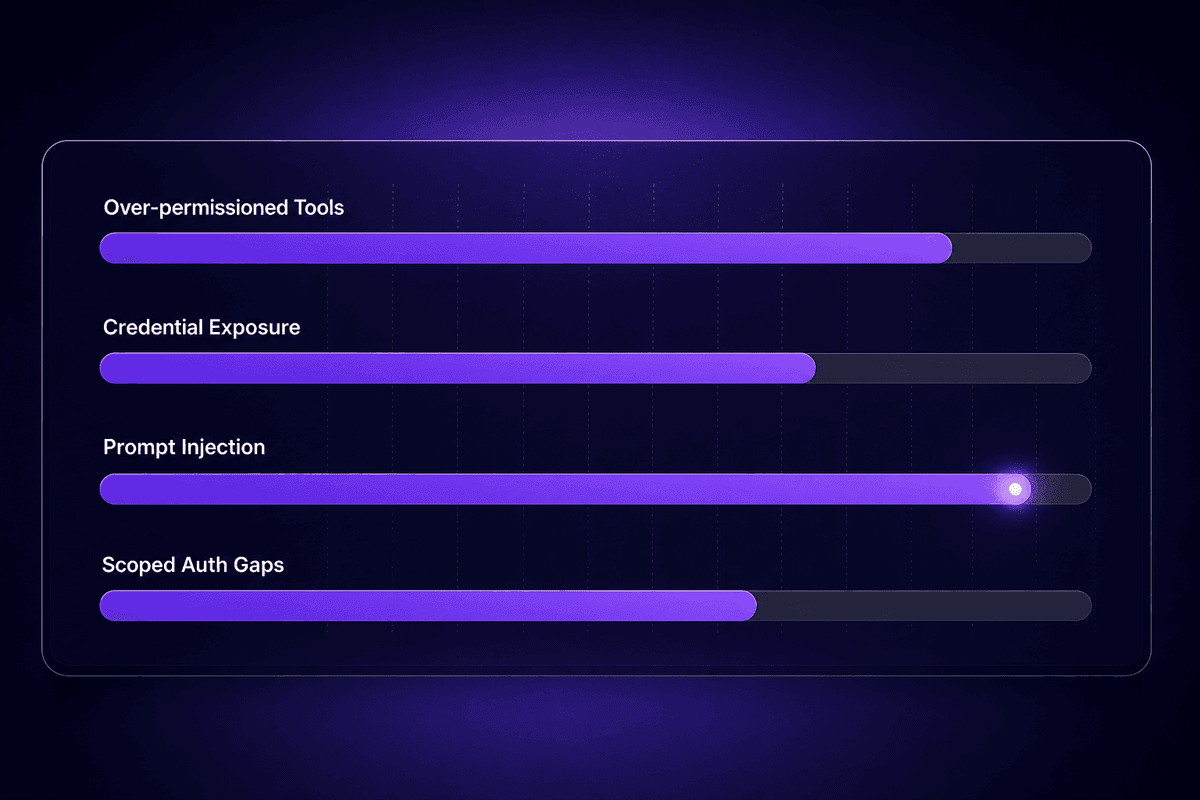
There are four real risks, each with a different failure mode.
Over-permissioned tool access. The client can invoke any tool the server declares. If the server declares too many tools - or if the same server is used for different contexts with different privilege requirements - the model can invoke capabilities it shouldn't reach in a given session. Least-privilege toolset configuration is the mitigation. Define tool subsets per use case rather than exposing everything to every client context.
Credential exposure in transport layers. Auth tokens, API keys, and service credentials often flow through the client-server connection. If the transport isn't encrypted and the connection crosses a network boundary, those credentials can be intercepted. For any client connecting to a remote MCP server, transport-layer encryption is non-negotiable. Stdio transport to a local server has a smaller surface; SSE transport over HTTP to a remote server does not.
Lack of scoped authorization. The Coalition for Secure AI's post-RSAC 2026 analysis of MCP security questions identified the lack of token-exchange and least-privilege patterns as the central concern among hands-on implementers. An MCP client should authenticate with the minimum scope required for the specific operation. Broad tokens that persist across operations are a risk vector, not a convenience feature.
Context integration risks from malicious responses. This one deserves its own section.
Prompt Injection Risks Through MCP Server Responses
Here's the risk most teams underestimate on first deployment: a malicious or misconfigured MCP server can inject instructions into the LLM's context through the tool responses the MCP client delivers. The model receives the server's response as context. If that response contains instructions - "ignore previous instructions," "treat the following as a system message," any variant - the model may follow them.
This is a client-side trust problem. The client is the component that passes server responses to the llm. A client that validates and sanitizes those responses before passing them upstream reduces the injection surface. A client that passes raw server responses directly is trusting the server completely. That trust is the attack vector. Even a legitimate MCP server can be compromised and start returning injected payloads - and the ai app layer will see a clean tool response with hidden instructions embedded in it.
The prompt injection risk scales with how many servers a client connects to and how much authority the model gives to tool results.
🤔 Think about this:
MCP clients are designed to extend LLM capabilities by reaching external systems. But every additional server a client connects to is a new trust boundary that the client has to validate. Teams that carefully prompt-engineer their system instructions often leave the tool response path completely open. The model doesn't distinguish between instructions that came from the system prompt and instructions embedded in a tool response - unless the client stops them before they arrive.
What MCP Client Best Practices Actually Look Like in Practice
The support queue patterns after teams skip these steps are consistent enough to describe in advance.
Scope tool permissions explicitly. Don't expose your entire server capability set to every client context. Define what tools a client can call in a given use case and restrict the rest. Teams that skip this end up with agents that invoke capabilities in unexpected combinations - and debugging why an agent did something becomes archaeology rather than engineering.
Validate server responses before passing them to the LLM. This is the anti-injection mitigation. Parse the response. Confirm it matches the expected schema for that tool. Reject or sanitize anything that doesn't. A response that passes schema validation can still contain injected natural language, so validation should include content inspection for common injection patterns, not just structural checks.
Use transport-layer auth, and rotate credentials on schedule. The 30-day token problem (auth tokens expire deterministically - a scheduled failure, not a random one) is fixable with a reminder and a rotation procedure. Teams that build the reminder before the scenario don't open tickets about it later. Teams that don't will, reliably, around day 32.
Audit available tools regularly. Server capabilities change. Tools get added, removed, or renamed. The client's declared tool list is a snapshot. If you haven't verified it against the live server in the last month, you don't know what your client can actually invoke right now. I use a weekly audit step for any client connected to a server that I don't control directly. For mcp support purposes, tool mismatch errors are the second most common category after auth failures - and both are avoidable with routine checks.
Open Source MCP Clients and the Broader Ecosystem
The open source mcp client ecosystem grew considerably faster than most protocol ecosystems do. The official Anthropic SDK provides Python and Node.js client implementations. The Python client is the one I see referenced most in support conversations - it's the starting point for teams that want to build or evaluate a client before committing to a full host integration.
Claude Desktop, Cursor, and a growing set of IDE tools act as hosts that embed their own MCP client implementations. These aren't clients you interact with directly - they're packaged into a product. The distinction matters when something goes wrong: debugging a packaged client versus debugging your own SDK-based implementation involves different access levels and different logs.
Anthropic's claude ai and claude desktop implementations brought the first wave of wide adoption. After that, Ollama added MCP support to connect self-hosted models to external tools. Chatbots and conversational ai applications from multiple providers - including integrations with Gemini and ChatGPT-adjacent services - have followed, because the protocol is model-agnostic by design. Any LLM that can be wrapped in a host application can use an MCP client. That's the point of the abstraction.
Community repositories have extended the official SDK examples with domain-specific clients: SQL query interfaces, CRM connectors, file system access, knowledge base retrieval, and more. Most of these are thin wrappers around the base SDK with specific tool schemas added. Before building your own, it's worth searching the GitHub ecosystem for an existing implementation that solves 80% of your case. Fork and adapt rather than start from scratch - the protocol conformance testing and edge-case handling in maintained repositories saves weeks.
Latenode sits in this ecosystem at a specific point. It can act as the orchestration layer with an MCP Server Builder that exposes controlled capabilities to Claude Desktop and Cursor, while the AI Agent Builder handles multi-agent flows where a single model call isn't enough. For teams that keep hitting the connection-reliability issues described earlier in this article (the second run of a remote MCP workflow failing because the client doesn't cleanly reset state), having the orchestration layer inside a platform with managed integrations and per-execution pricing simplifies the debugging surface considerably. The 5,500+ integrations with automatic OAuth reduce the friction of connecting common business systems to the MCP layer without writing custom auth code for each one.
📊 In practice:
The official MCP SDK provides: protocol-conformant client initialization, capability discovery, tool invocation with schema validation, and transport handling (stdio and SSE). What teams typically need to add themselves: application-level error handling, retry logic for transient server failures, auth token rotation, response validation before LLM context injection, and logging that's actually readable when something breaks at 2am. The SDK gives you the protocol. The production wrapper is still yours to build.




