



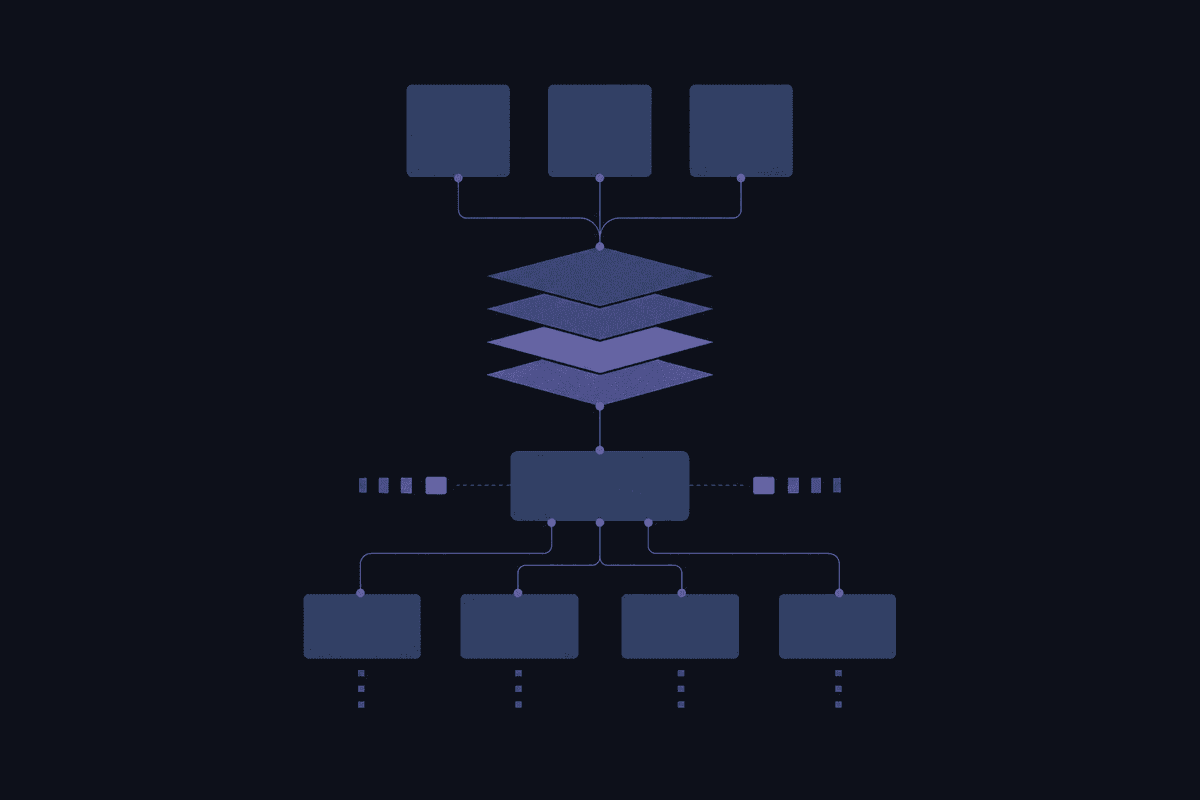
If you searched "model context protocol architecture diagram" hoping to find something you could actually sketch on a whiteboard and explain to your team, you're in the right place. Most explanations of MCP either stop at "it connects AI to tools" or dive straight into spec details without ever answering the basic architectural question: what talks to what, in what order, and who owns what.
This article gives you the implementation-level picture. Not just definitions.
The part most teams learn after shipping
- MCP sits on top of APIs - it standardizes how LLMs discover and call them, not replaces them.
- The open standard client-server architecture means one host can run multiple clients, each connecting independently to a different server.
- MCP defines the integration interface; access control, data governance, and security are your problem to implement.
What Model Context Protocol Is and Why Anthropic Introduced It
The model context protocol is an open protocol introduced by Anthropic in November 2024. The definition from the official spec is precise: MCP is a standardized way for AI applications to connect to external data sources, tools, and systems through a consistent interface, rather than building a custom connection for each one.
That last part is the point. Before MCP, every team connecting an LLM to a tool wrote their own adapter. Different shape, different authentication approach, different error handling. Scale that to dozens of tools, and you have dozens of one-off integrations that all need maintaining separately. The mcp standard exists to collapse that into one protocol shape.
Anthropic introduced it, but it's not an Anthropic-exclusive product. The MCP specification is open, maintained publicly, and already adopted across IDEs, coding assistants, AI platforms, and enterprise agent stacks. By Q1 2026, DigitalApplied's protocol ecosystem map identified MCP alongside A2A, ACP, and UCP as four distinct protocols with meaningful industry adoption - which means MCP is no longer an experimental curiosity. It's part of how production agent systems are actually being built.
The model context protocol enables any compliant AI application to access any compliant tool or data source without a custom integration per pair. That's the whole value statement. Everything else follows from it.

The Client-Server Model Behind MCP Architecture
The official MCP specification describes a client-host-server architecture where each host can run multiple client instances. Four components. Each one distinct.
Here's what trips people up: the terms "client" and "server" mean something specific in MCP that doesn't always match how those words are used in general networking. And "host" is a third thing entirely, not just another word for server. Let me break them down so you can actually sketch the diagram.
MCP Host: The Application That Runs the LLM
The mcp host is the application that embeds or runs the large language model and starts the whole process. Think Claude Desktop, Cursor, or a custom AI application your team has built. The host is what the user actually interacts with.
The host is also responsible for access control and data governance. This is a detail that gets missed constantly, and it matters in production. MCP does not automatically secure things. The host decides which servers can be connected, what data scope each client can access, and who has permission to invoke which tools. If you're deploying an ai application that touches sensitive systems and you haven't thought through that layer, you've shipped a governance gap.
One host, multiple clients. That's the pattern.
MCP Client: The One-to-One Connector Inside the Host
Each mcp client lives inside the host and maintains a one-to-one connection with a single MCP server. One client, one server. That's the constraint.
But a single host can spin up multiple clients simultaneously, each pointing to a different server. So if your host needs to talk to a database server, a GitHub server, and an internal ticketing server at the same time, it runs three clients. Each client manages its own connection lifecycle, handles its own session state, and communicates independently with its respective server.
The distinction between server and client matters here: the client is not the user-facing element. It's the connector layer inside the host. Treating them as interchangeable is where diagrams start going wrong.
The practical checklist before wiring this up:
- Confirm the host application supports multiple simultaneous client connections - Each client-server pair needs its own authentication configuration - Client lifecycle (startup, shutdown, error handling) is managed by the host - If a server goes down, only the client connected to it is affected, not the whole host
MCP Server: Exposing Tools, Resources, and Prompts
The mcp server is the independent process that exposes capabilities to the client. It's what your team builds (or adopts from an existing mcp server implementations library) when you want to give an LLM access to a data source or internal tool.
A server exposes three types of capabilities, known as primitives: tools, resources, and prompts. We'll cover all three in the next section.
The server runs independently from the host. It doesn't need to know anything about which host or client connects to it. That independence is what makes the ecosystem composable: you can build one server for your internal Confluence instance and any compliant MCP host can connect to it. No custom connector per AI application. The server just exposes its capabilities; the client discovers them.
From a build decision standpoint, this is where the actual work happens. When teams ask "how do we connect our AI assistant to our internal tools?", the answer is: you build or adopt an MCP server for each tool. The data sources your LLM needs access to are packaged as server-side resources and tools.
MCP Primitives: Tools, Resources, and Prompts Explained
The mcp specification defines three types of capabilities that servers expose to clients. These are called primitives, and they're what makes MCP useful beyond being a generic protocol definition. Each one serves a different purpose.
Understanding all three is what lets you move from "MCP connects AI to tools" to "here's what our server actually exposes and why."
Tools and Function Calling in MCP
MCP tools are executable functions that the LLM can invoke through the client. If you've worked with function calling in OpenAI's API, the pattern is familiar: you describe a function, the large language model decides when to call it, and it gets called with specific arguments.
What MCP standardizes is how ai models discover those functions across different servers. Without MCP, every server has its own discovery shape. With MCP, the client asks the server to list its available tools using the same request format regardless of what the server is. The LLM sees a consistent tool schema no matter how many servers are in play.
A practical example: a server for github exposes tools like search_repository, get_file_contents, and create_pull_request. The LLM can discover all of these, understand their parameters, and execute them through the client without any custom integration on the host side. The server backs these tools with API calls to GitHub. MCP sits on top of those APIs; it doesn't replace them.
The mcp protocol also handles what happens when a tool call fails, gets rate-limited, or returns an unexpected response. That lifecycle sits at the protocol layer, which means the LLM doesn't have to manage it directly.
Data Access Through MCP Resources
Resources are the mechanism MCP servers use to expose structured or unstructured data to the client. Where tools do things, resources provide context. A tool might execute a database query; a resource exposes the schema so the LLM can provide relevant context before deciding what to query, or can include data directly in its reasoning.
Resources can be documents, database records, file contents, analytics results, anything that gives the LLM useful information. The client fetches them, and the server returns the data in a standardized format.
This matters for teams plugging LLM apps into existing data sources. Instead of writing custom retrieval logic per data source, you wrap the source in an MCP server and expose the relevant data as resources. The LLM can query them without knowing anything about the underlying storage system.

Transport Layer: How STDIO and HTTP+SSE Move Messages Between Client and Server
The transport layer is the communication channel between MCP client and server. The mcp specification uses JSON-RPC 2.0 as the message format across all transports, which means the structure of requests and responses is consistent regardless of which transport layer you choose.
Two transports are defined in the core protocol: STDIO and HTTP with Server-Sent Events.
STDIO is the local transport. The host launches the MCP server as a subprocess, and client and server communicate through standard input and output streams. This is typical for local mcp deployments where the server runs on the same machine as the host. Most IDE integrations (Cursor, VS Code extensions) use STDIO because the server is a local process. Setup is straightforward; there's no network surface to worry about.
HTTP+SSE is the remote transport. The server runs as a separate process, potentially on a different machine or in a different environment, and communication between mcp client and server happens over HTTP. Server-Sent Events handle the server-to-client message direction, while the client sends messages over regular HTTP POST. This is what you use when the server is hosted remotely, shared across multiple hosts, or deployed as a service.
The protocol versions for each are defined in the spec, and the two transports are not interchangeable at runtime. You choose one at deployment time, and that choice has consequences.
| Scenario | Transport | Why |
|---|---|---|
| Local subprocess (IDE plugin, desktop app) | STDIO | Same machine, low overhead, no network exposure |
| Shared remote server (team-wide access) | HTTP+SSE | Cross-machine, accessible from multiple hosts |
| Cloud-deployed server | HTTP+SSE | Network-accessible by design |
| Development/testing on local machine | STDIO | Simplest setup, no auth configuration needed |
🤔 Wait.
Transport selection looks like a connectivity preference. It's actually an architectural boundary decision. STDIO means your server runs on the mcp host machine - that defines your deployment model, your security perimeter, and whether the server can be shared with other hosts. HTTP+SSE means your server is network-accessible - that opens different governance questions entirely. The "simple" choice comes with architectural commitments attached.
How MCP Architecture Compares to a Direct API Integration
The most persistent misconception I see: that MCP replaces APIs. It doesn't. Let me be direct about what it actually does.
MCP is a standard protocol layer that sits above APIs. When an MCP server exposes a tool like search_database, that tool is backed by an API call (or a database query, or a file read). MCP standardizes how the LLM discovers the tool and invokes it. The underlying api still exists. MCP just provides a consistent interface for calling it.
The analogy that lands well for me is the Language Server Protocol, used by every major code editor. LSP standardized how editors communicate with language analysis tools. Before LSP, every editor wrote custom integrations with every language server. After LSP, any compliant editor connects to any compliant language server. MCP is the same pattern for AI applications and external tools.
The connecting ai systems problem MCP solves is sometimes called the N×M integration problem. Without a standard protocol, N AI applications connecting to M tools requires up to N×M custom connectors. With a mcp standard, each AI application implements MCP once (the client side), each tool implements MCP once (the server side), and any compliant pair can connect.
📊 In practice:
Without MCP, connecting ai assistants to five internal tools means five custom integration layers, each with its own auth, error handling, and discovery mechanism - maintained separately as any of the five tools change. With MCP, a single compliant client in the host connects to all five servers using the same protocol. When one server updates its tool schema, the client discovers the change through the standard capability negotiation flow, not through a bespoke adapter update.
The external systems your LLM needs - databases, APIs, file stores, internal services - don't disappear behind MCP. They're still there. MCP just stops you from writing a unique connector for each AI application that needs to reach them.

Where MCP Architecture Fits Into Agentic AI Workflows
Here's another misconception worth addressing directly: MCP is not an agent framework.
An agentic system needs, at minimum, a planning layer (something that decides what to do next), a memory or context management layer (something that tracks what's happened), and a tool access layer (something that connects to external systems to take actions). MCP handles the third one. It does not handle the first two.
When building ai agents, the agent framework above MCP is responsible for the logic: what goal to pursue, what steps to take, when to retry, when to give up, how to manage context across multiple turns. MCP handles how those tools and data sources are accessed once the framework has decided to access them.
The relationship is: agentic systems use MCP to reach tools, not MCP to run agents.
This distinction matters for agentic systems at design time. When your workflow starts misbehaving, you need to know whether the problem is in the agent logic (wrong decision, wrong goal, wrong context management) or in the tool access layer (wrong server, failed call, wrong parameter). If you've conflated the two, diagnosis is much harder.
In practice, the workflow sits above MCP in the stack. The agent framework decides when to call a tool; MCP handles how that call is made and how the response comes back. Context-aware ai behavior depends on the agent framework to manage context; MCP only provides the mechanism to fetch additional context when the framework asks for it.
A concrete example: a developer tooling team at a mid-size engineering org wanted their AI coding assistant to search internal code repositories, trigger CI/CD runs, and create incident tickets without leaving the IDE. They built three MCP servers (one per tool), each exposing relevant tools and resources, and connected them to the IDE host via the client layer. The ai systems in the IDE now call those tools. But the logic governing when to trigger a CI run versus when to just surface a warning lives in the agent framework on top of everything. The communication between ai components and the servers is MCP's job. The reasoning about what to do is not.
If you're using Latenode's AI Agent Builder and MCP Server Builder together, this split becomes visible in the canvas: the MCP server exposes what tools are available, and the agent workflow decides when to invoke them. That separation isn't just clean architecture on a diagram - it's what makes debugging possible when the agent makes a wrong call.
Security and Governance Responsibilities in an MCP Deployment
MCP defines the integration interface. It does not implement your security policy. Teams that ship MCP-connected systems expecting the protocol to handle access control discover this in production, usually at an inconvenient moment.
These are the responsibilities that belong to your implementation, not to MCP itself:
- Access control enforcement (host)
The host decides which MCP servers each client can connect to and what scope each connection is allowed. MCP provides no built-in mechanism to prevent a client from connecting to a server it shouldn't reach. The ai application must implement this check explicitly before spinning up a client.
- Data scoping per tool and resource (server)
The server is responsible for returning only data the requester is authorized to see. If your MCP server wraps a database and a client sends a resource query, the server must enforce row-level or schema-level access before returning results. The language model and client layer have no visibility into whether the data returned was appropriately scoped.
- Authentication lifecycle management (host and server)
OAuth tokens, API keys, and service credentials expire. The host must handle token refresh for clients, and the server must validate auth on every request, not just at connection time. A common failure pattern: auth passes at startup, drifts silently, and starts returning 401s hours later. The dashboard often looks fine until someone notices data has stopped moving.
- Audit logging (host and server)
MCP includes no built-in audit trail. If you need a record of which tools were called, with what arguments, by which client, and what was returned, you build that logging yourself, both on the server side (for tool invocations) and on the host side (for session events).
- Server isolation (server)
Each MCP server should operate independently with its own credential set and access scope. A server with broad permissions that gets compromised exposes everything in that scope. If a query goes wrong on one server, it shouldn't cascade to others. Isolation is an architecture decision, not a protocol guarantee.




