



Most teams use "process" and "procedure" interchangeably. That seems harmless until someone hands a new hire a 14-page document that is somehow both too vague to follow and too detailed to navigate, and then wonders why the work still comes out inconsistent. The terms solve different problems at different levels of detail. Conflating them doesn't just create bad documentation - it produces either a flowchart nobody can execute or an SOP nobody can connect to the bigger picture.
The part teams learn late
- A process maps what happens and in what sequence; a procedure specifies exactly how one person does a single step within that flow.
- Using the wrong level of detail wastes documentation effort and produces documents that serve neither managers nor frontline employees.
- The decision between process vs procedure hinges on audience and goal, not on preference or habit.
The Difference Between Process and Procedure Most Teams Miss

Process and procedure aren't two words for the same thing. They operate at genuinely different altitudes, and using them interchangeably is where most documentation goes wrong.
A process describes the flow of related activities that move work from a starting state to a business outcome. It answers "what needs to happen and in what sequence." The audience is usually operations leaders, process owners, or anyone who needs to understand how work connects across teams and handoffs.
A procedure specifies the exact steps one person takes to execute a single task within that flow. It answers "how do I do this, right now, correctly." The audience is the person actually doing the work: a new hire, a technician, an analyst running a monthly report.
The two terms are not interchangeable. They never were. Teams collapse both into one document because writing one document feels efficient. What they get is something too abstract to train anyone and too granular to show how anything connects.
That's where the ticket usually starts.
The gap between these two concepts isn't academic. Research on standard operating procedures shows SOPs have a significant positive influence on employee performance and consistency in process outputs - quality, throughput, error rates. That effect depends on the procedure being written at the right level of detail for the person executing it. A procedure written at process level doesn't produce those outcomes. It produces confusion that looks like a performance problem.
What Is a Process?
A business process is a series of related activities that transform inputs into outputs toward a defined goal. Think: lead-to-close, invoice-to-payment, hire-to-onboarded. The process outlines the sequence of events, who hands off to whom, and what the outcome looks like when work moves correctly.
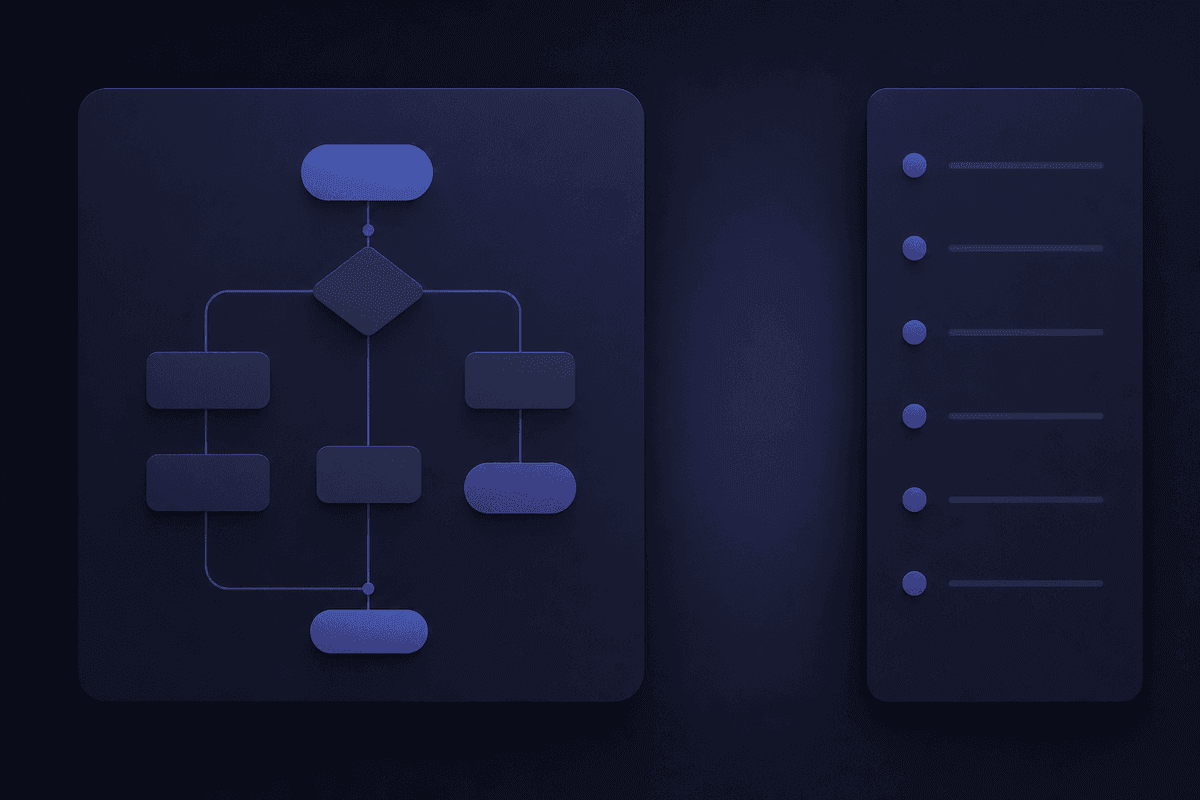
Process documentation is usually represented as a flowchart, swim lane diagram, or high-level process map - not a numbered step list. The reader needs to see the flow, not execute it personally.
The audience for a process document is typically operations leadership, process owners, and quality managers: people who need the big picture, who need to spot where handoffs break down, where bottlenecks occur, and where the sequence itself might need redesign. A process is a series of tasks aggregated into a coherent pattern of activity.
One important thing to get clear early: a process doesn't tell you how to do anything. It tells you what happens and in what order. If you need someone to actually perform a task correctly, the process document isn't the right tool.
Processes also change at a different pace than procedures. A process shifts when strategy changes, when a new system enters the stack, or when a value stream is redesigned. Those changes might happen once or twice a year. Procedure changes follow a different rhythm entirely.
What Is a Procedure?
A procedure is a detailed set of instructions - what most people recognize as a standard operating procedure, or SOP. It tells a specific person exactly how to perform one task, in a specified way, consistently. Step-by-step instructions are the defining feature. The reader follows the procedure; they don't interpret it.
The typical audience: frontline employees, new hires, technicians, anyone who needs to execute a task correctly without having to reconstruct the logic from scratch every time. The goal is reducing execution variability. That's it. Good procedures do one thing: they make the outcome reproducible.
According to EBSCO Research Starters, SOPs are designed to maximize standardization, quality control, and efficiency in organizational tasks. That's what detailed instructions accomplish when they're written at the right level and given to the right person.
The most common mistake here - and I've seen this pattern in documentation audits more times than I care to count - is writing an entire process as if it were a procedure. Someone maps out the full hiring process end-to-end, every team involved, every system touched, every decision node, and formats it as a numbered list with 47 steps that span four departments. Nobody needs to follow all 47 steps. They need to follow the 6 steps in their role, today.
That's not a procedure anyone will use on the floor. It's a process wearing the wrong clothes.
Process vs Procedure: Key Differences That Actually Change How You Document Work
The distinction between these two concepts isn't a terminology preference. It changes the format, audience, maintenance schedule, and purpose of what you write.
| Dimension | Process | Procedure |
|---|---|---|
| Scope | End-to-end workflow; covers multiple roles and handoffs | Single task within the workflow; one person's responsibilities |
| Goal of documentation | Cross-functional alignment and visibility | Reducing execution variability for one task |
| Primary audience | Operations leaders, process owners, quality managers | Frontline employees, new hires, technicians |
| Representation format | Flowchart, swim lane diagram, process map | Numbered step list, checklist, SOP |
| Change frequency | Changes with strategy, technology shifts, or workflow redesigns | Changes with tool updates, regulatory tweaks, task-level improvements |
The most operationally important row is representation format. It's not aesthetic. A process documented as a numbered list hides the handoffs and decision points that make the flow visible. A procedure documented as a flowchart buries the step-by-step logic inside arrows and diamonds that the person trying to execute the task can't easily follow. Choosing the wrong format means the document fails before anyone reads it.
Scope and Level of Detail
This is where most people get tripped up when trying to tell a process from a procedure.
A process outlines the big picture - the end-to-end view of how work flows, who touches it, and what the outcome looks like when the sequence works. A procedure details what happens within a process: one task, one role, specific inputs and outputs.
The practical consequence of getting this wrong: a scope mismatch produces either a map no one can execute or a manual no one can navigate. Both exist in most organizations. Both get blamed on the person who wrote them, when the real issue is that nobody decided which document was needed before writing started.
When you're trying to distinguish a process from a procedure, ask: "Who is the reader and what do they need to do with this?" If the answer is "understand how work flows and where it connects," you need a process document. If the answer is "do this task correctly," you need a procedure.
vs process thinking tends to collapse into "which one is more important" - neither is. Process outlines the shape of work. Procedure details how specific steps within a process get executed. They're complementary, not competing.
Audience, Format, and Change Frequency
The audience question shapes everything else. Processes are read by people making decisions about how work is structured and where it's breaking down. Those readers need to see the flow. Procedures are read - or better, referred to in the moment - by people doing the work. Those readers need to follow steps, not interpret a diagram.
Format follows audience directly. Flowcharts work for processes because they show connections and flow. A numbered checklist or step-by-step SOP works for procedures because the reader needs to follow them sequentially and confirm completion. One format cannot serve both audiences well, which is why combining them into a single document usually gives you something that serves neither.
Change frequency reflects what drives each document's relevance. Processes are relatively stable and change with strategic or structural shifts, a new system, a reorganized team, a change in business model. Procedures change more often and for more specific reasons: a tool updates its interface, regulations change a required step, continuous improvement identifies a better sequence. If your procedure hasn't changed in three years, check whether it still matches how the work is actually done. In manufacturing and operations communities I hear this regularly - outdated procedures that no longer match real processes are described as one of the more quietly corrosive documentation problems a team can have. Repeatable outcomes require current instructions.

Process and Procedure Examples That Show the Difference in Practice
The cleanest way to see how these two documents work together is a paired example. One process. Multiple procedures living inside it.
Take employee onboarding. The onboarding process covers the end-to-end sequence: from offer accepted to fully productive employee. That process spans HR, IT, the hiring manager, and possibly finance. It shows what triggers each stage, who hands off to whom, and what "done" looks like at each step. It's probably a swim lane diagram or a process map. The audience is whoever owns the onboarding experience, the people who need to see if the sequence is working.
Within that one process, there are multiple procedures. One procedure covers how IT provisions system access: the exact steps a technician follows to create accounts, assign permissions, and confirm access before the new hire's start date. That procedure has numbered steps. It names the tools, the fields to fill, the approval that needs to happen first. Another procedure might cover how HR completes the paperwork for each new hire - again, step-by-step, for the person doing that specific task.
Same process and a procedure for each task within it. They coexist and serve different readers. The ISO framework for quality management formalizes exactly this relationship: high-level process documentation supports management and improvement; detailed procedure documentation supports consistent execution. One process outlines the flow. Multiple procedures cover the specific tasks within that flow.
What breaks in practice: someone writes the onboarding procedure as if it describes the full onboarding process - 47 steps, four departments, every edge case. The IT technician reads step 1 and step 2 and then hits step 3 which is "HR sends offer letter" and has no idea what they're supposed to do with that information.
Procedure would tell IT exactly what they own. This does not.
🤔 Think about this:
Most teams discover they need both documents at the same time - usually during onboarding for a role that didn't exist before. They write one document, call it either a "process" or an "SOP," and then wonder why the manager can't see the flow and the new hire can't follow the steps. The documents serve different readers simultaneously. A single document rarely works for both, because what a manager needs to evaluate the workflow and what a technician needs to execute a task are not the same information at the same level of detail. Procedures within a process need to be written as separate artifacts.
How to Decide Whether You Need a Process, a Procedure, or Both
The choice isn't always obvious. Here are the decision rules I use, based on what the documentation actually needs to accomplish. Each condition maps to a specific document type.
- Cross-functional alignment is the goal
If you need multiple teams to agree on who does what and when, document a process. The flowchart shows the handoffs; it doesn't tell each team member how to do their part.
- Execution variability is the problem
If the same task produces different outputs depending on who does it or when, write a procedure. The goal is reducing that variability to something consistent. Clarify the steps, name the inputs, specify the acceptance criteria.
- A new hire needs to get up to speed
Procedures. New employees need steps to follow, not a map of how the department works. Give them the process map in week three, after they understand what their role actually does. Give them the procedure on day one.
- Someone is optimizing a workflow for bottlenecks
Use a process document. You can't see where a workflow stalls without the end-to-end view. A procedure tells you how to do step 4. A process shows you that step 4 is waiting on step 3 to complete and step 3 has a 48-hour queue.
- Regulatory compliance or quality control requires documentation
You need both. Auditors inspect standard operating procedures to understand specific tasks are performed in a specified way. They also want to see the process to confirm the task fits into a logical whole. Ensure consistency at the task level with procedures; demonstrate system design with the process.
- You're trying to automate work instructions
Every process and procedure needs to be resolved before you configure the automation. The process tells you what should happen end-to-end. The procedures tell the automation what inputs each step needs and what a successful output looks like. Skip either one and you're building on an undefined foundation.
- The same work is being done but no one can explain how
Document the process first to surface the flow, then write procedures for each step in the sequence. Trying to write actionable procedures before you understand the process usually produces overlapping, contradictory steps.
- A single task is producing errors at a predictable rate
Write or rewrite the procedure for that specific tasks to follow. Don't optimize the whole process for one broken step.
Where Process Management and Automation Change the Equation

Here's where the process versus procedure distinction stops being a documentation question and starts being an operational one.
Automation tools - whether you're looking at a workflow platform, a CMMS (computerized maintenance management system), or business process management software - run reliably only when the work they're automating is correctly defined at both levels. The automation needs to know what should happen end-to-end (the process) and what each step requires in terms of inputs and outputs (the procedure). If either layer is wrong, automation amplifies the problem rather than solving it.
I've seen this play out in support patterns more than once. A team spends real time building an automation for what they believe is their onboarding process. The workflow triggers correctly, moves through six nodes, and sends the right notifications. The output is still inconsistent. When we dig in, the problem isn't the automation. The underlying work was never properly defined at the procedural level - the steps being automated had no clear inputs or acceptance criteria, so the automation just runs the ambiguity faster.
This is the Fitzgerald problem: the green dashboard looks like progress from where you're standing. Getting to actual operational efficiency is the part the workflow diagram skips.
A CMMS connects this problem to maintenance specifically. When a maintenance procedure lives in a static PDF, automating the maintenance process means automating a pointer to a document, not automating the work. Digital SOPs that surface alongside automated work orders, the way MaintainX describes in their digital transformation model, make the procedure part of the workflow - not a separate artifact the technician has to hunt down.
The practical implication: when you want to automate a workflow, the process map tells you what to automate and in what order. The procedures tell you what each automated step needs to know to succeed. Both layers have to be resolved before configuration.
In Latenode, I've seen teams set this up by building the process as a multi-step workflow - each node corresponds to a stage - and then attaching procedure-level logic to each node: required inputs, validation rules, and context pulled from existing SOPs via built-in RAG that surfaces the relevant procedure text directly in the workflow without a separate retrieval system. The per-execution pricing model means a six-step workflow counts as one execution, so there's no incentive to merge steps into blobs just to optimize billing. The process and procedure separation actually maps cleanly to how the tool is built.
Without correctly resolved processes and procedures at the input stage, any workflow tool will just execute your confusion at speed. That's not an operational efficiency improvement. That's a bottleneck with better notifications.
How to Use Process and Procedure Templates Without Making Documentation Worse
The template trap is real. I keep seeing it in documentation reviews: someone downloads a "process template" from a search result, opens it, sees a text box, and fills it with numbered steps because that's what they were planning to write anyway. The template said "process." The content is a procedure. Nobody catches it because the formatting looks fine.
The distinction between template types is not aesthetic. It's structural, and the structure shapes whether the document is usable.
A process template should force you to think in flow: it should have swim lanes or phase labels, boxes for named roles, arrows that show handoffs, and a clear before/after state for the work. Process mapping requires a visual structure because a process is a visual artifact. If your process template is a text box with headers, it's going to produce something that's neither a process nor a useful procedure. The template for different types of processes - onboarding, order fulfillment, incident response - all share this: they show the big picture, they name the players, and they show connections.
A procedure template does the opposite. It should have numbered steps (not arrows), a named role executing each step, clearly specified inputs, and some form of acceptance criteria or completion check. Quality control procedures in particular need this structure because the person running the procedure needs to know when they've done it correctly, not just what to do next within the broader process.
The mistake is using one template for both purposes. If you grab a procedure template and try to document a cross-functional process with it, you'll get a wall of steps with no visibility into handoffs. If you grab a process template - typically a flowchart builder - and try to document a specific task, you'll lose the sequencing and specificity that makes the procedure trainable.
📊 In practice:
A process template should have swim lanes or phase labels and named handoffs between roles - the reader needs to see who owns what and where work moves from one person to the next. A procedure template should have numbered steps, a named role, specific inputs, and acceptance criteria for each step - the reader needs to follow it and know when they've done it correctly. Run this check against your existing documentation before deciding what's missing: if your "process" is a list and your "procedure" is a diagram, you have them backwards.




