



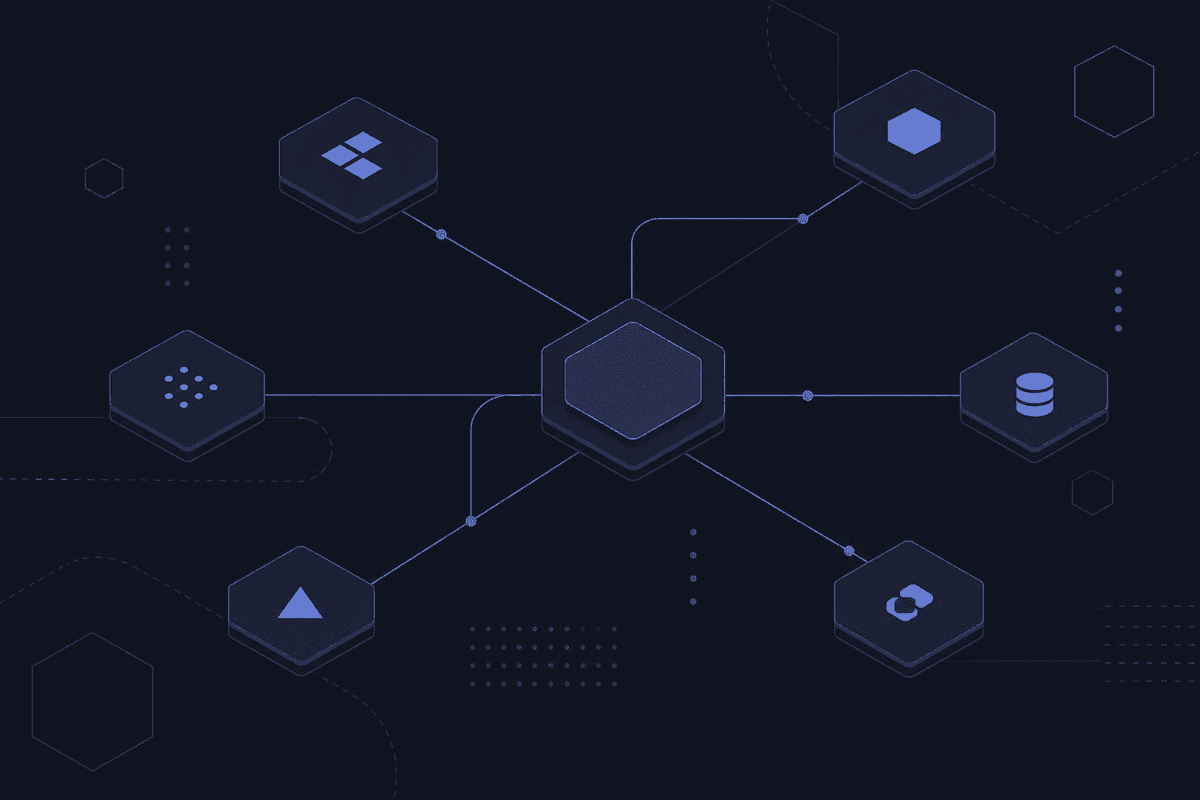
Here's a situation I see regularly from the support side. A company has six tools - a CRM, an ERP, an e-commerce platform, a marketing tool, a support desk, and something their warehouse team insists on keeping. Each one works fine in isolation. But a customer places an order and the data has to move: from the storefront to inventory, from inventory to fulfillment, from fulfillment to CRM, from CRM to the support team who fields the "where's my order" email three days later. Somewhere in that chain, a human is copying and pasting. Or the sync runs on a delay nobody planned for. Or the data arrives in the wrong format and just quietly stops moving.
That's not an IT problem. That's a business problem wearing an IT costume.
System integration is the practice of connecting those systems so the data moves without the human in the middle. The claim this article defends: system integration is not a one-time IT project. It's an ongoing architectural decision that determines how well your business can actually run at scale. Get it wrong and you don't just have a technical debt problem. You have an operations ceiling you'll keep hitting.

The part teams learn after the first failed deadline
- Integration is an ongoing capability, not a project with a finish line - new tools and API updates never stop arriving.
- The most common mistake isn't choosing the wrong tool; it's skipping architecture design and building fragile point-to-point connections instead.
- Treating integration as only an API problem leaves out event-driven, file-based, and middleware scenarios that break silently in production.
What System Integration Is (and What It Is Not)
System integration is the process of connecting disparate systems, software applications, data sources, and business processes into a coordinated whole so that data and functionality can flow across them without manual intervention. The goal is a unified view of operations rather than a collection of isolated tools that require someone to bridge the gap by hand.
That's the textbook version. Here's the version that matters in practice: system integration is what makes it possible to automate across your stack instead of just within one tool.
The misconception I run into most often is that integration is only about APIs. APIs are one mechanism - a very important one - but they're not the whole story. Some systems don't expose APIs at all. Legacy databases talk directly to each other through shared tables. Files get dropped on FTP servers on a schedule. Events get fired to message queues that other systems subscribe to. When teams assume that connecting different systems and applications means plugging in a pre-built API connector, they're fine until they hit the system that doesn't have one.
The SAP framing is useful here: integration isn't just a plumbing task. It's a strategic enabler. The moment your systems share data reliably, you can automate decisions, trigger actions, and build processes that span departments without asking anyone to manually move information. The moment they don't, you have silos even if the individual software applications are excellent.
Integration is the connective tissue. And like connective tissue, most people don't think about it until something tears.
Types of System Integration and When Each One Applies
There are several distinct types of integration, and choosing the wrong one for your stage of growth is one of the faster ways to create technical debt you'll be explaining to someone else in two years. Here's what actually matters about each one.
Point-to-Point Integration: Fast to Start, Painful to Scale
Point-to-point integration connects two systems directly - one custom connection between system A and system B. Build it between your CRM and your billing tool, and it works. Ship it on a Friday afternoon, and it works by Monday.
The problem is arithmetic. Two systems need one connection. Five systems need ten. Ten systems need 45. Every time someone adds a new tool (and they will), someone has to build another direct bridge, maintain it, and remember it exists. Scalability isn't really a feature of point-to-point integration. Teams choose it early because it's fast to start, and then spend the next year asking why their integration broke after adding that third system.
That is where the ticket usually starts.
Hub-and-Spoke and ESB: When Centralized Control Makes Sense
The hub-and-spoke model and the enterprise service bus (ESB) both move away from direct connections. Instead of each system talking to every other system, all systems talk to a central hub - a middleware layer that routes, translates, and manages the messages between them. Adding a new system means connecting it to the hub, not rebuilding relationships with every other system.
This is the logical step after point-to-point becomes unmanageable. The enterprise application integration use case is real: if you're running 15 internal systems across multiple departments, centralized control over how they exchange data is worth the overhead. The caveat is that the hub itself becomes a bottleneck and a single point of failure. When the ESB has a bad day, everything connected to it has a bad day. For large enterprises with the infrastructure to manage that risk, this architecture makes sense. For smaller organizations, the complexity cost often isn't worth it until they've genuinely outgrown point-to-point and need something to centralize multiple systems at once.
iPaaS and Hybrid Integration Platform: The Modern Default
Integration Platform as a Service (iPaaS) is now the default choice for most teams integrating SaaS tools and cloud-based systems. The core idea: instead of building and hosting your own middleware, you use a cloud-native platform that provides pre-built connectors, visual workflow builders, and the infrastructure to run integrations without managing servers.
The hybrid integration platform extends this to cover cloud and legacy systems together - which is where most real organizations actually live. They've got Salesforce and HubSpot in the cloud, and a 12-year-old ERP running on-premises that the CFO refuses to replace. A hybrid platform handles both sides. Cloud integration with modern SaaS via API, and connectivity to legacy infrastructure via middleware adapters. This combination accounts for most of the growth the market is seeing, precisely because few organizations are purely cloud or purely on-prem.

System Integration Methods: How Systems Actually Exchange Data
Types of integration describe the architecture - how systems are arranged. Methods of integration describe the mechanism - how data actually travels between them. Choosing the right method matters as much as the architecture, and different system integration methods suit different use cases in ways that aren't always obvious up front.
Here are the main methods of integration and how to think about them:
| Method | How It Works | Best-Fit Use Case | Main Limitation |
|---|---|---|---|
| API-based | One system makes a request to another via a defined API contract; the receiving system responds | Real-time or near-real-time data exchange between modern software systems | Requires both systems to expose APIs; tightly coupled - if one changes its contract, the other breaks |
| Event-driven | Systems publish events when something happens; other systems subscribe and react independently | Loosely coupled scenarios where multiple downstream systems need to respond to the same trigger | More complex to design and debug; out-of-order events can cause consistency problems |
| Database integration | Different software shares access to the same underlying database or syncs via direct database queries | Legacy systems without APIs; tight coupling between applications that must always share the same data state | Creates schema dependency; any database change can break multiple systems simultaneously |
| File transfer | Systems exchange data by dropping and picking up files (CSV, XML, JSON) on a schedule or via electronic data interchange | Batch processing, supply chain partner data exchange, legacy EDI workflows | Inherently delayed; errors in file format or timing can cause silent data loss |
| Middleware | A middleware layer translates, routes, and queues messages between systems that speak different protocols | Connecting different software that can't communicate directly or requires transformation in transit | Adds operational complexity; the middleware itself becomes a system that needs maintenance |
Most real integration projects use more than one of these. An order management workflow might use API calls for real-time inventory checks, file transfer for supplier EDI, and event-driven messaging for downstream fulfillment triggers - all within the same integration. That combination is normal, and it's one reason integration projects regularly surprise people with their complexity.
Event-Driven Architecture as an Integration Method
Event-driven architecture deserves its own treatment because it's frequently misunderstood as a trend rather than a practical integration method with specific, well-defined advantages.
The mechanics: a system publishes an event - "order placed," "payment confirmed," "user account created" - to a message broker. Other systems subscribe to that event type and react independently when they receive it. No system waits for another to respond. The publisher fires and moves on.
The key advantage over synchronous API calls is loose coupling. The order system doesn't need to know that inventory, fulfillment, and the CRM all need to react to a new order. It just publishes the event. Each downstream system handles its own response. If the CRM is briefly unavailable, the event waits in the queue rather than failing the entire transaction. As both SAP and Red Hat have documented in their architecture guidance, this makes event-driven systems significantly more resilient when you need to integrate real-time data across multiple consumers without creating hard dependencies between them. Trying to replicate that with synchronous APIs means having one system make three sequential calls and wait for all three to succeed - which means one slow or failed response blocks everything.
The tradeoff is debugging complexity. When something goes wrong in an event-driven system, tracing what happened and when requires careful logging and tooling. But for high-volume, real-time scenarios where you need to integrate a trigger with multiple downstream systems, this method outperforms synchronous API chains consistently.
Where System Integration Creates Real Business Value
Let me be direct about what integration actually does for a business, because the benefits of system integration are often described in language so generic it stops meaning anything.
The first and most concrete benefit is eliminating data silos. When customer data lives in Salesforce, order data lives in the ERP, and support history lives in the helpdesk - and none of them talk to each other - every team is working from a partial picture. Sales doesn't know the customer had three support tickets before renewal. Finance doesn't know the order was partially fulfilled. The operational inefficiency is real, but the downstream effect is worse: decisions made on incomplete data, across the organization, every day. When data flows seamlessly between those systems, the picture becomes complete without anyone assembling it manually.
The second benefit is automation. This is the one people usually lead with, but it only works when integration is in place first. You can't automate a lead handoff if your marketing tool and CRM don't share data. You can't trigger a fulfillment workflow if your order system and warehouse system aren't connected. Integration is what makes automation possible beyond the boundaries of a single tool.
Third: manual data entry reduction. This sounds unglamorous. It isn't. Every manual data entry step is a source of errors, a delay, and a person cost. Integration replaces the person who re-enters orders from one system into another, or exports a CSV every Monday morning and re-uploads it somewhere else. That person can then do something harder than copying data.
The supply chain scenario is where these benefits converge. When a customer places an order, integration ensures the inventory system, the fulfillment system, the finance system, and the customer experience layer all move together - without a human orchestrating each step. That business process, done manually, requires coordination across departments that breaks constantly. Done through integration, it runs on its own.
📊 By the numbers:
According to Global Market Insights, the global system integration market size was valued at USD 435.9 billion in 2024, projected to grow at a 10% CAGR through 2034. Enterprise integration demand dominates - large enterprises account for 73.9% of market share - which reflects where the operational stakes are highest. When enterprise-grade integration efficiency gains fractionally, the dollar impact is large enough to justify significant investment. That's why integration is increasingly treated as a strategic capability rather than a line-item IT cost.
Legacy System Integration: Why Older Systems Make This Harder
I keep seeing teams underestimate this in support tickets, so I want to be direct about it: legacy system integration is not the same problem as modern SaaS integration, and treating it the same way is how projects miss their timelines by months.
Legacy systems - older ERP systems, mainframes, on-premises databases, industry-specific tools built before the API era - often share a few characteristics that make standard integration strategies fail. They don't expose REST APIs. They use proprietary protocols or file-based communication designed for a world where the internet didn't exist yet. They were built to work alone, not as part of a connected ecosystem. And they're frequently load-bearing: the business depends on them, they can't be easily replaced, and touching them involves risk management conversations that can take months.
The integration strategy for existing systems like these requires a different approach than pointing a connector at an API endpoint. You might need database-level access, custom middleware adapters, file extraction jobs, or screen scraping via a headless browser for systems that only expose a web interface. The misconception that a single pre-built connector solves every integration need breaks down hardest on legacy infrastructure.
When teams come to me with a failing integration project and the phrase "we just assumed we could connect it" appears in the conversation, there's usually a legacy system involved. The discovery phase - actually auditing what each system supports, what data it exposes, and how it prefers to communicate - is the step that gets skipped. And skipping it is where months of later debugging come from.
The practical illustration: an operations team connecting a legacy ERP to a cloud-based CRM for a post-merger integration. The ERP has no API. It exports to flat files on a nightly schedule. A platform like Latenode can bridge this by ingesting those files on schedule, transforming the data with a JavaScript node to match the CRM's field structure, and pushing cleaned records through the CRM's API - all in one workflow. But the key word is "transforming": someone has to define the mapping, handle the exceptions, and maintain it when either system's output changes. The integration platform reduces the technical labor. It doesn't replace the architectural decision about how these systems will talk.
The System Integration Process: What a Real Integration Project Looks Like
Every system integration project follows roughly the same process, and the failures almost always happen at the same points. Here's what the steps look like and where teams usually go wrong.
- Discovery: Audit every system involved, what data it holds, how it exposes that data, what protocols it supports, and who owns it. The common mistake is skipping this for systems that seem familiar. The practical check: if you can't describe exactly what format the data leaves System A in and what format System B expects, you don't have enough information to plan the integration yet.
- Integration architecture selection: Choose the integration topology (point-to-point, hub-and-spoke, iPaaS) and the methods (API, event-driven, file transfer) based on the actual systems and requirements from discovery. The mistake is defaulting to whatever was used last time. The check: does the chosen integration architecture handle the edge cases identified in discovery, including legacy systems, rate limits, and data transformation requirements?
- Development and configuration: Build the workflow, configure the connections, write any transformation logic, and handle authentication. The mistake is skipping error handling in favor of shipping the happy path. The check: what happens when the source system sends a malformed record, or when the destination is temporarily unavailable? If there's no answer, the integration isn't ready for production - it's ready for the staging environment.
- Testing: Test with real data from real systems, not just the sample data used during development. The mistake is treating a successful test with sample data as production-ready. The check: has the integration been tested with edge cases - duplicate records, missing fields, unusual characters, empty payloads - and does it handle each one gracefully or with a clear error?
- Deployment and monitoring: Push to production with logging, alerting, and a defined owner who receives failure notifications. The mistake is deploying without observable failure signals. The check: can you tell within 15 minutes if the integration has stopped working? If not, you'll find out from a user three days later.
- Ongoing maintenance: Treat the integration project as an ongoing workflow responsibility, not a completed deliverable. APIs change their schemas. Authentication tokens expire. Source systems add new required fields. The team member who built the integration leaves. The mistake is filing this under "done." The check: who owns this integration six months from now, and do they know how it works? An integration without a documented owner is a future support ticket waiting to be filed, and the subject line will say "it worked yesterday."
That last bullet is the one that turns a successful integration into a fragile one over time. The integration process is not a project with a finish line. It's a capability that requires ongoing attention, particularly as systems around it evolve.
What a System Integrator Actually Does
A system integrator is not the same thing as an integration platform. The platform is the tool. The integrator is the person - or team - responsible for designing the integration architecture, building the connections, handling the edge cases, and making sure it keeps working after the initial deployment.
The question I get in the context of platforms like Latenode is: "do we need an external integrator or can we handle this internally?" Honest answer: it depends on complexity and ownership capacity, not on the platform.
If you're connecting three SaaS tools with well-documented APIs and standard data models, a skilled internal team member with a good integration platform can handle it. The platform gives you the connectors and the execution environment; the internal integrator provides the architectural judgment and the business logic.
If you're integrating a legacy ERP with multiple cloud systems across departments, where the integration touches financial data, and where failure modes need to be escalated through a defined process - that's a different scope. An external system integrator brings project experience, pre-built adapters for common legacy systems, and accountability for the architecture across the full lifecycle. The cost is real but so is the risk mitigation.
What I'd flag from support experience: the teams that call in for help after a difficult integration usually didn't underestimate the platform. They underestimated the design work. A robust system integration doesn't come from connecting one system to another - it comes from defining what should happen when the connection fails, when the data is wrong, and when the systems on both ends change. Someone has to own that design. Whether that's internal or external depends on who you have, not on what tool you bought.
B2B Integration and Modern System Integration Trends Worth Knowing
B2B integration is integration across organizational boundaries: connecting your systems with a supplier's systems, exchanging invoice data with a logistics partner, syncing order status with a third-party fulfillment warehouse. The underlying mechanisms are the same - APIs, file transfer, electronic data interchange - but the governance requirements are different. You don't control both ends of the connection, which means any change your partner makes to their API or data format becomes your problem without warning.
The supply chain SAP scenarios illustrate this well: order fulfillment and supply-chain processes require upstream and downstream systems to communicate reliably, in agreed formats, across company lines. EDI has handled this for decades in manufacturing and retail. The modern version is API-first and event-driven, connecting different systems across business units and partners via cloud services rather than scheduled file drops. Connecting different systems that speak different protocols, with different teams maintaining each side, is genuinely harder than internal integration - and the failure modes are harder to debug because you don't have full visibility into both systems.
The broader trend in modern system integration is the shift toward API-first design and event-driven architectures, which makes it easier to integrate systems that weren't designed to work together. But the trend worth flagging isn't technical - it's the assumption that adopting a modern platform eliminates the need for architectural decisions. It doesn't. Data from different sources still needs to be mapped, transformed, and validated. Integration scenarios still need to handle failure gracefully. Business systems still need a defined owner who understands what the workflow does and responds when it breaks.
🤔 Wait.
Buying an integration platform reduces technical effort. It does not replace the design phase. Teams that skip architecture decisions and start connecting tools directly - even with modern iPaaS platforms - produce the same fragile integrations they had before, just faster. The platform changes the build cost. It doesn't change the quality of the decisions made before building. Access controls, error handling, ownership documentation, and failure alerting still require someone to think about them.




