




Most teams know a workflow is slow. The harder problem is knowing which part to fix first. And the pattern I keep seeing in support and onboarding is that teams skip straight to picking a tool before they've mapped what's actually broken. They automate the wrong step, the dashboard goes green, and the process keeps misfiring in a slightly different shape. That's not optimization. That's just a faster version of the same problem.
The central claim here is uncomfortable but worth sitting with: most teams misidentify their bottleneck and reach for automation before they understand the actual process failure. Structured optimization strategies - starting with mapping, then analysis, then standardization, then tooling - produce better results than tools alone. That order matters more than any platform you choose.
The part teams learn late
- Workflow optimization is not a synonym for automation - it's the strategy; automation is one tool inside it.
- Mapping the current process before changing anything is the most skipped and most valuable step.
- Measurable gains require a baseline metric before you optimize, not after.
- Tool choice should follow strategy - not the other way around.
What Is Workflow Optimization?
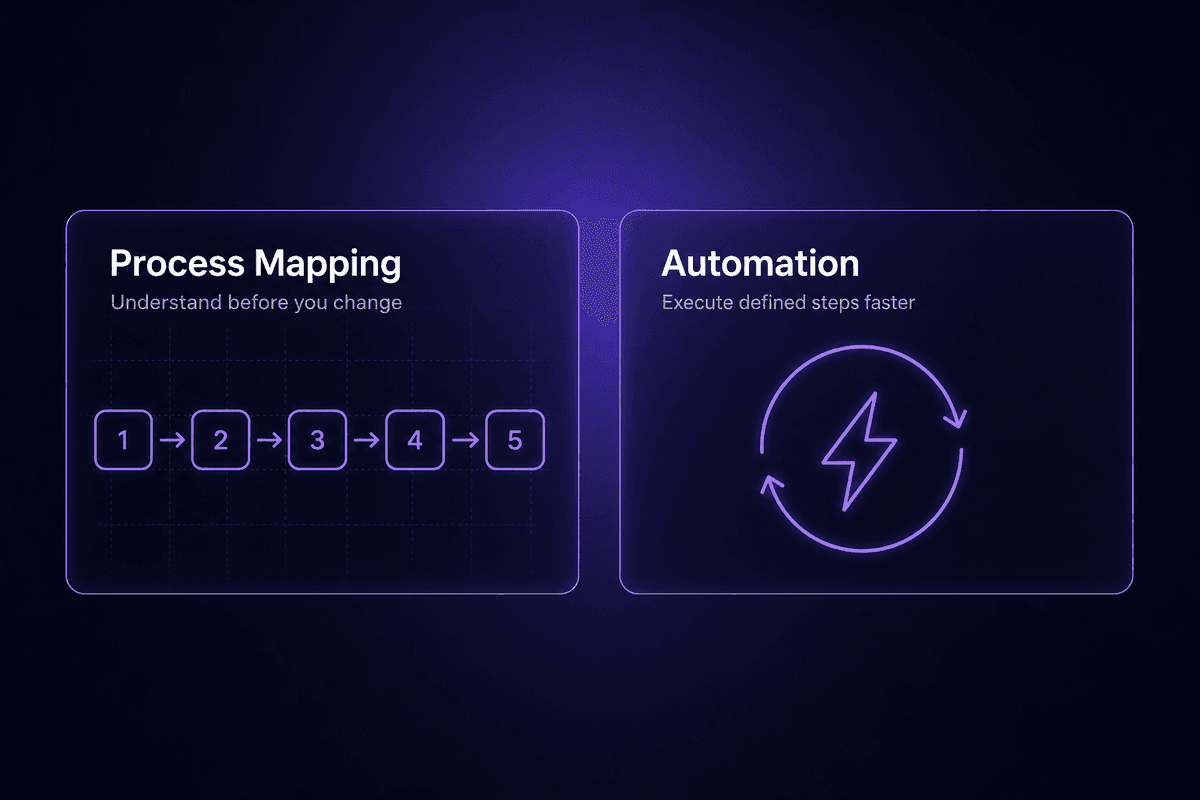
Workflow optimization is the structured process of identifying how work currently moves through a team or system, analyzing where it breaks down, and improving it to reduce cost, remove redundancy, or improve cycle time. It applies equally to a team of five and a company of five thousand. The common thread is that someone decided to look at how work actually flows, not just how it's supposed to flow.
The key word is "structured." A one-off fix - patching a broken handoff, updating a spreadsheet formula, asking the approver to respond faster - is not optimization. It might solve the symptom. It doesn't change the system. Two months later, the same symptom reappears with a slightly different face. Optimization is the cycle: map, measure, improve, repeat. One fix is just a fix.
There's also a distinction worth making early because it comes up constantly: workflow optimization is not the same thing as workflow automation. I'll expand this in the next section, but the short version is that automation is one technique inside an optimization strategy. They're not synonyms. Conflating them is where most teams go wrong, and it's where the expensive mistakes start. I see the aftermath in the support queue. Teams that automate before they've mapped their current process don't usually come back with a success story. They come back with a different, faster-moving problem.
Inefficiency in workflows tends to hide well. It shows up as "that's just how it works," or "we've always done it this way," or "I manually check that every morning." Those are signals, not features. When you map the actual current state - who touches what, when, in what order, and why - the inefficiency usually becomes obvious quickly. Not because the team is negligent, but because the gaps are only visible once you're looking at the whole picture at once.
Workflow Optimization vs. Automation: Where Teams Draw the Wrong Line
Automation is one technique inside a workflow optimization strategy. It is not a synonym for it.
The distinction matters because the failure mode is so predictable: a team notices a slow, repetitive process, reaches for an automation tool, builds something that runs the broken process at machine speed, and then wonders why the gains didn't appear. What they automated was the symptom. The underlying process failure is now running faster and generating more noise.
Process automation executes a defined set of steps without human intervention. That's powerful when the steps are right. It's expensive when they're not. Workflow automation software can route approvals, sync data, send notifications, and trigger actions across systems. But it cannot fix a process that was never properly designed. It can only accelerate whatever it's given.
The teams that get real results from automation have almost always done the process work first: mapped the current state, identified where the real delays and errors sit, standardized the steps that should be consistent, and then asked what should be automated. Automate a broken workflow and you don't just break it faster - you make it harder to debug because the failure is now happening faster than anyone can see it.
Benefits of Workflow Optimization That Are Actually Measurable
The benefits are real. But they only become measurable if you set a baseline before you start. This is the part most articles skip, which is why "we optimized our onboarding workflow" rarely comes with actual numbers attached.
Here's what workflow improvement actually produces when it's done with measurement in mind:
Reduced cycle time. The time from process start to completion drops when handoffs are removed, approvals are parallelized, and manual steps are standardized or automated. A contract approval that touched four inboxes sequentially takes less time when two reviews happen simultaneously. That improvement is directly measurable in hours or days per cycle.
Lower error rate. Most errors in recurring processes are human errors in repetitive tasks: wrong field, missing field, copy-paste gone sideways. Standardizing the step reduces variation. Automating it removes the human from the repetitive part entirely. Error rate is a metric you can track before and after if you're recording it - which is a prerequisite, not a nice-to-have.
Better resource allocation. When the people-hours spent on manual data entry, status chasing, and format conversion are returned as usable time, that time goes somewhere. McKinsey Global Institute research on US labor markets suggests more than half of current work hours are theoretically automatable - but only through end-to-end workflow redesign, not isolated task-level tools. The implication: the gains from optimization are much larger when you redesign the process rather than just adding a tool to the existing one.
Improved process performance visibility. An optimized workflow is a documented workflow. A documented workflow can be monitored. Suddenly you can see where queue depth is building, which step is running behind, and who's the current bottleneck. Informal processes are invisible. Optimized ones aren't.
None of these benefits show up automatically after you deploy a workflow tool. They show up when you define a baseline, run the optimization with a specific metric in mind, and compare results after a meaningful interval - four to six weeks minimum for anything with recurring cycles.
📊 In practice:
The most commonly cited gain from workflow optimization in operations contexts is approval bottleneck removal - specifically, converting sequential approval chains to parallel ones. The cycle time reduction is immediate and directly attributable. It's also one of the few improvements that doesn't require automation tools at all: a process redesign alone achieves it.
Workflow Optimization Strategies That Actually Work
There's no shortage of strategy lists online. Most of them enumerate the same five ideas in a different order. What most don't include is the decision a team has to make before applying each strategy - which is whether this approach fits their actual situation or just sounds applicable.
Here are the strategies that have the most consistent practical impact, ordered by where most teams need to start.
Map the Current Workflow Before You Change Anything
This is the step that gets skipped most often. A team has a problem, they know roughly what the process looks like, and they move to fixing it. Two months later they've automated three steps that weren't actually the constraint, and the slow part is still slow.
Workflow mapping means documenting the current-state process in enough detail that someone unfamiliar with it could follow along: who initiates the process, what inputs are required, which person or system takes each action, what happens at each decision point, where delays typically accumulate, and what the output looks like. Not the ideal process. The actual current process.
What a documented current-state workflow reveals that informal knowledge doesn't: parallel steps that are being run sequentially by default, handoffs that require re-entering data that already exists somewhere, decision points where no one has clear ownership, and waiting times that nobody experiences as waiting because they're culturally normal. These things become visible on a map. They're invisible in conversation.
Workflow analysis at this stage doesn't require expensive software. A whiteboard, a shared document, or even a voice conversation where someone narrates every step out loud usually surfaces more than any automated process discovery tool. The goal isn't a perfect diagram. It's a shared picture of what's actually happening.
Find the Real Bottleneck, Not Just the Loudest Complaint
The loudest complaint in a process is almost never the real constraint. It's usually the most visible downstream symptom of something that broke upstream three steps earlier.
I keep seeing this pattern: a team decides to optimize their sales handoff because the delivery team is always complaining about missing information. They build a better handoff form, add required fields, create a checklist. The delivery team still doesn't get what they need. Because the actual problem is that the information never gets captured in the CRM to begin with - it lives in the sales rep's notes and heads, not in a system where a form can pull it forward. Identify bottlenecks by tracing back from the complaint, not by taking the complaint at face value.
Bottleneck analysis asks: where is work queuing? Where does one step consistently wait on the previous one before it can proceed? A practical starting point is to flag any step where more than a set percentage of process instances are waiting longer than their target time - if your target approval turnaround is 24 hours and 40% of approvals take three days, you've found a candidate. That's a signal, not a benchmark. The queue is the data.
Process deficiencies often look like people problems when they're actually design problems. The approver who's always slow isn't necessarily the bottleneck. They might just be the last step before a visible delay, with three silent bottlenecks upstream that nobody measures because nothing breaks visibly there.
Standardize the Right Workflow Steps Before Automating Them
Standardization means defining what a correctly executed step looks like, consistently, so that every instance of the process follows the same path. Before you automate anything, the step being automated has to work the same way every time a human does it. If it doesn't, the automation will replicate the variation, not remove it.
This is where repetitive tasks cause problems in disguise. Something done twenty times a week by three different people might have three slightly different interpretations of what "done" means. Each person fills in the field differently, or formats the date differently, or uses a different approval path for edge cases. Automate that before standardizing it and you've just produced inconsistent output at machine speed.
The practical check: before building automation for any step, run five or ten real instances through the process and compare the outputs. If they're consistent, the step is standardized enough to automate. If they vary, the variation needs to be resolved first - with a clear definition of the correct path, a template, or an explicit decision flow - before any automation touches it. Standardized processes also have a secondary benefit: they're auditable. You can tell whether a step was followed correctly. Informal steps can't be audited because there's no reference to audit against.
Workflow Optimization Techniques for Different Process Types

A strategy tells you what to do. A technique tells you how to do it in a specific context. The distinction matters because a technique that works well for a linear approval chain breaks down immediately in a cross-team dependency workflow, and vice versa. Matching method to situation is where workflow optimization becomes practical rather than theoretical.
Here are the technique contexts that come up most in real operations work, and what actually moves the metric in each.
Effective Workflow Optimization for Approval and Review Chains
Approval workflows are where delays compound visibly. Each step waits for the previous one; a two-day delay in step one becomes a six-day delay by step three without any additional hold-ups. The inefficiency is structural, not behavioral.
The first thing to check is whether sequential steps genuinely require sequencing or are sequential only because that's how the process was originally designed. In most approval chains I've looked at, two of the five approval steps could run in parallel without any downstream conflict. Converting those to parallel reviews halves the calendar time for that portion of the process, with zero tool requirement beyond someone deciding to change the order.
Where the process genuinely requires sequential approval, the optimization technique is clarifying ownership at every step. When an approval sits in someone's queue unassigned or without a deadline, it waits indefinitely. When a specific person owns each step with a defined response window, delay becomes visible and attributable. Eliminate bottlenecks not by removing the approvals, but by making the ownership and expected response time explicit. The inefficiency usually evaporates once each step has a named accountable owner and a visible timer.
The streamline opportunity in approval chains is almost always at the notification layer: the number of reminders, the format of the context provided to the reviewer, and whether the approver is getting what they need to decide quickly or getting a document dump that requires 20 minutes before they can even form an opinion.
Optimize Workflows With Parallel Processing and Dependency Mapping
Parallel processing means running tasks that don't depend on each other simultaneously instead of sequentially. The prerequisite is knowing which tasks actually have dependencies and which ones only run sequentially out of habit.
Dependency mapping is that prerequisite. It asks, for each step: what does this step need before it can start? If the only thing step B needs is a piece of information that's already available from the trigger, and step B doesn't need step A's output, then B can run alongside A. Most processes have more parallelizable steps than people assume, because the original process was designed for a single person doing tasks one at a time, and nobody revisited the order when the team grew.
To optimize workflows with parallel processing in practice: draw out your current process, mark which steps have hard dependencies on previous steps versus which ones only have soft dependencies (timing, convention, or habit). Any step with only soft dependencies is a candidate for parallel execution. In a new hire onboarding workflow, for example, creating the employee's accounts in different systems often happens sequentially because someone does them one at a time, but each account creation is independent - all of them could start the moment the hire is confirmed. Streamline processes by identifying these clusters and triggering them simultaneously.
Streamline Recurring Workflows Using Templates and Trigger Logic
Recurring workflows - monthly reports, weekly syncs, quarterly reviews, intake requests - have a specific inefficiency: initiation lag. Every cycle, someone has to remember to start the process. They find the relevant files, assemble the context, notify the right people, and kick things off. That initiation work is often 20-30 minutes of overhead per cycle, and it's entirely eliminable.
Templates remove the setup friction. A recurring workflow that starts from a defined template every time is a streamlined workflow: the structure is already there, the required fields are already there, the routing is already defined. No one is rebuilding it from memory each cycle.
Trigger logic removes the initiation lag. Instead of someone remembering to start the process, a trigger starts it: a calendar event, a form submission, a status change in another system, or a scheduled interval. The process begins at the right moment without a person in the middle doing the remembering. For teams managing repetitive tasks that run on predictable cycles, triggers cut the overhead of process initiation to zero and remove the human error of forgetting or starting late. Automate the launch; the meaningful work still involves the people who need to be involved.
Workflow Optimization Best Practices Most Teams Learn the Hard Way
These aren't general tips. Each one has a specific failure mode it prevents, and a check you should run before assuming the practice is actually in place.
Set a baseline metric before starting any workflow optimization effort
The most common failure in process improvement is claiming success without a before-state to compare against. Cycle time, error count, handoff lag, manual hours per cycle - pick one that's measurable, record it now, and track it after. The check: can you answer "compared to what?" for every claimed improvement from your workflow optimization efforts?
Assign a named process owner before any workflow goes live
Every workflow needs a person who is accountable for its performance, not just a team or a department. When a workflow degrades or breaks, "the team owns it" is the same as "nobody owns it." Successful workflow optimization doesn't survive the first personnel change if ownership isn't documented explicitly. The check: is there a person's name (not a role) attached to this workflow in your documentation?
Document every workflow at the step level, not just the outcome level
"Sales sends contract to client" is an outcome. Effective workflow optimization requires documentation that covers which system sends it, who approves it before it goes, what the trigger is, and what happens if the client doesn't respond. The failure mode this prevents: the workflow functions correctly until the person who built it leaves, and then nobody can reconstruct it without starting over. The check: could a new team member follow this documentation without asking anyone for help?
Test with real data before declaring the optimization complete
Sandbox or demo data passes tests that production data fails. Applying structured workflow optimization methods against a clean test dataset is not the same as validating against the messy, incomplete, variably formatted data that actually flows through your system. The failure mode: everything looks correct in testing, three edge cases break immediately in production. The check: did you run at least five real process instances through the updated workflow before signing off?
Run a review cycle at a fixed interval, not when something breaks
Implementing workflow optimization once and never revisiting it is how gains erode silently over six months. Team members change, source systems get updated, business needs shift. Best workflow optimization practice treats each workflow as having a maintenance cadence, not a completion date. The check: is there a calendar reminder to review this workflow at a defined interval - 30, 60, or 90 days from today?
Involve the people who do the work, not just the people who manage it
The most durable workflow changes come from the people executing the steps, because they know where the informal workarounds live. Management usually knows the official process. The team knows the actual one. Skipping their input produces optimization that looks correct on a diagram and fails immediately in practice. Workflow management improvements that the team didn't participate in designing are also the ones the team least enthusiastically maintains. The check: did at least one person who executes this workflow every day review and validate the proposed changes before they went live?
Don't optimize a process that should be eliminated
Some workflows exist because they solved a problem that no longer exists, or because someone built them before a better option was available. Before optimizing a workflow that feels slow or redundant, ask whether it needs to exist at all. This is the question that saves the most time and produces the least visible work, which is why it rarely gets asked. The check for streamlined workflow design: is the goal of this process still valid today, and would we build this step if we were starting from scratch?
The practice that prevents more problems than any other: standardize before you automate, and assign ownership before you standardize. That order isn't optional.
Workflow Optimization Examples Across Common Business Functions

Abstract strategy makes more sense when you can pattern-match it to a process you recognize. Here are two business workflow examples that cover the most common optimization surfaces: a sequential multi-party onboarding process and a cross-team data handoff. Neither requires specific tooling to understand. Both illustrate the same underlying principle: the gains come from changing the structure, not from adding speed to the existing structure.
Workflow Optimization Example: Employee Onboarding Process
In most companies, employee onboarding is technically owned by HR and practically touches five or six different teams: IT, the hiring manager's department, facilities, finance, and sometimes legal. Because each team has their own process and timeline, the default design is sequential - HR notifies IT, IT notifies facilities, facilities notifies the manager, and so on. Each handoff adds a day. A new hire who starts on Monday is still waiting for system access on Thursday, not because any step takes long, but because each step waits for the previous one to complete before beginning.
The optimized version starts from the same trigger - a confirmed start date - and fires parallel tracks rather than a waiting chain. IT account creation, equipment provisioning, workspace setup, and manager briefings can all be initiated simultaneously. The single source of documentation required to do this is a new workflow where all of them receive the same trigger information at the same time. The new hire's experience changes significantly. The total work done by each team member stays the same.
Standardization matters here. The trigger needs to carry a consistent, complete payload: name, department, role, start date, manager, required system access by category. If the trigger is inconsistent - sometimes missing the department, sometimes lacking access level details - each downstream team will standardize it themselves in different ways, and the variation reappears. Document what the trigger should contain, validate that it consistently does, and the parallel tracks stay parallel.
Workflow Optimization Example: Sales-to-Delivery Handoff
The sales-to-delivery handoff is probably the most common source of cross-team friction I see cited in ops contexts. Sales closes a deal and hands it off to delivery or operations. Delivery starts asking questions. Sales answers questions that were already in the CRM but weren't structured for delivery to read without searching. Delivery gives up and asks again. Someone re-enters information that was captured during the sales process but never arrived in usable form in the delivery team's workflow. The handoff introduces a delay and an error surface - and it happens with every single closed deal.
The structural problem is that sales and delivery workflows are designed independently of each other. Sales captures what they need to close the deal. Delivery needs what they need to execute it. The two sets of information overlap but don't match, and the gap in the middle is where data gets re-entered, lost, or misinterpreted.
The optimization is to define the handoff packet once, upstream, before it's needed. What does delivery specifically need to start work? Name it. Build it into the CRM record structure. Make it a required output of the sales process. When the deal closes, delivery gets a complete, formatted record in the system they work in - not a forwarded email and a note that says "let me know if you need anything." This is where a no-code automation platform like Latenode is practical: when the deal stage changes to "Closed Won" in the CRM, a workflow pulls the structured fields and pushes them into the delivery team's project system automatically, without the sales rep taking any manual action. No re-entry, no dropped context, no email chain.
Human error at the handoff boundary drops significantly when the handoff is designed rather than improvised. Business needs on both sides of that boundary are met with the same data source - the CRM - rather than two teams maintaining different representations of the same deal.
How to Choose the Right Workflow Optimization Software
The most common mistake at this stage: deciding on a tool before defining which metric you're trying to move. The tool category you need depends entirely on what type of workflow problem you have. A team with an approval chain bottleneck needs something different from a team with a data handoff problem. Picking a platform first and then fitting your process to it is the procurement pattern that generates the most rework.
Here's a practical decision framework organized by process type and honest tradeoff:
| Tool Category | Best-Fit Process Type | Setup Complexity | Automation Depth | Key Limitation |
|---|---|---|---|---|
| No-code automation platform (e.g., Zapier, Make) | Recurring data handoffs, notification routing, simple trigger-action flows | Low to medium | Moderate - pre-built connectors, limited custom logic | Complex branching or custom data transformation requires workarounds |
| Low-code automation platform (e.g., Latenode) | Multi-step cross-system workflows, AI-augmented processing, recurring handoffs with custom rules | Low to medium, with a JavaScript escape hatch for edge cases | High - visual builder plus inline code plus AI models | More capability means more decisions to make during setup |
| BPM / workflow management software | Structured approval chains, compliance workflows, process documentation-heavy environments | Medium to high | High for approvals and routing; lower for cross-system integration | Heavier implementation cost; better suited to defined enterprise processes than ad-hoc workflows |
| Project management tools (e.g., Asana, Monday) | Task assignment, project tracking, internal team coordination | Low | Limited - good for task visibility, not deep automation | Not designed for system-to-system data movement; weak as a standalone automation layer |
| RPA tools | Processes involving legacy software with no API | High | High within constrained environments | Brittle to UI changes; high maintenance burden; not suitable for API-native SaaS workflows |
The workflow management system market has tools at every price point and complexity level. What the comparison table doesn't show: who maintains the workflow six months after the person who built it moves on. That question narrows the list faster than any feature matrix.
🤔 Wait.
Most teams evaluate workflow optimization software by feature count. The question that actually predicts failure is different: does anyone on your team have the working knowledge to debug this when it breaks at a bad moment? A simpler tool your team can maintain beats a powerful one that lives in one person's head.
How to Build a Workflow Optimization Process That Doesn't Break After Month One
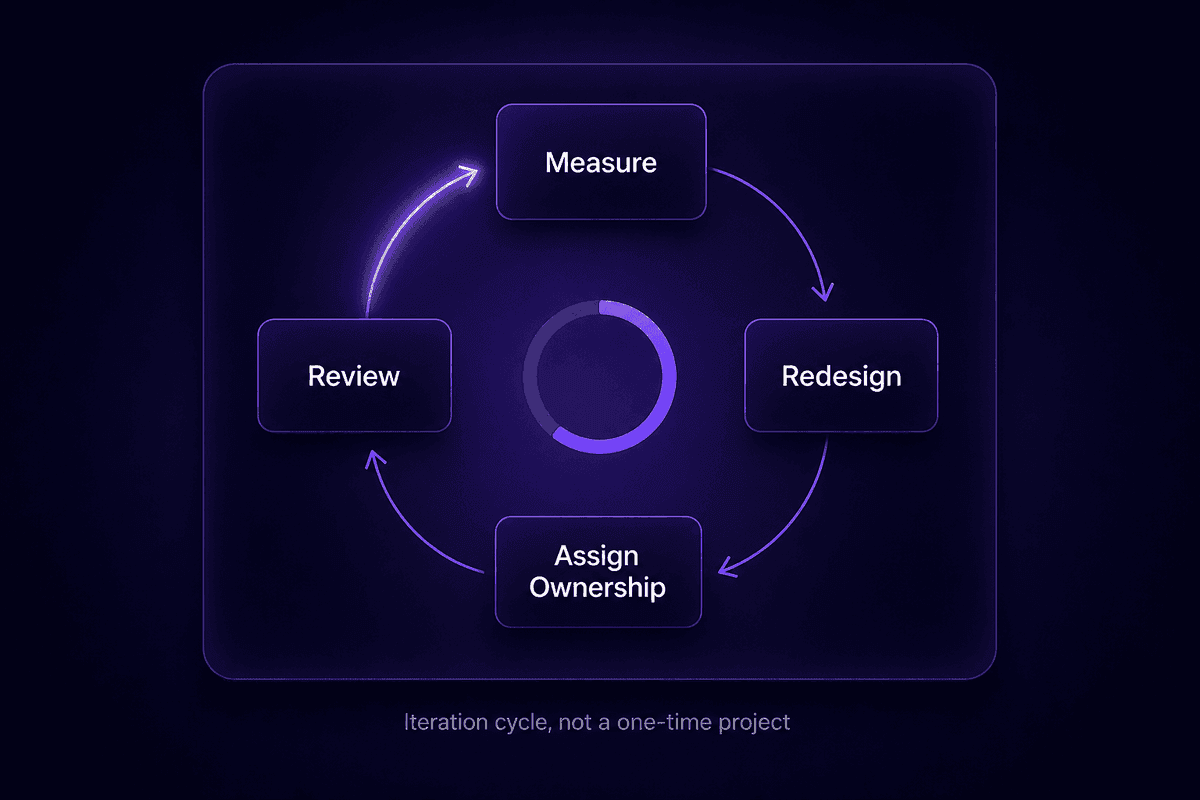
A one-time optimization is just a different version of the process. What most teams are actually trying to build is a practice - a repeating cycle of measurement, adjustment, and ownership that keeps the workflow aligned with how the business actually operates today, not how it operated when the workflow was first designed.
The teams that sustain gains beyond the first month do four things specifically:
They define iteration cycles before they're needed. Don't wait for something to break before reviewing a workflow. Set a fixed review cadence - every 30 days for new or high-frequency processes, every 90 days for stable ones - and treat it as a standing calendar event, not an ad-hoc reaction. Business process management as a practice means building the review into the operating rhythm, not scheduling it reactively after someone notices the workflow has drifted.
They assign process ownership with an escalation path. Every workflow that matters needs one person whose job it is to know whether the workflow is working. Not a team. A person. When a workflow produces unexpected output, there's a name attached to it. Optimize workflows with ownership in mind from the start: who names the metric, who gets paged when it misses, who approves a change to the process logic. Without that structure, workflow optimization efforts become orphaned and silently degrade.
They track two or three KPIs per workflow, not a dashboard of twenty. Cycle time, error rate, and handoff delay are usually enough to tell you whether a business workflow is healthy. Adding more metrics doesn't improve visibility - it diffuses attention. For each optimized workflow, agree on one primary metric and one secondary one. Review them at the defined cadence. If the primary metric is holding, the workflow is probably fine. If it's drifting, investigate before adding new tools.
They distinguish between process drift and tool failure. When a workflow starts underperforming after a period of stability, the first question is whether something changed in the underlying process - a new team member doing steps differently, a source system that was updated, a business requirement that shifted - or whether the tool is misbehaving. Most post-launch workflow failures are process drift, not automation bugs. Streamline processes by diagnosing before rebuilding. A workflow that worked for six months and suddenly doesn't is probably not a bad workflow. Something in its environment changed.
The second month is where workflow optimization either becomes a practice or becomes a one-time project that slowly reverts. The difference is almost always whether someone named has accountability for the metric and a recurring time to look at it. That's it. The tools, the documentation, the standardization - all of it holds when there's a person attached to it. None of it holds without one.
One note on tooling here: I've seen teams invest heavily in advanced workflow automation solutions and business process automation platforms, only to watch the gains disappear because the person who built the workflows left and nobody else understood how they worked. The most durable setup is a workflow that a second person can read, understand, and modify without needing to contact the original builder. Evaluating new tools on that criterion alone eliminates a large number of otherwise appealing options.




