




What is Grok AI? Grok AI is an advanced AI tool powered by the Grok-3 model that combines real-time information from X (formerly Twitter) with AI capabilities. It helps with tasks like content creation, data analysis, and business automation.
Want to try Grok AI for free? Here’s what you need to start today.
- Your X account must be phone-verified and at least 7 days old.
- Desktop or mobile device.
Key Features:
- Content Generation: Draft emails, create marketing copy, and generate reports.
- Data Analysis: Find information using Grok Search of DeepSearch, perform real-time analysis and visualize data.
- Image generation: Generate high-quality pictures using an in-built image generation tool.
- Reasoning: Make Grok think for a little longer before generating a reply.
Don't stop at Grok 3: Use other AI models such as ChatGPT, Claude, DeepSeek, and Gemini, integrate them with your favorite tools, and start automating your daily routine on Latenode to increase your productivity and speed up workflow. See our ready-made AI templates to get started now!
Quick Comparison of Free vs. Premium Plans:
| Feature | Free Plan | Premium+ Plan ($40/month) |
|---|---|---|
| Regular Think | 10 per 2 hours | 100 per day |
| Image Analysis | 3 images daily | Unlimited |
| Big Brain Mode | 3 per 2 hours | 20 per day |
| Voice Mode | Not included | Included |
What is Elon Musk's Grok AI | How to Use Grok AI
Getting Started with Free Grok AI
Here’s how to start using Grok AI for free on the X platform.
X Platform Setup
To access Grok AI, your X account must be at least 7 days old and phone-verified [5]. Here's how to get started:
- Log in to your X account.
- Find the Grok icon (on the left sidebar for desktop or the bottom menu for mobile).
- Click the icon to open the Grok AI interface [3].
"The world's smartest AI, Grok 3, now available for free (until our servers melt)." - Elon Musk [4]
Grok AI is designed to work seamlessly on both desktop and mobile.
Mobile App Installation
You can use Grok AI through the X website or mobile app. A dedicated app for iOS and Android is in development [2].
| Platform | Access Method | Requirements |
|---|---|---|
| Desktop | X Web Interface | Modern web browser |
| Mobile | X Mobile App on IOS or Android | Latest X app version or the Grok app itself |
Free Version Limits
Once you're set up, keep track of your usage within the free limits.
| Feature | Free Limit | Premium+ Limit |
|---|---|---|
| Regular Think | 10 per 2 hours | 100 per day |
| DeepSearch | 5 per 2 hours | 50 per day |
| Big Brain Mode | 3 per 2 hours | 20 per day |
| Image Analysis | 3 images daily | - |
For more features and higher usage caps, consider upgrading to SuperGrok ($30/month) or X Premium+ ($40/month). These plans include things like Voice Mode, quicker responses, and expanded limits [4]. Keep in mind that limits may change depending on server demand.
While we await the public release of Grok 3 API, why not explore over 300 Latenode integrations, which you can connect with each other right now, no code required? From Gemini 2.5 Pro and Google Sheets to Telegram and Webflow, we've got all your favorite apps covered.
Main Functions of Grok AI
Grok AI is designed to improve productivity and simplify operations. Here’s a closer look at its key features available in the free version.
Search and Analysis Tools
Grok AI combines public X posts and real-time web searches to provide up-to-date, relevant information [8]. This dual approach helps deliver better results.
| Feature | Description | Free Version Availability |
|---|---|---|
| Natural Language Processing | Understand and process complex queries | Basic access |
| Real-time Data Analysis | Access real-time data from X's database | Limited searches |
| Pattern Recognition | Detect trends and insights | Basic functionality |
These tools analyze large datasets to uncover insights about customer behavior, market trends, and operational efficiencies [6].
By the way, you can automate web search and data analysis with our AI tools, AI-assisted Javascript code, and 300+ no-code integrations. Get instant insights, scrape sites, find info, transform it into ideas, get results — automatically. Sign up now to Start a 14-day Free Trial on Latenode!
Content and Data Tools
Using machine learning, Grok AI simplifies content creation and data management tasks [6]. It can:
- Generate reports and marketing materials
- Write product descriptions
- Analyze large datasets
- Offer data visualization with dashboard widgets
The free version includes these features, though usage limits apply.
Business Task Automation
With Grok 3 API, you will be able to automate repetitive tasks by integrating with systems like CRM, ERP, and accounting software [6].
| Integration Type | Compatible Systems | Key Benefits |
|---|---|---|
| CRM Systems | Salesforce, HubSpot | Track customer interactions |
| ERP Systems | SAP, Oracle | Automate resource planning |
| Accounting Software | QuickBooks | Simplify financial processes |
AI has the potential to increase global productivity growth by 0.8–1.4% annually [7]. Focus on departments with repetitive manual tasks to maximize efficiency [7].
The free version lets you test basic automation features, making it easy to assess their impact before considering an upgrade. Next, learn how AI models and Grok 3 in particular integrates with Latenode to improve workflows even further.
What You Can Do With AI On Latenode
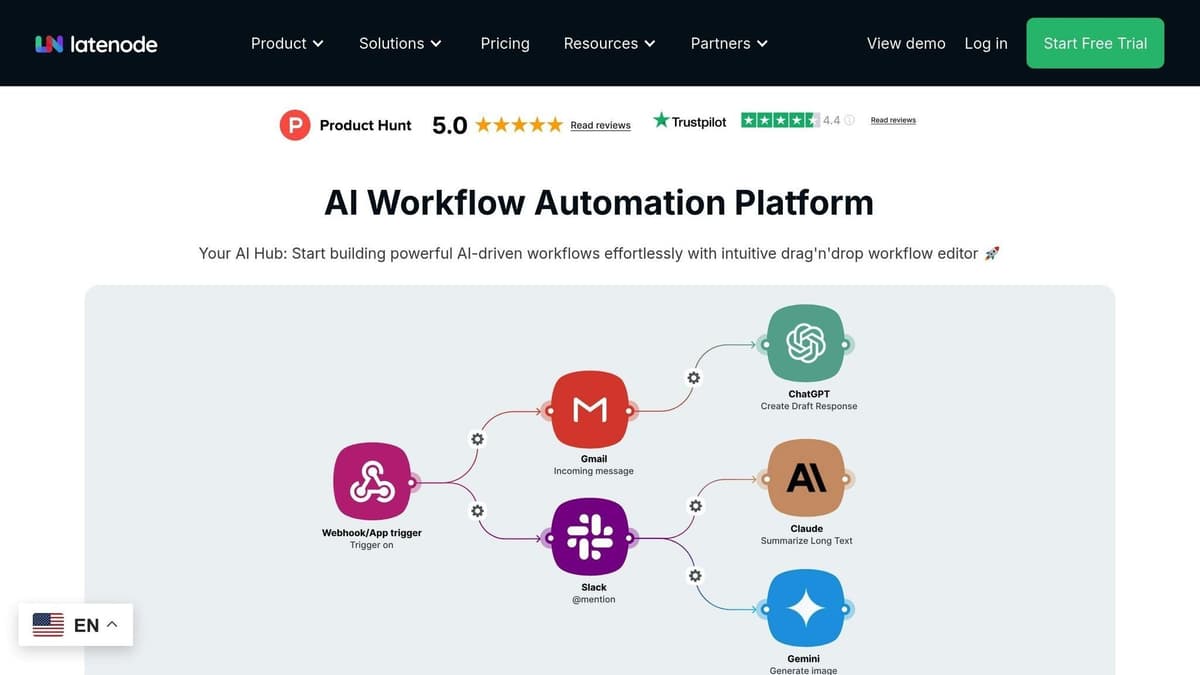 Latenode works seamlessly with AI, including Grok 3 (when its API goes public) to automate workflows, combining the strengths of no-code an AI to make processes smoother and more efficient.
sbb-itb-23997f1
Latenode Platform Basics
Latenode is designed to simplify AI-powered workflow automation. Its user-friendly drag-and-drop interface allows you to create processes without needing advanced coding skills.
| Feature | Description | Free Version Access |
|---|---|---|
| Visual Workflow Builder | Build automations with a drag-and-drop interface | Full access |
| AI Code Copilot | Helps generate and debug integration code | Basic functionality |
| Built-in Database | Store and manage workflow-related data | Limited storage |
| App Integrations | Build data pipelines, automate content creation, make chatbots and personal AI assistants with over 300 integrations. | Up to 3 connected accounts |
Integration Examples
Here’s how Grok AI and Latenode can work together to automate common business tasks:
Automated Customer Support
Use AI models such as ChatGPT to answer questions from customers. The workflows can store customer threads in databases, and thus remember the context of previous conversations. You can build such a chatbot right now with our in-built AI template:
Content Generation Pipeline
Build a content creation workflow that combines Grok AI's analysis with Latenode's automation tools. For instance:
- Parse Google SERP results for keyword ideas
- Generate content outlines using AI
- Create draft articles through AI chaining
- Perform quality checks
- Publish approved content
By the way, we have a series of templates that can do exactly that. For example, here’s how you can generate an article using DeepSeek and Perplexity:
HR Application Processing
Automate your hiring process by using Grok 3 and AI's natural language processing and the power of no-code. Here are a couple ideas:
- Generate summaries for candidates and send into Slack - Google Forms Submission + ChatGPT + Slack
- Schedule interviews for top matches and notify yourself in Slack - Google Forms Forms Submission + Google Calendar + Gemini + Slack
- Send automated responses to applicants - Google Forms + ChatGPT + Email
These examples highlight how combining Grok AI with Latenode can simplify and improve operations.
Combined Platform Advantages
Pairing Grok AI with Latenode offers several key benefits for businesses:
| Benefit | Description | Impact |
|---|---|---|
| Cost Efficiency | Pay only for the actual processing time | Reduces expenses compared to task-based pricing models |
| Workflow Optimization | Chain multiple AI models for better outcomes | Enhances overall performance |
| Scalability | Handles increasing workflow demands effortlessly | Supports business growth |
| Integration Flexibility | Connects with virtually any app in your stack | Works with your existing tools |
"Latenode has significantly improved my productivity as a developer for building automations, especially with NodeJS. Compared to other automation tools like Make and Zapier, they lacked the functionalities that Latenode offers..." - Beltane [9]
Summary and Getting Started
Grok AI Free Tier Recap
Here’s a quick overview of what the free tier includes:
| Feature | Free Tier Access | Limitation |
|---|---|---|
| Basic Queries | Yes | 10 questions per 2 hours [5] |
| Image Analysis | Yes | 3 analyses per day [5] |
| Image Generation | Yes | 2 generations per 2 hours [5] |
| Deep Search | Yes | 10 Deep Searches per day |
| Think mode (Reasoning) | Yes | 10 Prompts in Think mode per day |
These features let you explore Grok AI without any upfront costs, giving you a chance to evaluate its potential.
Start Using Grok AI
Getting started with Grok AI is simple. Follow these three steps to dive in:
- Account Setup
If you don’t already have one, create a phone-verified X account that’s at least 7 days old.
- Platform Access
Log in using the latest X mobile app or visit grok.com to access the platform.
- Feature Exploration
Try out the following tools to see how Grok AI can help you:
- DeepSearch for in-depth research
- Think mode for solving complex problems
- Image and standard text generation for advanced analysis [1]
For the best experience, wait until Grok 3 API and pair it with Latenode's automation platform. Need help automating workflows? Hire an expert from Latenode community to automate task for you!




