

Quick answer: the best AI app builder for each kind of app
Best pick per need: web app synced to GitHub, Lovable; all-in-one business app, Base44; one project for web and phones, Replit; prototype you can download, Bolt.new; polished interface on Vercel, v0; app from Figma designs, Figma Make; free start with Gemini, Google AI Studio; App Store app from a prompt, the Anything app builder; native iPhone and Android code, Rork.
There is no single best AI app builder: the right one depends on whether you need a web app or a store app and what you want to keep. The order groups tools by kind, not by score.
What an AI app builder is and what it should give you
An AI app builder turns a plain-language description into a working app. It writes the code, runs a live preview and changes the app when you ask in chat. Most also give the app a database, user sign-in and hosting so other people can use it.
Base44's five steps and Figma's four for Figma Make follow the same loop: describe the app, let it plan or generate a first version, check the preview, refine it by chat, visual edits or code, then connect data and publish.
We compared vendor documentation and public plans for databases, sign-in where documented, hosting, domains, mobile publishing, code export and billing. This list is for people who want a working app from a description, so it leaves out Cursor and Claude Code, which focus on working with code. The FAQ covers ChatGPT.
AI app builders at a glance: what each one gives you
All ten host the app, and seven build in a database. Native store apps come from Replit (App Store; Google Play is not yet supported by Replit), the Anything app builder (Google Play in beta, internal testing only), Rork, Google AI Studio (Android internal testing) and Bolt.new through Expo from your own computer. Base44 wraps its web app.
| Tool | Builds | Database | Hosting | Native mobile apps | Code export |
|---|---|---|---|---|---|
| Lovable | New web apps: TanStack Start | Yes, Lovable Cloud | lovable.app; domain on paid | No, web apps only | Git sync on every plan |
| Base44 | Web apps | Yes, built in | Yes; domain from Starter | Web-view wrapper (Builder+) | Builder+ ZIP, needs Base44 |
| Replit | Web, iOS and Android apps | Dev and production databases | .replit.app or own domain | iOS via Launch, no Google Play | Zip or GitHub |
| Bolt.new | Web and Expo mobile apps | Bolt Database (all plans) | bolt.host; own domain on Pro | Expo, EAS on your computer | GitHub backup or zip |
| v0 | Web apps in Next.js | Via Neon, Supabase, Upstash | Vercel (vercel.app URL) | Mobile-responsive web apps | Two-way GitHub, export |
| Figma Make | Prototypes and web apps | Via Supabase | figma.site URL | See vendor docs | Zip or one-way GitHub push |
| Google AI Studio | Web and Android apps | Can set up Firebase | ai.studio URL on Cloud Run | Android, internal testing | Two-way GitHub or ZIP |
| Latenode App Builder | Web apps, sites, landing pages | Yes, one per app | Yes, free subdomain | No, works in mobile browsers | Full project to GitHub |
| Anything | Web, iOS and Android apps | PostgreSQL via Neon | created.app; domain on Pro | App Store; Play beta, internal | Zip download |
| Rork | Native iPhone, Android, web | Rork Cloud (beta), Supabase | rork.app; domain with plan | Yes, Swift and Kotlin | GitHub on paid plans |
Google's Build mode page lists Firebase Firestore and Authentication among its full-stack features, while its FAQ says direct storage support is still being added. Check Google's docs before you rely on it. Rork Cloud is in beta and free while in beta.
Free plans and how each AI app builder bills you
Eight of the ten let you build on a free tier, limited by a daily or monthly credit cap, one published app or a vendor subdomain. The Anything app builder needs a paid plan to build at all, and Rork's Free plan only designs. Google AI Studio is free of charge unless you link a paid API key.
| Tool | Free plan | Paid from | Billing unit |
|---|---|---|---|
| Lovable | 5 credits a day, 30 a month | Pro, $25/mo, 100 credits | Credits |
| Base44 | 25 msgs/mo, personal workspace | Starter, $20/mo | Message, integration credits |
| Replit | Starter, 1 app for 30 days | Core, $20/mo | Credits, effort-based |
| Bolt.new | 1M tokens/mo, 300K a day | Pro, $25/mo, 10M tokens | Tokens |
| v0 | 7 messages a day, $5 once | Plus, $30/user/mo | Credits (USD value) |
| Figma Make | 150 AI credits a day, 500/mo | Professional, $20/Full seat/mo | AI credits |
| Google AI Studio | Free unless paid API key | Paid Tier, prepay from $5 | Gemini API usage |
| Latenode App Builder | First app free | Pay per step | Steps |
| Anything | No building on Free | Pro 20k, $24/mo | Credits |
| Rork | US design: 35 credits/mo | $20/mo, 100 credits | Credits |
Prices are monthly in USD as of November 2026 unless marked otherwise, and billing units differ. To leave the free Gemini API tier, link a billing account and prepay at least $5; the minimum varies by region. Rork's pricing page and its docs name its $20 a month plan differently, so check the plan name at checkout.
1. Lovable: best for web apps with sign-in, a database and code synced to GitHub
Lovable suits founders who want the code in their own repository. Free gives 5 build credits a day, up to 30 a month. Pro costs $25 a month for 100 credits, or $250 a year billed annually.
"Not as native apps. Lovable builds web applications, which you can design to be fully mobile friendly, and it does not generate React Native projects."
Source: docs.lovable.dev
Lovable Cloud is the built-in backend, with a database, storage, authentication, realtime and functions. New apps use TanStack Start. Every plan includes publishing to lovable.app and Git sync with GitHub, GitLab and Bitbucket. Custom domains, code editing and code download need a paid plan.
One credit balance pays for building, running the app and its AI features. When it runs out, building stops and the backend pauses, but the published site stays live. Lovable builds web apps only; for phones, its docs suggest a Progressive Web App or a Capacitor shell outside Lovable.
2. Base44: best for business web apps with the backend, sign-in and hosting in one place
Base44 fits business owners, and its Free plan includes 100 monthly integration credits. Only your personal workspace gets 25 message credits monthly, up to 5 daily. Starter includes 100 message and 2,000 integration credits monthly for $20, or $16 a month billed annually.
"The exported code still relies on Base44 to run, so a ZIP is a copy of your code, not a way to move your app off Base44"
Source: docs.base44.com
Every plan includes an integrated backend and database, authentication and user management. Message credits pay for AI chat prompts that plan, update or fix the app. Integration credits pay for built-in services such as email and LLM calls; when credits run out, those actions pause until the next reset. Database reads and writes use none.
A domain connects from Starter. GitHub integration and the store files for a native web-view wrapper come with Builder. Exported code, though, still relies on Base44 to run.
3. Replit: best for one project that runs on the web and on phones
Replit's Starter plan includes daily Agent credits and one app you can republish after 30 days. Core costs $20 monthly with $20 in credits. Billed annually, pricing shows $18 per month. Replit Help's yearly total averages $17 per month, so confirm at checkout.
Each app has a development database, and publishing creates the production database if development has data (older Neon projects use publish settings). Replit Auth supplies a login page, or Clerk gives more control. Every plan gets a free .replit.app address; check plan eligibility for a custom domain. You can export via ZIP or GitHub if workspace policy permits.
Agent builds iOS and Android apps with Expo, and Launch sends them to App Store Connect for TestFlight with your Apple Developer Program membership. Google Play publishing is not yet supported by Replit. On Core, Agent work is billed by effort. Publishing and database usage share its credits, with pay-as-you-go charges beyond the allowance.
4. Bolt.new: best for prototypes you can download and take to another tool
Bolt.new's Free plan gives 1 million tokens a month, at most 300,000 a day. Pro costs $25 a month billed monthly, from 10M tokens a month with no daily limit.
Bolt Database comes with every plan, or you can bring your own Supabase account on Pro or Teams. Ask Bolt to add sign-up and login, with email and Google sign-in. Free sites publish to bolt.host with a Made in Bolt badge, and export is a GitHub backup or a zip.
Mobile apps run through Expo. For the stores, you download the code and run Expo's EAS tool on your own computer, with an Expo account and a developer account for your target store. Tokens pay for prompts, not for clicking Publish. On Free, a site over its monthly hosting allowance goes offline for the rest of the month.
5. v0 by Vercel: best for polished web interfaces you deploy on Vercel
v0's Free plan allows 7 messages a day, and new users get $5 in one-time credits. Plus costs $30 per user per month with $30 of monthly credits per user.
Its docs list everything from components to full-stack apps with authentication, databases and external APIs, in Next.js, React, Tailwind CSS and shadcn/ui. Deploying to Vercel takes one click, or v0 opens a pull request, and GitHub sync runs both ways. One-click integrations set up provider accounts: Upstash, Neon and Supabase for databases, Vercel Blob for files.
Every deployment gets a vercel.app URL, and your own domain takes DNS records at your registrar. Credits work like a prepaid balance, and generation pauses when they run out. For phones, v0 lists mobile-responsive apps, not native store apps.
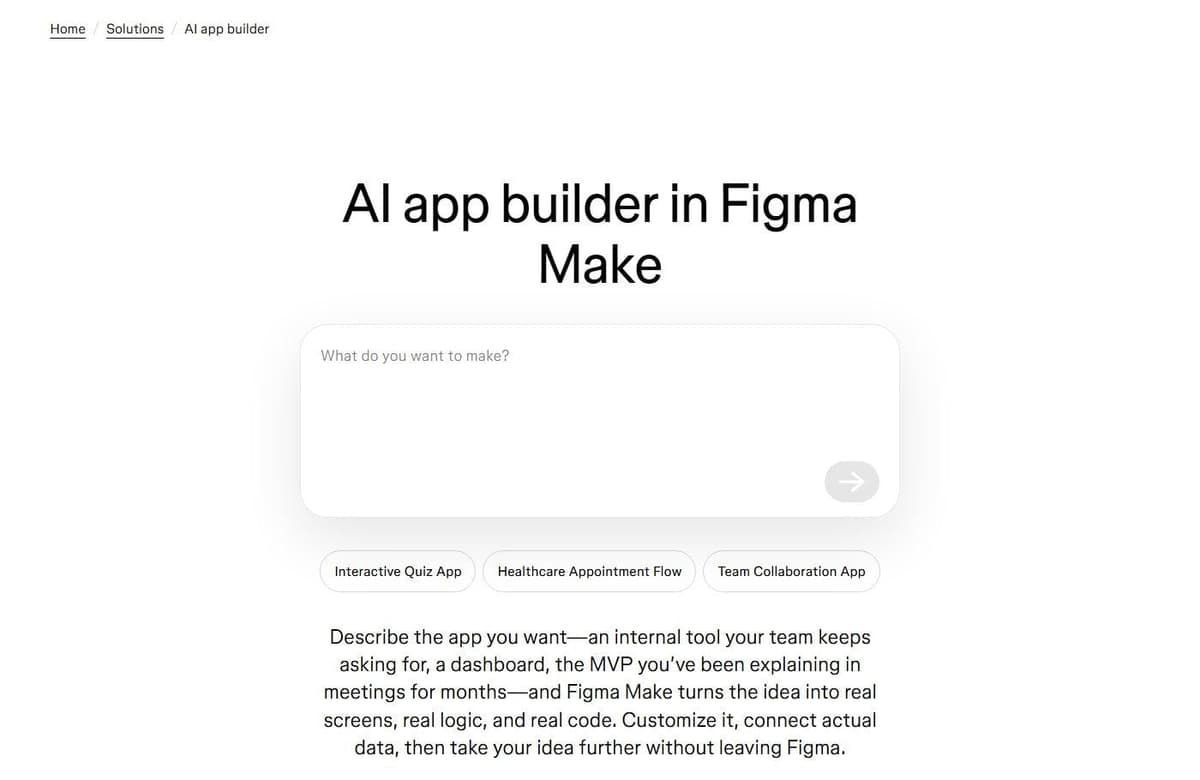
6. Figma Make: best for teams that want a working app from their own Figma designs
Figma Make can start from a Figma frame and reuse design systems through Make kits on eligible plans. Starter is free with up to 150 AI credits a day and 500 a month. A Professional Full seat costs $20 a month, or $16 a month billed annually, with 3,000 AI credits.
Plan mode writes a plan before any code, and the build uses more credits. A Supabase backend adds sign-in, app data and storage. Apps publish to a random figma.site URL, with a Full seat on paid plans or via Figma Community on Starter. Custom domains depend on the plan, according to Figma's help center.
Pushing to GitHub overwrites edits made there. Full and Dev seats can download the code, and working in your own codebase is in closed beta for a limited group. Prompts, including fixes, use credits according to the action and model.
7. Google AI Studio: best for a free start with Gemini, Android apps included
Google AI Studio usage is free of charge unless you link a paid API key.
Build mode writes the code with a live preview, for full-stack web apps or native Android apps in Kotlin and Jetpack Compose that can go to the Play Store for internal testing. Publishing gives a free ai.studio subdomain, and a custom domain needs a paid Google Cloud project. Eligible accounts can publish up to 2 full-stack apps on Starter without a billing account. Google Workspace accounts and those with paid Cloud billing history may be ineligible.
Build mode can also set up Firebase Firestore and Sign in with Google, though its FAQ says direct storage support is still being added. Code moves by two-way GitHub sync or a ZIP, which needs GEMINI_API_KEY when hosted elsewhere. Beyond Starter, Cloud Run hosting can incur usage charges separately from Gemini API calls.
8. Latenode App Builder: best for web apps that run workflows across your other tools
Latenode App Builder suits teams whose web app should run their workflows. As of November 2026, the first app is free, with no card or subscription. Then you pay per step, and the price of each step shows in the chat.
A description, screenshot or sketch can become a web app, site or landing page. Plan mode, as of November 2026, asks questions and drafts a plan for approval before building. Apps use React, a serverless backend and a database when needed. You can edit records like a spreadsheet and roll back a code change in one click.
One click publishes to a free subdomain, and a custom domain takes one CNAME record. Cloudflare hosting is free up to 1,000 visits a month, then from $5 a month with 30,000 visits, as of November 2026. Code exports to GitHub, and apps call workflows by webhook or API using the same account and balance. Latenode's AI app builder makes no native store apps; apps work in mobile browsers.
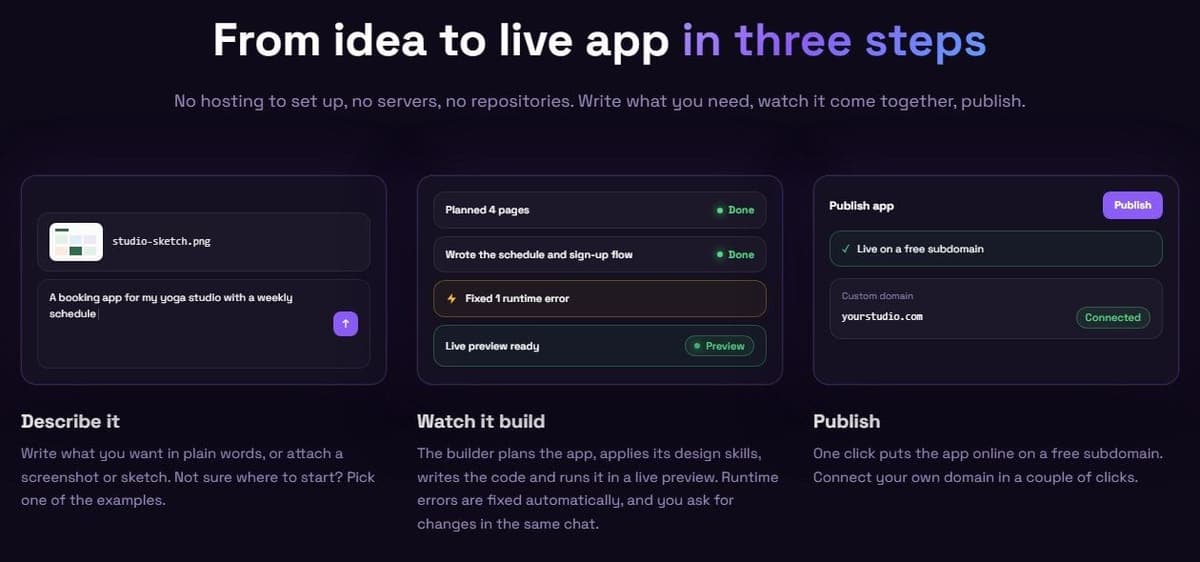
9. Anything: best for publishing a mobile app to the App Store from a prompt
Anything builds App Store apps on paid plans; Free keeps your data and published work. Pro 20k gives 20k credits monthly for $24 a month or $228 upfront annually ($19 a month).
It writes web apps in React and Next.js and phone apps from Expo code, and submits through TestFlight for App Store review with your own Apple ID and Apple Developer Account ($99 a year). Neon hosts separate PostgreSQL databases for development and production. Anything supports passwords, magic links and Google, Facebook or X login with your credentials. Its iOS builds cannot include Google or Facebook login while Apple sign-in is unavailable.
Web apps get a free created.app subdomain, with custom domains on Pro, and code downloads as a zip, with no GitHub sync yet. Build messages and paid AI integration runs use credits; at zero, building and AI integrations stop. Google Play is in beta, internal testing only.
10. Rork: best for native iPhone and Android apps written in Swift and Kotlin
Rork Free designs screens: 35 credits monthly in the US, up to 5 daily, no card. Building, testing and publishing start at $20 a month for 100 credits. Rork's pricing page and docs name the plan differently, so check at checkout.
Build work and your app's Rork AI Cloud usage share one balance. New projects use Swift and SwiftUI for iPhone, Kotlin and Jetpack Compose for Android, or React for web; Expo is limited to existing projects. The backend is Rork Cloud, in beta and free while in beta, or your own Supabase or Firebase project. Sign-in is Rork Auth (Google and Apple) or Supabase Auth (email, magic links, phone codes).
Rork submits to TestFlight, the App Store and Google Play. Its publishing guide says new personal Play accounts need a closed test with 12 testers for 14 days before production. Web apps live at your-app.rork.app with custom domains on a subscription, and code exports only by two-way GitHub sync on a paid plan. Apple charges $99 a year for iOS. Android requires a one-time $25 Google fee and your first Play listing.
Web app or App Store app: which AI app builders publish native mobile apps
Most builders here make web apps that open in a phone's browser. Native store apps come from Replit (App Store only; Google Play is not yet supported by Replit), the Anything app builder (Google Play in beta, internal testing only), Rork, Google AI Studio (Android internal testing) and Bolt.new through Expo. Base44 wraps its web app.
A web app opens from a link and updates as soon as you publish. A store app is a build that Apple or Google review before people install it. Apple membership costs $99 a year for iOS (regional pricing and fee waivers may apply). Google Play charges a one-time $25 fee for Android. Budget for both if you publish in both stores.
The middle path is a Progressive Web App or a native shell, as Lovable's docs suggest and Base44's wrapper does. For internal tools, client portals and booking pages, a web app is usually enough; a store app pays off when customers look for you there.
How to choose an AI app builder
Start from what the app must do and who will use it: a web app or a store app, sign-in for customers or for a team, and the data you need to keep. Then compare what each builder includes and how it counts usage as you keep changing the app.
- Web app or native store app.
- A built-in database and sign-in, or your own Supabase or Firebase project.
- Hosting: a free subdomain, and what a custom domain needs.
- Code export, and whether the exported code runs without the builder.
- The billing unit (credits, tokens, AI credits, steps) and what stops when it runs out: building, the backend or the live app.
- A plan step before building and a way to roll back changes.
- Connections to your other tools (webhooks, APIs, connectors) and team controls such as SSO and roles.
For a free 30-minute test, pick two builders that allow building and publishing on Free:
- Give both the same short description, such as a booking form with an admin list.
- Ask each one to add sign-in, then a change that touches the stored data.
- Publish to the free address and open it on your phone.
- Check how much of the free allowance the session used.
Can you build an entire app with AI?
Yes, for many web apps. These builders can produce the screens, the database, sign-in and hosting from a description, and some build store apps. The rest is on you: deciding who can see which data, testing with real users, the store accounts and reviews, and paying for usage as the app grows.
- Access rules. The OWASP Top 10 2025 ranks A01 Broken Access Control first; access control keeps users from acting outside their intended permissions.
- Test data kept apart from customer data; Replit and the Anything app builder separate development and production databases.
- Store developer accounts and review, as above.
- Security checks: act on the scan results.
- Running costs: Lovable's backend pauses when credits run out, and a Bolt Free site over its traffic limit goes offline.