



Quick answer: the best MCP servers for automation by need
The best MCP servers for automation depend on how wide or deep the job goes. To reach thousands of apps through one endpoint, start with an automation platform's server: Zapier MCP, or Composio's MCP Gateway for a managed tool catalog. For deep work in one product, use the vendor's own server: GitHub for code and repositories, Playwright for browser automation, Supabase for databases, Stripe for payments and Notion for docs, with Atlassian for Jira and Confluence, HubSpot for CRM and Cloudflare for edge infrastructure. The official reference servers cover files, memory and everyday tasks as examples rather than production tools, and IFTTT covers consumer automations.
What an MCP server is and what makes one good for automation
An MCP server is an application that exposes tools, prompts and resources to an MCP client. That is Cloudflare's definition. The client is your AI tool: an editor, a CLI, an agent harness. The server reads a repository, runs a query or files a ticket. Our guide to the Model Context Protocol (MCP) explains how hosts, clients and servers fit together.
Servers come in two shapes, as Cloudflare's docs put it: remote connections over the Internet using Streamable HTTP, and local ones on the same machine using stdio. Remote servers usually hand authentication to the vendor through OAuth. Local ones read a token from your environment.
For automation, four things matter more than the length of a tool list. Does the server write as well as read? Does the vendor handle auth? Can writes be approved before they run? And how is usage metered? Some servers cost nothing beyond the product plan. Others count every call against an allowance, so each entry below names the meter.
A long tool list still has a cost, though. One user on r/mcp put it this way: "Peak was 9 servers, about 41k tokens of tool definitions before the first user message." Load only what a job needs: GitHub switches groups of tools on or off with its toolsets flag, Supabase's project_ref parameter disables its account tools, and Zapier pre-enables actions for the apps already connected to your account and, in its managed mode, turns every enabled action into its own tool, so check what is switched on there.
MCP servers at a glance
| Server | Maintainer | Best for | Runs as | Plan or cost |
|---|---|---|---|---|
| Composio | Composio | Many apps, one gateway | Managed endpoint | Hobby $0, Pro $29/mo |
| Zapier MCP | Zapier | 9,000+ apps | Remote, HTTP | All plans, 2 tasks/call |
| GitHub MCP server | GitHub | Repos, issues, PRs | Remote or local | No price stated |
| Playwright MCP | Microsoft | Browser automation | Local, Node.js 18+ | No price stated |
| Supabase MCP server | Supabase | Databases, backends | Hosted or local | Branching: paid plan |
| Stripe MCP | Stripe | Payments, API calls | Remote, OAuth | Preview, no price |
| Notion MCP | Notion | Docs and wikis | Remote, OAuth | No plan stated |
| Atlassian MCP server | Atlassian | Jira and Confluence | Remote, OAuth 2.1 | Uses Rovo credits |
| HubSpot MCP server | HubSpot | CRM records | Remote and local | Dev Platform required |
| Cloudflare MCP | Cloudflare | Edge and infrastructure | Remote or local | No price stated |
| Reference servers | Anthropic, community | Files, memory, time | Local, stdio | Open source |
| IFTTT MCP | IFTTT | Consumer automations | Not stated | All plans; actions need Pro |
1. Composio: best managed tool platform with MCP servers for many apps
Composio sells a managed tool catalog that an agent reaches through one endpoint. As of October 2026 its pricing page puts the Hobby plan at $0 a month, with 100,000 tool calls, 50,000 trigger events and 3 team members. That pricing applies to signups on or after August 15, 2026, with earlier customers grandfathered through December 31, 2026. Hobby is hard-capped: at a cap, usage pauses until the next month or an upgrade, at no charge.
Pro is $29 a month and includes a $29 monthly usage credit: unused credit expires at the end of each billing month and does not roll over. Each tool execution counts once, and meta tools such as tool search are free. Past the 100,000 free calls, Pro bills $0.0003 per tool call, and tools on Composio's shared managed apps add $0.0002 a call after 20,000 free calls a month. Composio markets its MCP Gateway as one managed endpoint for a customer's tools and agents. See Zapier MCP pricing for how tool calls spend tasks.
2. Zapier MCP: best for reaching thousands of apps from one server
Zapier pitches its MCP server as one connection that gives an AI tool access to more than 9,000 apps. The quickstart gives Claude, Claude Code, ChatGPT, Cursor and Codex their own connection pages. It lists 28 more supported clients, among them Gemini CLI, Microsoft Copilot Studio, VS Code, Warp, Windsurf and Zed. You need a Zapier account and a client that speaks the protocol over Streamable HTTP.
"MCP is different: it lets your AI take actions on demand, based on what you ask it to do in the moment. Think of Zaps as scheduled automation and MCP as giving your AI hands."
Source: zapier.com
Billing catches people out. There is no separate product, so MCP runs on your existing plan. Each successful tool call spends two tasks from the same monthly allowance your Zaps use, and failed calls consume none. Batch work multiplies, as Zapier's examples show: five spreadsheet rows are five tool calls and ten tasks. The task allowance is the only usage limit, and tasks reset monthly.
Zapier's pricing page lists it as a feature of all four plans, Free, Professional, Team and Enterprise, and its FAQ calls it available to all accounts.
3. GitHub MCP server: best for code and repositories
GitHub's own server connects AI tools to GitHub so an agent can read repositories and code files, manage issues and pull requests, analyze code and automate workflows. GitHub hosts a remote version and offers a local one for hosts without remote support. On github.com it logs you in with OAuth on first use. A personal access token set in GITHUB_PERSONAL_ACCESS_TOKEN takes precedence over OAuth.
Tools are grouped into toolsets you switch on or off with a toolsets flag. Specify nothing and the server loads context, repos, issues, pull_requests and users. A read-only flag offers read tools only and prevents modifications to repositories, issues and pull requests. Lockdown mode filters content surfaced from public repositories to reduce prompt-injection risk. Still, the README says it is not an authorization boundary. The repository advises granting only the minimum token scopes needed. It names no plan or price, only that any applicable policies must be enabled.
4. Playwright MCP: best for browser automation
Playwright MCP gives browser automation capabilities using Playwright. The defining choice is how a page is represented: LLMs interact with web pages through structured accessibility snapshots rather than screenshots. It works from the accessibility tree instead of pixel-based input. No vision model is needed, and the server operates purely on structured data.
It requires Node.js 18 or newer and an MCP client. The README names VS Code, Cursor, Windsurf, Claude Desktop, Goose, Grok and Junie. By default it runs with a persistent browser profile. Isolated sessions are an option for testing, or the server can connect to an existing browser through the Playwright MCP browser extension. The README names no browser brand for it. It states no cost for the server.
5. Supabase MCP server: best for databases and backends
Supabase opens its MCP guide with a warning rather than a feature list. Connecting an LLM to your Supabase projects carries security risks, and you should read the security best practices first. The database tools include execute_sql and apply_migration alongside list_tables, list_extensions and list_migrations.
Tools sit in feature groups, and every group except Storage is enabled by default. The hosted server authenticates in a browser window: you sign in and grant the MCP client access to the organization, with no personal access token. Two query parameters matter. Set read_only to true and all queries run as a read-only Postgres user. Set project_ref and the server is scoped to one project, with account tools disabled. Supabase notes that most clients ask you to accept each tool call before it runs, and advises keeping manual approval on. As of September 2026 the experimental branching group requires a paid plan. The page names no tier, price or minimum, so check Supabase's pricing page and confirm before purchase.
6. Stripe MCP: best for payments
Stripe documents its MCP server as being in public preview as of September 2026, so treat the behavior below as subject to change. It lets AI agents interact with the Stripe API and search Stripe's knowledge base, including documentation and support articles. The published tools include stripe_api_read for any Stripe API GET method, stripe_api_write for POST, PATCH, PUT and DELETE methods, and search_stripe_documentation. That list is the preview one and can change.
It is a remote server at https://mcp.stripe.com that uses OAuth to authorize clients, so access can be granted and revoked without sharing an API key, and clients without OAuth can send a restricted API key as a bearer token. It is a preview, so check the address in Stripe's docs first. In practice, two rules matter. Certain write actions such as refunds and outbound payments require human confirmation. An unapproved action expires after 24 hours. Both are preview behavior. The page states no pricing, quota or rate limit.
7. Notion MCP: best for docs and wikis
Notion hosts its MCP server remotely, so there is nothing to install. Clients such as Claude Code, Cursor or Codex connect to a workspace once the user authorizes the connection with OAuth. The tools search content in Notion and connected sources, read, create and update Notion content, and create pages and databases. That covers most of what a documentation agent needs.
Workspace owners manage MCP client access in Settings, then Connections. Organization owners can use the Admin API to list and revoke members' connections, which lets you audit who wired an agent into the workspace. Notion's documentation names no plan requirement and no price. If a specific tier matters, confirm it with Notion.
8. Atlassian MCP server: best for Jira and Confluence
The Atlassian server lets an agent summarize and search Jira, Jira Service Management, Confluence, Bitbucket, Projects and Goals. It can also create or update work items and pages. It is remote, reached at https://mcp.atlassian.com/v2/mcp, and supports any app with MCP support: OpenAI ChatGPT, Claude, Docker, GitHub Copilot CLI, Google Gemini and Amazon Quick Suite.
Authorization uses OAuth 2.1, so actions respect the user's existing access controls and permissions. API token authentication is also available. Atlassian warns that MCP clients can act on all connected products with those permissions, and advises least privilege and monitoring audit logs.
As of September 2026, according to Atlassian's support documentation, version 2 has been released, and from March 1, 2027, existing v1 use will automatically expose v2 tools. Confirm that date with Atlassian before you plan around it. According to the same documentation, calls that retrieve data or generate insights consume Rovo credits from the organization's shared pool. The page states no thresholds, allowances or reset behavior.
9. HubSpot MCP server: best for CRM data
HubSpot publishes two servers: a remote one for a HubSpot CRM account, and a local CLI-based Developer MCP server for the HubSpot Developer Platform. The remote server requires the new HubSpot Developer Platform and a user-level application with read scopes for the CRM objects you need. OAuth credentials connect it to the mcp.hubspot.com endpoint.
HubSpot's page contradicts itself on writes. The CRM-data FAQ answer lists read and write access for contacts, companies, deals, tickets, orders, invoices, quotes and subscriptions, plus engagements such as calls, emails, meetings, notes and tasks. The sensitive-data FAQ answer on the same page says the server has read-only access to standard records such as contacts, companies, deals and tickets. It also says there is no access to custom Sensitive Data Properties. Confirm with HubSpot before relying on write access. The page carries a forward-looking line about aligning with OAuth 2.1, so only OAuth 2.0 can be confirmed, and it names no price or seat requirement of its own.
CRM writes need a separate check. One user on r/salesforce put it this way: "MCP is basically API access, which doesn't enforce a lot of things we've relied on the UI to control." Grant read scopes first, which is what HubSpot's remote server setup asks for, and keep approval on for anything that writes.
For CRM data held in Salesforce rather than HubSpot, the counterpart is Salesforce's own Hosted MCP Servers: Claude, ChatGPT, Cursor or a custom agent connects with per-user OAuth 2.0 and acts on behalf of an authorized user. Record tools read, create, update and delete records while respecting field-level security and sharing rules, and Flows and Apex actions can be exposed as MCP tools. The servers are intended only for customers with Flex Credits, and Salesforce says server usage may be billed.
10. Cloudflare MCP servers: best for edge and infrastructure
Cloudflare's Agents documentation is written for people building and deploying MCP servers on Cloudflare. It also carries the clearest short definition: MCP servers are applications that expose tools, prompts and resources to MCP clients. The same page draws the transport line. Remote connections run over the Internet using Streamable HTTP, local ones on the same machine using stdio.
Cloudflare gives two pieces of design advice. It recommends deploying several focused MCP servers with narrowly scoped permissions, which reduces over-privileged access and makes auditing easier. It also advises against treating a server as a wrapper around a full API schema, and recommends tools built for specific user goals. The page links to Cloudflare's own MCP servers rather than listing them. That section describes a catalog of managed remote servers reached with OAuth: documentation, Workers bindings, observability, Radar and audit logs. Cloudflare states no cost for these servers.
11. Reference servers: best for files, memory and everyday tasks
The modelcontextprotocol/servers repository collects reference implementations of the protocol plus references to community-built servers and additional resources. It is managed by Anthropic and built together with the community.
Seven reference servers are current: Everything (a reference and test server with prompts, resources and tools), Fetch (web content fetching and conversion) and Filesystem (secure file operations). The rest are Git (reading, searching and manipulating Git repositories), Memory (knowledge graph-based persistent memory), Sequential Thinking (problem-solving through thought sequences) and Time (time and timezone conversion). The modelcontextprotocol.io examples page lists the same seven as official reference servers demonstrating core MCP features and SDK usage.
These are educational examples for developers building their own servers, not production-ready solutions. According to the official MCP servers repository, an archived section holds earlier reference servers, among them GitHub, GitLab, Google Drive, Google Maps, PostgreSQL, Puppeteer, Redis, Sentry, Slack and SQLite, all moved to a servers-archived repository. The repository points readers to the MCP Registry for published servers, and keeps only the small number of reference servers maintained by the MCP steering group.
12. IFTTT MCP: best for consumer automations
IFTTT's MCP page describes a server that lets AI tools search, build and run automations across more than 1,000 services and more than 50 million applets. That is a different job from the single-app servers above. The agent assembles consumer automations rather than calling one API. The page's call to action is to sign up for free to IFTTT.
IFTTT says the server is available on all IFTTT plans and that the tier sets what the assistant can do: on Free it can search services and Applets and create or enable free Applets, Pro adds running actions, and Pro+ adds queries. The paid plan in the setup steps is a separate cost: the Claude instructions ask for a paid Claude plan. IFTTT does not state whether the server runs remotely or locally.
Where Latenode fits: MCP for 800+ apps and for building workflows
Latenode, which publishes this blog, is not one of the twelve above. As of September 2026 its MCP page connects agents such as Cursor, Claude Desktop, Claude Code, VS Code and Codex to 800+ apps through one server endpoint with managed OAuth: when the agent needs a service it sends you a link, you click Allow, and Latenode stores and refreshes the credentials. It is free to start. Premium apps, 23 apps with 69 actions on Latenode's own contracts, are billed pay as you go from Latenode credits, and 324 data providers sit behind the same server on one pay-as-you-go bill.
A second server, the Latenode MCP Server, connects an agent to a Latenode workspace so it can create, update and activate scenarios, search node types and connections, and run a scenario or a single node; Latenode recommends pairing it with its latenode-scenario-builder Skill. Latenode publishes no per-call price for either server, so confirm the pay-as-you-go rates before budgeting.
How to choose and connect an MCP server safely
Start with servers the vendor maintains, then read what the tools can do: a server that runs SQL can drop a table. Copy the Supabase pattern. Scope the server to one project, run queries as a read-only user, and keep manual approval on, since most clients ask you to accept each tool call.
Approval only protects you while it stays manual, because a tool set to be allowed always never asks again. One user on r/mcp handles it this way: "I treat that as a temporary grant with a calendar reminder, and anything that can shell out gets one-shot approvals only." Supabase advises keeping manual approval on for interactive work with its server, and the same caution fits any tool that can run commands, SQL or payments.
Use least-privilege tokens. GitHub advises granting only the minimum scopes needed, Atlassian warns that a client acts with the user's existing permissions, and Cloudflare prefers several narrowly scoped servers to one broad one. Know the meter before scaling a loop: Zapier spends two tasks per successful call, Composio counts each tool execution, and Atlassian consumes Rovo credits with no published threshold. Prefer remote when the vendor should hold auth, local when data must stay on the machine.
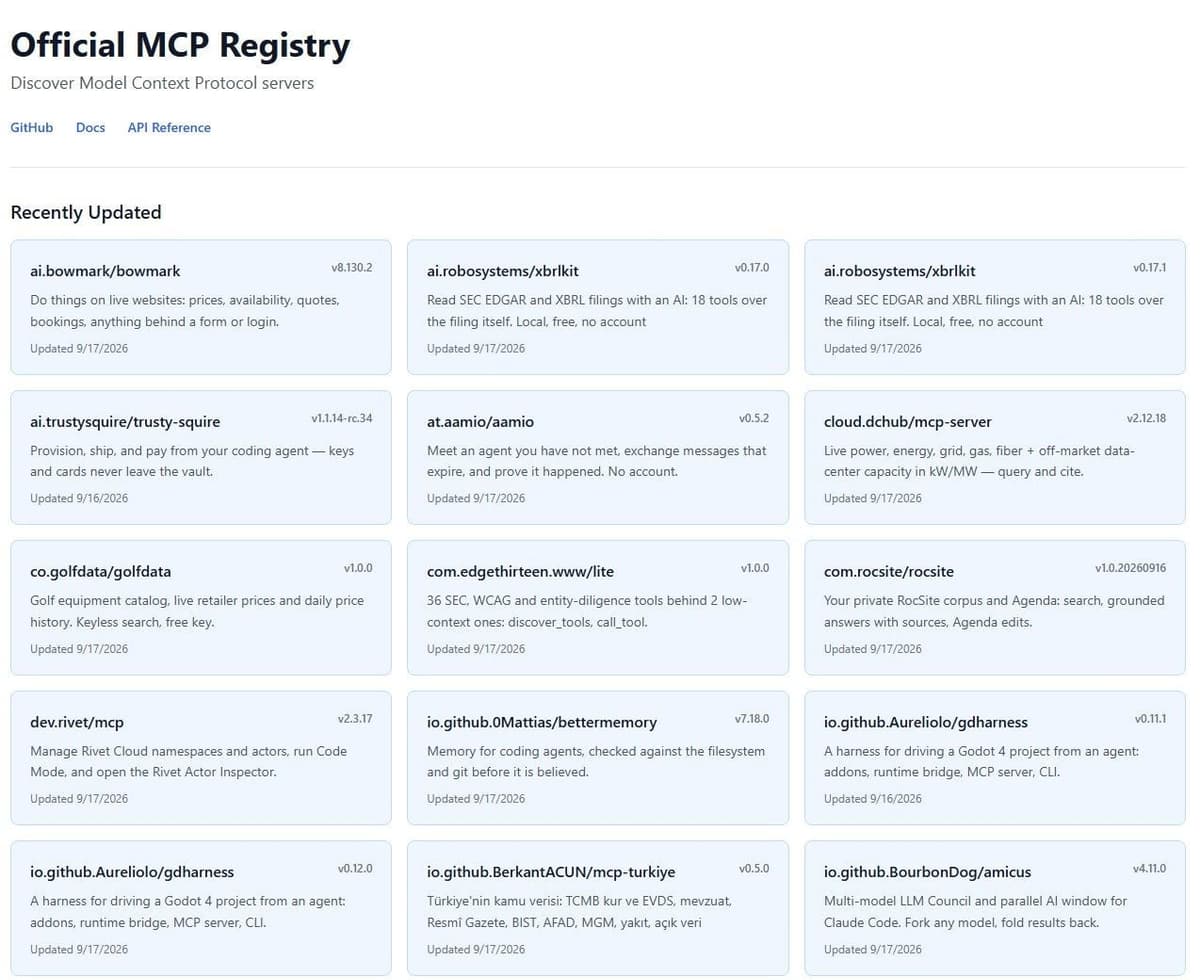
For discovery, use the official registry at registry.modelcontextprotocol.io, built in the open by MCP contributors in its own words. Its home page lists recently updated servers with versions and dates. Smithery, as of September 2026, describes itself as a place to connect agents to thousands of tools with auth, credentials and sessions handled for the user, and says it is now part of Arcade.dev. The consent rules above are vendor practice rather than part of the specification, whose latest version is 2026-07-28 as of October 2026.
Which servers work together and which overlap
Single-app servers stack cleanly. GitHub, Supabase, Notion and Stripe each own a different system, and each carries its own auth. One client can hold several at once without them colliding. Scope each narrowly and the combination is safer than one broad server, which is the pattern Cloudflare recommends.
One combination needs care: a server that reads untrusted content, such as Playwright or Fetch, in the same client as one that can send, pay or write. One user on r/AI_Agents warned that "a page can be perfectly safe to summarise and still be unsafe if text inside it ends up choosing an email recipient or supplying an argument to a database tool." It is the same prompt-injection risk GitHub's lockdown mode is meant to reduce for content from public repositories, so in such a setup keep approval on for every write, or give the browsing work a client of its own.
The overlap sits between the platform servers. Zapier MCP and Composio chase the same job, one endpoint reaching many apps, so running both usually means paying twice for the same reach. They also overlap with single-app servers: a platform connector can act in Gmail or Slack, while a dedicated server for a product almost always exposes deeper tools for it.
Overlap also costs accuracy. When two connected servers offer near-identical tools for the same app, the model has to pick between them, which adds a chance of calling the wrong one. So avoid connecting the same app through both a platform server and its own server.
Use a platform server for a long tail of shallow actions across many apps, a dedicated server when the work goes deep into one product. When a job needs multi-step logic, branching or retries, that belongs on a workflow platform rather than inside one agent tool call. Our guide to agentic AI covers when one agent should hand work to others.
Automation platforms and MCP gateways compared
Each puts many apps or workflows behind one MCP endpoint.
| Platform | What it exposes | Billing |
|---|---|---|
| Zapier MCP | Actions in 9,000+ apps | 2 tasks per successful call |
| Composio | 1,500+ toolkits through its MCP Gateway | Pro ($29 a month): $0.0003 a call after 100,000 free a month |
| Make MCP Server | Your Make scenarios as tools | No MCP fee; runs use Make credits |
| IFTTT MCP | Applets across 1,000+ services | All plans; actions need Pro, queries Pro+ |
| Workato Enterprise MCP | Recipe functions and skills | No published price |
| Latenode MCP | 800+ apps; a second server runs scenarios | Free to start; premium apps from Latenode credits |
Our guide to Make AI Agents covers how Make agents call outside MCP servers.




