



Quick answer: how to build an AI agent in Make and what a run costs
To build an AI agent in Make, add the Run an agent module from the Make AI Agent (New) app after a trigger in a scenario, choose a model connection, write the instructions, then add tools and knowledge and test it in the Scenario Builder. The agent decides which tools to use to reach its goal, and you build it without code. As of October 2026, runs cost Make credits: 1 per operation plus token credits on Make's AI Provider, or 1 per operation with your own OpenAI or Anthropic key (paid plans), where the provider bills tokens. The app has been in open beta since February 2, 2026, and Make says pricing may change.
What a Make AI agent is
Make's help center defines an AI agent as an AI system that independently performs tasks based on your instructions. In Make, that means the Make AI Agent (New) app, which you use to create agentic scenarios. It is in open beta as of October 2026, and Make says its functionality and pricing may change. Make documents an older app as a previous version. For how one agent differs from a system of several, see our guide to AI agents vs agentic AI.
An agent has four parts. Instructions set its role and behavior. The model is reached through Make's AI Provider or your own provider connection. Tools can be modules, scenarios, MCP server tools and other agents. Knowledge is a set of reference files the agent uses to tailor its responses.
Make defines a scenario as a workflow that triggers on data from one app, such as a new Google Sheets row, transforms it and sends it to another, such as Airtable. Every step in a scenario is set in advance. An agent gets a goal instead and picks its tools while it runs. Agents still live inside scenarios, though: Make's April 2026 Make vs Zapier post says the beta agents are built, run and debugged in the Scenario Builder.
How an agent run works
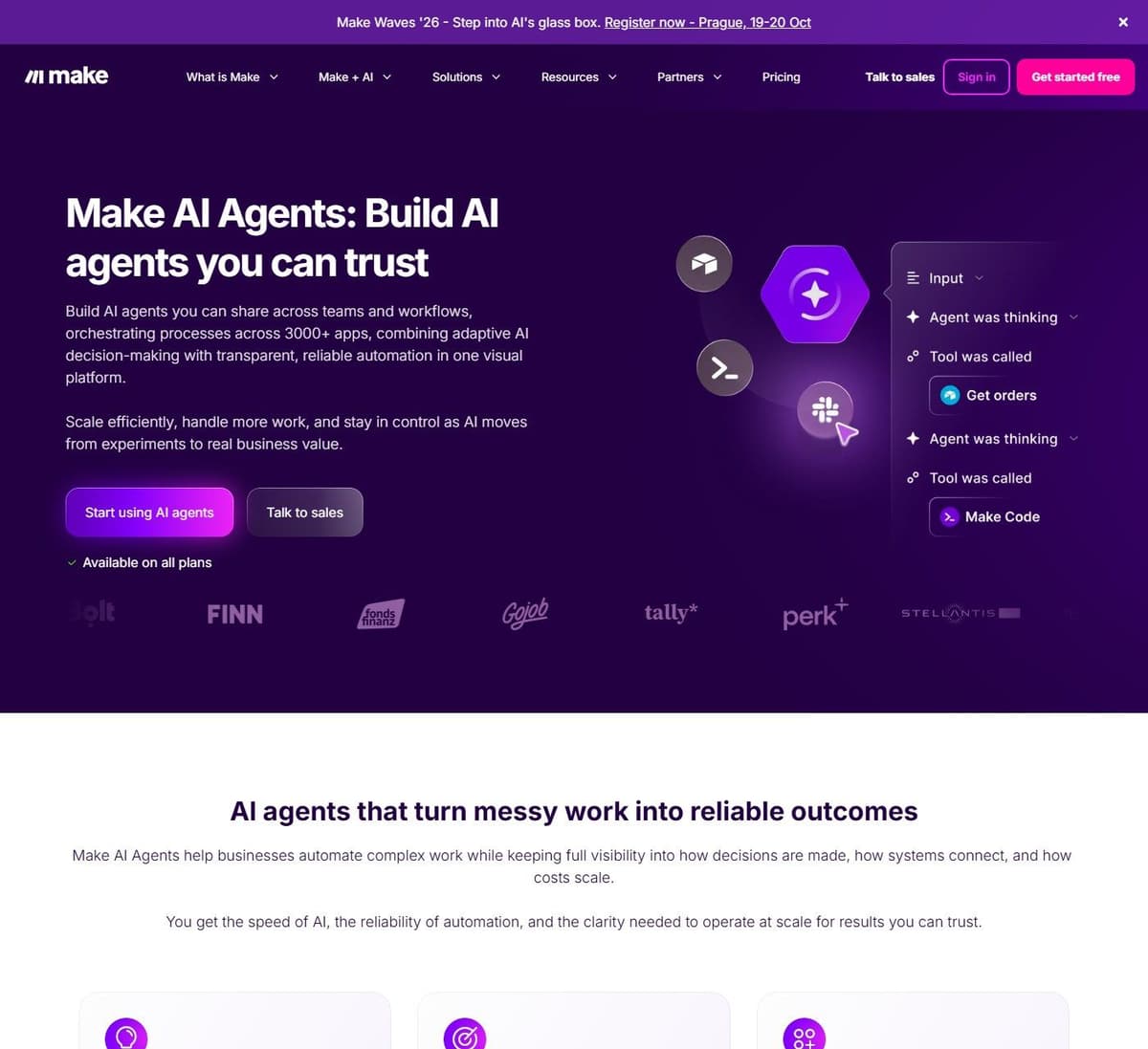
Make's AI Agents page sets an agent apart from a chatbot: 'ChatGPT can respond. Make AI Agents take action.' On each request, the model reads the instructions and input and decides whether it needs a tool. Make runs that tool and passes the result back to the model, and the loop repeats until the model can answer. The Steps per agent call setting caps how many times the agent calls the model per request. Coding an agent from scratch means writing this loop yourself. Make runs it for you, and you build the agent without code.
To build the same agent in code, OpenAI's practical guide to building agents names three of the same parts, a model, tools and instructions, and shows them in its Agents SDK, where a run loops over the model until an exit condition such as a structured output, an error or a maximum number of turns. You then write the tool functions and guardrails yourself. In Make, the trigger, the app connections and the run details come with the scenario, which suits agents that mostly act in apps Make already connects.
How to build a Make AI agent
The app is in open beta as of October 2026, so details may change.
- Plan the agent. Make advises giving agents only tasks you would trust an intern with. It also says to avoid sensitive data, high-stakes financial or strategic decisions and strict legal requirements.
- Build the scenario it lives in. A typical one starts with a trigger module for chat messages, emails, forms, webhooks or mailhooks, then the Run an agent module from the Make AI Agent (New) app.
- Choose the connection. Free plan users select Make's AI Provider. Paid plans can also pick a custom connection such as OpenAI or Anthropic Claude, which needs an API or access key from that provider.
- Write the instructions: the agent's role, behavior, goals and steps. If you leave the Conversation ID field blank, the agent keeps no memory of earlier interactions. Map an ID, such as a user ID, and it remembers that thread, passing the history to the model as context.
- Add tools: modules, scenarios, MCP servers or other agents. To return data, an existing scenario used as a tool must end with a Return outputs module. A new tool scenario is set to On demand so the agent can call it.
- Add knowledge. Make stores the files in a RAG vector database and retrieves only the relevant parts. Supported types are TXT, PDF, DOCX, CSV, MD and JSON.
- Test before going live. You can chat with the agent in the Scenario Builder and re-run it with trigger data from earlier runs. Open a run's details and the Reasoning tab shows the agent's thought process.
Writing instructions and tool descriptions
Make's best practices page traces most errors to unclear or misleading instructions. Write them as a briefing with headers or lists: each step, the tool to call, the knowledge files to check, guardrails, and examples of inputs, outputs and exceptions. The agent picks a tool by its name and description, so describe clearly what the tool does and when to call it. Add a sub-agent only when a task needs its own reasoning and tools, since sub-agents use extra credits.
Which models Make agents can use
Make's AI Provider is available on all plans and needs no OpenAI or Anthropic account. You pick Make's Small, Medium or Large tier, or a named model from providers such as OpenAI and Anthropic Claude, and the tokens are converted into credits. Since November 6, 2025, every paid plan can instead use a custom connection with your own OpenAI or Anthropic key. These are Make's rates as of October 2026, and Make says they are subject to change.
| Tier or model | Input tokens per credit | Output tokens per credit |
|---|---|---|
| Small or Medium (GPT-5 nano) | 18,080 | 2,260 |
| Large (GPT-5 mini) | 3,616 | 452 |
| Claude Sonnet 5 | 452 | 90 |
| Claude Opus 5 | 180 | 36 |
| GPT-5.6 Sol | 180 | 30 |
On Make's AI Provider a heavy model burns through credits fast. Claude Opus 5 gives 180 input tokens per credit, against 18,080 on Small and Medium. With your own key, Make charges 1 credit per operation and the provider bills tokens separately. Make suggests starting on a large model such as the Large tier, then scaling down once you know what good performance looks like. In the beta app, higher reasoning effort uses more tokens and a lower maximum output length uses fewer. Prompt caching also cuts credit usage. You can select it for supported Claude models, and it is on by default for supported OpenAI models.
Before you move to a cheaper model, compare runs by what the agent did, not by how its reply reads. Re-run trigger data from earlier runs on the new model and check in the Reasoning tab which tools it called at each step. Then confirm the change in the app itself, since a confident reply can sit on top of a skipped or failed step. One user on r/AI_Agents gave the rule: "The text output is the wrong thing to compare. I'd check the tool calls: which tool it picked, what arguments it passed, and whether it dropped a step."
What Make AI Agents cost in credits
Make prices plans by monthly credit volume. Paid plans start at a minimum of 10,000 credits a month. Yearly billing is paid in advance, and Make labels it 'Save 15% or more' (as of September 2026), though the exact saving differs slightly by plan.
"Only features triggered by scenario runs (apps, modules, and some in-app features) or the AI agent's chat use credits. Your credit usage can vary based on the number of operations, tokens, and other usage-based factors."
Source: help.make.com
| Plan | Price, billed yearly | Price, billed monthly | Credits a month |
|---|---|---|---|
| Free | $0 a month | $0 a month | Up to 1,000 |
| Core | $9 a month | $10.59 a month | 10,000 minimum |
| Pro | $16 a month | $18.82 a month | 10,000 minimum |
| Teams | $29 a month | $34.12 a month | 10,000 minimum |
Enterprise pricing is custom and quoted through sales. On yearly Pro and Teams plans, credits expire after 12 months rather than each month. Yearly Core credits reset monthly, according to Make's extra credits page. Our Make pricing guide breaks down every plan and what a scenario run costs.
Make's credit rules for AI agents apply while the app is in open beta and may change:
- Running an agent: 1 credit per operation plus token credits on Make's AI Provider, or 1 credit per operation with a custom connection, where the provider bills tokens.
- Chatting with an agent: 1 credit per operation, plus 1 credit per operation from each tool it calls, plus token credits on Make's AI Provider.
- Knowledge: on Make's AI Provider, a PDF or DOCX file costs 1 credit per operation plus 10 tokens per page, plus tokens for its AI-written description and embedding.
- Other modules (Make's pricing page): most actions cost 1 credit, and Router and error handler modules cost nothing.
Make's only worked example comes from its August 25, 2026 change to tier pricing. A Medium-tier step with 2,000 input and 100 output tokens fell from about 0.6 to about 0.16 credits. That figure covers a single AI step. A full agent run also pays for operations, tool calls and every model call. Make publishes no typical cost per run; the worked example at the end of this section builds one from its published rates.
When credits run out, scenarios stop until you add more or upgrade. Make sends warnings at 75% and 90% of purchased credits. Paid plans can buy extra credits in bundles of 1,000 or 10,000 at the fixed price the plan sets, or auto-purchase 10,000 at a time on Core, Pro and Teams.
Extra credits cost 25% more than plan credits. On yearly Core at $9 a month for 10,000 credits, one plan credit costs $0.0009 and 1,000 extra credits cost $1.125. They expire at each monthly reset on monthly billing and yearly Core, or at year end on yearly Pro or Teams.
An agent stuck in a retry loop pays for every pass, so set limits before it runs unattended, starting with the Steps per agent call ceiling described above. Think twice about auto-purchase for such agents. Once the plan's credits run out, it buys 10,000 more at a time, up to the plan's own credit volume per cycle and at the 25% premium, so a looping scenario keeps running instead of stopping. One user on r/AI_Agents described such a loop: "When a tool returned ambiguous results, the agent would retry with slight variations indefinitely instead of escalating."
Worked example: what one agent run costs
Take a Large-tier agent started by a trigger, with two module tools and 6,000 input and 800 output tokens across its model calls. Operations come to 4 credits: the trigger, Run an agent and one per tool. Tokens add 6,000 / 3,616 = 1.66 and 800 / 452 = 1.77 credits. The run costs about 7.4 credits, or $0.0067 at yearly Core's $0.0009 a credit, so 1,000 runs fit Core's 10,000 monthly credits.
On Claude Opus 5 it needs about 60 credits; with your own key, 4 credits plus the provider's token bill. The token counts are assumptions, so measure your own runs.
Limits and plan availability
Make's AI Agents page says agents are available on all plans. As of October 2026 that holds for Make's AI Provider. Your own LLM key needs a paid plan, and the pricing row reads 'Make AI Agents (beta)'. Sub-agents (limited to one level) and tool output filtering are on all plans too, but filtering does not work for Scenarios, MCP and Knowledge tools.
| Limit | Free | Core, Pro, Teams |
|---|---|---|
| Active scenarios | 2 | Unlimited |
| Shortest schedule interval | 15 minutes | 1 minute |
| Max execution time | 5 minutes | 40 minutes |
| Own AI provider key | No | Yes |
An agent step in the beta app times out after 300 seconds by default and 600 seconds at most. Make does not say how that interacts with the plan's execution limit, so do not count on a step outlasting it. Make's knowledge-files page caps knowledge files at 20 MB each and 20 per agent. Make lists no cap on agents, tools or runs per plan. On Free, Make's previous AI Agents app counted each module tool against the 2-active-scenario limit. The new app's docs do not restate that rule.
Make says its MCP Server and MCP Client are included in all plans at no extra cost. Scenario run scopes work on all plans, while management scopes need a paid plan. MCP toolboxes are also on all plans, and their scenarios must finish within 40 seconds. The help center says the general MCP server cannot limit a client to specific scenarios. The Developer Hub, though, points to a 'Scenarios as tools access control' option, so confirm in your account. Our guides explain what MCP is and compare MCP servers for automation.
A timeout does not mean the action failed. When a client's call to a scenario through Make MCP Server times out, after 25 seconds with OAuth or 40 seconds with an MCP token, the scenario keeps running in Make for up to 40 minutes. A client that retries can therefore run it twice. Build scenarios that create records, send messages or charge money so that a repeat does no harm, for example by searching for an existing record before creating one.
Make AI Agents compared with Zapier Agents and Latenode
As of October 2026 Zapier is moving standalone Agents into AI by Zapier. That is an agent step in the Zap editor, billed in regular tasks, with no separate Agents subscription. Zapier has set no date to turn Agents off. Each successful action counts as a task, and all tasks come from one account-wide pool. AI steps multiply tasks by tier: 1x Standard, 3x Advanced, 5x Premium (the paid-plan default) and 1x with your own API key. So a Premium step with two tool calls uses 15 tasks. Standalone Agents still meters activities: 400 a month on Free and 1,500 on Pro at $400 billed annually ($33.33 a month equivalent). Our Make vs Zapier comparison covers the two platforms beyond agents.
| Platform | Where agents run | How AI is billed | Free option |
|---|---|---|---|
| Make AI Agents | Inside Make scenarios | Credits: operations, tokens | 1,000 credits a month |
| Zapier | AI by Zapier step in Zaps | Tasks x model tier rate | AI by Zapier: preview only |
| Latenode | AI Agent builder | CPU seconds, PnP tokens | 10,000 CPU seconds a month |
Latenode, which publishes this blog, bills workflow runtime in CPU seconds (runs times average seconds) rather than per step, as of September 2026 per its pricing page. The Free and Pay as you go plans both include 10,000 CPU seconds a month. Free is $0 a month forever, with 5 active workflows, and includes AI agents. Pay as you go has no base fee, then charges $0.00012 per CPU second from 10,001 to 100,000.
Calls to paid external providers cost PnP tokens (1 PnP token is $1) on top of runtime. Because cost depends on run duration, a CPU second does not convert into a Make credit or a Zapier task, so price your own workload in each unit. Our Make.com alternatives guide prices the same kind of work in each of those units.

When an agent is the right tool and when a scenario is better
Make's guidance is to use an agent for flexible reasoning, judgment calls and variable inputs and outputs, an AI app for predefined logic with AI-generated content, and a standard scenario for predefined logic that always produces the same output for a given input. Make's AI Agents page puts it more simply: if a task just needs doing, use automation, and if it needs thinking, use an agent, especially with unstructured input such as text, messages or documents.
"Since AI systems provide unpredictable results, choose tasks for your agent that you trust an intern to handle. Avoid tasks involving sensitive data, high-stakes financial or strategic decisions, or strict legal requirements."
Source: help.make.com
- Routing support emails with judgment: an agent reads the intent and picks the tool, such as opening a ticket or drafting a reply.
- Research across several tools: an agent can call modules, scenarios and MCP tools as needed. Make warns that several MCP servers and tools drive up token usage.
- Fixed data syncs, such as Google Sheets rows to Airtable: a plain scenario is cheaper, at 1 credit for most actions and no tokens.
- High-volume runs: operations, tool calls and tokens add up on every run. Filter tool outputs, leave Conversation ID blank and move to a cheaper model once quality is proven.
- Tasks needing human approval: Make's AI Agents page mentions manual approvals. The route the help center documents is a tool that sends the output to you for review before the agent continues.
Guardrails and data access
Decide where the agent stops by what a mistake would cost and whether it can be undone: reading, searching and drafting can run on their own, while sending, paying, deleting and changing records should wait for a person. Make sure the version that goes out is the one you approved; for email, the simplest way is a tool that only creates drafts, with the sending left to you. One user on r/AI_Agents put it this way: "let it read and draft silently, but sending on someone's behalf only with confirmation. That way a mistake costs an edit instead of an apology email."
Make's AI Agents page says agents work alongside deterministic logic, not instead of it, so keep fixed checks such as filters around the agent. Make's best practices page warns that the models behind agents are open to prompt hacking and can disclose personal data. Give an agent only the data the job needs, such as calendar free/busy slots rather than the whole calendar. Guardrails in the instructions help, but Make warns that agents can still ignore or misread them. If you build agents like these for paying clients, our guide to the AI automation agency business covers pricing, handoff and who owns the accounts.
So put the hard limits in the tools themselves. Start with tools that only read or search, and add tools that create, send or pay one at a time, once the Reasoning tab shows the agent calling them when you expect. When a tool is a scenario, build the rule into it, for example a filter that lets a refund through only below your limit, so the rule holds whatever the agent decides. One user on r/AI_Agents described the same approach: "Every agent starts with read-only and earns new permissions one at a time, only after I have seen it behave."




